Best CRM Software for Restaurants in 2026: 8 Tools Compared
Compare the best CRM software for restaurants in 2026, with guest profiles, reservations, marketing and pricing to help you turn diners into regulars.
- Editor's choice
 SevenRooms
Groups that want owned guest data and marketing
Starts atSee websiteVisit sevenrooms.comFull review - Great alternative
 OpenTable
Restaurants that need the largest diner network
Starts at$149 per monthVisit opentable.comFull review - Also consider
 Resy
Upscale restaurants and brand-led dining
Starts at$249 per monthVisit resy.comFull review
TL;DR:
- SevenRooms is our pick for groups that want deep guest profiles and marketing, while OpenTable suits restaurants that need diner discovery.
- Resy suits upscale, brand-led dining, and Toast Tables suits restaurants already running Toast POS.
- Eat App and Yelp Guest Manager suit smaller restaurants that want lower cost and simpler setup.
- Per-cover fees matter as much as the monthly fee, so model your total cost at your real cover count.
Quick comparison
| Tool | Best for | Starts at | Free plan? | |
|---|---|---|---|---|
| SevenRooms | Groups that want owned guest data and marketing | See website | No | Visit |
| OpenTable | Restaurants that need the largest diner network | $149 per month | No | Visit |
| Resy | Upscale restaurants and brand-led dining | $249 per month | No | Visit |
 Toast Tables | Restaurants already running Toast POS | See website | No | Visit |
 Yelp Guest Manager | Restaurants that get strong traffic from Yelp | $129 per month | No | Visit |
 Popmenu | Restaurants that want marketing plus ordering | See website | No | Visit |
 Eat App | Small restaurants that want a free start | Free | Yes | Visit |
 Tock | Prepaid tasting menus, events and ticketed dining | See website | No | Visit |
The best CRM software for restaurants
Restaurant CRM is about guest data, not just bookings. The tools below build profiles from visits, preferences and spend, then help you invite the right guests back. They differ in discovery reach, per-cover fees and how much of your guest data you truly own.
SevenRooms is built around the idea that the restaurant should own its guest data. Profiles pull together visit history, preferences, spend and notes, so hosts and marketers can treat regulars well and target lapsed guests with care. Marketing automation, waitlist and reservation tools sit in the same system, which reduces duplicate work. The catch is cost and complexity. Pricing is quoted per group, and a single small restaurant may find the setup heavier than it needs. For multi-unit groups and hotels, that depth is often worth it.
- Deep guest profiles
- Marketing and automation tools
- Many POS integrations
- Pricing is quote-based
- Setup suits groups more than a single small cafe
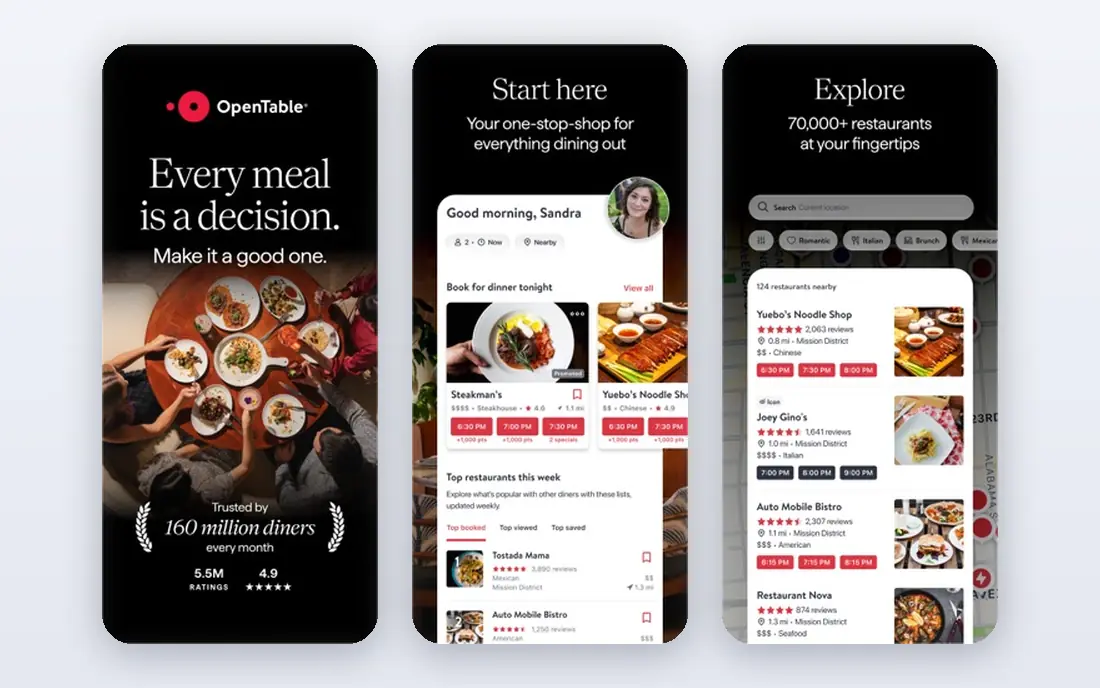
OpenTable remains the discovery leader. Diners search and book through a network many guests already use, which can fill seats for a new or competitive restaurant. Its reservation, table management and basic CRM tools are solid, and plans run from $149 to $499 per month in recent listings. The cost catch is per-cover fees, typically $1 to $1.50 for network covers, plus a smaller fee for website covers on the Basic plan. At 3,000 covers a month, that can add far more than the subscription. If you already drive your own demand, a flat-fee rival may cost less.
- Largest US diner discovery network
- Strong reservation tools
- Google links
- Per-cover fees on network bookings
- Higher total cost at high cover counts
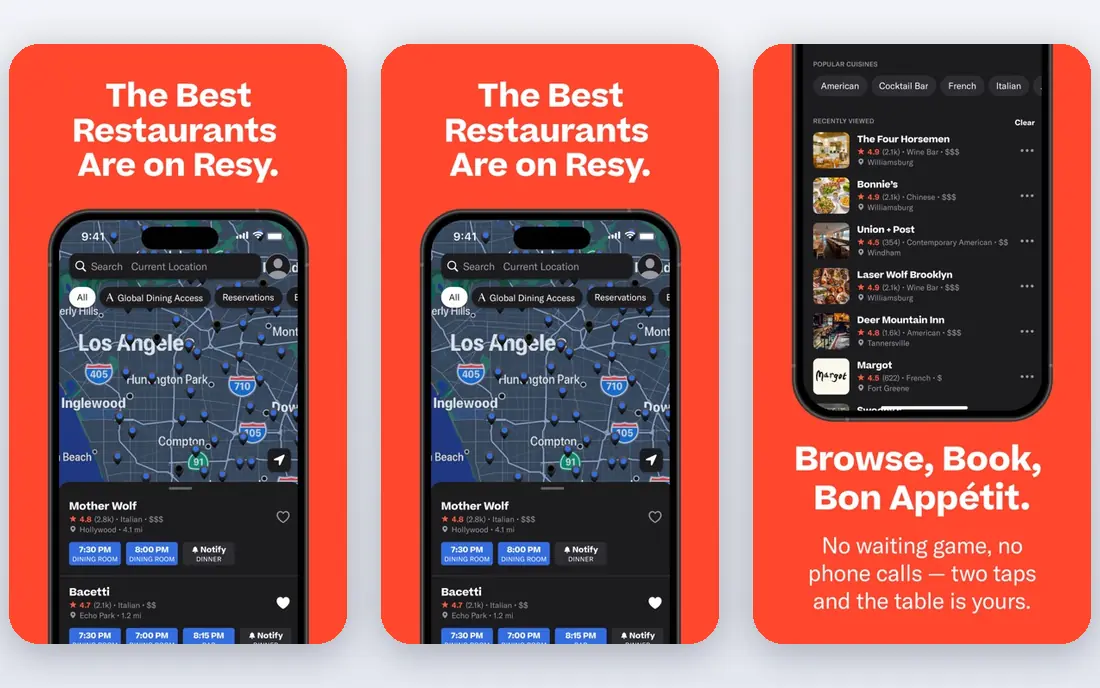
Resy suits restaurants where brand and access matter as much as filling tables. Its diner audience leans urban and upscale, and its Notify feature helps fill cancellations from a waitlist. Recent pricing lists plans from $249 per month, with no per-cover fees disclosed on the main pricing page. Prepaid experiences, now linked to Tock, add a service fee on prepaid bookings, so check that rate if you sell tasting menus or events. For a fine-dining room, Resy often fits the brand better than a general booking tool.
- Strong brand and diner audience
- No per-cover fees disclosed
- Notify waitlist tools
- Higher entry price
- Prepaid features add service fees
Toast Tables makes most sense if Toast already runs your restaurant. Reservations, waitlists and guest profiles connect to orders and payments without a separate integration project, so hosts can see spend and visit history in context. That native link is a real advantage over a standalone tool that must sync with your POS. The limit is obvious. If you do not use Toast POS, Toast Tables is not a standalone CRM pick. Restaurants on Toast should compare it first, since the bundled cost can beat a separate reservation and CRM stack.
- Native Toast POS link
- Guest profiles tied to orders
- Reservation and waitlist tools
- Needs a Toast POS account
- Less useful as a standalone CRM
Yelp Guest Manager turns Yelp searches into reservations and waitlist entries, which matters in markets where diners start on Yelp. It covers table management, waitlists and basic guest profiles, with plans from around $129 per month in recent listings and no per-cover fees. That flat model makes costs predictable. The CRM side is lighter than SevenRooms, so a group that wants deep segmentation and marketing automation may need another tool alongside it. For an independent restaurant with strong Yelp traffic, it is a practical, lower-cost pick.
- Converts Yelp search traffic to bookings
- Waitlist and table tools
- No per-cover fees
- CRM depth is basic compared with SevenRooms
- Best value depends on Yelp traffic
Popmenu blends restaurant CRM with marketing and online ordering. Guest data comes from website visits, orders and reviews, not just reservations, which gives a fuller view of who orders takeout versus who dines in. Its website and menu tools also help smaller restaurants look polished online without hiring a web team. Pricing is quoted, so ask what is included in your package, especially reservation tools and marketing automation. Popmenu suits a restaurant that wants growth marketing and ordering together, rather than a pure reservation system.
- Website, ordering and marketing in one system
- Guest data from online orders
- Review tools
- Pricing is quote-based
- Reservation depth varies by package
Eat App is a good starting point for a small restaurant that wants to test a reservation and CRM system without a large bill. The free plan covers core bookings, and paid plans add more table, CRM and integration features. No per-cover fees keep costs predictable as covers grow. The trade-off is depth. Guest profiles and marketing tools are useful but not as deep as SevenRooms, and larger groups may need more reporting. For a single restaurant that wants a working system this week, Eat App offers strong value.
- Free plan available
- No per-cover fees
- Table and reservation tools
- CRM depth is lighter than enterprise tools
- Advanced features need paid plans
Tock suits restaurants that sell experiences, not just tables. Prepaid reservations, ticketed events and tasting menus reduce no-shows and give the kitchen a firm headcount in advance. That model works well for tasting-menu restaurants, wineries and special events. Service fees apply to prepaid bookings, typically 2 to 3 percent depending on plan, so model that cost on your average ticket. A casual walk-in restaurant may not need Tock at all. For experience-led dining, it is one of the strongest tools in this list.
- Prepaid reservations and ticketing
- Experience management
- Deposit tools
- Pricing is quote-based
- Less suited to simple walk-in restaurants
How we picked these
We compared official pricing pages, reservation and CRM features and restaurant reviews for tools sold in 2026. We favored products that build guest profiles, manage tables or waitlists, and connect with POS systems. We included both discovery networks and flat-fee tools, since the right choice depends on whether you need new diners or better data on guests you already have. Where pricing is quoted, we say so rather than guessing.
How to choose restaurant CRM software
Start with your guest flow. A discovery-led restaurant needs a network that brings new diners, while a neighborhood regulars spot needs better data and marketing for guests it already knows. Next, model total cost. Multiply your monthly covers by any per-cover fee, add the subscription, and add prepaid service fees if you sell tickets. That total, not the subscription alone, is the price to compare.
Then check data ownership and export. Ask what guest fields you can export, how profiles merge duplicates, and what happens to your data if you leave. Test the host stand workflow during a busy service, not just in a quiet demo. Hosts need to seat, waitlist and note preferences fast, and a slow tool will be bypassed when the dining room fills. Finally, check POS links. A CRM that syncs orders and spend gives far better profiles than one that only knows bookings.
A short trial plan
Run the tool for two busy weekends with real hosts and real guests. Track how many profiles get completed, how many waitlist guests convert, and how long check-in takes at peak. Ask marketing staff to build one simple campaign, such as inviting lapsed guests back, and see how long that takes. If hosts skip the tool under pressure, it will not build the data you paid for.
FAQ
What is the best restaurant CRM software?
SevenRooms suits groups that want deep guest data, OpenTable suits discovery-led restaurants, and Resy suits upscale dining. Toast Tables suits Toast POS users, while Eat App suits small restaurants on a budget. The best restaurant CRM software depends on your covers, brand and POS.
How much does restaurant CRM software cost?
Subscriptions range from free with Eat App to $129 to $499 per month for many listed tools, with SevenRooms, Toast Tables and Tock priced by quote. Per-cover fees can add a large amount on OpenTable, while flat-fee tools keep costs predictable. Model your total at your real cover count.
Does OpenTable charge per cover?
Yes, OpenTable charges per-cover fees on network bookings, typically $1 to $1.50 per cover, with website cover fees on the Basic plan. Core and Pro plans include website covers, but network covers still carry a fee. Check the current plan page before you sign, since fees vary by plan.
Can restaurant CRM help with repeat visits?
Yes, when profiles are complete and used well. A good CRM records preferences, allergies, visit history and spend, then helps you invite lapsed guests back and reward regulars. The benefit depends on hosts completing profiles during service, not just on buying the software.
Do I need a separate CRM if I have a POS system?
A POS system records orders and payments, but it often lacks reservation, waitlist and marketing tools. A restaurant CRM adds guest profiles, campaigns and host workflows that a POS alone does not cover. Some POS systems, such as Toast, bundle those tools, which can remove the need for a separate CRM.