Best cPanel Alternatives in 2026: 8 Panels Compared
Explore the best cpanel alternatives for VPS and shared hosting, from free open-source panels to low-cost commercial options, with pricing and trade-offs.
- Editor's choice
 Plesk
Windows and Linux hosting
Starts at$16.99 per monthVisit plesk.comFull review - Great alternative
 DirectAdmin
Low-cost commercial hosting
Starts at$5 per monthVisit directadmin.comFull review - Also consider
 CyberPanel
WordPress on OpenLiteSpeed
Starts atFreeVisit cyberpanel.netFull review
TL;DR:
- DirectAdmin is the closest low-cost commercial alternative, with tiered per-server pricing from $5 per month.
- Free panels such as HestiaCP, CyberPanel and ISPConfig suit self-managed servers, but they need more admin skill.
- Plesk is the only panel here with supported Windows hosting, which matters for mixed Linux and Windows estates.
- cPanel alternatives differ most on licensing model, so check whether you pay per server, per account or per site.
Quick comparison
| Tool | Best for | Starts at | Free plan? | |
|---|---|---|---|---|
| Plesk | Windows and Linux hosting | $16.99 per month | Free trial | Visit |
| DirectAdmin | Low-cost commercial hosting | $5 per month | Free trial | Visit |
| CyberPanel | WordPress on OpenLiteSpeed | Free | Yes | Visit |
 HestiaCP | Free all-in-one Linux hosting | Free | Yes | Visit |
 ISPConfig | Multi-server Linux hosting | Free | Yes | Visit |
 CloudPanel | Cloud VPS application hosting | Free | Yes | Visit |
 aaPanel | Beginner-friendly free panel | Free | Yes | Visit |
 Virtualmin | Deep system control | Free | Yes | Visit |
The best cPanel alternatives
cPanel alternatives are not all the same kind of product. Some are commercial panels for resellers, some are free panels for a single VPS, and some are modern app panels without mail. The eight below cover that range, and the right pick depends on your server count, your mail needs and your admin skill.
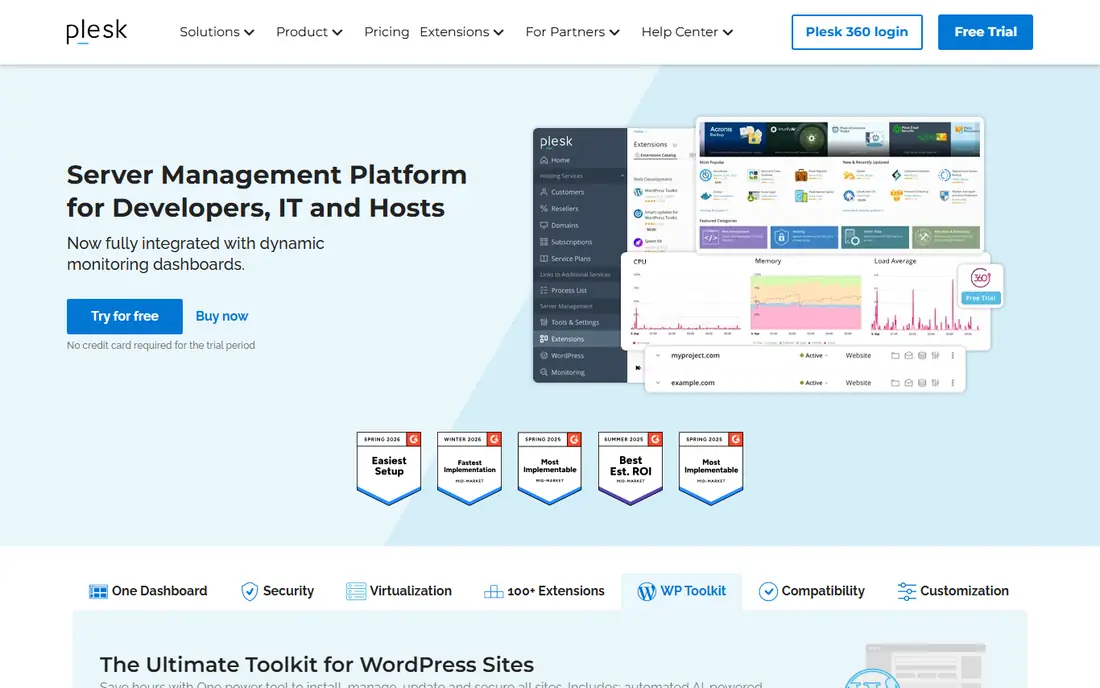
For teams that want windows and linux hosting, Plesk is a strong place to start. Plesk is the most polished commercial alternative, with support for both Linux and Windows servers, a wide extension catalogue, and reseller workflows that hosting businesses already understand, which makes migration less disruptive than a move to a free panel. The pricing and plan structure also matter here, because a tool that looks cheap at sign-up can grow costly once you add seats, storage or extra features, so check the plan limits against your real headcount and workload before you commit.
Starting price is $16.99 per month, and the free plan position is Free trial. The ownership point matters if you are leaving cPanel over its parent company, since Plesk sits under the same group, and the higher tiers needed for many domains cost notably more than the entry plan. That balance makes it a safe shortlist pick, provided the limits above fit the way your team works. We compared official feature pages, pricing pages and public documentation for this entry, and we suggest you confirm the current plan details on the vendor site before you buy, since prices and limits change often.
- Supports Windows and Linux
- Strong extension catalogue
- Familiar reseller workflows
- Owned by the same group as cPanel
- Higher tiers cost more
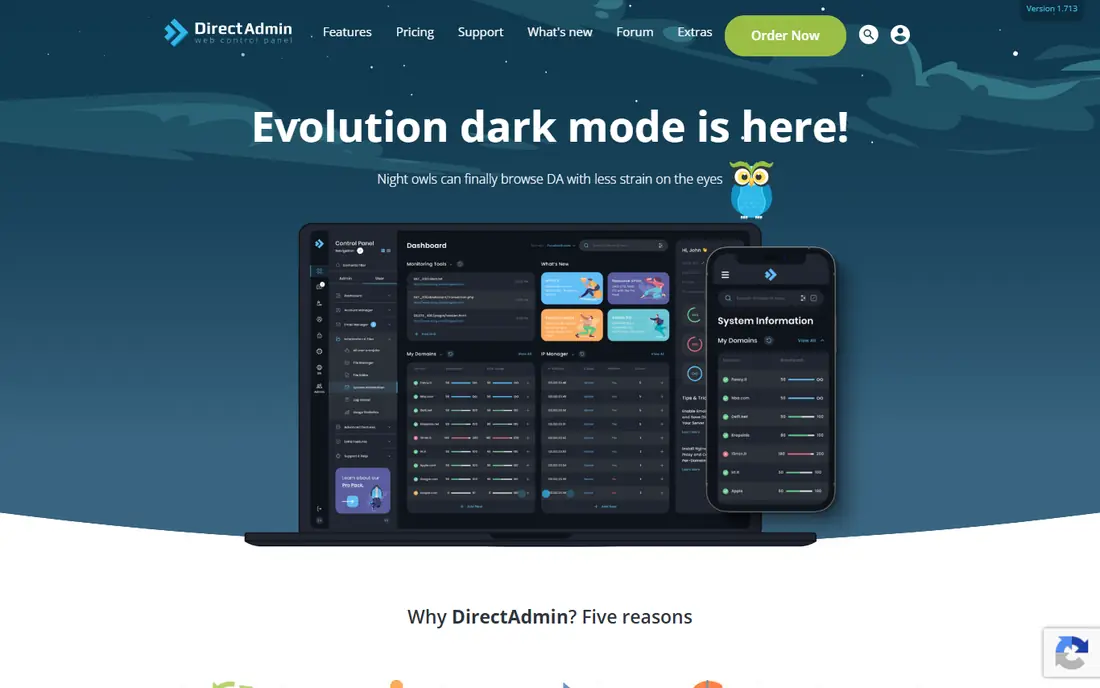
DirectAdmin earns its place here for low-cost commercial hosting, and it does that job with a clear, practical focus. DirectAdmin is the budget commercial pick, with per-server pricing from $5 per month, a light footprint, and tiered plans that suit resellers who want predictable costs without paying per account in the cPanel style. The pricing and plan structure also matter here, because a tool that looks cheap at sign-up can grow costly once you add seats, storage or extra features, so check the plan limits against your real headcount and workload before you commit.
Starting price is $5 per month, and the free plan position is Free trial. Its interface is plainer than Plesk, and some advanced features need more manual setup, so it suits hosts that value cost and stability over polish. If those trade-offs are acceptable, it is one of the easier choices to defend to a budget holder. We compared official feature pages, pricing pages and public documentation for this entry, and we suggest you confirm the current plan details on the vendor site before you buy, since prices and limits change often.
- Low entry price
- Light on resources
- Per-server tiers suit resellers
- Interface feels plain next to Plesk
- Some features need extra setup

If wordpress on openlitespeed is the priority, CyberPanel deserves a close look before you decide. CyberPanel centres its free core on OpenLiteSpeed, which gives WordPress sites fast caching and a simple setup path, and it suits developers and small hosts that want a free panel tuned for WordPress performance. The pricing and plan structure also matter here, because a tool that looks cheap at sign-up can grow costly once you add seats, storage or extra features, so check the plan limits against your real headcount and workload before you commit.
Starting price is Free, and the free plan position is Yes. Paid enterprise features add LiteSpeed and extra support, and buyers should keep patching disciplined, since the panel has faced serious security issues in the past. We would shortlist it when the fit is close, and we would keep the higher tier in mind for later growth. We compared official feature pages, pricing pages and public documentation for this entry, and we suggest you confirm the current plan details on the vendor site before you buy, since prices and limits change often.
- Free core panel
- OpenLiteSpeed and caching integration
- One-click WordPress setup
- Enterprise features are paid
- Past security issues need careful patching
HestiaCP stands out for free all-in-one linux hosting, with a setup that most teams can follow without a long learning period. HestiaCP offers a free, open-source panel with web, mail and DNS in one place, plus multi-PHP support and a clean interface, which makes it a strong choice for a single self-managed server or a small agency VPS. The pricing and plan structure also matter here, because a tool that looks cheap at sign-up can grow costly once you add seats, storage or extra features, so check the plan limits against your real headcount and workload before you commit.
Starting price is Free, and the free plan position is Yes. Support comes from the community rather than a vendor help desk, and the one-click app range is smaller than commercial rivals, so it suits admins who are comfortable managing a server themselves. On balance, it is a practical pick for buyers who value clarity over a very long feature list. We compared official feature pages, pricing pages and public documentation for this entry, and we suggest you confirm the current plan details on the vendor site before you buy, since prices and limits change often.
- Free and open source
- Mail, DNS and web in one panel
- Light resource use
- Community support only
- Fewer one-click apps than commercial panels
We put ISPConfig on this list because it handles multi-server linux hosting well at a price that is easy to justify. ISPConfig is a mature free panel for Linux hosts that need multi-server control, reseller accounts and a wide range of distributions, and it has served hosting businesses for many years without licence fees. The pricing and plan structure also matter here, because a tool that looks cheap at sign-up can grow costly once you add seats, storage or extra features, so check the plan limits against your real headcount and workload before you commit.
Starting price is Free, and the free plan position is Yes. The learning curve is steeper than HestiaCP or CyberPanel, and the interface feels technical, so beginners should expect time to learn its structure before they rely on it for client sites. It is worth a trial with real work, since the day-to-day feel matters more than any feature table. We compared official feature pages, pricing pages and public documentation for this entry, and we suggest you confirm the current plan details on the vendor site before you buy, since prices and limits change often.
- Free and open source
- Multi-server and reseller support
- Broad Linux support
- Steeper learning curve
- Interface feels technical for beginners
For buyers focused on cloud vps application hosting, CloudPanel offers a balanced mix of features, support and cost. CloudPanel suits cloud VPS owners who run PHP or modern web apps and do not need a local mail server, with a focused Nginx stack, Docker support and a clean interface that keeps server management simple. The pricing and plan structure also matter here, because a tool that looks cheap at sign-up can grow costly once you add seats, storage or extra features, so check the plan limits against your real headcount and workload before you commit.
Starting price is Free, and the free plan position is Yes. The lack of a local mail stack is a real limit for hosts that provide email, and its focus is narrower than a full hosting panel, so check your app mix before you choose it. For the right buyer, the value here is clear, even though it is not the best fit for every team. We compared official feature pages, pricing pages and public documentation for this entry, and we suggest you confirm the current plan details on the vendor site before you buy, since prices and limits change often.
- Free community edition
- Fast Nginx stack
- Docker support for modern apps
- No local mail stack
- Focus is mainly on PHP and modern apps
aaPanel is a sensible shortlist pick for beginner-friendly free panel, especially when you want to get moving quickly. aaPanel gives beginners a free panel with a modern interface and a large range of one-click apps, which makes it easy to install web servers, databases and common applications on a VPS without deep command-line work. The pricing and plan structure also matter here, because a tool that looks cheap at sign-up can grow costly once you add seats, storage or extra features, so check the plan limits against your real headcount and workload before you commit.
Starting price is Free, and the free plan position is Yes. Some plugins and pro features are paid, and free users rely on community support, so agencies that need guaranteed help should weigh the pro plan or a commercial panel. That mix of strengths and limits is why we placed it here rather than higher or lower. We compared official feature pages, pricing pages and public documentation for this entry, and we suggest you confirm the current plan details on the vendor site before you buy, since prices and limits change often.
- Free core with many one-click apps
- Modern interface
- Easy service management
- Some plugins are paid
- Support is community-led for free users
When deep system control matters most, Virtualmin gives you a dependable route that does not ask for much setup time. Virtualmin, built on Webmin, gives system admins deep control over domains, mail, databases and server settings, with a free GPL core and a long track record that suits experienced admins who want flexibility over polish. The pricing and plan structure also matter here, because a tool that looks cheap at sign-up can grow costly once you add seats, storage or extra features, so check the plan limits against your real headcount and workload before you commit.
Starting price is Free, and the free plan position is Yes. The interface looks dated next to newer panels, and some pro features need a paid licence, so it fits admins who value control and are comfortable with a technical interface. If your needs match its strengths, it should serve you well for a long time. We compared official feature pages, pricing pages and public documentation for this entry, and we suggest you confirm the current plan details on the vendor site before you buy, since prices and limits change often.
- Free GPL core
- Deep control over domains, mail and databases
- Long track record
- Interface looks dated
- Pro features need a paid licence
How we picked these
We compared official feature pages, pricing pages and public documentation for each product, and we checked that each one exists and works in October 2026. We looked at what the entry plan actually includes, what sits behind a higher tier, and where the free plan or trial stops. We also weighed how easy each option is to learn, how it handles growth, and what honest limits show up in public reviews and help pages. We did not claim hands-on testing we did not do, and we did not invent features, prices or awards. Where a price could not be verified from the vendor site, we wrote See website instead of guessing.
How to pick a cPanel alternative
Match the licence model to your account count
Per-server pricing suits a small number of servers, while per-account pricing grows with every customer. Per-site pricing suits multi-server operators with low-density servers. Model your cost at your current account count and at double that count, since the cheapest panel today can become the most expensive panel as you grow.
Check mail, DNS and migration before you switch
A panel without a local mail stack forces you to buy email elsewhere, which changes the total cost. Check DNS, backups, SSL and database support too. Then test migration with one real site, including mailboxes and databases, before you move a whole server.
Weigh support against admin skill
Commercial panels offer vendor support and documentation, while free panels rely on community help. If your team can manage a Linux server confidently, a free panel can save a lot. If client sites depend on fast help, a paid panel with support is usually the safer value choice.
FAQ
What are the best cPanel alternatives?
Plesk and DirectAdmin are the leading commercial cPanel alternatives, while HestiaCP, CyberPanel and ISPConfig lead the free options. Plesk suits Windows hosting and resellers, DirectAdmin suits low-cost commercial hosting, and the free panels suit self-managed Linux servers. The best pick depends on your licence model and admin skill.
Is there a free alternative to cPanel?
Yes, HestiaCP, CyberPanel, ISPConfig, CloudPanel, aaPanel and Virtualmin all offer free core panels. They suit developers and admins who can manage a server themselves. Free panels save licence fees, but they rely on community support and need more hands-on maintenance than commercial panels.
Is Plesk a good cPanel alternative?
Plesk is a strong cPanel alternative for Windows and Linux hosting, with a wide extension catalogue and familiar reseller workflows. It is owned by the same group as cPanel, so it does not solve a concern about that parent company. It does offer per-server pricing, which can be more predictable than per-account pricing.
What is the cheapest cPanel alternative?
Free panels such as HestiaCP and ISPConfig cost nothing in licence fees, while DirectAdmin starts at $5 per month for a commercial licence. The cheapest honest total includes your time, support needs and any extra mail or backup services. A free panel can cost more in admin time than a low-cost commercial panel.
Can I migrate from cPanel to another panel?
Migration is possible, but it needs planning for websites, databases, mailboxes, DNS and SSL certificates. Test the move with one site first, and check whether the new panel offers a migration tool or import path. Back up everything before you start, and keep the old server running until the new one is proven.