Best Coworking Space Software in 2026: 8 Tools Compared
Compare the best coworking space software in 2026, from member billing and desk booking to door access, community apps, payments, and multi-site reporting.

- Editor's choice
 Nexudus
Growing and multi-location operators
Starts atSee websiteVisit nexudus.comFull review - Great alternative
 OfficeRnD Flex
Connected flex operations
Starts atSee websiteVisit officernd.comFull review - Also consider
 Optix
Boutique spaces, premium app
Starts atSee websiteVisit optixapp.comFull review
TL;DR:
- Nexudus is our pick for growing operators who need customization, CRM, automation, and reporting depth.
- OfficeRnD Flex suits operators who want billing, reporting, and online sales in one connected system with a polished member experience.
- Cobot is the simplest choice for small spaces, while Optix and Spacebring suit spaces where the member app defines the brand.
- Compare cost at the same member count and location count, since per-member and per-location pricing can look very different at scale.
- Check door access, payment, and accounting links before launch, since those links are hardest to fix after members move in.
Quick comparison
| Tool | Best for | Starts at | Free plan? | |
|---|---|---|---|---|
| Nexudus | Growing and multi-location operators | See website | Free trial | Visit |
| OfficeRnD Flex | Connected flex operations | See website | No | Visit |
| Optix | Boutique spaces, premium app | See website | Free trial | Visit |
 Cobot | Small spaces, simplicity | See website | Free trial | Visit |
 Spacebring | Branded member app | See website | Free trial | Visit |
 Archie | Teams-native booking | See website | Free trial | Visit |
 Coworks | Community-first spaces | See website | Free trial | Visit |
 Yardi Kube | Real estate portfolios | See website | No | Visit |
The best coworking space software
Coworking software has to handle memberships, billing, desk and room bookings, door access, and community, all without creating extra admin work. The tools below serve different sizes, from a single small space to a portfolio of flex locations. The right choice depends on member count, locations, and how much customization your operation needs.

Nexudus is a long-standing coworking platform with broad coverage: memberships, bookings, billing, CRM, automation, floor plans, and a member portal. Its strength is depth. Operators can shape plans, contracts, invoices, and workflows to match how their space actually runs, rather than forcing the space into a fixed template.
That depth means setup takes care, and pricing scales with active members per location, so model costs at your real member count. For a single small space, a simpler tool may be faster. For a growing operator or a multi-location group that needs reporting and automation, Nexudus is a strong and proven choice.
- Deep customization
- CRM and automation
- Strong reporting and integrations
- Setup takes time to configure well
- Pricing scales with active members
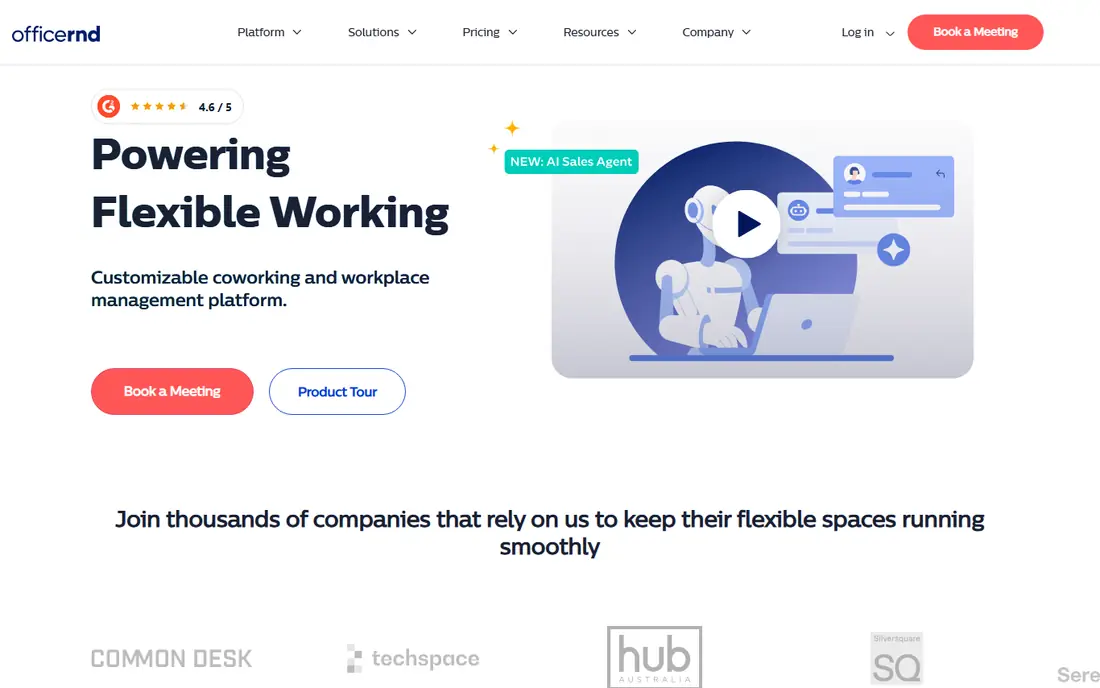
OfficeRnD Flex brings memberships, billing, bookings, reporting, and online sales together in one system for flex and coworking operators. Members can discover space, book desks and rooms, sign up, and pay through a clean portal and app, while staff manage the operation from a single dashboard. That connected flow reduces the manual work that grows when tools sit apart.
Pricing varies by plan and member count, with published starter plans and custom pricing for larger scale. Operators praise its ease of use and support, though complex portfolios still need careful setup. If you want a modern, connected platform for one or many locations, OfficeRnD Flex belongs on your shortlist.
- Billing, reporting, and online sales in one system
- Polished member experience
- Good support ratings
- Quote-based pricing on higher tiers
- Setup needs planning for complex portfolios
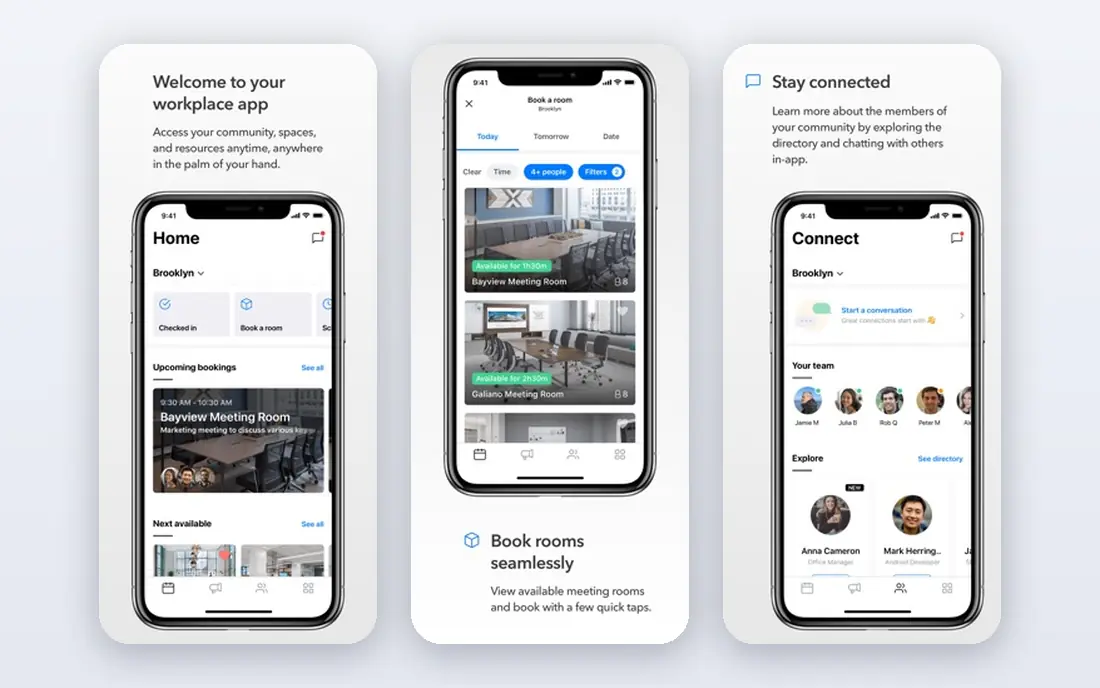
Optix focuses on the member experience. Its mobile app handles bookings, payments, community, and access in a clean design that suits boutique and premium spaces. Automation covers routine tasks such as invoicing, reminders, and booking rules, which frees staff to focus on members rather than admin.
Costs rise with member count, and the cheaper tiers cap members, so compare plans at your actual size rather than the headline price. A white-label app in the app stores also costs extra. If your brand depends on a polished member app, Optix is worth the premium over simpler tools.
- Design-led member app
- Automation for bookings and billing
- Strong mobile experience
- Higher cost at larger member counts
- White-label app costs extra
Cobot is the calm option for small coworking spaces. It covers memberships, bookings, invoicing, and member management without a long feature list to learn. New operators can get running quickly, and members get a straightforward portal for bookings and payments.
Larger operators may miss the deeper automation, CRM, and multi-location reporting found in Nexudus or OfficeRnD Flex. Per-member pricing also means costs rise as you grow, so check the total at one hundred members, not just at ten. For a first space or a small community hub, Cobot is a reliable and low-friction start.
- Simple setup
- Bookings and billing without complexity
- Fair small-space pricing
- Less depth for large portfolios
- Per-member pricing grows with success
Spacebring bundles memberships, bookings, billing, community, and a branded member app into one modern platform. Billing automation is a highlight: once a member signs a contract, the platform can activate the subscription, prorate the first month, and handle recurring payments without manual entry. That reduces errors during busy move-in weeks.
Spacebring is newer than the largest rivals, so its public review base is smaller, though early feedback is positive. A fully white-labeled app in the app stores costs extra, as with most rivals. If you want a modern app experience without buying a separate member app, Spacebring is a strong new option.
- Branded member app included on many plans
- Billing automation
- Community tools
- Newer than Nexudus and OfficeRnD
- White-label store app costs extra
Archie is a modern coworking platform built around bookings, memberships, and team workflows. Its interface feels current, and it suits mid-sized and growing spaces that need a clean member journey from discovery to booking to payment. Multi-location support helps operators who plan a second site.
As a newer platform, Archie has a smaller track record than Nexudus or OfficeRnD Flex, so test the links that matter to you, including payments, accounting, and door access. If your team lives in modern tools and wants a fresh booking experience, Archie is a credible alternative to the larger platforms.
- Teams and booking focus
- Modern interface
- Good for growing spaces
- Less established than Nexudus
- Check accounting and access links for your stack
Coworks suits spaces where community is the product, such as incubators, makerspaces, and creative hubs. It covers memberships, desk and room bookings, billing, events, and member communication in one place. That community focus helps spaces that run programs, workshops, and member events alongside desk rentals.
Enterprise operators with large portfolios may want deeper reporting and real estate tools from Yardi Kube or essensys. For a single community-driven space, Coworks balances operations and member life well. Test event management and member messaging during a trial, since those features matter more here than in a purely desk-rental space.
- Community and event tools
- Memberships and bookings
- Good for incubators and makerspaces
- Less enterprise depth than Yardi Kube
- Check reporting for larger portfolios
Yardi Kube is built for landlords, property managers, and large flex operators rather than single small spaces. It handles flex memberships, bookings, billing, and portfolio reporting within the wider Yardi real estate system. That fit matters when coworking sits inside a larger property business with shared accounting and leasing workflows.
Pricing is quote-based, and the platform is more complex than a small space needs. Single-space operators will likely find Cobot, Optix, or Spacebring faster and cheaper. For a portfolio where flex space must report beside traditional leases, Yardi Kube is the enterprise choice.
- Built for flex portfolios
- Strong for landlords and large operators
- Yardi ecosystem links
- Quote-based pricing
- More than most single spaces need
How we picked these
We compared official feature pages, pricing pages, and public user reviews for coworking software that works in October 2026. We favored tools with memberships, bookings, billing, and a member portal or app, plus clear pricing or a clear quote path. We also weighed door access links, payment options, accounting links, multi-location support, and community features. We did not claim hands-on testing we did not do, and we left out general office booking tools that lack coworking billing and memberships.
What to check before you launch
Model cost at your real member count
A plan capped at ten members is not comparable to a plan built for one hundred, even if the headline price looks similar. Model monthly cost at your current members, at your target members in a year, and per location if you plan to expand. Add white-label app fees, payment processing, and any access hardware costs to get the true total.
Test access, payments, and accounting together
Book a desk, pay for it, open a door, cancel a booking, and refund a payment in one test run. Check how invoices post to your accounting system and how failed payments are handled. These links cause the most launch-day problems, and they are easier to fix during a trial than after members rely on them daily.
Plan the member move-in journey
Map the steps from inquiry to signed contract to first booking to first invoice. Test that journey on a phone as a new member, not just as an admin. Clear pricing, simple signup, and a welcome message with booking and access steps reduce support tickets in the first month. Train front-desk staff on the same journey so they can help members in person.
FAQ
What is the best coworking space software for a new space?
Cobot is a good start for a small new space because it is simple and covers bookings and billing. Spacebring and Optix suit new spaces that want a polished member app from day one. Nexudus and OfficeRnD Flex suit new spaces that plan to grow fast or open more locations soon.
How much does coworking space software cost?
Costs vary by member count, locations, and plan, so compare at the same size. Starter plans for small spaces often start in a low monthly range, while larger portfolios pay custom quotes. Add payment processing, white-label app fees, and access hardware to the base price for a true total.
Do I need door access integration?
Not for every space, but it helps a lot for 24-hour access, meeting room control, and security. Check that your chosen software links to your door hardware or access provider before you buy locks or readers. A manual key system can work for a small daytime space, but it scales poorly.
Can coworking software handle day passes and meeting rooms?
Yes, most platforms here support day passes, hot desks, dedicated desks, private offices, and meeting room bookings with different rates. Check how each tool handles credits, hourly billing, and guest bookings, since those rules differ. Test a day-pass purchase and a room booking during your trial.
What is the best software for multiple coworking locations?
Nexudus, OfficeRnD Flex, and Yardi Kube are strong multi-location choices, with portfolio reporting and shared member records. Spacebring and Archie also support multiple sites for growing operators. Compare how each tool handles cross-location memberships, billing, and reporting before you expand.
Should I choose a white-label member app?
A white-label app puts your brand in the app stores, which can strengthen a premium or multi-location brand. It usually costs extra per month, so weigh it against using the vendor app with your logo and colors. For a single small space, the vendor app is often enough, while larger brands gain more from a white-label presence.