Best Conversational AI Platforms in 2026: 8 Platforms Compared
Compare the best conversational ai platforms for chat, voice and support in 2026, with current pricing, strengths, limits and picks for teams of every size.
- Editor's choice
 Dialogflow
Google Cloud teams building chat and voice agents
Starts atSee websiteVisit cloud.google.comFull review - Great alternative
 Kore.ai
Large enterprises with high volume support
Starts atSee websiteVisit kore.aiFull review - Also consider
 IBM watsonx Assistant
Regulated teams that need governed answers
Starts at$140 per monthVisit ibm.comFull review
TL;DR:
- The best conversational ai platform depends on who builds it: developers need control, support teams need outcomes, and large firms need governance.
- Usage based pricing can look cheap and still surprise you, so model real conversation volume before you sign.
- A free tier is useful for a pilot, but voice, analytics and enterprise controls usually sit behind paid plans.
- The best conversational ai tools in this list all connect to common help desks, CRMs and messaging channels.
Quick comparison
| Tool | Best for | Starts at | Free plan? | |
|---|---|---|---|---|
| Dialogflow | Google Cloud teams building chat and voice agents | See website | Free trial | Visit |
| Kore.ai | Large enterprises with high volume support | See website | Free trial | Visit |
| IBM watsonx Assistant | Regulated teams that need governed answers | $140 per month | Yes | Visit |
 Microsoft Copilot Studio | Organizations already using Microsoft 365 | $200 per month | Free trial | Visit |
 Amazon Lex | AWS developers building voice and text bots | See website | No | Visit |
 Rasa | Teams that must host and control their own data | Free | Yes | Visit |
 Yellow.ai | Multichannel brands, especially on WhatsApp and voice | Free | Yes | Visit |
 Botpress | Builders who want a visual studio and model choice | Free | Yes | Visit |
The best conversational ai platforms
These platforms help companies answer questions, complete routine tasks and hand over to a person when the conversation gets complex. We compared official feature pages, pricing pages, documentation and public reviews, and we favored tools that are still actively sold and supported in October 2026.
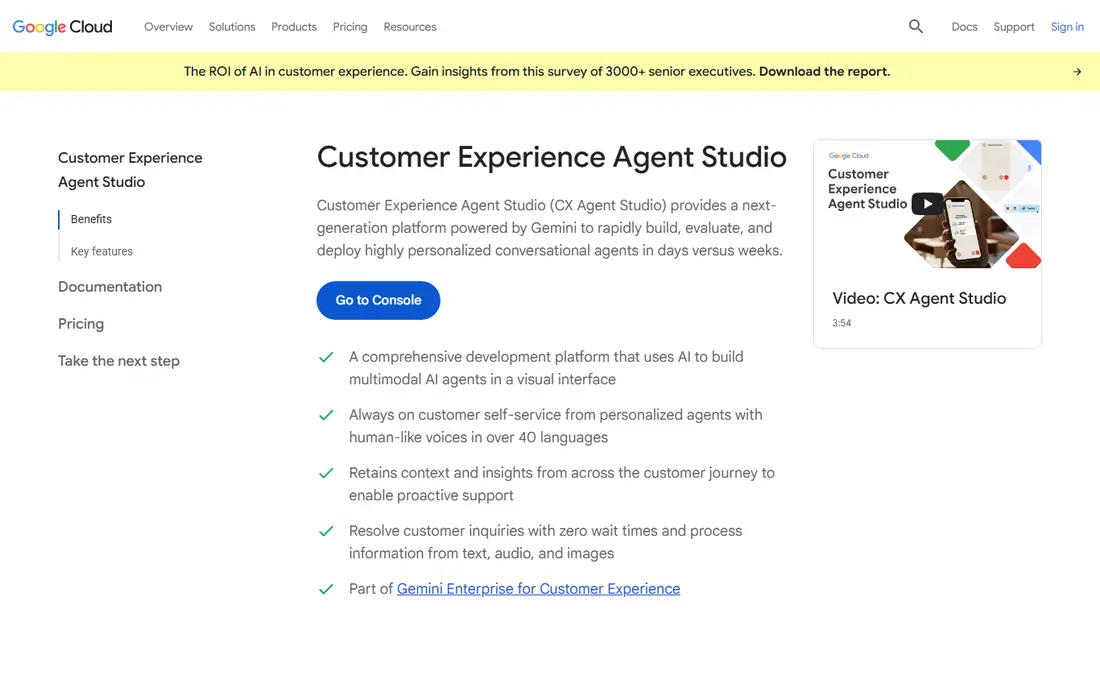
Dialogflow, now part of Google Cloud Conversational Agents, suits teams that already run on Google Cloud and want a proven way to build agents for websites, apps and phones. It offers flow based design for predictable conversations and generative options for open ended questions, which is a useful mix when some answers must stay exact and others can be more flexible. The documentation is deep, and the links to Google Cloud tools make it easier to connect an agent to search, data stores and contact center features.
The catch is cost control and complexity. Chat is billed per request and voice is billed per second, so a busy support agent can cost far more than a quiet internal helper. Small teams should start with one clear use case, such as order status or appointment questions, and watch usage closely before adding more flows. If your team has no Google Cloud experience, expect a learning curve.
- Strong language understanding
- Works with Google Cloud services
- Supports chat and voice channels
- Pricing is usage based and harder to forecast
- Complex agents need developer time

Kore.ai is built for organizations that need one platform for customer service, employee help and process automation at scale. It supports chat, voice and messaging channels, and it offers tools for agent assist, analytics and governance. That breadth matters when a company runs several contact centers or must meet strict security and compliance rules.
The trade off is that this is not a quick self serve purchase for most buyers. Pricing is largely quote based, and larger deployments often involve partners and professional services. Smaller teams may find the platform more than they need. For a large enterprise with a clear volume forecast and an IT team to own the build, Kore.ai is a strong contender.
- Broad channel and language coverage
- Strong enterprise controls
- Prebuilt solutions for common industries
- Enterprise pricing is quote based
- Setup can take time and specialist help
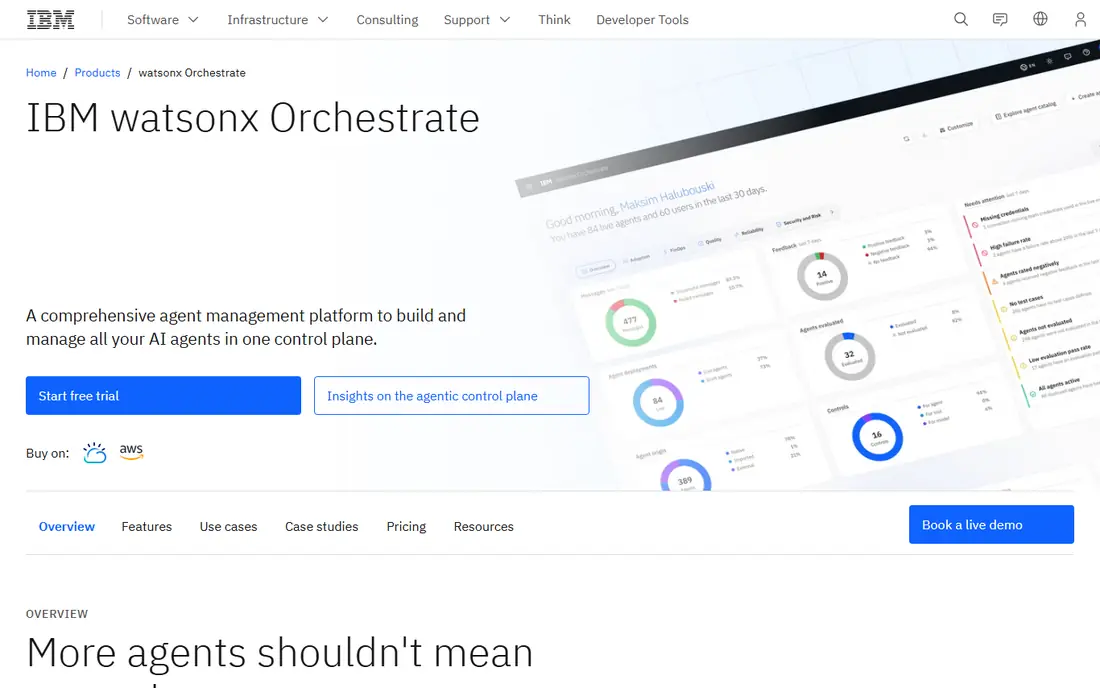
IBM watsonx Assistant focuses on answers that stay tied to approved company content, which helps in banking, insurance, health care and other fields where a wrong answer is costly. It can pull from documents and knowledge bases, route to a human agent, and work across web chat and voice channels. For teams that already use IBM tools, the integration story is clear.
The honest limit is that the most useful enterprise features and higher volumes push the price up, and the setup still needs someone to curate content and test answers. It is not the simplest tool for a tiny team with one FAQ page. It is a good fit when accuracy, audit trails and control matter more than speed to launch.
- Grounded answers from company content
- Enterprise security options
- Connects to IBM and common contact center tools
- The entry plan can feel limited at high volume
- Best value comes inside a wider IBM setup
Microsoft Copilot Studio lets business users and developers build agents that draw on SharePoint sites, documents, web content and other approved sources. Publishing to Teams, websites and other channels is a natural step for a company that already lives in Microsoft 365. The maker license itself is free, and paid use is billed through Copilot Credits, with packs listed at $200 per month for 25,000 credits and a pay as you go meter also available.
That credit model is the part to model before launch. Different actions consume different numbers of credits, so two agents with similar traffic can cost very different amounts. Start with internal use cases, track credit use for a month, and only then open the agent to customers. For Microsoft centered teams, the convenience is hard to beat.
- Deep Microsoft 365 and Teams integration
- Low code agent building
- Knowledge grounding from SharePoint and other sources
- Credit based billing needs careful tracking
- External publishing adds licensing questions
Amazon Lex is the chatbot builder inside AWS, and it is a natural pick for teams that already build on AWS Lambda, DynamoDB and other AWS services. It handles voice and text, supports multi turn conversations, and connects directly to Amazon Connect for contact center use. Pricing is per speech or text request, with no upfront commitment, which keeps a pilot cheap.
The catch is that Lex is a builder, not a finished support product. Your team still designs intents, writes responses, tests edge cases and connects it to your help desk. Knowledge heavy answers that route through other AWS services can add costs beyond the Lex request price. If you have AWS skills in house, Lex gives you control at a fair usage price.
- Pay as you go with no minimum
- Strong speech recognition
- Native link to Amazon Connect
- Developer focused
- Knowledge features can add separate Bedrock charges
Rasa stands apart because it gives developers a framework they can run themselves, rather than a closed cloud product. That control appeals to banks, telecom firms and other organizations with strict data rules. The Developer Edition is free within its conversation limits, and the commercial Growth and Enterprise tiers add support, scale and team tools.
This is not a no code tool for non technical teams. Building, testing and hosting an assistant takes engineering time, and the team owns uptime, updates and model choices. If you have that skill in house and data control is a hard requirement, Rasa is one of the few options that truly meets it. If you do not, a hosted platform will get you live faster.
- Open foundation and self hosting
- Full control over flows and data
- Developer Edition for small projects
- Needs Python and conversational AI skills
- Paid tiers are quote based at scale
Yellow.ai covers chat, voice and email agents across many channels, with a free entry plan that includes a limited number of sessions before per resolution charges apply. That makes it a practical way to test an agent on a website or WhatsApp before committing to an enterprise deal. It also offers a large integration library covering common CRMs and help desks.
The limit to watch is the jump from the free tier to enterprise pricing, which is quote based. Teams should confirm what counts as a resolution, which channels are included, and how voice minutes are billed. For brands with strong WhatsApp or voice traffic, Yellow.ai deserves a shortlist spot.
- Free entry tier
- Many channels and languages
- Voice, chat and email agents in one platform
- Enterprise pricing is custom
- Some advanced features sit behind higher tiers
Botpress gives builders a visual studio for designing agents, connecting knowledge sources and adding custom code when a flow needs it. It supports many channels and lets teams choose among language models rather than being tied to one vendor model. A free tier makes it easy to prototype, and paid plans add higher usage, collaboration and support.
Botpress is not magic. A good agent still needs clear content, tested flows and a handoff path to people. Teams that skip that work will get fluent but unreliable answers. For product and support teams that want builder friendly tools without giving up control, Botpress is a balanced pick.
- Visual flow builder
- Choice of language models
- Free tier for getting started
- Advanced scale and support need paid plans
- Large deployments still need design work
How we picked these
We compared official product pages, pricing pages and documentation for each platform, plus public reviews and analyst coverage where it helped explain fit. We kept only platforms that are actively sold in October 2026, support both chat and at least one other channel or a clear voice option, and offer a documented way to hand over to a human. We removed tools that were discontinued, merged away, or lacked a current public product page. Prices shown are starting prices at the time of checking, and quote based tools are marked as See website rather than guessed.
What to check before you buy
Start with the conversation you want to automate, not the feature list. Write down the ten questions your team answers most often, and check whether each platform can answer them from your own content, complete the task in your systems, or hand over cleanly. A demo that answers general questions well may still fail on your order system, your booking rules or your policy pages.
Next, model total cost for three volumes: your pilot, your expected steady state, and a busy month. Usage based tools bill per request, session, outcome or credit, and those units are not the same across vendors. Ask each vendor to price the same 10,000 conversations in writing, including voice minutes, model calls and support seats. Also ask who owns the data, how long transcripts are kept, and what controls stop the agent from answering outside approved content. Those answers matter more than a long feature list.
FAQ
Which conversational ai platform is best?
It depends on your stack. Microsoft 365 teams should start with Copilot Studio, AWS teams with Lex, and Google Cloud teams with Dialogflow. Large contact centers should also shortlist Kore.ai and Yellow.ai, while teams that need self hosting should look at Rasa first.
What is the best conversational ai platform software for small teams?
Botpress and Yellow.ai are good starting points because both offer free tiers and visual builders. Keep the first agent narrow, such as FAQs and order status, and expand only after you see real resolution rates and costs.
How much does a conversational ai platform cost?
Costs range from free for limited tiers to hundreds of dollars per month for credit packs, plus usage charges. Quote based enterprise platforms can cost far more, so always ask for a written quote based on your expected conversation volume.
Do I need developers to build a chatbot?
Not always. Visual builders let non developers create simple agents, but integrations, voice setup and governed answers usually need developer or partner help. Budget for that time even when the tool calls itself no code.
Can these platforms handle voice as well as chat?
Most of the tools here support voice, but voice pricing, telephony setup and call quality vary a lot. Test with real phone calls, not just web audio, before you promise voice support to customers.
How do I keep an AI agent from giving wrong answers?
Ground answers in approved documents, limit the agent to topics it can verify, add human review for sensitive topics, and log conversations for regular checks. No platform removes the need for content ownership and testing.