Best Construction Job Costing Software in 2026: 8 Tools Compared
Compare the best construction job costing software for 2026, from JobTread and Buildertrend to Procore, with pricing and honest trade-offs for your firm.
- Editor's choice
 JobTread
Small to mid-size contractors
Starts at$159 per monthVisit jobtread.comFull review - Great alternative
 Buildertrend
Home builders and remodelers
Starts at$499 per monthVisit buildertrend.comFull review - Also consider
 Procore
Large commercial contractors
Starts atSee websiteVisit procore.comFull review
TL;DR:
- JobTread at $159 per month billed annually is our pick for small to mid-size contractors that want estimating through invoicing in one tool.
- Contractor Foreman at $49 per month billed annually is the cheapest full platform for small contractors on a tight budget.
- Procore is the standard for large commercial jobs, but it uses quote-based pricing tied to construction volume.
- Job costing only works when committed costs, change orders, and actuals stay current, so pick a tool your field team will actually update.
Quick comparison
| Tool | Best for | Starts at | Free plan? | |
|---|---|---|---|---|
| JobTread | Small to mid-size contractors | $159 per month | No | Visit |
| Buildertrend | Home builders and remodelers | $499 per month | No | Visit |
| Procore | Large commercial contractors | See website | No | Visit |
 Contractor Foreman | Small contractors on a budget | $49 per month | Free trial | Visit |
 Knowify | Trade and specialty contractors | $99 per month | Free trial | Visit |
 Buildxact | Residential builders estimating from plans | $169 per month | Yes | Visit |
 Fieldwire | Field teams and subcontractors | $39 per user per month | Yes | Visit |
 Planyard | Cost control on top of accounting | See website | Free trial | Visit |
The best construction job costing software
Construction job costing tracks what a job was estimated to cost, what has been committed to subcontractors and suppliers, what has actually been spent, and what margin remains. The tools below range from simple job cost add-ons to full project platforms, and the right pick depends on job size, trade, and accounting setup.
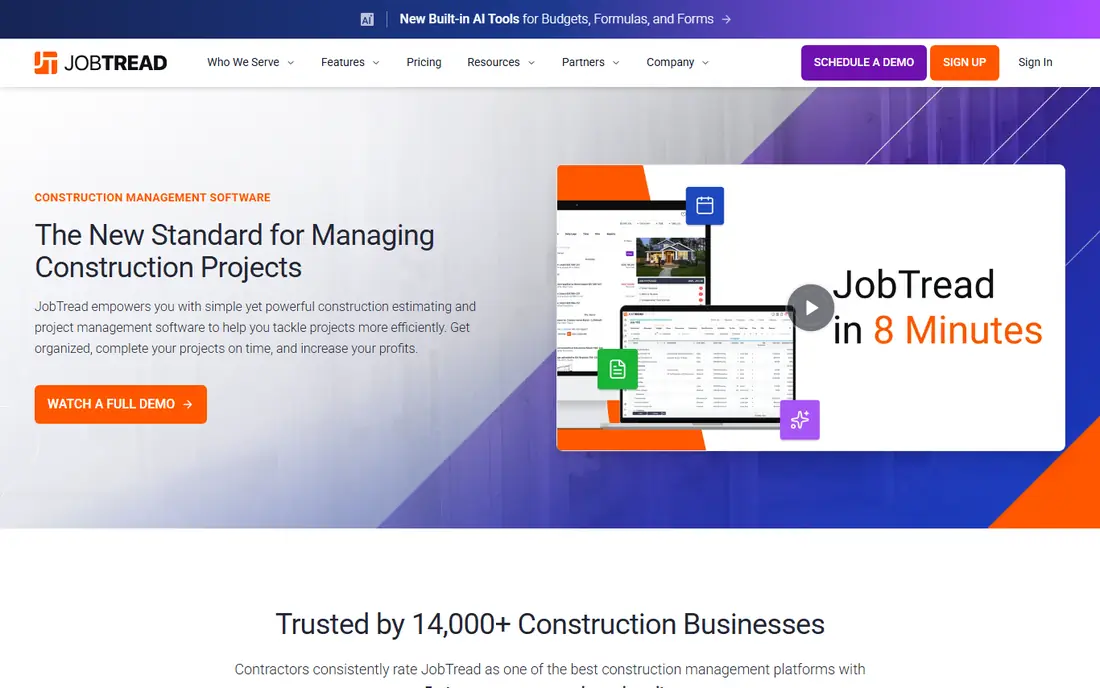
JobTread is our pick for small to mid-size contractors that want one system from estimate to invoice. Its single plan covers estimating, CRM, project management, scheduling, budgets, change orders, and payments, with extra users added at a low cost. That all-in-one shape means a residential builder or remodeler does not need to stitch together four tools to know whether a job is on budget.
Pricing starts at $159 per month billed annually for the first user, or $199 month to month, which is strong value for the breadth on offer. The main catch is the lack of a free trial, though monthly plans include a money-back guarantee. Teams that need deep commercial or enterprise integrations may still prefer Procore, but for most residential and specialty contractors, JobTread is the best balance of price and coverage.
- Estimating, budgets, change orders, and invoicing in one plan
- QuickBooks Online integration
- AIA pay applications from a schedule of values
- No free trial, though monthly plans carry a 30-day money-back guarantee
- Fewer integrations than Procore

Buildertrend is the residential standard for home builders and remodelers, and its client portal is a major reason why. Homeowners can see progress, approve selections and change orders, and message the builder in one place, which cuts down on phone calls and email chains. The platform also covers budgets, bids, scheduling, documents, and job costing, with QuickBooks and Xero integrations for accounting.
Pricing starts from $499 per month in recent guides, with unlimited users on company plans, which makes the per-user cost reasonable for larger residential teams. The downside is the headline price for a small builder, plus past criticism over price transparency and renewal increases. Get renewal terms in writing before signing. For an established residential builder, Buildertrend remains a proven, client-friendly choice.
- Residential standard with a strong client portal
- Unlimited users on company plans
- Budgets, bids, change orders, and scheduling together
- Higher starting price than JobTread
- Pricing transparency has drawn criticism in reviews

Procore is the standard for mid-size to enterprise general contractors on commercial work. It covers project management, quality and safety, field tools, and financial management, including budgets, commitments, change events, and forecasting. Its marketplace integrations connect with accounting and ERP systems, which matters when a large contractor already runs a full finance stack.
The honest catch is cost and complexity. Procore prices annually by product and construction volume, so we list it as See website, and implementation can be a project in itself. Small contractors will find it far more than they need. For large commercial jobs with many trades, owners, and compliance needs, Procore is the platform other tools are measured against.
- Most complete platform for large commercial work
- Budgets, commitments, change events, and field tools together
- Broad marketplace integrations
- Quote-based annual pricing tied to construction volume
- Complex to implement and can need dedicated admin time
Contractor Foreman is the budget pick that still covers real job costing. Its Basic plan starts at $49 per month billed annually, and it includes project management, scheduling, time tracking, daily logs, invoicing, change orders, and a schedule of values. A 30-day free trial lets a small contractor test it on a live job before paying, which is more generous than several rivals.
The trade-off is depth. Reporting and advanced financial tools are thinner than on Procore or Buildertrend, and the wide feature set can make the interface feel busy at first. For a small contractor that needs many features at a low price and is willing to learn the system, Contractor Foreman offers the most for the money on this list.
- Lowest starting price on this list
- Wide feature set including scheduling, daily logs, and invoicing
- QuickBooks Online integration
- Reporting is thinner than on larger platforms
- Interface can feel busy with so many features
Knowify is built for trade and specialty contractors that need job costing, contracts, and pay applications without a full enterprise platform. Its Core plan starts at $99 per month billed annually, with a 14-day free trial, and it covers estimating, budgets, change orders, purchase orders, and AIA-style billing from a schedule of values. That focus suits electricians, plumbers, HVAC firms, and other specialty trades.
The limit is breadth. Knowify is less of a general project platform than Buildertrend or Procore, so general contractors with complex multi-trade coordination may need more. For a specialty contractor that lives on job costs and pay apps, Knowify is a focused, fairly priced choice.
- Built for trade and specialty contractors
- AIA pay applications and job costing
- QuickBooks integration for accounting
- Best suited to firms with $1 million-plus revenue in guides
- Less broad than full project platforms for general contractors
Buildxact suits residential builders who start from plans and need accurate takeoffs before they price a job. Its Foundation plan starts at $169 per month billed annually, and it covers estimating, budgets, purchase orders, bills, and invoices, with QuickBooks and Xero integrations. A free Go starter option lets small builders test the basics before paying for the full plan.
The trade-off is scope. Buildxact is a residential estimating and job costing tool first, not a commercial project platform, so large general contractors should look at Procore or Buildertrend instead. For a small custom home builder that estimates from drawings every week, Buildxact matches the daily workflow better than a generic project tool.
- Estimating from plans with takeoffs
- Budgets, purchase orders, and job costing
- Free Go starter option plus a trial
- Less suited to commercial work
- Accounting depth is thinner than dedicated accounting tools
Fieldwire is the field-first pick on this list, and its free Basic plan makes it easy for a small field team to start. It covers drawings, tasks, punch lists, and site coordination, with change orders and budget tools on Business Plus and higher tiers. Superintendents and subcontractors value its mobile apps and drawing markup, which keep field notes tied to plans rather than scattered across messages.
The honest catch is that Fieldwire is not a full job costing system on its own. Teams that need deep budgets, commitments, and pay applications should pair it with an accounting or job cost tool, or pick JobTread or Knowify instead. For field coordination with light job costing, Fieldwire is a strong, low-cost start.
- Free Basic plan for up to 5 users and 3 projects
- Strong drawings, tasks, and punch lists for field teams
- Pro at $39 per user billed annually
- Job costing depth sits on higher tiers
- No accounting system of its own
Planyard is different from most tools here: it is a cost control layer that sits on top of your accounting system, rather than a replacement for it. It tracks budgets, commitments, change orders, and subcontractor applications, and it syncs with QuickBooks, Xero, and Sage. Recent guides cite pricing near $105 per project manager per month, but rates vary by market and plan, so we list it as See website.
The limit is scope. Planyard does not run full project scheduling or client portals like Buildertrend, and its AIA pay application support was still arriving in recent guides. For a contractor whose accounting is solid but whose job costs drift between month-end closes, Planyard fills a real gap without replacing the books.
- Strong cost control for commitments, change orders, and subcontractor applications
- Integrates with QuickBooks, Xero, and Sage
- 14-day trial
- Not a full project management platform
- AIA forms were still in development in recent guides
How we picked these
We compared official pricing pages and public construction software guides for tools with real job costing features, and we kept only platforms that are live and actively sold in 2026. We favored tools with budgets, commitments or purchase orders, change orders, and actual cost tracking, plus a clear accounting integration, and we marked pricing as See website wherever the vendor sells on a quote basis. We did not claim hands-on testing we did not do; our ranking reflects published features, pricing clarity, and fit for different contractor sizes.
How to choose the right job costing software
Start with your accounting setup. If you already run QuickBooks Online, a tool with a clean QuickBooks sync will save hours of double entry. If you run Sage or an ERP, check that integration first, before falling for a nice dashboard. Job costing fails when field costs and accounting costs live in different places, so the sync is not a nice extra, it is the core feature.
Next, check how costs get entered. A system only works if foremen, project managers, and office staff update it on time. Test time entry, purchase orders, subcontractor invoices, and change orders during a trial, and ask who will own weekly cost reviews. A tool with a perfect budget view but painful field entry will go stale within a month.
Finally, price the full team. Some tools charge per company, some per user, and some per project manager, and those models give very different totals for a ten-person firm. Ask for renewal pricing, data export terms, and what happens to historical job costs if you leave. Pick the smallest tool that covers estimating, commitments, change orders, and actuals for your job type, and grow from there.
FAQ
What is the best construction job costing software?
For small to mid-size contractors, JobTread at $159 per month billed annually is a strong all-round pick. Large commercial contractors usually choose Procore, while small contractors on a budget do well with Contractor Foreman at $49 per month.
What is the best job costing software for construction?
The best job costing software for construction depends on job type. Residential builders often pick Buildertrend or Buildxact, trade contractors often pick Knowify, and commercial general contractors often pick Procore. All of them track budgets, commitments, change orders, and actual costs.
How much does construction job costing software cost?
Prices here range from Contractor Foreman at $49 per month and Knowify at $99 per month to JobTread at $159 per month and Buildertrend at $499 per month, plus quote-based Procore pricing. Per-user and per-company models give different totals, so price your full team.
Can QuickBooks handle construction job costing alone?
QuickBooks Online Plus and Advanced can track income and cost by project, but they do not track committed costs from signed subcontracts or produce AIA pay applications on their own. Most contractors add a construction tool such as JobTread, Knowify, or Planyard on top.
What is job costing in construction?
Job costing in construction is the practice of tracking estimated, committed, and actual costs for each job, by cost code, so a contractor knows margin while work is still in progress. Good job costing covers labor, materials, subcontractors, equipment, and change orders.
Do I need job costing software for small jobs?
Small contractors can start with spreadsheets, but job costing software pays off once jobs overlap, change orders pile up, or subcontractor costs need tracking. A low-cost tool such as Contractor Foreman or Buildxact can prevent margin surprises on jobs that look profitable on paper.