Best Complete Platforms for Online Learning (2026): 6 Picks Checked on Vendor Pages
Need the best complete platforms for online learning? We compare 6 tools on cost, free access and who each suits. Each pick comes with its main catch. No hype.
- Editor's choice
 Podia
Creators combining courses and community
Starts at$42 per monthVisit podia.comFull review - Great alternative
 Moodle
Configurable open LMS for organizations
Starts atSee websiteVisit moodle.comFull review - Also consider
 Docebo
Enterprise workforce readiness and skills
Starts atSee websiteVisit docebo.comFull review
Direct answer
Our first pick is Podia, best for creators combining courses and community. Listed starting prices: Podia from $42 per month, Kajabi from $143 a month and Teachable from $39 per month. For a different need, Moodle covers configurable open LMS for organizations and Docebo covers enterprise workforce readiness and skills. Prices, free plans and limits for all 6 tools follow.
TL;DR:
- Podia is the opening pick, best for creators combining courses and community.
- Neither Podia nor Teachable, nor any of the other 4 tools, has a permanent free plan; trials and quotes are the norm.
- Teachable is the lowest-priced starter here at $39 per month.
- Teachable is the one to check for creators selling courses and coaching.
Last checked November 2026. Prices and plan details were read from the vendors' own pages in November 2026; vendors change plans often, so confirm the current price on the vendor site before you buy.
Quick comparison
| Tool | Best for | Starts at | Free plan? | |
|---|---|---|---|---|
| Podia | Creators combining courses and community | $42 per month | Free trial | Visit |
| Moodle | Configurable open LMS for organizations | See website | Not stated | Visit |
| Docebo | Enterprise workforce readiness and skills | See website | Not stated | Visit |
 Kajabi | Experts building a business hub | $143 a month | Free trial | Visit |
 Canvas LMS | Schools and institutions | See website | Not stated | Visit |
 Teachable | Creators selling courses and coaching | $39 per month | Free trial | Visit |
The 6 tools in detail
Short on time? The summary and table above give the quick view of 6 tools for complete platforms for online learning, and the profiles that follow give the detail behind each entry.
Podia is designed for creators combining courses and community. Podia lets creators sell courses, host a community, and email their list from one place.
What to check first: May lack deep institutional LMS features.
In daily use, Podia's creator-first design means it is not designed for institutional administration or advanced reporting. Podia pricing: $42 per month. As for free access: Free trial.
- Courses, community
- Email in one place
- Less suited to complicated enterprise training
For customizable open LMS for organizations, Moodle is a natural candidate. Moodle is a configurable and widely used LMS for education, enterprise, and public sector organizations. Its homepage emphasizes building an effective, engaging learning ecosystem, so it fits institutions and training teams that require adaptability and control over how courses are structured and delivered.
Where it falls short: Customization can require technical help.
Strengths: Highly customizable learning ecosystem.
In daily use, if you want a ready-made storefront for selling courses, Teachable or Podia may be a quicker route. From a buyer's view, Moodle's adaptability can mean more setup and technical upkeep than hosted creator products. Moodle does not show a starting price in this comparison, so check the vendor site for current pricing. As for free access: Not stated.
- Widely used and adaptable
- Serves education, enterprise
- Less refined for creator commerce
Pick Docebo if this describes you: enterprise workforce readiness and skills. Docebo is a workforce readiness system that links skills intelligence, learning, knowledge, and AI agents. Its homepage centres on knowing who is ready and building what comes next, which suits enterprises and large organizations that require to align training with workforce skills.
Trade-offs to know: Enterprise focus may not fit small creators.
Small creators and coaches will likely find Teachable, Kajabi, or Podia more straight aligned with selling expertise. Docebo is oriented toward enterprise workforce planning rather than individual course sales. This comparison lists no price for Docebo; ask the vendor. As for free access: Not stated.
- Made for enterprise learning
- AI agents support workforce readiness
- Complicated needs can need dedicated administration
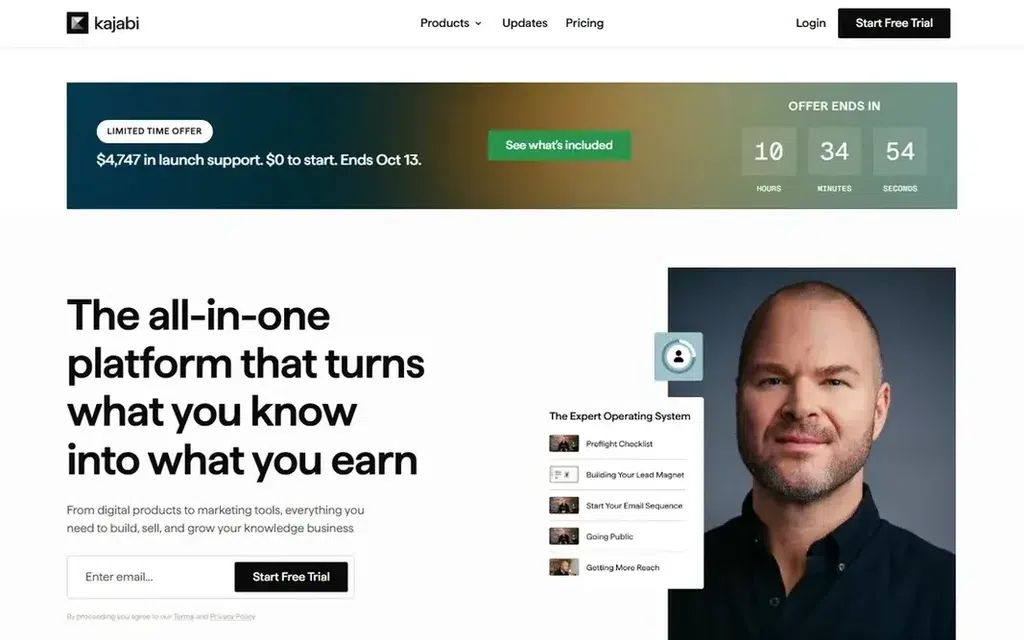
Kajabi was built for experts building a business hub. If you prefer a more straightforward creator storefront, Teachable or Podia may be a better match. Beyond that, Kajabi describes itself as an operating system for human expertise, helping experts build, sell, and grow trusted firms.
Highlights: Pitched at turning expertise into a trusted business.
It brings together course and product delivery with marketing and AI-powered support, making it a fit for coaches, consultants, and creators who want one hub for their knowledge business. Also, the all-in-one approach means a wider feature set that can feel heavy for someone who only needs to publish a handful of lessons. What you pay to start with Kajabi: $143 per month. Trial and free access: Free trial.
Where it falls short: Wide feature set can take time to learn.
- AI-powered support
- All-in-one positioning for creators
- May be more than straightforward course sellers need
Canvas LMS is designed for schools and institutions. Canvas is designed for institutional teaching instead of selling courses to consumers, so creators concentrated on marketing and checkout may prefer Teachable or Kajabi. Beyond that, Canvas LMS by Instructure is a learning management system meant to ease teaching and enhance student learning.
Where it is weaker: Not targeted at creator commerce.
Its homepage positions it as a world-leading, approachable LMS, making it a fit for schools, colleges, and universities that require a dependable product for courses, assignments, and student engagement. Also, organizations evaluating enterprise training should also consider Docebo. This comparison lists no price for Canvas LMS; ask the vendor. Trial and free access: Not stated.
- Approachable LMS for teaching and learning
- Made for institutional education
- Institutional setup can be complicated
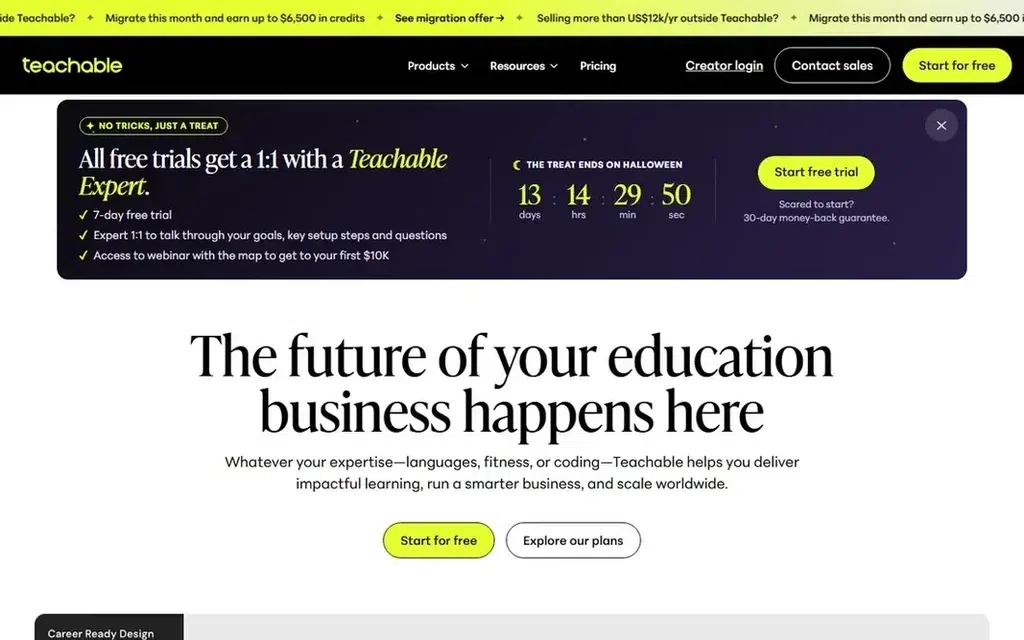
In short, Teachable is for creators selling courses and coaching. Teachable is an online course product for selling courses, coaching, memberships, and digital products.
Honest limits: May feel creator-focused for institutional needs.
Worth adding: since Teachable centers on creator commerce, institutions needing deep academic administration or complicated reporting may find it less tailored. Teachable cost at the entry level: $39 per month. Free plan details: Free trial.
Upsides: Supports courses, coaching, memberships.
- Made for creators and firms
- Straightforward path from content to sales
- Advanced LMS features can need add-ons
How these tools were picked
Selection started from tools commonly considered for complete platforms for online learning, then narrowed to 6 that have clear pricing information or a clear quote process. Prices and plan limits come from vendor pages and can change, so confirm them on the vendor site before you buy. Position on the page reflects fit for a typical buyer first, with price clarity and free access breaking ties. Treat it as a guide, not a ruling.
What to confirm before you sign up
- Get a written quote from Moodle, Docebo and Canvas LMS; the list shows no starting price for them.
- Run a trial of Podia, Kajabi and Teachable with real work before paying for a year; your own workflow is the best test.
- Before choosing Podia, weigh its main limit: may lack deep institutional LMS features.
- Look at the renewal terms for Docebo: auto-renewal, notice periods and price changes can matter more than the first-year price.
- Compare total cost, not headline price: for Podia, add extra seats, add-ons and any usage-based charges.
FAQ
Is Podia the right pick for everyone comparing complete platforms for online learning?
No single tool suits every team. Podia comes first because it fits creators combining courses and community, while Moodle suits customizable open LMS for organizations and Docebo suits enterprise workforce readiness and skills. Match the tool to your own size, budget and workflow before deciding.
Can I try these tools before paying?
Often, yes. Podia, Kajabi and Teachable offer a free trial. Use your own data and a real task during the test, and check what the free tier or trial limits before you rely on it.
Do these tools publish their prices?
Not all of them. Moodle, Docebo and Canvas LMS publish no starting price, so expect a quote request for those. The rest, Podia included, show a starting price, though seats and billing terms still change the final cost.
Can I use these products for employee training?
Moodle and Canvas LMS are also used by organizations for structured learning. Confirm administrative and reporting needs with each vendor before choosing.
What is the cheapest option for complete platforms for online learning in this list?
On published monthly entry prices, Teachable is the lowest here at $39 per month. Entry price is only part of the cost, because seats, add-ons and billing terms can change the total. Prices, free plan details and limits for all 6 tools in this complete platforms for online learning roundup sit on the individual cards above.
Sources
- https://www.podia.com
- https://moodle.com
- https://www.docebo.com
- https://kajabi.com
- https://www.instructure.com/canvas
- https://teachable.com