Best Company Logos in 2026: 8 Logo Services Compared
Compare the best company logos services, from Looka and Canva to 99designs, Tailor Brands, and Fiverr, by price, file types, and design quality in 2026.

- Editor's choice
 Looka
Fast AI logo plus brand kit
Starts at$20 one timeVisit looka.comFull review - Great alternative
 Canva
DIY logo with design tools
Starts atFreeVisit canva.comFull review - Also consider
 99designs
Designer contest or hire
Starts at$149Visit 99designs.comFull review
TL;DR:
- Looka and Canva are the fastest low cost routes to a usable logo, but template based marks are hard to trademark.
- 99designs and Fiverr give you a human designer, which suits a business that needs a distinctive mark.
- Tailor Brands and Wix Logo Maker bundle a logo with a website, business tools, or a brand kit.
- Always check file types before you pay, because a low resolution PNG is not enough for print, signs, or packaging.
- For a long term brand, budget for vector files and full ownership, even if the first draft comes from a cheap tool.
Quick comparison
| Tool | Best for | Starts at | Free plan? | |
|---|---|---|---|---|
| Looka | Fast AI logo plus brand kit | $20 one time | Yes | Visit |
| Canva | DIY logo with design tools | Free | Yes | Visit |
| 99designs | Designer contest or hire | $149 | No | Visit |
 Tailor Brands | Logo plus business tools | See website | Yes | Visit |
 Wix Logo Maker | Logo plus website | See website | Yes | Visit |
 Fiverr | Low cost designer hire | See website | No | Visit |
 Designhill | Contests and designer hire | See website | No | Visit |
 LogoMakr | Simple low cost logo files | $29 one time | Yes | Visit |
The best company logos services
A company logo does more than fill a header. It appears on a website, a social profile, a receipt, a sign, and a product box, and it needs to stay clear at every size. These eight services cover the main ways to get a logo, from a fast AI draft to a contest with real designers, with prices that suit a new side project and a growing business.
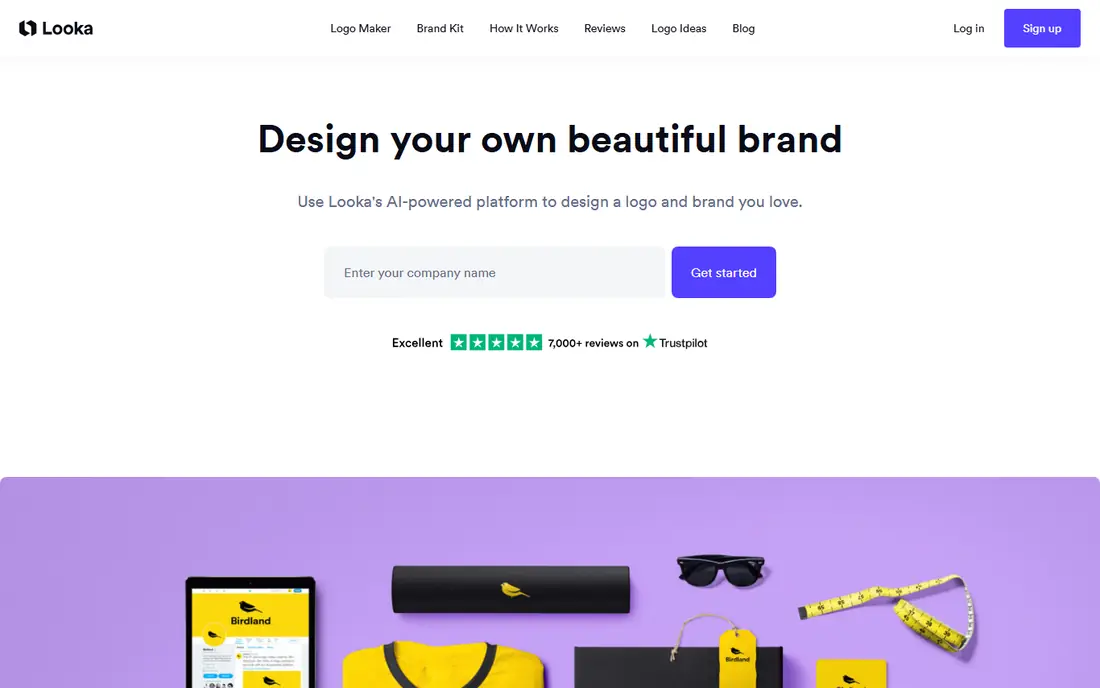
Looka is the service we point to first for a new business that needs a decent logo this week. You answer a few questions about your industry, style, and colours, and Looka generates a set of concepts you can edit in the browser. Designing and previewing is free, so you can judge the results before you spend anything, which is a fair way to sell a design tool.
The price trap is the Basic plan. At $20 one time you get a single low resolution PNG on a coloured background, which is not enough for most professional uses. The Premium plan at $65 one time is the realistic minimum, with high resolution PNG plus SVG, EPS, and PDF files, transparent versions, and lifetime edits. If you want a full set of branded assets, the Brand Kit plans add social templates and more for an annual fee.
- Free to design and preview
- Premium gives vector files and full ownership
- Brand kit adds social and print assets
- Basic $20 download is only a low resolution PNG
- AI marks can look similar to other Looka logos

Canva is less a logo service and more a design platform that includes a logo maker. That breadth is its strength, because once you have a mark you can make social posts, flyers, presentations, and a website header without learning a new tool. Templates give a non designer a fast start, and the editor is simple enough for a first time user to change fonts, colours, and layout in minutes.
The limit is originality. Canva templates and stock elements are used by many businesses, so your logo may look close to another company mark, and that makes trademark registration difficult. Pro, listed in recent guides at around $12.99 per month or $144 per year, adds SVG export and more brand tools. Canva is excellent for a placeholder, a side project, or a business that needs many assets fast, and less ideal as a final distinctive brand mark.
- Huge template library
- Easy editing for non designers
- Useful for social, print, and web assets in one place
- Template marks are not exclusive
- SVG export needs a Pro plan
- Trademark protection is weak for template logos
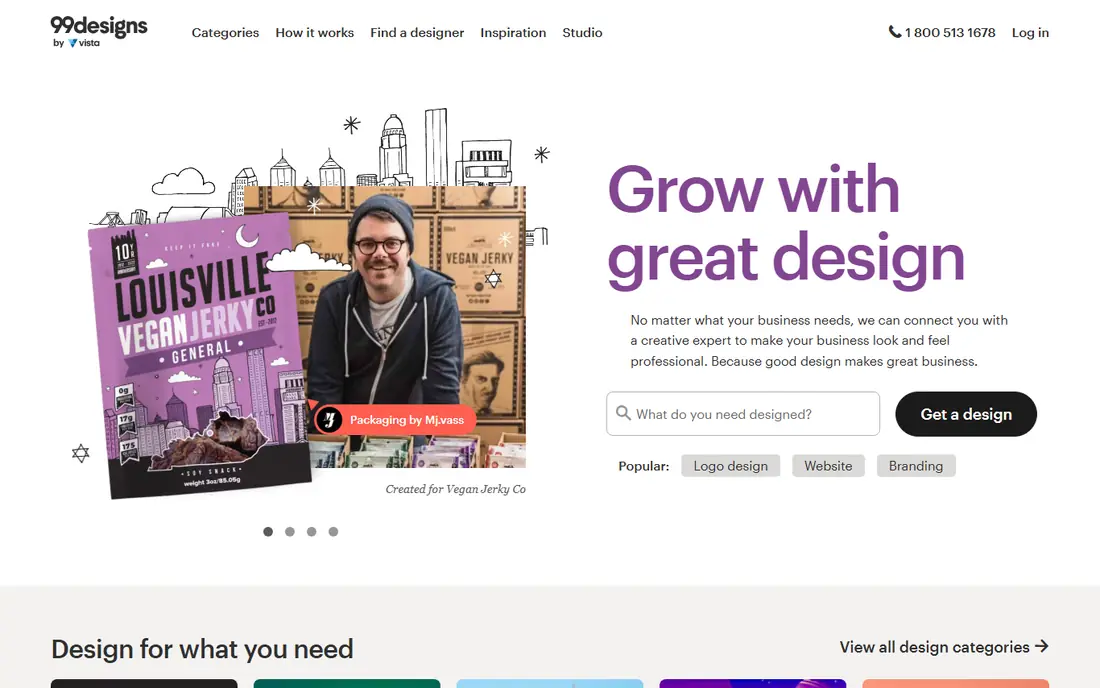
99designs by Vista is the classic contest route to a logo. You write a brief, pay a starting price listed at $149 for a logo essentials package in recent guides, and designers submit concepts you can review and refine. When you pick a winner, the designer transfers copyright at handover, which is a clear advantage over a template tool if you plan to protect the mark.
A contest takes days, not minutes, and the quality of the result depends on how clear your brief is about your audience, style, and what to avoid. Higher tiers bring more experienced designers and more concepts, with contest prices in older guides ranging up to $1,299 for top tiers. For a business that will live with a logo for years, that extra time and cost often pay off in a mark that does not look like everyone else.
- Real designers compete or work one to one
- Copyright transfers on handover
- Strong for a distinctive mark
- Higher cost and longer timeline than AI tools
- Contest results depend on the brief you write
Tailor Brands suits a new owner who needs more than a logo. Alongside the AI logo maker, it offers business formation, a website builder, domain tools, and brand assets, so a startup can set up several pieces from one dashboard. That bundle can save time when you are launching and do not want five separate accounts for five jobs.
As a pure logo tool, Tailor Brands is similar to Looka, with AI concepts that can feel generic if you do not customise them well. Pricing is bundled with LLC and business plans, so check the total before you judge the logo price alone. If you only need a logo, a standalone tool may be cheaper. If you need a logo plus a business setup, Tailor Brands is a practical one stop option.
- AI logo plus LLC, website, and brand tools in one account
- Full commercial rights on paid plans
- Simple for new owners
- Logo quality is template based
- Best value sits in bundled plans, not a standalone logo alone
Wix Logo Maker, now often shown as Wixel in guides, is a natural pick if your website will live on Wix. You answer questions about your business and style, get AI concepts, and can use the logo directly on a Wix site, social profiles, and print items. That tight link between logo and website saves the usual export and upload steps.
Outside Wix, the value drops. The logo is still template based, and full vector and brand file access sits behind paid plans, with recent guides listing a basic annual plan around $90 per year for more AI credits and files. For a Wix site owner, it is a smooth choice. For a business that needs a standalone distinctive mark, a designer led service is a better spend.
- AI logo maker tied to Wix websites
- Free low resolution download in some guides
- Easy to use with a site builder
- Best use is inside Wix
- Logo originality is limited
- Full file access needs a paid plan
Fiverr is a marketplace, not a single design service, and that is both its strength and its risk. You can browse designer portfolios, pick a style that fits your brand, and order a logo at a price that suits a tight budget, with recent guides listing standard gigs around $70 and premium gigs around $160. Many sellers deliver in a few days, which beats a long agency timeline.
Quality control is on you. Check reviews, recent work, how many revisions are included, which files you receive, and whether copyright transfer is clear in the gig terms. A cheap gig that only gives a PNG will cost you again later for vector files. When you vet the seller well, Fiverr can give a human made logo at a price close to an AI tool, with more character than a template.
- Wide range of designers and prices
- You can pick a style you like from portfolios
- Fast turnaround on many gigs
- Quality varies widely by seller
- Check revisions, file types, and copyright before you order
Designhill gives you three routes in one place, which is useful if you are not sure how much to spend yet. You can try the AI logo maker for a low cost draft, run a contest to get many designer concepts, or hire a designer one to one for a focused project. That range lets a business start cheap and upgrade to a contest if the AI draft does not feel right.
Contest prices in recent guides range from around $249 to $999 depending on package and designer level, so budget matters. As with 99designs, a clear brief and active feedback during the contest make a large difference to the result. Designhill is a good middle ground for a business that wants human design without committing to an agency fee.
- Logo contests plus one to one designer hire
- AI logo maker as a cheap start
- Print and brand services in one place
- Contest pricing varies by package
- AI results are less distinctive than a designer contest
LogoMakr is one of the simplest logo tools on this list, and that simplicity is the point. You design in the browser from shapes, icons, and text, preview for free, and pay only to download. Recent guides list $29 one time for PNG and JPG files, and from $60 one time for SVG and PDF vector files, with full commercial ownership on paid plans.
There is less hand holding than in Looka or Tailor Brands, so a user with no design sense may produce a mark that looks homemade. A user who knows what they want, or who has a clear idea for a simple wordmark, can get a clean, usable logo at a very low cost. LogoMakr is best for a simple logo, a placeholder that needs vector files, or a project where budget matters more than a full brand system.
- Free to design
- Low cost PNG download
- Vector files from $60 one time
- Full commercial ownership on paid plans
- Simple editor with limited guidance
- Results depend on your own design sense
How we picked these
We compared logo services on price, file types, ownership, originality, and ease of use, using vendor pricing pages and recent 2026 cost guides. We looked for services that are live in 2026, that give a usable download rather than only a preview, and that cover different budgets, from free DIY tools to designer contests. We also checked whether a service gives vector files and copyright transfer, because those two facts decide whether a logo can grow with a business.
We did not claim hands on design testing. Prices for contests and marketplace gigs vary by package and seller, so check the exact files, revisions, and rights in your order before you pay. A logo price that looks cheap can become expensive if you need to buy vector files or a redesign later.
How to choose a logo service for your stage
Match the spend to how long the logo must last. A side project that may change name in six months can use Canva or LogoMakr. A business that plans to print packaging, open a shop, or apply for a trademark should budget for vector files and, ideally, a human designer. The cheapest logo is not cheap if you have to replace it in a year.
Check files, rights, and sizes before you pay
Ask for SVG or EPS vector files plus high resolution PNG with a transparent background, and check that you own the commercial rights. Test the logo at a tiny social profile size and at a large sign size, in colour and in one colour, because a mark that only works large and in full colour will fail in many real uses. Also check how it looks on a dark background, because many sites and apps use dark headers.
Write a brief even for an AI tool
Even a fast AI tool works better with a clear brief. Note your audience, your main competitors, three words for the feeling you want, colours to use, and colours or styles to avoid. For a contest or a marketplace hire, add examples you like and examples you dislike, with a short note on why. That brief is the difference between a generic mark and a mark that fits your business.
FAQ
What is the best logo company for a small business?
For most small businesses, Looka is a fast and affordable start, while 99designs is better if you want a distinctive human designed mark. Canva suits a business that also needs many other design assets. Pick based on budget and on how long you plan to keep the logo, not on the lowest headline price alone.
How much does a company logo cost in 2026?
A DIY or AI logo can cost $20 to $65 one time for usable files, a marketplace designer $70 to $160 for a standard gig, and a contest $149 to $1,299 depending on package. An agency brand system can cost $2,000 or more. The right budget depends on whether you need vector files, trademark potential, and a full brand kit.
Can I trademark a logo made with an AI logo maker?
It is harder than with a human designed mark, because AI and template tools reuse elements that other users also receive. Paid plans often give commercial use rights, but that is not the same as a distinctive mark that can be registered. If trademark protection matters, hire a designer for an original mark and ask a trademark professional for advice before you file.
What file types should a company logo include?
At minimum, get a vector file such as SVG or EPS for print and large sizes, plus a high resolution PNG with a transparent background for web and social use. PDF is useful for print shops, and JPG is useful for simple sharing. Avoid relying only on a low resolution PNG, because it will blur on signs, packaging, and large screens.
Is a free logo maker good enough for a new business?
A free maker is good enough for a placeholder, a test, or a side project, especially if you can download a usable file. For a business that will invest in packaging, signage, or advertising, a paid plan with vector files and full ownership is a better base. You can start free, test the name and idea, and upgrade to a paid logo once the business is proven.