Best Company for Passwordless Solutions in 2026: 8 Compared
Find the best company for passwordless solutions for staff and customers. We compare 8 providers on passkeys, pricing, and fit for workforce and app logins.

- Editor's choice
 Okta
Large workforces
Starts atSee websiteVisit okta.comFull review - Great alternative
 Microsoft Entra ID
Microsoft 365 workforces
Starts atSee websiteVisit microsoft.comFull review - Also consider
 Auth0
Developer-built customer apps
Starts atFreeVisit auth0.comFull review
TL;DR:
- Okta and Microsoft Entra ID suit large workforces, while Auth0, Descope, and Stytch suit customer-facing apps built by developer teams.
- Passkeys are the strongest common passwordless method, since they resist phishing in a way that magic links and one-time codes do not fully match.
- Pricing models differ sharply, from per-user workforce pricing to per-monthly-active-user pricing for customer apps, so model your real user counts first.
- Beyond Identity and HYPR suit firms with strict device-trust or phishing-resistance rules, while Duo suits teams moving step by step from MFA.
- Plan a fallback for lost devices and account recovery before you remove passwords, or support costs will erase the security gain.
Quick comparison
| Tool | Best for | Starts at | Free plan? | |
|---|---|---|---|---|
| Okta | Large workforces | See website | No | Visit |
| Microsoft Entra ID | Microsoft 365 workforces | See website | No | Visit |
| Auth0 | Developer-built customer apps | Free | Yes | Visit |
 Descope | Visual login flows | Free | Yes | Visit |
 Stytch | Passwordless plus fraud checks | Free | Yes | Visit |
 Beyond Identity | Device-bound workforce login | See website | No | Visit |
 HYPR | Phishing-resistant workforce access | See website | No | Visit |
 Cisco Duo | MFA to passwordless migration | See website | No | Visit |
The best company for passwordless solutions
Passwordless is not one product. A workforce login, a customer app login, and a high-assurance login for privileged staff each need a different tool, and the vendors below split along those lines. We grouped them so you can start with your use case rather than a feature list, then compare pricing and rollout effort within that group.
Okta is the neutral workforce identity platform most large firms compare first, and its FastPass feature lets staff sign in without a password across many apps after one enrollment. The catalog of prebuilt integrations is a practical advantage, since each app you connect without custom code saves time and support calls. Lifecycle tools also help when staff join, move teams, or leave, which is where password problems often start.
The cost is the catch. Okta pricing is modular, so the headline workforce price may not include every feature you need, and the total can grow as you add modules. Smaller firms may also find the admin surface larger than they need. For a mid-size or large workforce that wants one identity home across many apps, Okta remains the benchmark to beat.
- Large app catalog
- FastPass passwordless for staff
- Lifecycle and governance tools
- Pricing is modular and can grow
- Smaller firms may find it heavy
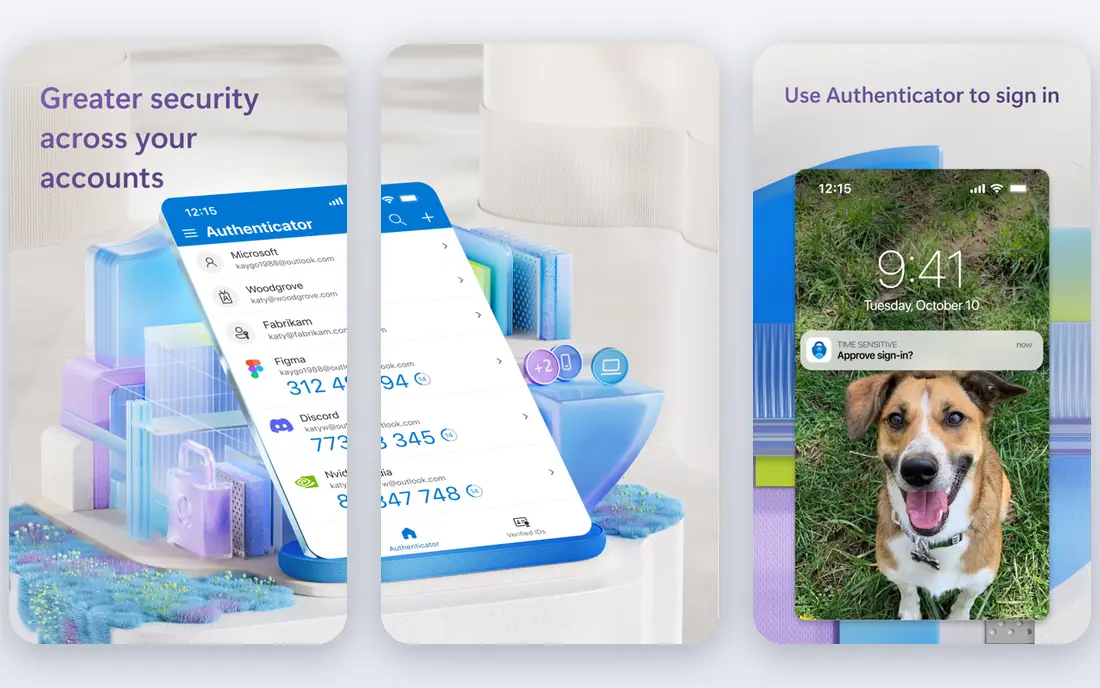
Microsoft Entra ID, formerly Azure Active Directory, is the natural passwordless home for firms already running Microsoft 365. Windows Hello, passkeys, and Conditional Access let admins set sign-in rules by device, location, and risk, and much of that value is bundled into existing Microsoft licensing. That bundling can make Entra ID the lowest added cost, even when a rival looks cheaper on a standalone quote.
The limit is ecosystem fit. Firms that run mostly on Google Workspace or a mix of non-Microsoft tools may not gain the same bundling benefit, and Microsoft licensing tiers can confuse buyers. If your staff already live in Outlook, Teams, and Office apps, Entra ID is usually the simplest passwordless path. If not, compare it as a standalone purchase, not as a free add-on.
- Bundled with Microsoft 365 plans
- Windows Hello and passkeys
- Conditional Access controls
- Best value inside the Microsoft stack
- Complex licensing tiers

Auth0, part of Okta, is built for teams that add login to a customer app rather than to staff laptops. Universal Login gives you a hosted sign-in page, passkeys sit alongside social login and other methods, and SDKs cover most common stacks. A free tier for development and small volumes lets a team prove the flow before paying, which matters for startups that are still finding product fit.
The pricing curve is the thing to model. Auth0 charges by monthly active users, so a sudden growth spike can raise the bill faster than a per-employee workforce plan would. Some advanced features also require higher tiers. For a developer-led SaaS product that needs a credible, well-documented login, Auth0 is still the default many teams reach first.
- Free developer tier
- Passkeys and Universal Login
- Broad SDK and integration library
- Costs rise with monthly active users
- Some features sit behind higher tiers
Descope lets product and engineering teams build login journeys in a visual flow builder instead of writing every branch by hand. You can combine passkeys with magic links, one-time codes, social login, and step-up checks, then change the flow without a full release cycle. That flexibility helps when different user groups need different friction levels, such as a low-friction signup and a stricter step for payments.
Descope is a younger company than the workforce giants, so buyers who need decades of procurement history may ask more questions. Enterprise pricing also requires a sales conversation rather than a simple published tier. For teams that value speed and visual control over login flows, Descope is one of the strongest modern choices.
- Visual no-code flow builder
- Passkeys, magic links, and OTPs
- Free tier for testing
- Newer vendor than Okta or Microsoft
- Enterprise pricing needs a quote
Stytch builds passwordless login for consumer and business apps, pairing passkeys and other methods with fraud and risk signals. That pairing matters for apps exposed to fake accounts, credential stuffing, or bot signups, since a login that is easy for real users can also be easy for attackers if no risk check sits behind it. Stytch APIs let developers shape the flow while keeping those checks in place.
Pricing follows monthly active users, with a free tier for small volumes, so costs track growth in a way founders should forecast. The integration library is strong but not as vast as Auth0, so check your stack before committing. For fraud-exposed consumer apps, Stytch is a strong pick that treats security and conversion as one problem.
- Passkeys with fraud signals
- Flexible APIs
- Free tier for early use
- Per-user pricing grows with scale
- Smaller ecosystem than Auth0
Beyond Identity ties each credential to a specific trusted device, so a stolen password or a phishing page alone cannot grant access from an unknown machine. That device binding fits zero-trust programs where the question is not just who signed in, but from which device. It also removes the password from the flow in a way that is hard to bypass by social engineering.
The rollout needs care. Every device must be enrolled, and recovery for lost or replaced devices must be planned before passwords go away. Pricing is quote-based, which makes early comparison harder. For firms with strict security rules and a managed device fleet, Beyond Identity offers one of the strongest passwordless models on this list.
- Credentials bound to trusted devices
- Phishing-resistant design
- Zero-trust fit
- Quote-based pricing
- Rollout needs device enrollment planning
HYPR builds its platform around FIDO standards, which underpin passkeys and hardware-backed login. That focus gives it depth on desktops, where many passwordless tools still feel like mobile-first afterthoughts. For firms facing a phishing-resistance mandate from a customer, regulator, or insurer, a FIDO-native platform can shorten compliance conversations.
HYPR pricing is quote-based, and the product fits best when the buyer already knows it wants FIDO-based access rather than a general identity suite. Smaller firms that only need basic passwordless login may find a broader platform simpler. For regulated or high-risk workforces, HYPR is a specialist worth a serious look.
- FIDO-native platform
- Desktop and mobile coverage
- Strong phishing resistance
- Quote-based pricing
- Best for firms with a clear FIDO mandate
Cisco Duo is known for multi-factor authentication, and it now gives existing Duo customers a bridge to passwordless sign-in from the same console. That matters because many firms already run Duo, train staff on it, and trust its push approvals. A gradual migration, app by app or team by team, is less disruptive than a rip-and-replace identity project.
Duo is not a pure passwordless specialist, so its depth in that area varies by plan, and buyers should confirm which passwordless features their tier includes. Per-user pricing also adds up across a large workforce. For a firm that already uses Duo and wants to move at its own pace, Duo is the lowest-friction path to passwordless.
- Familiar MFA console
- Gradual passwordless rollout
- Broad app support
- Passwordless depth varies by plan
- Per-user pricing adds up at scale
How we picked these
We compared official product pages, pricing models, and independent 2026 comparisons for passwordless vendors that are live today. We split the list between workforce identity and customer identity, since those buyers face different pricing, scale, and rollout problems. We favored vendors with clear passkey or FIDO support, published free tiers where they exist, and a track record in production use.
We did not rank on marketing claims about being passwordless, since many tools still fall back to passwords or one-time codes in some flows. Instead, we weighed the primary method, the fallback and recovery story, and the pricing model at realistic user counts. Ask each vendor to show the exact user journey for your staff or customers before you sign.
Choosing between workforce and customer passwordless
Start by naming your users. Workforce tools price per employee and focus on joining, moving, and leaving, plus device rules and admin controls. Customer tools price per monthly active user and focus on signup conversion, fraud, and support costs. Buying the wrong type leads to the wrong bill and the wrong admin tools, even when the login screen looks similar.
Next, decide your primary method. Passkeys offer the strongest phishing resistance for most users, and they work across modern phones, laptops, and browsers. Magic links and one-time codes are easier to adopt but weaker against phishing and SIM or email compromise, so use them as fallbacks rather than the main method where security matters. Whatever you pick, plan recovery first: lost phones, replaced laptops, and locked-out accounts will happen, and a weak recovery flow can undo a strong login.
Rollout steps that reduce support pain
Pilot with one team or one user segment, and measure sign-in success, support tickets, and fallback use. Train help desk staff before you announce anything, and give users a clear guide for setting up passkeys on each device they use. Keep a secure fallback for edge cases, such as a managed device flow or an admin-assisted reset, and review fallback use monthly. If fallback use stays high, the primary flow needs work, not more training slides.
FAQ
What is passwordless authentication?
Passwordless authentication lets users sign in without typing a password, using passkeys, biometrics, a hardware key, a magic link, or a one-time code instead. Passkeys are the strongest common option, since they use a private key stored on the device and resist phishing. The goal is to remove the password as a target for theft, reuse, and guessing.
Are passkeys safer than passwords?
Yes, in most cases. A passkey cannot be reused across sites, guessed in a breach, or handed to a fake login page in the way a password can. Security still depends on device protection, such as a screen lock and current software, and on a safe recovery process. A strong login with a weak recovery flow is still a weak system.
Can I remove passwords completely?
Many firms can, but a full removal needs planning for recovery, shared accounts, legacy apps, and users without modern devices. A phased approach works best: make passwordless the default, keep a controlled fallback, then remove passwords app by app as success rates prove out. Do not remove passwords on a deadline alone.
How much does passwordless software cost?
Workforce tools often charge per user per month or by module, while customer tools often charge per monthly active user with a free tier for small volumes. Your total depends on user counts, required features, and support levels, so model growth for two years rather than comparing starting prices alone. Always confirm which features sit behind higher tiers.
What happens if a user loses their device?
A good passwordless system lets the user recover with another enrolled device, an admin-assisted reset, or a verified backup method. That recovery flow must be secure, since attackers target it first. Test recovery during your pilot, and make sure support staff can explain it without asking users to share secrets.