Top 6 Commission Tracking Software for Brokerages for 2026 (Prices and Free Plans)
6 products for the best commission tracking software for brokerages, ranked by fit, with starting costs and free tiers. Short verdicts, no fluff. No filler.
- Editor's choice
 QuickBooks Online
Accounting-first commission records
Starts at$11.40 a monthVisit quickbooks.intuit.comFull review - Great alternativeDocuSign Transaction Rooms
Agreement-centric transaction tracking
Starts at$45 per user a monthVisit docusign.comFull review - Also considerBrokermint
Back-office commission automation
Starts atSee websiteVisit brokermint.comFull review
Direct answer
QuickBooks Online comes first here, mainly for accounting-first commission records. Listed starting prices: QuickBooks Online from $11.40 a month, DocuSign Transaction Rooms from $45 per user a month and Dotloop from $29 per user a month. DocuSign Transaction Rooms is better for agreement-centric transaction tracking, and Brokermint is better for Back-office commission automation. Details, prices and limits for the rest of the 6 tools are below.
TL;DR:
- QuickBooks Online is the opening pick, best for accounting-first commission records.
- For the cheapest start, look at Xero: $7 per month.
- Just one of the 6 tools, Salesforce, has a free plan.
- Xero suits connected small-business accounting.
- What to know about DocuSign Transaction Rooms first: not a commission accounting tool.
Last checked November 2026. Prices and plan details were read from the vendors' own pages in November 2026; vendors change plans often, so confirm the current price on the vendor site before you buy.
Quick comparison
| Tool | Best for | Starts at | Free plan? | |
|---|---|---|---|---|
| QuickBooks Online | Accounting-first commission records | $11.40 a month | Free trial | Visit |
| DocuSign Transaction Rooms | Agreement-centric transaction tracking | $45 per user a month | Not stated | Visit |
| Brokermint | Back-office commission automation | See website | Not stated | Visit |
 Dotloop | Transaction-linked commission visibility | $29 per user a month | Free trial | Visit |
 Salesforce | Custom CRM-based commission tracking | See website | Yes | Visit |
 Xero | Connected small-business accounting | $7 per month | Free trial | Visit |
Every option for commission tracking software for brokerages explained
Short on time? The summary and table above give the quick view of 6 commission tracking software for brokerages, and the profiles that follow give the detail behind each entry.
QuickBooks Online was built for accounting-first commission records. QuickBooks Online is an accounting product for organizing and managing business finances. Brokerages can use it to record commission income and expenses alongside general bookkeeping, which helps when commission tracking must align with financial statements.
QuickBooks Online is not designed specifically for real estate commission splits or transaction management, so brokerages may need custom setup or add-on tools. More specifically, choose it when accounting accuracy is the priority and you can pair it with a real estate back-office system for commission-specific logic. Price to start with QuickBooks Online: $11.40 per month. Free options: Free trial.
Downsides: Commission logic needs setup.
- Familiar small-business tool
- Supports financial organization
- Not real estate-specific
DocuSign Transaction Rooms
Best for: Agreement-centric transaction tracking
DocuSign Transaction Rooms is designed for agreement-centric transaction tracking. DocuSign supplies electronic signature and intelligent agreement management, and its transaction rooms support deal organization.
For everyday use, for brokerages, it can help keep signed agreements and transaction documents structured, which supports downstream commission tracking. Beyond that, pick it when agreement management is the core need and you plan to link accounting or back-office software for commission processing. The starting price for DocuSign Transaction Rooms: $45 per user per month. Free access: Not stated.
Limits to weigh: Needs pairing for financials.
- Solid agreement management
- Electronic signature workflow
- Not a commission accounting tool
Brokermint
Best for: Back-office commission automation
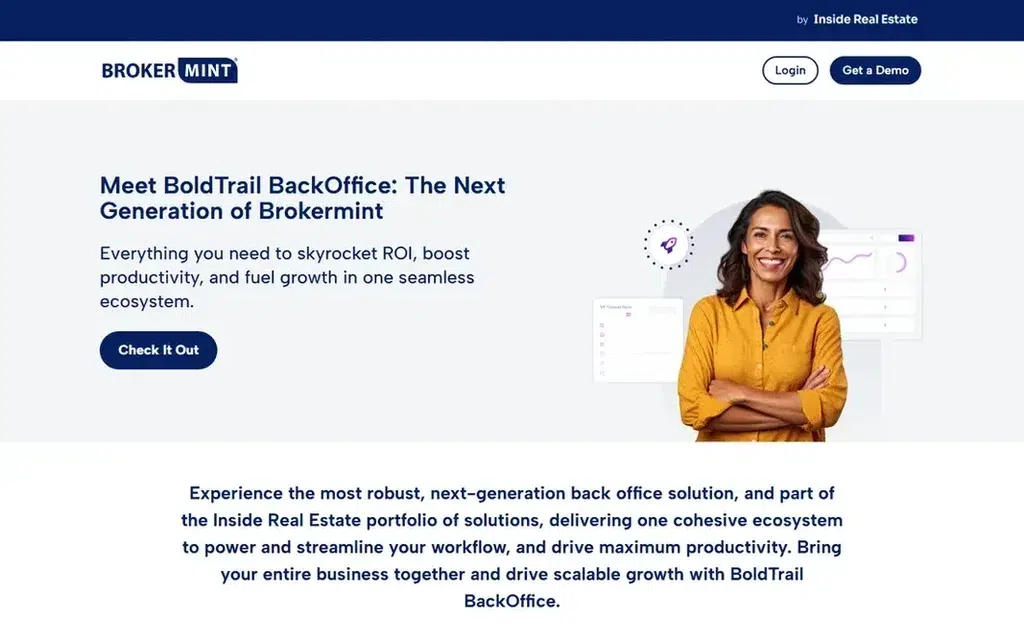
Choose Brokermint for Back-office commission automation. Brokermint, now presented as BoldTrail BackOffice, is a cloud-based option for residential real estate back-office management. It targets the operational side of a brokerage, including commission and financial workflows, with automation intended to reduce manual entry.
Watch-outs: Not a general ledger system.
In daily use, since it is made for real estate back office, Brokermint may not replace a full accounting system for every firm. Also, Brokerages with complicated corporate accounting or multi-entity structures should confirm integration choices or consider pairing it with accounting software. This comparison lists no price for Brokermint; ask the vendor. Free options: Not stated. What users get: Back-office management focus.
- Automatic workflows
- Residential real estate fit
- Setup may need process review

Choose Dotloop for Transaction-linked commission visibility. Dotloop is a real estate transaction management system that helps professionals get deals done online.
Also, Dotloop is not a full accounting suite, so brokerages with complicated commission splits or payroll needs may pair it with dedicated back-office or accounting software. Beyond that, choose it when transaction visibility is the priority and you can link other tools for deeper financial reporting. Dotloop starts at: $29 per user per month. Free access: Free trial.
Where it falls short: May need extras for full back office.
- Transaction management focus
- Real estate-specific workflow
- Restricted deep accounting features
In short, Salesforce is for custom CRM-based commission tracking. Salesforce is an AI CRM that links customer data, apps, and agents across a business. Beyond that, Salesforce is not a prebuilt commission tracking tool for real estate, so meaningful setup is required to model splits and payouts.
In practice, Brokerages with complicated operations can configure it to track deals and commission-related fields, notably when they want a single system for relationships and reporting. Choose it when customization and CRM breadth are priorities, and consider a real estate back-office system if you need commission logic from day one. Salesforce does not show a starting price in this comparison, so check the vendor site for current pricing. A free plan is available with Salesforce.
Limits to weigh: Not prebuilt for commission splits.
- Scales with complicated teams
- Wide app ecosystem
- Needs customization
Xero was built for connected small-business accounting. Xero is accounting software for small businesses that links you to your bank, accountant, bookkeeper, and other business apps. Xero does not contain real estate-specific commission tracking, so splits and agent payouts have to be configured or handled in another system.
For brokerages, it can serve as the financial record where commission income and payouts are organized. From a buyer's view, pick it when accounting connectivity matters most and you are prepared to integrate a brokerage back-office tool for commission workflows. Starting cost for Xero: $7 per month. As for free access: Free trial.
Where it is weaker: No built-in real estate commission logic.
- Accounting-focused product
- Bank and app connections
- Needs configuration for splits
Our selection method
We compared the tools on published pricing, free plan or trial availability, feature coverage for commission tracking software for brokerages, and the limits each vendor documents. Seat minimums, billing terms and add-ons can move the real cost, so the starting prices here are a guide and not a quote. The ranking is editorial: typical fit first, then clear pricing, then free access. If your needs are unusual, read the profiles rather than relying on position.
A buyer's checklist
- Ask Brokermint and Salesforce for a written quote, since no starting price is shown.
- Look at the free plan from Salesforce closely: its caps decide whether it is usable for real work.
- Take the trial from QuickBooks Online, Dotloop and Xero and push a live task through it before you pay.
- Before choosing QuickBooks Online, weigh its main limit: not real estate-specific.
- Confirm that Dotloop connects to the apps your team already uses, on the plan you would actually buy.
- See whether Salesforce offers onboarding or training, and whether it is included in the price.
FAQ
Is a CRM enough for commission tracking?
A CRM like Salesforce can be configured to track deals and commission fields. But it needs customization and may not deal with payouts natively. It performs best when paired with a dedicated back-office or accounting system for commission calculations.
Is QuickBooks Online the right pick for everyone comparing commission tracking software for brokerages?
No single tool suits every team. QuickBooks Online comes first because it fits accounting-first commission records, while DocuSign Transaction Rooms suits agreement-centric transaction tracking and Brokermint suits Back-office commission automation. Match the tool to your own size, budget and workflow before deciding.
How are the tools for commission tracking software for brokerages ordered?
QuickBooks Online sits first and Xero last because the order follows typical fit for commission tracking software for brokerages, then price clarity and free access. It is a judgement call, so read each profile for fit and limits.
What is the cheapest option for commission tracking software for brokerages in this list?
On published monthly entry prices, Xero is the lowest here at $7 per month. Entry price is only part of the cost, because seats, add-ons and billing terms can change the total. All 6 picks in this commission tracking software for Brokerages comparison list a starting price, free plan details and the main limits on their cards above.
Can I try these tools before paying?
Often, yes. Salesforce has a free plan and QuickBooks Online, Dotloop and Xero offer a free trial. Use your own data and a real task during the test, and check what the free tier or trial limits before you rely on it.
Sources
- https://quickbooks.intuit.com
- https://www.docusign.com
- https://www.brokermint.com
- https://www.dotloop.com
- https://www.salesforce.com
- https://www.xero.com