Best Commission Software in 2026: 8 Tools Compared
We compared the best commission software for sales teams, covering sales commission software pricing, automation, CRM links and audit trails for finance.
- Editor's choice
 CaptivateIQ
Flexible plans for mid-market and enterprise teams
Starts atSee websiteVisit captivateiq.comFull review - Great alternative
 Salesforce Spiff
Teams already running Salesforce Sales Cloud
Starts at$75 per user per monthVisit salesforce.comFull review - Also consider
 QuotaPath
Growing teams leaving spreadsheets behind
Starts at$35 per user per monthVisit quotapath.comFull review
TL;DR:
- Salesforce Spiff is the clearest pick for Salesforce teams, with published pricing at $75 per user per month billed annually.
- QuotaPath suits growing teams that want published pricing and a faster setup, with Growth from $35 per user per month plus a platform fee.
- CaptivateIQ, Xactly and Varicent fit complex enterprise plans, but expect quote-based pricing and a longer implementation.
- The real cost is rarely just the license, since platform fees, connectors and setup services change the total bill.
- Rep visibility matters as much as calculation, since disputes drop when sellers can see how each deal was paid.
Quick comparison
| Tool | Best for | Starts at | Free plan? | |
|---|---|---|---|---|
| CaptivateIQ | Flexible plans for mid-market and enterprise teams | See website | No | Visit |
| Salesforce Spiff | Teams already running Salesforce Sales Cloud | $75 per user per month | No | Visit |
| QuotaPath | Growing teams leaving spreadsheets behind | $35 per user per month | Free trial | Visit |
 Everstage | Fast implementation for mid-market teams | See website | No | Visit |
 Xactly Incent | Large enterprises with strict compliance needs | See website | No | Visit |
 Performio | Mid-market teams whose plans change often | See website | No | Visit |
 Varicent | Global organizations with layered compensation | See website | No | Visit |
 Qobra | Mid-market teams in the US and Europe | See website | Free trial | Visit |
The best commission software
Commission software replaces spreadsheets with automated calculations, approval workflows and rep dashboards. The tools below cover small growing teams through global enterprises, so match the choice to your plan complexity, your CRM and how much finance control you need.
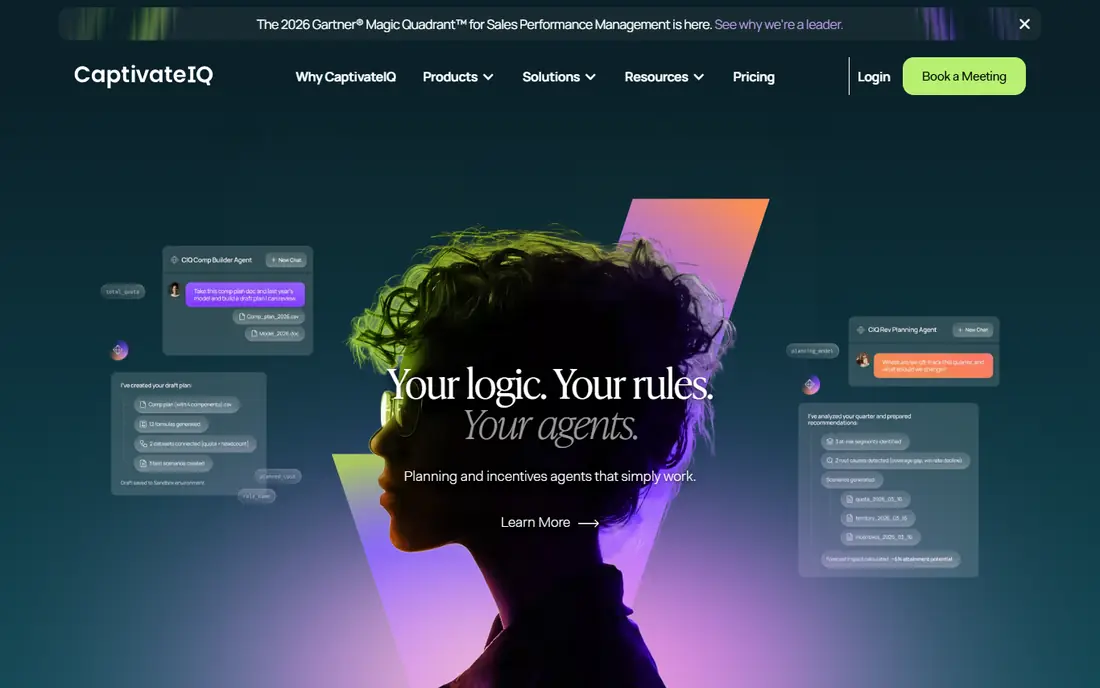
CaptivateIQ is built for teams that outgrow spreadsheets but do not want every plan change to need a developer. Its SmartGrid engine lets admins build formulas and rules without code, and reps get statements that show how each payment was calculated. Territory, quota and capacity planning tools sit alongside commissions, which helps revenue operations teams manage the full cycle in one place.
Pricing is by quote, based on payees and plan complexity, plus a one-time setup fee, so you will need a sales conversation to budget accurately. Implementation also takes real effort on complex plans, even with a no-code builder. If your plans change often and you need finance-grade audit trails, CaptivateIQ is a strong shortlist pick.
- No-code plan builder for many teams
- Territory and quota planning options
- Clear rep statements and audit trails
- Quote-based pricing with a setup fee
- Complex plans still need careful admin work
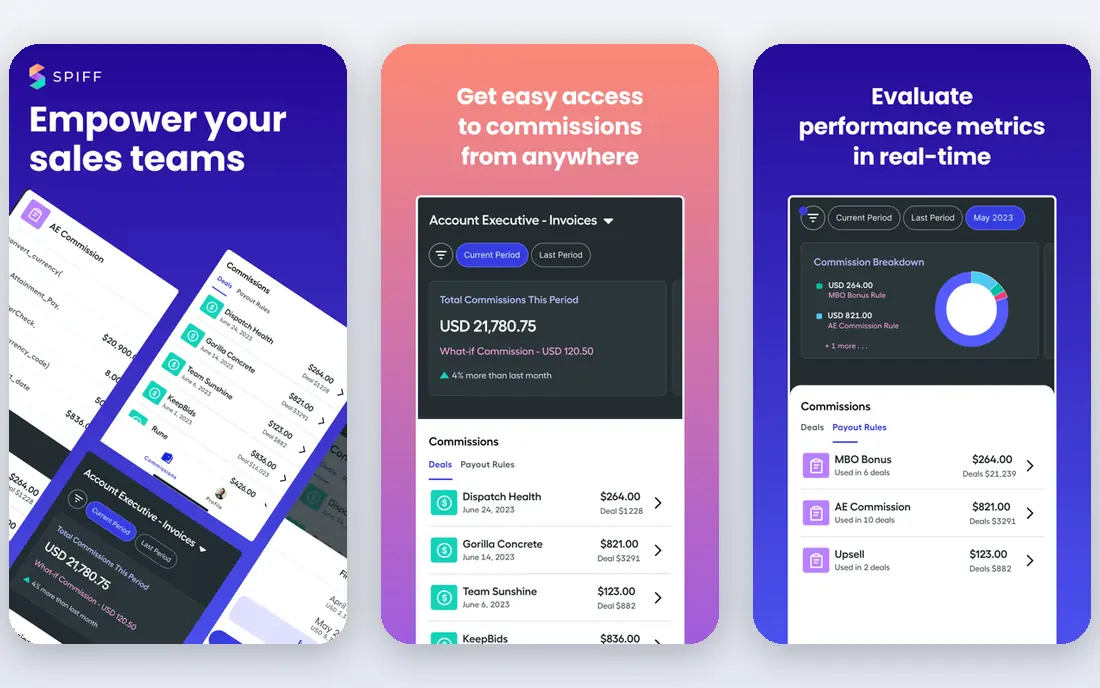
Spiff, now part of Salesforce, is the natural commission app for Salesforce shops. Because it lives inside the Salesforce workflow, deal data flows into calculations without a fragile spreadsheet bridge, and reps can check earnings without leaving the system they already use. Published pricing at $75 per user per month billed annually makes budgeting simpler than with quote-only rivals.
The catch is the ecosystem boundary. Each connector beyond Salesforce costs extra per month, so teams with billing, HR or other data sources should price those connectors before signing. Very complex plans may also need implementation support. If Salesforce is your system of record, Spiff usually wins on fit and speed.
- Native Salesforce integration
- Published pricing
- Rep dashboards inside the CRM workflow
- Non-Salesforce connectors cost extra
- Complex plans may need implementation help
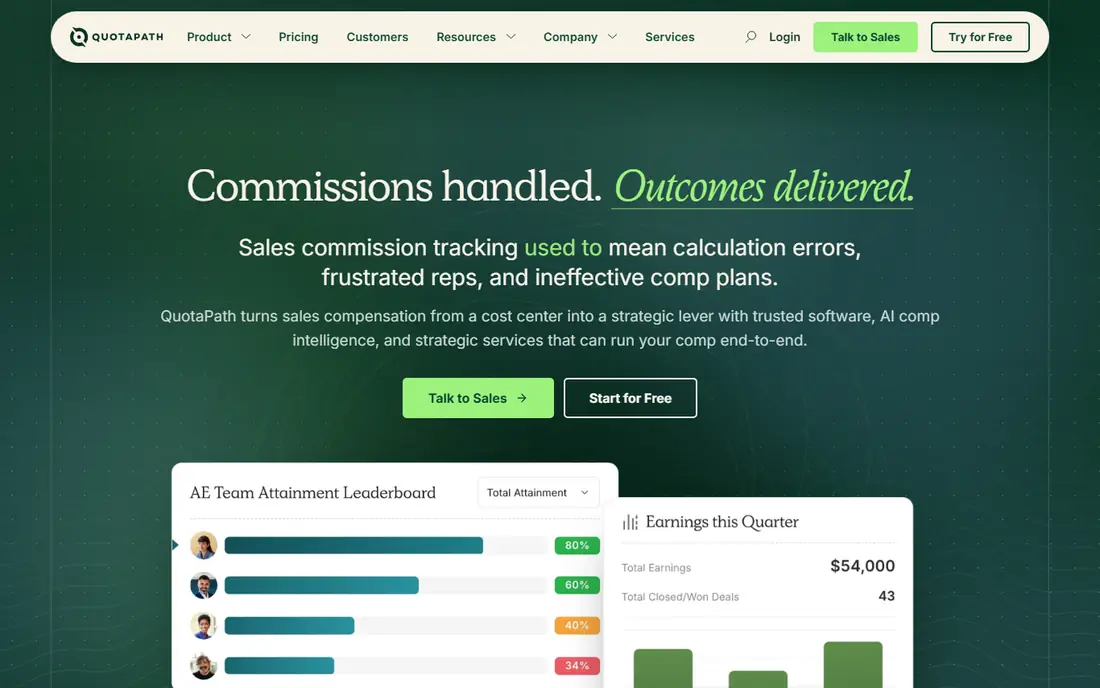
QuotaPath targets small and growing sales teams that want automation without an enterprise contract. Growth pricing is published at $35 per user per month plus a monthly platform fee, with a higher Premium tier for more integrations and support. Setup is faster than enterprise tools, and reps get a clear view of quota attainment and expected commission.
Watch the total price, not just the per-user figure, since the platform fee applies every month. Teams with many data sources or complex crediting rules may need Premium or a more enterprise tool. For a first commission system with transparent pricing, QuotaPath is an easy recommendation.
- Published pricing and a free trial
- Simple setup for standard plans
- Rep visibility and attainment tracking
- Platform fee adds to the per-user price
- Advanced data sources sit on higher tiers
Everstage pitches speed: get off spreadsheets in weeks rather than quarters, with audit-ready payouts and dashboards reps actually check. Its no-code builder covers common plan structures, and pricing by payee means you pay for people who earn commission rather than for every employee who logs in. That model suits growing SaaS teams with straightforward to moderately complex plans.
The downside is transparency on price and on who makes changes. Pricing is by quote, and material plan changes may need vendor assistance, which can slow teams that iterate plans every quarter. If fast go-live and rep trust matter most, Everstage deserves a demo, and ask for a written implementation timeline before you commit.
- No-code automation with strong rep visibility
- Per-payee pricing
- Reputation for quick go-live
- Quote-based pricing
- Major plan changes may need vendor help
Xactly has served large enterprises for years, and its Incent product handles layered plans, splits, clawbacks and multi-currency payouts that break simpler tools. It sits inside a wider sales performance suite, so teams can connect commissions with forecasting, territories and analytics. For finance and compliance teams, that depth and audit history matter.
That depth brings cost and complexity. Pricing is by quote, implementation is a project rather than a quick setup, and you will want a trained admin to own plan changes. Smaller teams will find it heavy and expensive. Large companies with global plans and strict controls should keep Xactly on the shortlist.
- Mature incentive engine for complex plans
- Broad sales performance tools
- Strong compliance and audit features
- Quote-based enterprise pricing
- Needs skilled admins for complex setups
Performio focuses on reliable commission tracking with an intuitive admin experience. Its component-based builder lets admins assemble plans from reusable pieces, which helps when plans change each quarter or when different teams have different rules. Audit trails log changes, and reps can see statements and model scenarios, which reduces the end-of-month dispute pile.
Pricing is by quote, so you will need a demo and a proposal to compare it fairly. It also lacks the huge install base of Xactly or Salesforce Spiff, which can matter if you want a large peer community. For mid-market teams that value clean administration and clear audit trails, Performio is worth a look.
- Component-based plan builder
- Strong audit trails
- Reps can model expected pay
- Quote-based pricing
- Less brand recognition than larger rivals
Varicent is built for organizations where compensation is genuinely complex, with multiple layers, overlays, currencies and approval chains. Its customization depth suits global enterprises that cannot fit their plans into a simpler template. Territory management, quota planning and analytics sit alongside the incentive engine, which helps large revenue operations teams.
That power needs skilled hands. Advanced setups call for a technical admin, and implementation services are priced separately, so the total project cost goes beyond licenses. Smaller teams should not buy Varicent for a simple plan. Global companies with intricate structures will find the flexibility worth the effort.
- Deep customization for complex comp structures
- Territory and quota tools
- Handles global scale
- Quote-based pricing
- Technical admin needed for advanced setups
Qobra covers commissions and short-term incentives in one system, so SPIF payouts can run in the same cycle as base commission rather than in a separate spreadsheet. Reps get dashboards that show earnings and progress, managers approve payouts, and finance gets a logged adjustment history. That combined approach suits teams that run frequent contests and bonuses alongside standard plans.
Pricing varies by source and region, with some listings showing per-user monthly rates and the vendor itself quoting many deals, so confirm the current price for your team size. Its European roots also mean US buyers should check support hours and integrations. For mid-market teams that run incentives often, Qobra is a practical option.
- Combines commissions with incentive and SPIF handling
- Clean rep dashboards
- Free trial available
- Pricing is quote-based in many cases
- Smaller US presence than some rivals
How we picked these
We compared official pricing pages, product documentation and public user reviews for each tool, and we kept only tools that automate commission calculation, approvals and rep statements rather than simple calculators. We favored tools with CRM integrations, audit trails and payroll exports, since those features decide whether finance will trust the system. Where pricing was not published, we wrote See website rather than inventing a figure.
What to check before you buy commission software
Start with your plan, not the demo. List your pay components, splits, accelerators, clawbacks, currencies and approval steps, then ask each vendor to build a sample plan from your real rules. A tool that handles a simple demo plan may struggle with your edge cases, and you will discover that only after signing if you skip this step.
Data, disputes and payroll
Check how deal data flows in, how corrections are logged, and how approved payouts reach payroll. Ask who can change a plan, whether changes apply retroactively, and how reps dispute a payment. The best commission app is the one finance trusts, reps understand and admins can change without a consultant every quarter.
FAQ
What is the best sales commission software for a small team?
QuotaPath is a good starting point for small and growing teams, thanks to published pricing and a free trial. Salesforce Spiff fits small teams already on Salesforce. Keep plans simple at first, since a tool that is easy to administer will save more time than a powerful tool nobody owns.
How much does commission software cost?
It varies widely. Published options include Spiff at $75 per user per month billed annually and QuotaPath Growth at $35 per user per month plus a platform fee. Most enterprise tools, including CaptivateIQ, Xactly, Performio and Varicent, price by quote based on payees and complexity, plus setup fees.
What is the best commission app for Salesforce users?
Salesforce Spiff is the obvious pick, since it is native to Salesforce and avoids connector costs for Salesforce data. CaptivateIQ and Everstage also integrate with Salesforce, so they remain options if you need plan features Spiff does not cover. Compare connector fees and admin effort before deciding.
Do I need commission software if I use spreadsheets?
Spreadsheets work until plans, headcount or deal volume grow, at which point errors, version confusion and disputes increase. Software helps when you have splits, clawbacks, mid-quarter changes or many payees. If you spend days each month closing commissions, automation usually pays for itself in time and trust.
Can commission software handle clawbacks and splits?
Yes, the tools on this list handle splits, accelerators and clawbacks to varying degrees, but the details matter. Ask each vendor to show how a split deal, a cancelled deal and a mid-quarter plan change flow through calculations, approvals and payroll. Get those answers in writing during a trial or demo.