Best Code Review Tools in 2026: 8 Tools Compared
Compare the best code review tools in 2026, from GitHub, GitLab and Bitbucket to CodeRabbit and SonarQube, with prices and AI help for teams of all sizes.
- Editor's choice
 GitHub
Most teams on Git
Starts atFreeVisit github.comFull review - Great alternative
 GitLab
All-in-one DevOps review
Starts atFreeVisit about.gitlab.comFull review - Also consider
 Bitbucket
Jira-linked teams
Starts atFreeVisit bitbucket.orgFull review
TL;DR:
- GitHub, GitLab and Bitbucket suit teams that already host code on those platforms, since review is built into pull requests.
- CodeRabbit and Graphite suit teams that want AI help or stacked pull requests on top of GitHub.
- SonarQube and Codacy suit teams that want automated code quality and security checks in every review.
- Gerrit suits large open-source style projects with strict, multi-stage review rules.
- AI review help saves time on style and obvious bugs, but a human must still check logic, security and design.
- Pricing often depends on users and hosting, so compare per-user cost for your team size.
Quick comparison
| Tool | Best for | Starts at | Free plan? | |
|---|---|---|---|---|
| GitHub | Most teams on Git | Free | Yes | Visit |
| GitLab | All-in-one DevOps review | Free | Yes | Visit |
| Bitbucket | Jira-linked teams | Free | Yes | Visit |
 CodeRabbit | AI review summaries | Free | Yes | Visit |
 Graphite | Stacked pull requests | $20 per user per month | Free trial | Visit |
 SonarQube | Code quality checks | Free | Yes | Visit |
 Codacy | Automated quality gates | $15 per user per month | Free | Visit |
 Gerrit | Strict multi-stage review | Free | Yes | Visit |
The best code review tools
Code review tools help teams check pull requests, catch bugs, enforce style and share knowledge before code reaches production. We compared official pricing pages, feature pages and public reviews in October 2026, covering hosted platforms, AI review tools and quality checkers.

GitHub is the default code review tool for most teams, because review lives where the code lives. Pull requests show diffs, comments, suggested changes and checks in one place, and branch protection can require approvals before a merge. Code owners files route reviews to the right people, which helps larger teams avoid missed reviews.
The free plan covers public and private repos for small teams, while Team and Enterprise plans add stronger access controls, security tools and support. Teams that already use GitHub Actions get CI checks inside the same review flow. If your code is already on GitHub, there is rarely a reason to add a separate review platform first.
- Built-in pull request review
- Huge ecosystem and actions
- Code owners and branch protection
- Advanced security features need paid plans
- Large repos need care with actions costs
- Review rules vary by plan

GitLab suits teams that want review, CI, issues and deployment in one system. Merge requests include diffs, discussions, approval rules and pipeline status, so a reviewer can see whether tests passed without opening another tool. Self-hosting is also an option for teams with strict data rules.
The breadth is the trade-off. GitLab has many menus and settings, and some review and security features sit behind Premium plans. For a team that wants one platform for the full DevOps cycle, GitLab is a strong pick. For a team that only needs review, GitHub may feel simpler.
- Merge request review plus CI in one platform
- Approval rules
- Self-hosted option
- Interface can feel large
- Premium features cost more
- Migration from GitHub takes planning
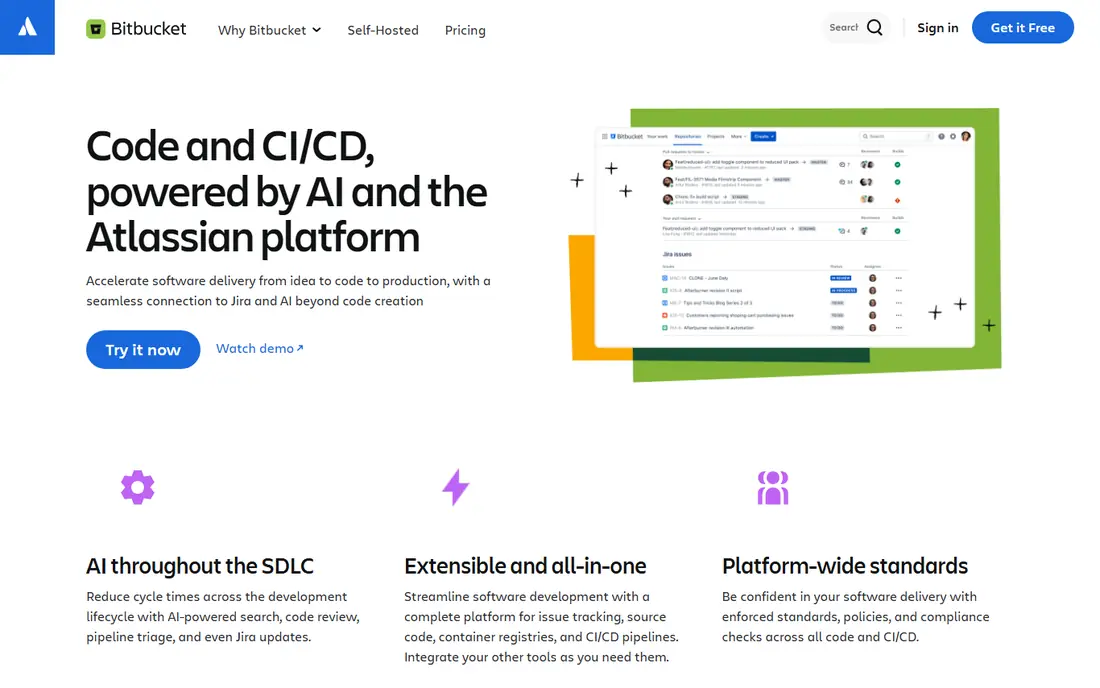
Bitbucket suits teams that already use Atlassian tools. Its pull requests link to Jira issues, so a reviewer can see the ticket, the branch and the tests in context. Branch permissions, merge checks and required reviewers help teams enforce a consistent review process.
Bitbucket has a smaller public community than GitHub, which matters less for private team work. Check whether you need Cloud or Data Center hosting, since pricing and features differ. For a Jira-based team, Bitbucket keeps code review close to project tracking.
- Pull request review
- Strong Jira and Confluence links
- Branch permissions and merge checks
- Smaller community than GitHub
- Some features need Premium
- Cloud and Data Center plans differ
CodeRabbit adds AI review on top of GitHub and GitLab pull requests. It summarises a change, flags likely bugs and style issues, and leaves line comments that a human reviewer can accept or reject. That first pass can save reviewers time on large diffs, especially for routine changes.
AI review is a helper, not a replacement. It can miss logic errors, misunderstand intent, or suggest a change that looks clean but breaks an edge case. Use CodeRabbit to speed up the first pass, then keep human approval for logic, security and design. Its free tier suits small teams testing AI review.
- AI summaries and line comments on pull requests
- Works with GitHub and GitLab
- Learns from team feedback
- AI suggestions still need human checks
- Pricing varies by plan and usage
- Adds another tool to the stack
Graphite suits teams that break large features into a stack of small pull requests. Instead of one huge PR that reviewers dread, Graphite lets you chain smaller PRs, review each one, and merge them in order. Its interface is faster than the standard GitHub review view for this workflow.
The cost is on top of GitHub, starting near $20 per user per month in many listings, so check the current price for your team size. Teams that merge one PR at a time will get less from Graphite. Teams that stack PRs daily often find it saves real review time.
- Stacked pull requests for large changes
- Fast review interface
- Good for fast-moving teams
- Adds cost on top of GitHub
- Learning curve for stacking
- Best for teams that split work into small PRs
SonarQube checks code for bugs, security weaknesses, code smells and duplication, and it can block a merge when a quality gate fails. That automated check catches issues that a tired human reviewer might miss, and it gives teams a consistent standard across repos. Its community edition is free and self-hosted, while commercial editions add more languages and features.
Setup and tuning take effort. Out-of-the-box rules can produce noise, so teams should tune rules for their codebase and fix the highest-risk issues first. Used well, SonarQube makes every review more consistent, without replacing human judgment.
- Static analysis for bugs and security issues
- Quality gates in pull requests
- Many languages supported
- Setup takes time
- Self-hosted version needs maintenance
- Some rules need tuning to avoid noise
Codacy suits teams that want automated quality checks with less setup than SonarQube. It connects to GitHub, GitLab or Bitbucket, checks pull requests for style, complexity and security issues, and tracks coverage over time. A free plan covers open-source and small use, while paid plans start near $15 per user per month.
As with any automated checker, rule tuning matters. A noisy checker teaches reviewers to ignore it, so start with high-value rules and expand slowly. For a team that wants quick quality gates in pull requests, Codacy is a practical pick.
- Automated code quality and coverage checks
- Pull request comments
- Easy GitHub and GitLab setup
- Free plan has limits
- Some checks need paid plans
- Rule tuning still needed
Gerrit is a free, open-source review tool used by large projects such as Android. It enforces a strict workflow where each change gets reviewed, scored and verified before it merges, which suits projects with many contributors and high quality bars. Its access controls and review labels are more detailed than a typical pull request flow.
The interface and setup feel older than GitHub or GitLab, and self-hosting needs maintenance. Teams that already use GitHub-style pull requests may find Gerrit slow to adopt. For a large project that needs strict, auditable review, Gerrit remains a proven choice.
- Free and open source
- Strict review workflow
- Used by large open-source projects
- Interface feels older
- Setup and hosting need effort
- Learning curve for GitHub-style teams
How we picked these
We compared official pricing and feature pages for code review tools available in October 2026. We kept hosted platforms, AI review tools and quality checkers that work with Git, and we covered small teams, large teams and open-source projects. We left out single-language linters with no review workflow, and tools with no current public pricing or docs.
We did not claim hands-on testing. Our view comes from vendor documentation, pricing pages and public reviews, plus how each tool fits a clear team workflow, from a simple pull request to a strict multi-stage review.
How to run better code reviews
Keep pull requests small. A reviewer can check a 200-line change carefully, while a 2,000-line change often gets a quick skim. Split large features into stacked or sequential PRs, and describe what changed and why in the PR description, not just the title.
Use automation for style, humans for logic
Let automated checks handle formatting, linting, tests and basic security scans, so human reviewers can focus on logic, design and edge cases. Require at least one human approval for production code, and use code owners to route reviews to people who know that part of the codebase.
Review fast, and review kindly
Slow reviews block the whole team, so set a response time goal and review small PRs first. Comments should explain the concern and suggest a fix, not just point out a flaw. A good review teaches, and a team that reviews kindly keeps contributors coming back.
FAQ
What is the best code review tool for a small team?
GitHub is the best small-team pick for most teams, because pull request review is built in and the free plan covers private repos. Add CodeRabbit or Codacy only if you need AI help or automated quality gates.
What is the best code review software for large teams?
GitLab and GitHub Enterprise suit large teams with approval rules, branch protection and security tools. Gerrit suits very large open-source style projects with strict review rules.
Do AI code review tools replace human reviewers?
No. AI tools catch style issues, obvious bugs and missing tests, but they can miss logic errors and design problems. Keep human approval for production code, and treat AI comments as suggestions to verify.
What is the best code review tool for GitHub?
CodeRabbit and Graphite both build on GitHub, with CodeRabbit adding AI review and Graphite adding stacked pull requests. Choose CodeRabbit for AI summaries, and Graphite if your team splits work into many small PRs.
Is SonarQube free?
SonarQube Community Edition is free and self-hosted, while commercial editions add more languages, features and support. Check the current SonarSource pricing page for your team size and hosting choice.
How many reviewers should approve a pull request?
One careful reviewer is enough for most routine changes, while risky changes to security, payments or core logic should get two reviewers. Use code owners and branch protection to enforce the rule automatically.