Best Cloud Cost Optimization Tools in 2026: 9 Tools Compared
Compare the best cloud cost optimization tools in 2026, from FinOps visibility and allocation to Kubernetes and commitment automation tools in this guide.
- Editor's choice
 Vantage
Multi cloud visibility
Starts atFreeVisit vantage.shFull review - Great alternative
 CloudZero
Unit economics
Starts atSee websiteVisit cloudzero.comFull review - Also consider
 Kubecost
Kubernetes cost allocation
Starts atFreeVisit kubecost.comFull review
TL;DR:
- Vantage and CloudZero suit teams that need clear allocation, while Kubecost and Cast AI suit Kubernetes heavy teams.
- Visibility alone does not cut spend: the best tools for cloud cost optimization pair reporting with automation or clear actions.
- Native cloud tools are a good first step, but multi cloud teams usually need a cross provider view.
- The best cloud cost optimization platforms cover at least one of visibility, allocation, rightsizing, and commitment automation, and the best pick depends on which gap costs you most.
Quick comparison
| Tool | Best for | Starts at | Free plan? | |
|---|---|---|---|---|
| Vantage | Multi cloud visibility | Free | Yes | Visit |
| CloudZero | Unit economics | See website | No | Visit |
| Kubecost | Kubernetes cost allocation | Free | Yes | Visit |
 Harness Cloud Cost Management | Cost control in engineering workflows | Free | Yes | Visit |
 Flexera One | Hybrid IT governance | See website | No | Visit |
 IBM Cloudability | Enterprise chargeback | See website | No | Visit |
 Cast AI | Automated Kubernetes optimization | See website | No | Visit |
 nOps | AWS commitment automation | See website | No | Visit |
 ProsperOps | Commitment management | See website | No | Visit |
The best cloud cost optimization tools
The best cloud cost optimization tools help teams see where cloud money goes, assign it to teams or customers, and then reduce waste. Some focus on reports, others automate savings, and a few do both. The list below covers that range.
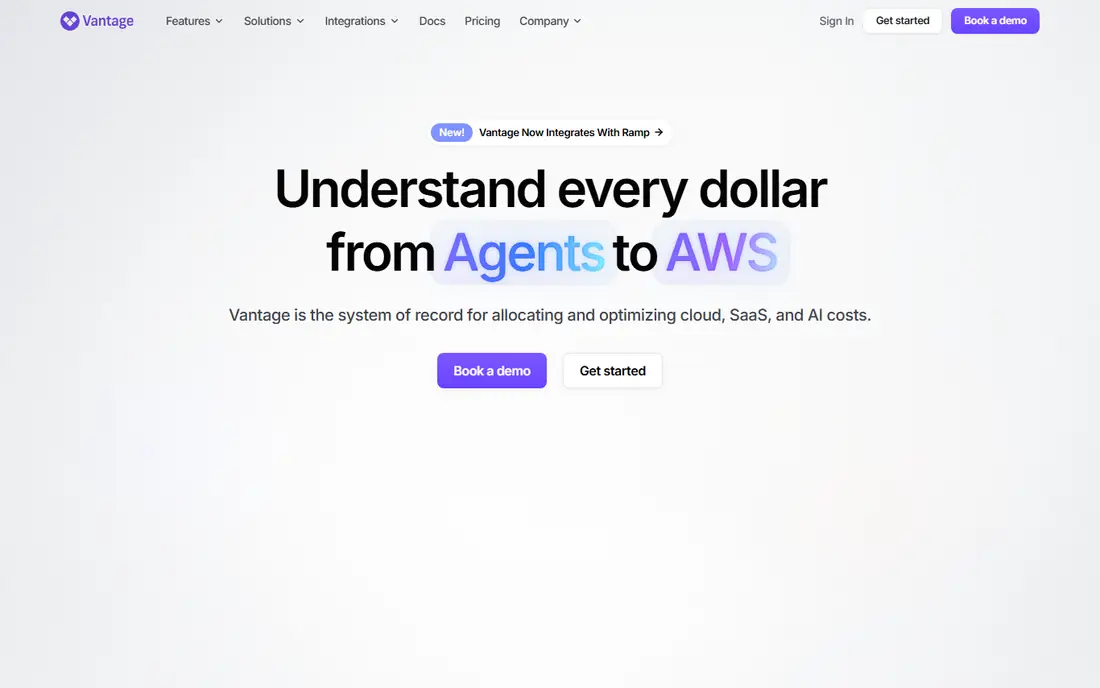
For many people, this is the first name worth trying because it covers the basics without a steep learning curve. It suits startups and mid sized teams that need fast multi cloud visibility. Its free tier and clear pricing make it easy to start, with reports across AWS, Azure, Google Cloud, and SaaS tools.
In day to day use, the appeal is practical rather than flashy. You can get a result without a long manual, and the main controls stay close at hand. We checked official feature pages, pricing pages, and app store listings rather than relying on marketing claims alone.
The honest catch is worth knowing before you sign up. Recommendations still need manual action or a separate automation tool. Check current pricing and free plan limits, then test it with a real task from your own routine before you commit.
- Free tier for small spend
- Clear multi cloud cost reports
- Unit cost and allocation features
- Does not buy commitments for you
- Kubernetes depth needs paid tiers
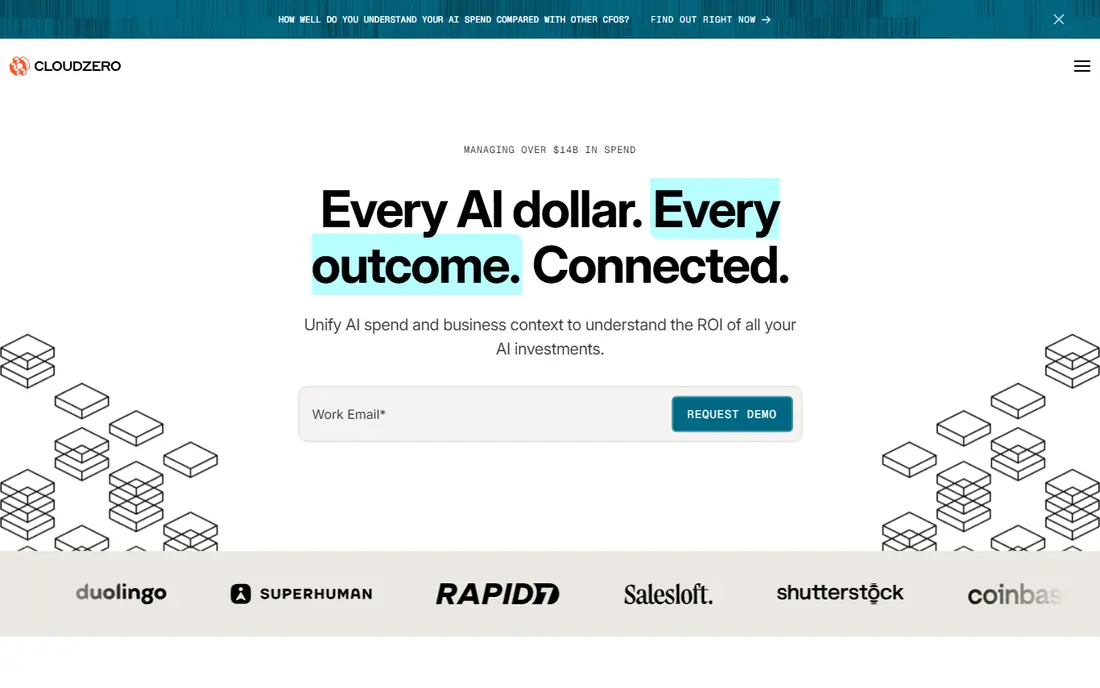
This option stands out for a narrower job, and it does that job with more focus than a general tool. It suits SaaS companies that need unit economics, not just total spend. It links cloud spend to business metrics such as cost per customer, which helps finance and product teams talk about the same numbers.
In day to day use, the appeal is practical rather than flashy. You can get a result without a long manual, and the main controls stay close at hand. We checked official feature pages, pricing pages, and app store listings rather than relying on marketing claims alone.
The honest catch is worth knowing before you sign up. Its price and setup suit larger SaaS teams more than small single cloud teams. Check current pricing and free plan limits, then test it with a real task from your own routine before you commit.
- Cost per customer and per product views
- Allocation across cloud, Kubernetes, and AI spend
- Strong for SaaS teams
- Quote based pricing
- No free tier
If you want a balance of features and price, this one deserves a close look before you commit elsewhere. It suits teams where Kubernetes is the main compute cost. It shows which namespace, deployment, and team drove cluster spend, which native tools often hide.
In day to day use, the appeal is practical rather than flashy. You can get a result without a long manual, and the main controls stay close at hand. We checked official feature pages, pricing pages, and app store listings rather than relying on marketing claims alone.
The honest catch is worth knowing before you sign up. It does not cover non Kubernetes services such as databases outside the cluster. Check current pricing and free plan limits, then test it with a real task from your own routine before you commit.
- Deep namespace and workload cost allocation
- Free open source core
- Idle resource detection
- Limited to Kubernetes costs
- Commitment management needs other tools
A practical choice for regular use, this tool keeps everyday tasks simple while leaving room to grow. It suits engineering led teams that want cost insight inside delivery workflows. It connects cost changes to releases, so teams can see which deployment raised the bill.
In day to day use, the appeal is practical rather than flashy. You can get a result without a long manual, and the main controls stay close at hand. We checked official feature pages, pricing pages, and app store listings rather than relying on marketing claims alone.
The honest catch is worth knowing before you sign up. Teams not using Harness may get less value from the wider platform. Check current pricing and free plan limits, then test it with a real task from your own routine before you commit.
- Free tier for smaller spend
- Cost anomaly detection
- Links costs to deployments and pipelines
- Pricing scales with spend
- Full value needs Harness adoption
This pick suits people who already know what they want and prefer a direct route to the result. It suits large organisations governing hybrid IT spend and licences. It covers cloud, SaaS, and licensing in one governance view, which helps large IT teams.
In day to day use, the appeal is practical rather than flashy. You can get a result without a long manual, and the main controls stay close at hand. We checked official feature pages, pricing pages, and app store listings rather than relying on marketing claims alone.
The honest catch is worth knowing before you sign up. Its breadth and contract model suit enterprises more than small teams. Check current pricing and free plan limits, then test it with a real task from your own routine before you commit.
- Multi cloud and hybrid coverage
- Governance and policy controls
- SaaS and licence visibility
- Quote based pricing
- Enterprise setup
For households and small teams, this option makes sharing and coordination less of a chore. It suits enterprises with formal FinOps and chargeback needs. It supports chargeback, budgets, and forecasts for large multi cloud estates.
In day to day use, the appeal is practical rather than flashy. You can get a result without a long manual, and the main controls stay close at hand. We checked official feature pages, pricing pages, and app store listings rather than relying on marketing claims alone.
The honest catch is worth knowing before you sign up. Smaller teams may find the setup and cost hard to justify for basic reporting. Check current pricing and free plan limits, then test it with a real task from your own routine before you commit.
- Chargeback and forecasting for large teams
- Multi cloud reporting
- Budget and policy tools
- Quote based pricing
- Needs FinOps process maturity
This is a good fit when you value control over automation and want to adjust the details yourself. It suits Kubernetes teams ready to automate, not just report, savings. It acts on Kubernetes waste by resizing workloads and using spot capacity where safe.
In day to day use, the appeal is practical rather than flashy. You can get a result without a long manual, and the main controls stay close at hand. We checked official feature pages, pricing pages, and app store listings rather than relying on marketing claims alone.
The honest catch is worth knowing before you sign up. Automation should be tested in a non production cluster first, since changes affect performance. Check current pricing and free plan limits, then test it with a real task from your own routine before you commit.
- Automates rightsizing and spot use
- Read only start before automation
- GPU and autoscaling support
- Quote based pricing
- Automation needs trust and testing
Budget buyers should start here, since the free or low cost entry point covers a surprising amount. It suits AWS heavy teams that want commitment automation without a large FinOps team. It automates commitment buying and rightsizing for AWS, which reduces manual FinOps work.
In day to day use, the appeal is practical rather than flashy. You can get a result without a long manual, and the main controls stay close at hand. We checked official feature pages, pricing pages, and app store listings rather than relying on marketing claims alone.
The honest catch is worth knowing before you sign up. Teams on Azure or Google Cloud as a primary cloud will need a different tool. Check current pricing and free plan limits, then test it with a real task from your own routine before you commit.
- Automates AWS commitments and rightsizing
- Cost allocation and anomaly alerts
- Share of savings pricing in some plans
- AWS focused
- Pricing depends on savings and scope
This final option works best as a specialist pick, strong in one area even if it is not for everyone. It suits AWS teams whose main waste is unused or poorly managed commitments. It focuses on one job, managing discount commitments, and reports realised savings clearly.
In day to day use, the appeal is practical rather than flashy. You can get a result without a long manual, and the main controls stay close at hand. We checked official feature pages, pricing pages, and app store listings rather than relying on marketing claims alone.
The honest catch is worth knowing before you sign up. It does not cover Kubernetes allocation or multi cloud reporting on its own. Check current pricing and free plan limits, then test it with a real task from your own routine before you commit.
- Automates AWS discount commitments
- Focus on realised savings
- Clear savings reporting
- AWS focused
- Quote based pricing
How we picked these
We compared official product pages, supported clouds, allocation features, and pricing models. We checked whether each tool covers AWS, Azure, and Google Cloud, Kubernetes costs, and commitment or rightsizing automation. Where pricing is quote based, we used See website rather than an unverified figure.
How to pick a FinOps tool that actually saves money
Start with a baseline: total spend by service, by team, and by environment for the last three months. Without that baseline, you cannot tell whether a tool helped. Then pick the gap that matters most: unclear ownership, idle resources, or unused commitments. A visibility tool helps the first gap, a Kubernetes tool helps the second, and a commitment tool helps the third.
Set owners for each saving. A report that nobody owns will not change spend, even if the recommendations are good. Assign a team to each top cost area, set a review date, and track realised savings separately from recommended savings. That habit matters more than any single dashboard.
FAQ
What are the best cloud cost optimization tools?
Vantage, CloudZero, Kubecost, Harness, and Flexera One are leading options, with Cast AI and nOps strong for automation. The best cloud cost optimization software for you depends on cloud mix, Kubernetes use, and team size. Start with visibility, then add automation.
What are the best tools for cloud cost optimization on Kubernetes?
Kubecost and Cast AI are strong Kubernetes options, with Kubecost focused on allocation and Cast AI focused on automated rightsizing. Native Kubernetes cost tools also help for a single cluster. Check whether you need allocation, automation, or both.
What are the best cloud cost optimization platforms for multi cloud teams?
Vantage, CloudZero, Flexera One, and IBM Cloudability offer cross provider views for AWS, Azure, and Google Cloud. Native tools stop at one provider, so multi cloud teams benefit from a single allocation model. Compare how each tool handles shared costs.
Do cloud cost tools pay for themselves?
They can, when recommendations are acted on and savings are tracked. Tools priced as a share of spend or savings need a clear savings baseline to judge value. Start with a free tier or trial, measure realised savings over 90 days, and then decide.