7 Click Fraud Software Options Compared on Price and Fit
Shortlisting the best click fraud software? 7 products compared on cost, free access and ideal buyer. Pros and cons for every tool. Full profiles inside.
- Editor's choice
 ClickPatrol
EU advertisers and agencies wanting GDPR-native protection with clean conversion data
Starts at€59/month billed yearly (Traffic Security Starter; €71 billed per month)Visit clickpatrol.comFull review - Great alternative
 Lunio
Multi-platform advertisers and agencies wanting behavioral AI rather than IP blocklists
Starts atSee website (custom pricing)Visit lunio.aiFull review - Also consider
 ClickExpose
Google Ads advertisers who want free monitoring plus an UK Google specialist
Starts at£69/month (Protect Pro; £59 billed yearly)Visit clickexpose.comFull review
Direct answer
This list puts ClickPatrol first for EU advertisers and agencies wanting GDPR-native protection with clean conversion data. Alternatives: Lunio for multi-platform advertisers and agencies wanting behavioral AI rather than IP blocklists, and ClickExpose for Google Ads advertisers who want free monitoring plus an UK Google specialist behind. The other 4 tools in the list cover narrower or pricier cases.
TL;DR:
- The list opens with ClickPatrol, aimed at EU advertisers and agencies wanting GDPR-native protection with clean conversion data.
- The cheapest monthly starting price in the list is $49/month, offered by ClickGuardian.
- What to know about Lunio first: no published pricing and a sales-led buying process, with engagements usually reported in the hundreds to thousands a month.
- Fraud Blocker fits small firms that want flat pricing and a verified Google partner.
Quick comparison
| Tool | Best for | Starts at | Free plan? | |
|---|---|---|---|---|
| ClickPatrol | EU advertisers and agencies wanting GDPR-native protection with clean conversion data | €59/month billed yearly (Traffic Security Starter; €71 billed per month) | Free trial (7 days) | Visit |
| Lunio | Multi-platform advertisers and agencies wanting behavioral AI rather than IP blocklists | See website (custom pricing) | No | Visit |
| ClickExpose | Google Ads advertisers who want free monitoring plus an UK Google specialist | £69/month (Protect Pro; £59 billed yearly) | Yes | Visit |
 ClickGuardian | Small companies running Google and Microsoft Ads who want UK-based support | $49/month (Starter, up to $6,000 ad spend) | Free trial (7 days) | Visit |
 ClickGuard | SMBs and agencies that want per-campaign rules with unlimited clicks | $74/month (Lite plan, up to $5,000 ad spend) | Free trial (7 days) | Visit |
 ClickCease | Advertisers running Google, Meta and Microsoft Ads | $99/month (Starter: 1 domain, 5,000 monthly traffic) | Free trial (7 days) | Visit |
 Fraud Blocker | Small companies that want flat pricing and a verified Google partner | $79/month (Standard plan) | Free trial (7 days) | Visit |
Click Fraud Software, one by one
Short on time? The summary and table above give the quick view of 7 tools for click fraud software, and the profiles that follow give the detail behind each entry.
ClickPatrol
Best for: EU advertisers and agencies wanting GDPR-native protection with clean conversion data
Pick ClickPatrol if this describes you: EU advertisers and agencies wanting GDPR-native protection with clean conversion data. Its four modules cover the full fraud lifecycle: AdProtector blocks bad clicks, AudienceProtector keeps bots out of remarketing lists, DataProtector stops fake conversions from retraining Smart Bidding, and FormProtector filters junk leads before they hit the CRM.
What users get: audience cleaning; Setup takes about a minute with one-click Google Ads link.
Pricing is published and straightforward: Starter at €59 a month billed yearly includes 5,000 clicks, PRO from €69 scales to 75,000 clicks, and agency plans are quoted. Entry price for ClickPatrol: €59/month billed annually. Free options: Free trial (7 days).
Where it falls short: Priced in euros, which complicates budgeting for US-only teams.
- Conversion-data protection and form-spam filtering
- EU-built
- Microsoft Ads support works through audience exclusions plus IP export
Lunio
Best for: Multi-platform advertisers and agencies wanting behavioral AI rather than IP blocklists
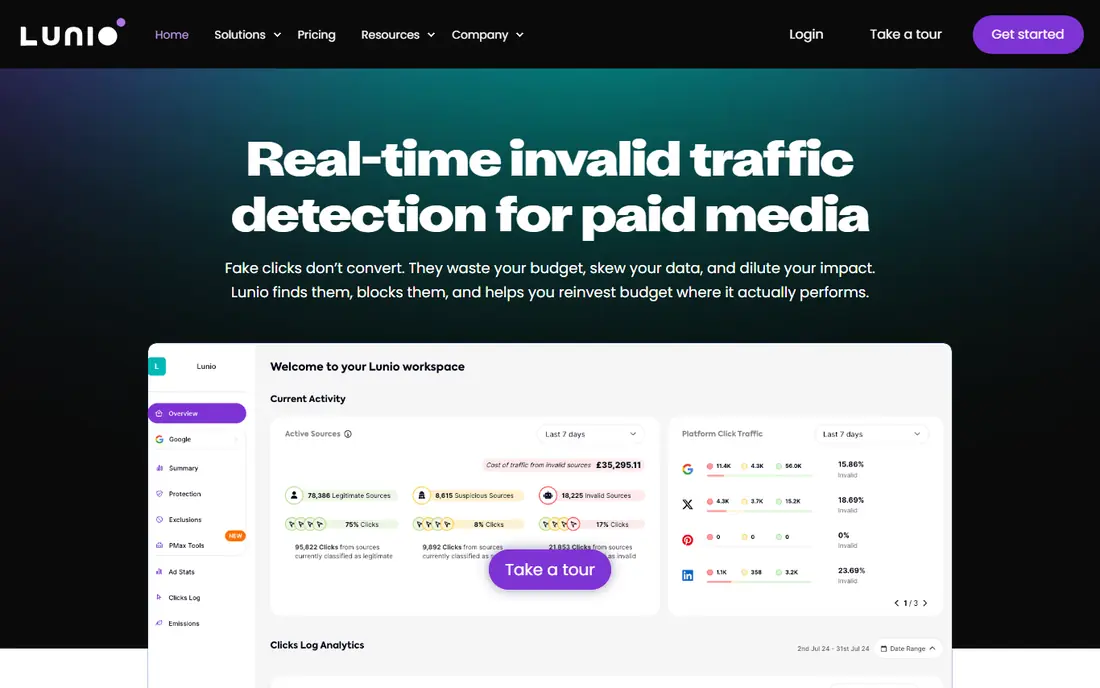
Lunio is designed for multi-platform advertisers and agencies wanting behavioral AI rather than IP blocklists. Lunio, formerly PPC Protect, is the enterprise end of the click fraud market.
Points against: No published pricing and a sales-led buying process, with engagements usually reported in the hundreds to thousands per month.
Its machine learning engine scores every click using click, context and conversion signals across the vendor's entire customer base, then excludes invalid sources through IP blocks where the system permits it and custom exclusion audiences where it does not, for example Meta. The buying reality is custom pricing through a sales process, which prices it out for most single-account SMBs. No starting price is listed for Lunio here; confirm pricing on the vendor site. Lunio has no free tier.
- Not just that it exists
- TikTok and more
- Onboarding takes days, not minutes
ClickExpose
Best for: Google Ads advertisers who want free monitoring plus an UK Google specialist
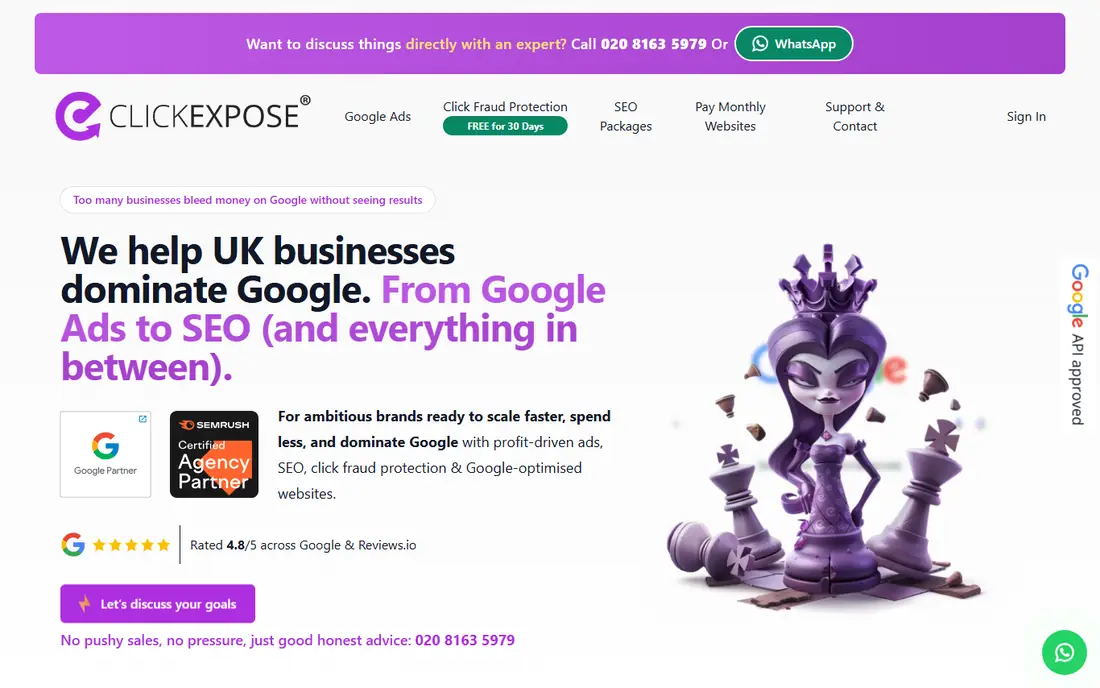
ClickExpose is built with Google Ads advertisers who want free monitoring plus an UK Google specialist behind the tool in mind. If your spend is Google-only, particularly in competitive UK markets like home services or legal, the combination of monitoring, blocking and human specialist review is a strong package.
ClickExpose cost at the entry level: £69/month. ClickExpose includes a free tier.
Main advantages: 30-day free trial.
Trade-offs to know: Protection includes Google Ads only, so Meta and Microsoft spend is unprotected.
- UK Google Partner agency behind the product with practical Google Ads support
- The only tool here with a genuinely free monitoring level
- The premium levels carry agency-style pricing in pounds, which fits UK buyers best
ClickGuardian
Best for: Small companies running Google and Microsoft Ads who want UK-based support
Choose ClickGuardian for small companies running Google and Microsoft Ads who want UK-based support. ClickGuardian is an UK-built tool with one of the clearest pricing pages in the category. In daily use, professional at $99, Growth at $189 and Scale at $379 lift the spend ceilings and add sites, accounts and Microsoft Ads coverage.
Downsides: Meta Ads support is still listed as coming soon.
The product examines each click on 100-plus data points handling IP, device fingerprint, behavior and timing, then pushes fraudulent IPs to your Google Ads exclusion lists automatically. Every plan contains the 7-day trial with active blocking. On top of that, starter at $49 a month includes one website and one Google Ads account up to $6,000 in spend, with unlimited clicks monitored. Also, the detection runs on the Verideon Traffic Intelligence network shared across protected accounts. ClickGuardian pricing: $49/month. On free options: Free trial (7 days).
Highlights: Microsoft Ads protection included from the Growth level.
- Published ladder from $49 to $379 with clear ad-spend ceilings
- 5-minute setup with fraud blocked during the trial
- Google Ads is the primary product, so heavy Meta spenders should look elsewhere
ClickGuard
Best for: SMBs and agencies that want per-campaign rules with unlimited clicks
ClickGuard is a good fit for SMBs and agencies that want per-campaign rules with unlimited clicks. ClickGuard is the power user's click fraud tool.
Strengths: Deep rules engine with per-campaign controls that agencies like.
Watch-outs: Onboarding is rule-configuration heavy compared to one-click rivals. Lite at $74 spans up to $5,000 in spend, Standard at $119 up to $50,000, and Pro at $159 up to $100,000, all with unlimited clicks. The starting price for ClickGuard: $74/month. Free options: Free trial (7 days).
- Spans Google
- Meta and Microsoft Ads
- Conversion tracking is gated behind the $159 Pro level
ClickCease is built with advertisers running Google, Meta and Microsoft Ads who want the category's most recognized name in mind. ClickCease is the name most PPC managers know first, and the CHEQ acquisition gave it an enterprise-grade detection engine. It watches every click on your ads in live, scores it against more than 2,000 behavioral tests handling IP behavior, click velocity and session patterns, and pushes fraudulent sources to your exclusion lists automatically.
Starter at $99 a month handles one domain and 5,000 monthly visitors; the levels climb by traffic volume to $349 and beyond. That makes ClickCease the priciest mainstream choice at every size, which is why it keeps showing up in "is it worth it" threads on Reddit. If you spend five figures per month on ads, the math works. More specifically, the pricing ladder is honest but steep. The starting price for ClickCease: $99/month. On free options: Free trial (7 days).
Drawbacks to consider: Detection is rules-based at its core, so sophisticated fraud needs the higher levels.
- Google and Meta API approved partner
- Meta and Microsoft Ads
- Reaching $349-plus a month for bigger sites
Fraud Blocker
Best for: Small companies that want flat pricing and a verified Google partner
Fraud Blocker is a good fit for small companies that want flat pricing and a verified Google partner. For small accounts with straightforward bot traffic, the price is right.
What you pay to start with Fraud Blocker: $79/month. As for free access: Free trial (7 days).
Trade-offs to know: Detection leans on IP lists that Google expires every 30 days, so it is less preemptive than behavioral tools.
- Google-certified with device fingerprinting
- VPN and proxy blocking
- The $79 entry plan covers only 5,000 ad clicks
How the list was put together
The comparison looks at four things: starting price, free access, how well the feature set matches click fraud software, and the main limit of each tool. Figures are shown as the vendors publish them. Billing terms, seat minimums and add-ons can change the real cost. The sequence is a judgement call: typical use case first, then pricing transparency, then free access. Use the profiles to check fit.
What to confirm before you sign up
- Confirm the entry price on the vendor page. For Lunio that means a quote rather than a fixed price.
- Test the free plan from ClickExpose against your real workload before relying on it.
- Take the trial from ClickPatrol, ClickGuardian, ClickGuard and others and push a live task through it before you pay.
- Read the limits listed for ClickPatrol first: Microsoft Ads support works through audience exclusions plus IP export.
- Get the contract term, renewal terms and any onboarding fees from ClickExpose in writing.
- Make sure ClickGuard lets you export your data in a format another tool can read.
FAQ
Is ClickPatrol the right pick for everyone comparing click fraud software?
No single tool suits every team. ClickPatrol comes first because it fits EU advertisers and agencies wanting GDPR-native protection with clean conversion data, while Lunio suits multi-platform advertisers and agencies wanting behavioral AI instead of IP blocklists and ClickExpose suits Google Ads advertisers who want free monitoring plus a UK Google specialist behind. Match the tool to your own size, budget and workflow before deciding.
Do these tools publish their prices?
Not all of them. Lunio publishes no starting price, so expect a quote request for it. The rest, ClickPatrol included, show a starting price, though seats and billing terms still change the final cost.
Does Google Ads already block click fraud?
Sophisticated fraud, residential proxies, click farms and competitor clicks routinely passes Google's filters, which is the gap every tool on this list sells into.
Which click fraud tool is a good match for agencies?
Start with ClickPatrol if you need EU advertisers and agencies wanting GDPR-native protection with clean conversion data. Lunio is the better match for multi-platform advertisers and agencies wanting behavioral AI rather than IP blocklists, and ClickExpose for Google Ads advertisers who want free monitoring plus an UK Google specialist behind. The best choice depends on budget, team size and workflow.
Which options for click fraud software have a free plan?
ClickExpose is the only tool in this list with a free plan. Free plans usually cap users, projects or features, so check the limits on the vendor page. Several others offer a trial instead.
Can click fraud software get my money back from Google?
Blocking the click before it repeats saves more than refund paperwork recovers, and clean data keeps your Smart Bidding from learning on fake conversions.