Best Children Language Apps in 2026: 8 Apps Compared
Compare the best children language apps in 2026, with parental controls, ad free options, age ranges, languages and prices for safe, fun learning at home.
- Editor's choice
 Duolingo ABC
Early reading in English, free
Starts atFreeVisit duolingo.comFull review - Great alternative
 Lingokids
Play based learning ages 2 to 8
Starts at$14.99 per monthVisit lingokids.comFull review - Also consider
 Dinolingo
Many languages for ages 2 to 14
Starts at$19 per monthVisit dinolingo.comFull review
TL;DR:
- Duolingo ABC is free, ad free and has no in app purchases, which makes it the safest starting point for early readers learning English.
- Lingokids and Dinolingo suit younger children and many languages, but parents should check age settings, screen time limits and profile controls first.
- The main Duolingo app suits older children who can read, while its free tier includes ads, so Duolingo ABC or a family plan may fit younger children better.
- Look for no chat with strangers, no external links, clear privacy policies and a parent dashboard before you hand an app to a child.
Quick comparison
| Tool | Best for | Starts at | Free plan? | |
|---|---|---|---|---|
| Duolingo ABC | Early reading in English, free | Free | Yes | Visit |
| Lingokids | Play based learning ages 2 to 8 | $14.99 per month | Yes | Visit |
| Dinolingo | Many languages for ages 2 to 14 | $19 per month | No | Visit |
 Duolingo | Older children who can read | Free | Yes | Visit |
 Mondly Kids | Voice practice in many languages | $9.99 per month | Yes | Visit |
 Gus on the Go | Early vocabulary and geography | $3.99 per language | No | Visit |
 Studycat | Songs and speaking for ages 3 to 8 | $3.99 per language | No | Visit |
 Little Pim | Very young learners, short videos | $9.99 per month | Free trial | Visit |
The best children language apps
Parents need more than fun lessons. The best children language apps protect privacy, limit contact with strangers, give parents control, and teach at the right age level. These eight cover early reading, vocabulary, speaking and many languages.
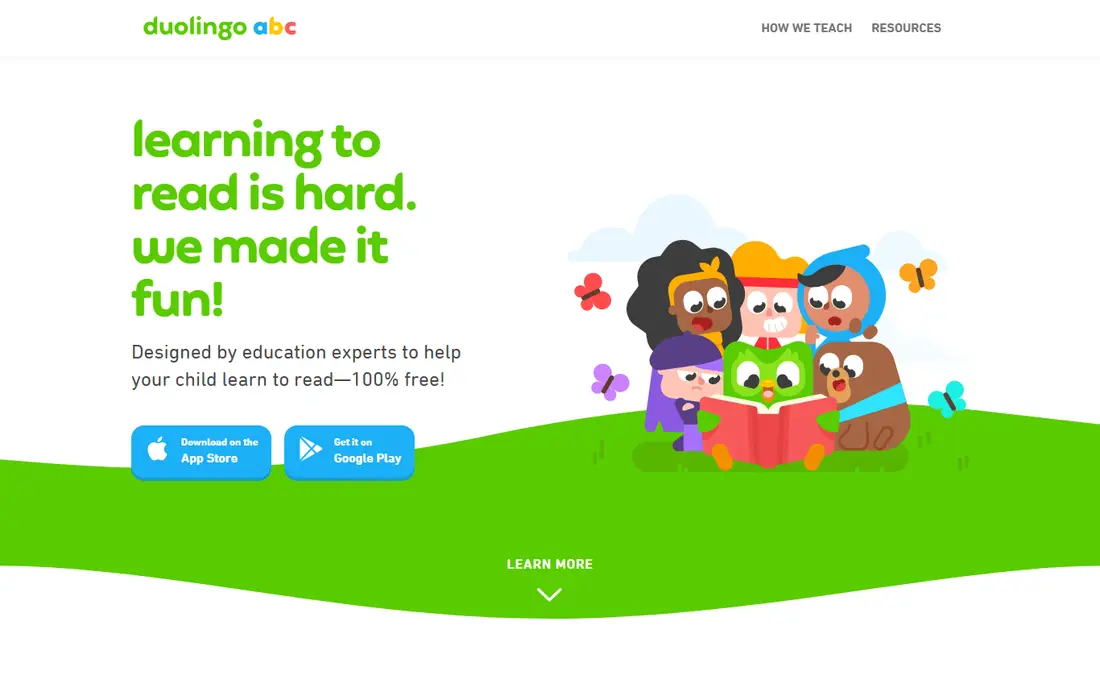
Duolingo ABC is our pick for most families starting out, because it removes the usual worries in one move. It is free, it has no ads, and it has no in app purchases for a child to tap by accident. Lessons teach letters, sounds, sight words and short stories through games, and children can trace letters and build words at a gentle pace.
The limit is scope. Duolingo ABC focuses on learning to read English, so it will not teach Spanish, French or other languages in the same way. It also works as a mobile app, which suits tablets but not a shared family computer. For early readers, though, the safety profile and price are hard to beat.
- Free with no ads or in app purchases
- Phonics and sight words
- Offline play
- English reading focus only
- No desktop version
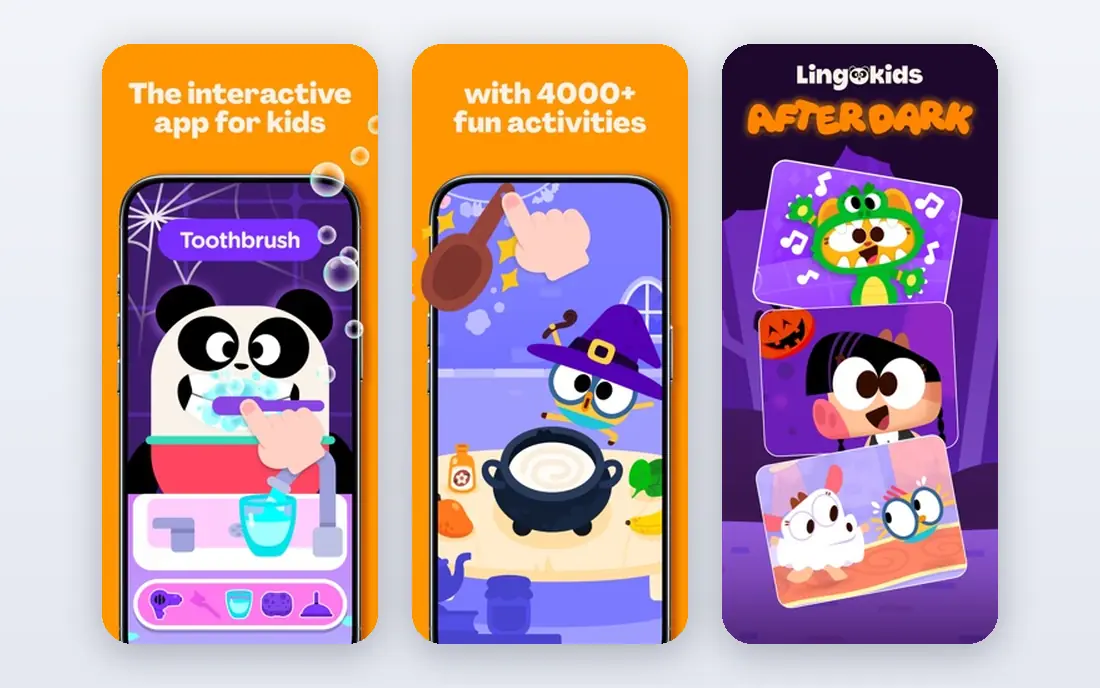
Lingokids turns language into play, with games, songs, stories and videos for children aged 2 to 8. Parents get a separate area to track progress, and the child area is designed to keep navigation simple and free of social features. That separation matters, because it lets a young child play without meeting strangers or following outside links.
The free plan only allows a few activities per day, so most families will need the paid plan for regular use. At $14.99 per month, it is one of the pricier options here, though multiple child profiles can help larger families. Check the parent dashboard and device level screen time controls before you subscribe, and set a daily limit that fits your routine.
- Large library of games, songs and videos
- Parent progress reports
- Offline mode on paid plan
- Monthly price is high for one child
- Free plan limits activities per day
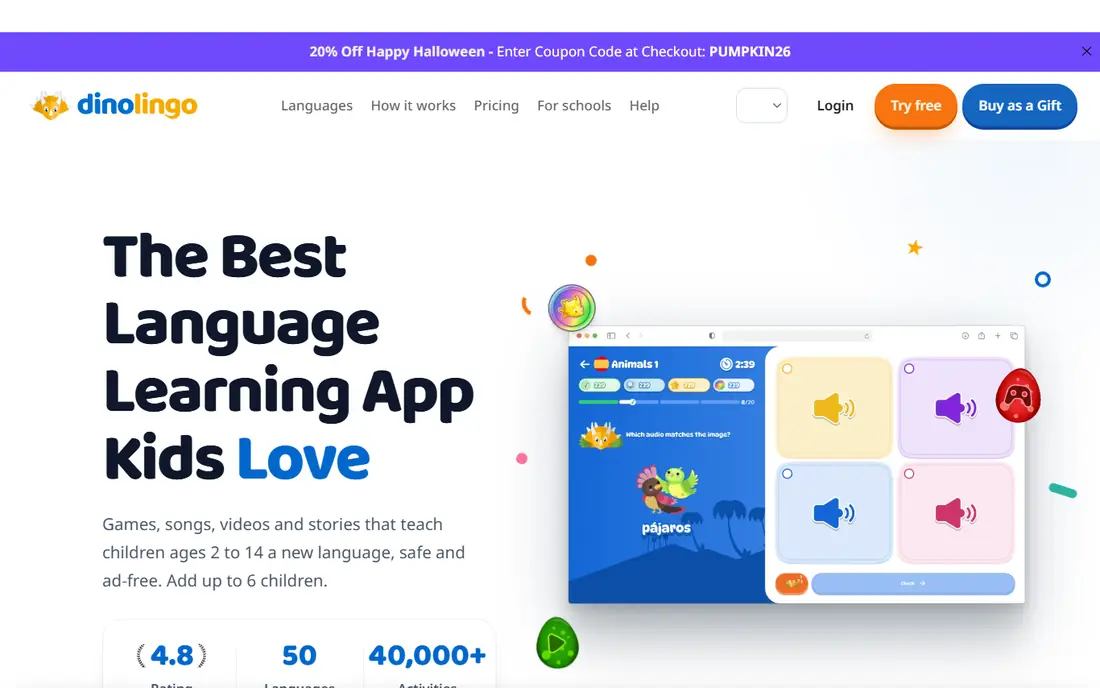
Dinolingo stands out for breadth. It covers more than 50 languages and serves children from age 2 to 14, with videos, games, worksheets and stories matched to age. Pre-readers can learn through sound and pictures, while older children get reading and writing practice. That range helps families raising bilingual children or teaching a heritage language.
The price is the main drawback, starting at $19 per month, and there is no permanent free plan. Parents should use any trial period to check whether the chosen language has enough depth for their child, since coverage can vary by language. The parent dashboard helps track lessons, but device controls still matter for total screen time.
- More than 50 languages
- Content for pre-readers and older children
- Parent dashboard
- Higher monthly price
- No free plan to test at length
The main Duolingo app suits children who can already read and want daily practice in a second language. Short lessons, streaks and rewards keep practice regular, and the free tier covers the full course in many languages. Older children often enjoy the sense of progress, and parents can follow activity through a family plan.
For younger children, the ads in the free tier and the wider social features are reasons to pause. Duolingo ABC is safer for early readers, and a paid family plan removes ads for older children. Parents should also turn off any social or follower features they do not want, and keep the account under a parent email where possible.
- Many languages
- Gamified streaks and short lessons
- Free tier covers full courses
- Free tier includes ads
- Social features suit older users more than young children
Mondly Kids focuses on speaking and listening, with voice recognition that prompts children to say words aloud. It covers many languages, including some less common choices, and lessons feel like games rather than drills. That speaking practice fills a gap in apps that only teach reading or tapping answers.
It suits children aged 5 and up better than toddlers, since it assumes some reading and listening skill. Free content is limited, so regular use usually means a paid plan from $9.99 per month. Parents should check microphone permissions, review the privacy policy, and sit with a younger child for the first lessons to judge pace and difficulty.
- Voice recognition for speaking practice
- Many languages
- Colourful game style lessons
- Best for children aged 5 and up
- Limited free content
Gus on the Go is a simple, low cost way to build early vocabulary. Each language costs $3.99 as a one time purchase, and children learn words through interactive stories and games tied to places and animals. The design suits ages 3 to 7, and the lack of a subscription keeps costs clear for parents who dislike monthly bills.
The trade off is depth. This is a vocabulary starter, not a full language course with grammar and reading progression. Families often use it alongside a broader app or school lessons. For a first taste of a language, or for travel vocabulary, the price and simplicity make it easy to recommend.
- One time price per language
- More than 30 languages
- Simple, child friendly design
- Narrower scope than full courses
- No ongoing new content promise
Studycat, also known as Fun English, uses songs, games and speaking practice for children aged 3 to 8. The songs help children remember words, and offline use suits car trips and travel. Each language is priced separately at $3.99, which keeps a single language cheap but adds up if a child studies several languages.
Language choice is narrower than Dinolingo or Mondly Kids, so check that your target language is covered before buying. The app has no social features to worry about, which parents often prefer. For a child who learns through music and repetition, Studycat is a strong, low cost companion to school or family language use.
- Songs and games aid memory
- Offline use
- Clear pronunciation practice
- Only a handful of languages
- One time price per language adds up for several languages
Little Pim uses short video episodes to teach very young children, from babies and toddlers up to age 6. The episodes are short, calm and repeat key words, which suits short attention spans and screen time limits. It covers 12 languages, and parents can use it as a gentle introduction before a more interactive app.
Video learning alone will not build speaking skill, so families should pair it with talking, reading and play in the target language. The subscription starts at $9.99 per month, with a trial to test whether a child responds to the video style. For the youngest learners, that calm, short format is a real strength.
- Short episodes suit ages 0 to 6
- Gentle video style
- 12 languages
- Video heavy approach suits some children more than others
- Subscription price
How we picked these
We compared official app pages, pricing pages and age guidance, and public parent reviews for safety, language range and learning design. We favoured apps with clear parental controls, no chat with strangers, and a parent dashboard or progress area. Where an app includes ads or social features, we said so plainly, since that changes the choice for younger children.
Keeping children safe in language apps
Check controls before the first lesson
Open the parent area first, set up a child profile under a parent email, and turn off anything you do not need. Check whether the app allows friend requests, messages, external links or purchases, and disable those where possible. Use device level controls too, since app settings alone do not limit total screen time.
Match the app to the age
An app rated for ages 5 and up may still include ads or social features that suit a teen more than a young child. Read the age rating, the privacy policy and the app store listing together, and watch the first few lessons with your child. If a child can reach outside content or strangers from inside the app, choose a different app for that age group.
Keep practice short and social
Short daily sessions work better than long weekend sessions for young learners, and talking about new words at meals or on walks helps them stick. Ask your child to teach you a word, sing a song from the app, or label objects around the house. Language grows fastest when it leaves the screen and enters daily life.
FAQ
What is the best children language app?
Duolingo ABC is the best free starting point for early English reading, while Lingokids suits play based learning for ages 2 to 8 and Dinolingo suits families wanting many languages. The best choice depends on age, target language and how much you want to spend each month.
What is the best rated children language app for young children?
Lingokids and Little Pim are rated for very young children, with short activities and parent progress areas. Duolingo ABC also suits preschool to second grade readers, with no ads and no purchases. Check the age rating and parent controls for the exact age of your child.
Are children language apps safe?
Many are, but safety varies. Choose apps with no chat with strangers, no external links, clear privacy policies and parent dashboards. Avoid free apps with ads for young children where possible, and use device controls for screen time, purchases and microphone access.
How much do children language apps cost?
Prices in this list range from free for Duolingo ABC and the free tier of Duolingo, to $3.99 per language for Gus on the Go and Studycat, and $9.99 to $19 per month for subscription apps. Check whether a subscription covers multiple children, since that changes value for larger families.
Can a child learn a language from an app alone?
An app can build vocabulary, listening and early reading, but speaking and real conversation need people too. Pair app time with family talk, books, songs and, where possible, classes or native speaker contact. Short, regular practice plus real use works best.
Do children language apps have parental controls?
Most apps in this list offer a parent area, progress reports or profile controls, but depth varies. Lingokids and Dinolingo offer parent dashboards, while simpler apps rely more on device controls. Test the parent area before you subscribe, and keep the account under a parent email.