Best Cartoonizer Apps in 2026: 8 Apps Compared
We compared the best cartoonizer app options for turning photos into cartoons, covering free plans, styles, output quality, and value in 2026 for all budgets.
- Editor's choice
 ToonMe
Cartoon portraits
Starts atFreeVisit toonme.comFull review - Great alternative
 Prisma
Artistic cartoon styles
Starts atSee websiteVisit prisma-ai.comFull review - Also consider
 PicsArt
All round photo editing
Starts atSee websiteVisit picsart.comFull review
TL;DR:
- ToonMe is our pick for most people because it focuses on cartoon portraits and offers many styles in one place.
- Prisma suits photo lovers who want painterly and comic looks, not just face cartoons.
- PicsArt and BeFunky are better when a cartoon effect is only one step in a wider edit.
- Check the export size and watermark rules before paying, since free versions often limit both.
- A good cartoonizer keeps facial features readable instead of melting them into a generic face.
Quick comparison
| Tool | Best for | Starts at | Free plan? | |
|---|---|---|---|---|
| ToonMe | Cartoon portraits | Free | Yes | Visit |
| Prisma | Artistic cartoon styles | See website | Yes | Visit |
| PicsArt | All round photo editing | See website | Yes | Visit |
 BeFunky | Quick web cartoon effects | See website | Yes | Visit |
 Lensa | Stylized portraits and avatars | See website | Yes | Visit |
 Meitu | Beauty and cartoon filters | Free | Yes | Visit |
 Photo Lab | Fun cartoon frames and effects | See website | Yes | Visit |
 Clip2Comic | Comic book looks on iPhone | See website | Yes | Visit |
The best cartoonizer apps
These apps turn a normal photo into a cartoon, comic, or illustrated portrait. We compared official feature pages, app store listings, pricing pages, and public reviews to see which ones are still active and useful in October 2026.
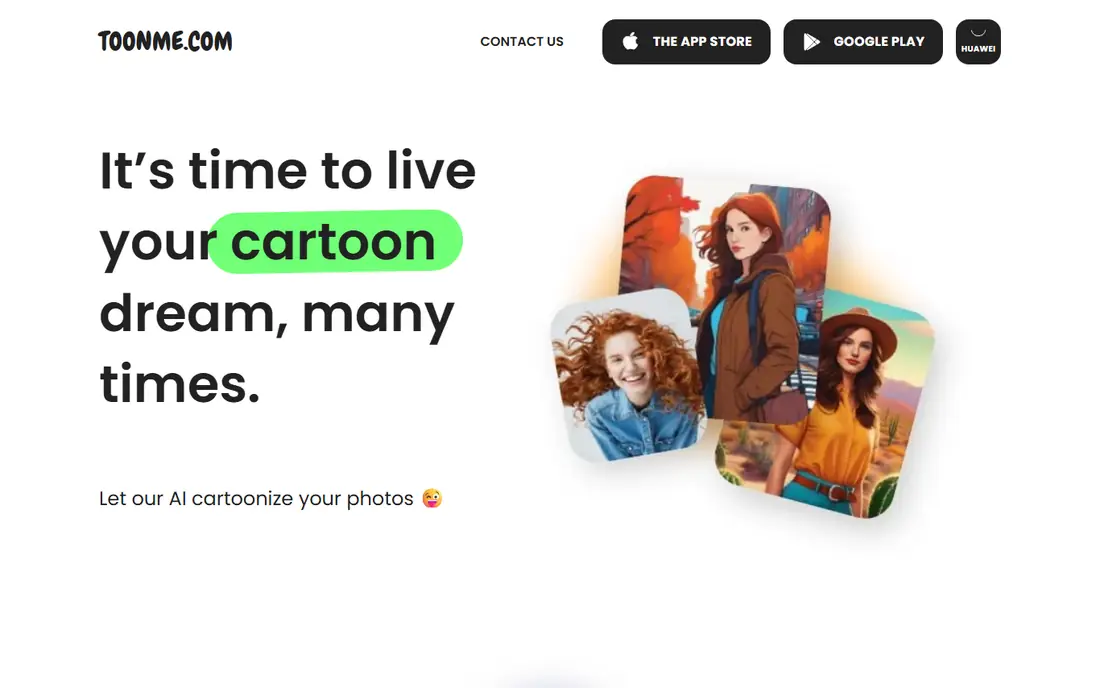
ToonMe is the most direct answer for most readers. You pick a photo, pick a style, and the app returns a cartoon version in seconds. The range covers animated film looks, anime touches, and comic styles, so you are not stuck with one house style. That range matters when you want a profile photo that still looks like you.
The catch is consistency. A clear, front facing photo gives a far better result than a distant or dark shot. Some of the newer styles also require a subscription, so try the free styles first and only pay if a paid style is one you will use often. For casual use, the free tier is enough to test the idea.
- Many cartoon styles in one app
- Simple one tap workflow
- Good for profile photos
- Some styles sit behind a paid plan
- Results vary with low light photos
Prisma started as an art filter app, and that history shows in its cartoon options. The effects feel more like illustration than a simple outline filter, which suits people who want a poster or print, not just a social avatar. You can also adjust the result after the filter is applied, which helps when a style is too strong at full strength.
Prisma is less focused than ToonMe if you only want a face cartoon. You may need to scroll through art styles to find the cartoon looks you like. Still, for readers who edit photos often, the extra controls and style depth make it a strong second app to keep on the phone.
- Large style library
- Strong painterly and comic filters
- Useful editing tools built in
- Full style set needs a subscription
- Processing can take a moment on large photos

PicsArt is a full editor first and a cartoonizer second, and that is its appeal. You can cartoonize a photo, then crop it, add text, change the background, and export it for social media without switching apps. That makes it practical for small business owners who need a cartoon graphic for a post, not just a fun portrait.
The trade off is clutter. The home screen pushes templates, trends, and paid tools, so a first time user may need a few minutes to find the cartoon effect. Once you know where it lives, the workflow is fast. Check the price on the official pricing page before subscribing, since plans and trial terms change by region.
- Cartoon effects plus full editing tools
- Stickers and text options
- Large template library
- Paid features are mixed in with free ones
- The app can feel busy for a quick edit
BeFunky suits readers who do not want another app on their phone. Open the site, upload a photo, and apply a cartoon or artsy effect from the browser. The interface is calmer than most mobile editors, with the main tools easy to find and the effect strength easy to adjust.
It is not the best choice for batch work or for phone only users who edit on the go. Large files can feel slow in a browser, and the free version limits some effects and export options. For a one off cartoon image for a blog post, a flyer, or a gift, it is a fast and low friction option.
- Works in a browser with no install
- Clear cartoon and artsy effects
- Simple collage tools
- Best results need a paid plan
- Browser editing is slower on very large files
Lensa is built around portraits, so it treats skin, eyes, and background with more care than a general filter app. Its avatar tools let you build a set of stylized portraits from a few selfies, which works well for profile photos across different platforms. The output tends to look polished and ready to share.
The main limit is cost. The most eye catching avatar styles are usually paid, and the free tools are more basic. Lensa also works best on close portraits, so group photos and full body shots are not its strength. Use it when the face is the subject and you want a clean, modern cartoon look.
- Strong face focused editing
- Avatar packs for varied looks
- Clean portrait output
- Avatar packs are often paid
- Results can look over smoothed on some faces
Meitu is a long running photo app with a large filter library, including cartoon and anime style effects. It is popular for selfies because the tools are quick and the results are bright and shareable. If you like trying many looks in one session, Meitu gives you plenty to play with.
The app can feel commercial, with premium effects and purchases woven into the browsing experience. Availability of some features also varies by country, so a style a friend sees may not appear in your version. For casual cartoon selfies, it is still a solid free starting point.
- Wide filter and sticker range
- Popular anime style effects
- Easy sharing options
- Some features vary by region
- In app purchases are common for premium effects
Photo Lab is the playful pick in this list. It offers hundreds of effects, including cartoon looks, face montages, and themed frames. You can preview a result quickly, which makes it fun to test several styles on the same photo before choosing one to save.
That breadth is also the weakness. Not every effect is a true cartoonizer, and some are better as jokes than as profile photos. The free version may limit export quality or add a watermark, so read the export screen before you share. Use Photo Lab for fun experiments, and use ToonMe or Prisma when you need a cleaner portrait.
- Huge effect catalogue
- Fun frames and montages
- Quick previews before saving
- Many effects are novelty based
- Free exports may carry limits or watermarks
Clip2Comic focuses on turning photos and video into comic style art. The live preview is a nice touch, since you can see the comic effect before you take the photo. The styles lean toward bold outlines and flat color, which reads well on small screens and in print.
It is a narrower tool than the editors above, and iPhone users will get the most from it. If you want a comic strip look for a photo series, it is a good fit. If you need text, stickers, and background changes too, pair it with a general editor rather than expecting it to do everything.
- Dedicated comic and cartoon styles
- Live camera preview on supported devices
- Simple controls
- IOS focused
- Fewer general editing tools than PicsArt
How we picked these
We compared official feature pages, pricing pages, and app store listings, and we checked that each app is still listed and active in October 2026. We favored apps with a clear cartoon or comic function, a working free tier or free download, and a real export path, not just a demo filter. We left out tools that had shut down, tools that only cartoonize on a website with no clear owner, and tools that required a paid plan before showing any result.
What to check before you pay for a cartoonizer
A cartoonizer looks simple, but the details decide if the result is usable. Start with the photo, then check the export, then check the price.
Start with a clear photo
Use a front facing photo with even light and a plain background for the first test. Sunglasses, hats, and side angles can confuse face based styles and give a generic result. If the first result looks wrong, try a different photo before you blame the app. Most cartoonizers do far better with a clean source image.
Check export size and watermarks
Free plans often cap export resolution or add a watermark. That may not matter for a small social avatar, but it matters for a print, a poster, or a website header. Export one free image, zoom in, and check the edges and text areas. If the free export is too small, that is the real cost of the app, even if the download was free.
Match the style to the job
A soft animated portrait suits a profile photo. A bold comic style suits a poster or a kids party invite. A painterly style suits wall art. Picking the style first saves time, since each app in this list leans toward a different look. Keep two apps if you need two styles, rather than paying for a large plan in one app that only does one look well.
Privacy and photo use
Read the privacy policy before uploading photos of children or other people. Some apps process photos on their servers, and some keep uploads for a time. Only upload photos you have permission to use, and delete uploads from the app account if the app offers that option. This step takes a minute and avoids a later surprise.
FAQ
What is the best cartoonizer app for a profile photo?
ToonMe is our pick for most profile photos because it focuses on faces and offers many cartoon styles. Prisma is a good alternative when you want a more artistic or painterly portrait. Try both with the same photo, since the same face can look quite different in each app.
Are cartoonizer apps free?
Most apps in this list are free to download and include free effects, but the full style set often needs a subscription or a one time purchase. Free exports may also be smaller or carry a watermark. Check the price and export screen in the app before you commit to a plan.
Which cartoonizer app works in a browser?
BeFunky is the easiest browser option here, since it runs on the web without a phone install. It suits a quick cartoon effect for a blog post or flyer. For face focused portraits on a phone, ToonMe and Lensa are stronger choices.
Can I cartoonize a photo without losing likeness?
You can improve likeness by using a clear, front facing photo with good light. Avoid heavy filters on top of a cartoon effect, since each extra filter moves the result further from the original face. If likeness matters for work, test a few styles and pick the one that keeps eyes, nose shape, and hairline closest to the photo.
Do cartoonizer apps work for pets and objects?
Some do, but results are less reliable than for human faces. Prisma and PicsArt handle scenes and objects better than face focused apps, since their styles apply to the whole image. Test a pet photo in the free tier before paying, and expect more variation than you get with portraits.