Best CarPlay Apps in 2026: 8 Apps Compared
Our guide to the best carplay apps covers navigation, music, podcasts, and messaging, with the best free carplay apps noted for each need. in this guide.
- Editor's choice
 Apple Maps
Free navigation built into iPhone
Starts atFreeVisit apple.comFull review - Great alternative
 Google Maps
Free navigation with strong traffic data
Starts atFreeVisit maps.google.comFull review - Also consider
 Waze
Free crowd-sourced traffic alerts
Starts atFreeVisit waze.comFull review
TL;DR:
- Apple Maps, Google Maps, and Waze are all free, and together they cover most navigation needs on CarPlay.
- Spotify offers the best free carplay apps option for music, with a free tier beside paid plans, while Apple Music needs a subscription.
- Apple Podcasts and WhatsApp are free CarPlay apps for shows and hands-free messaging.
- PlugShare is a free CarPlay app for EV charging, which helps on longer trips.
Quick comparison
| Tool | Best for | Starts at | Free plan? | |
|---|---|---|---|---|
| Apple Maps | Free navigation built into iPhone | Free | Yes | Visit |
| Google Maps | Free navigation with strong traffic data | Free | Yes | Visit |
| Waze | Free crowd-sourced traffic alerts | Free | Yes | Visit |
 Spotify | Free music with a paid upgrade | Free | Yes | Visit |
 Apple Music | Music with tight Siri integration | See website | No | Visit |
 Apple Podcasts | Free podcasts built into iPhone | Free | Yes | Visit |
 WhatsApp | Free hands-free messaging on CarPlay | Free | Yes | Visit |
 PlugShare | Free EV charging finder on CarPlay | Free | Yes | Visit |
The best CarPlay apps
CarPlay apps must be approved by Apple, use large touch targets, and work with Siri, which keeps the dash safe and simple. The eight apps below cover the uses most drivers actually need: navigation, music, podcasts, audiobooks, messaging, and EV charging. We note which apps are free, since many of the best free carplay apps are already on your iPhone, and we flag where a subscription is needed for full use.

Apple Maps is the free navigation app already on your iPhone, and on CarPlay it offers turn-by-turn directions, lane guidance, and EV routing with charging stops. Siri control keeps your hands on the wheel, and the design matches the CarPlay layout well. It also finds gas stations, parking, and food along a route.
The weakness is traffic: in some cities, Google Maps and Waze still give faster reroutes around jams. For Apple-first drivers who want a free, simple navigator, Apple Maps is the default, and you can keep Waze as a second free option for heavy traffic days.
Before you settle on this one, check the official site for the current plan details and device support, since catalogs and prices change during the year. The free tier or trial, where one exists, is the cheapest way to confirm it fits your daily routine. If it passes that short test, it is worth keeping for a full month before you pay for anything.
- Free and preinstalled
- Lane guidance
- EV routing
- Siri control
- Traffic data can lag Google Maps in some cities
- No Android version
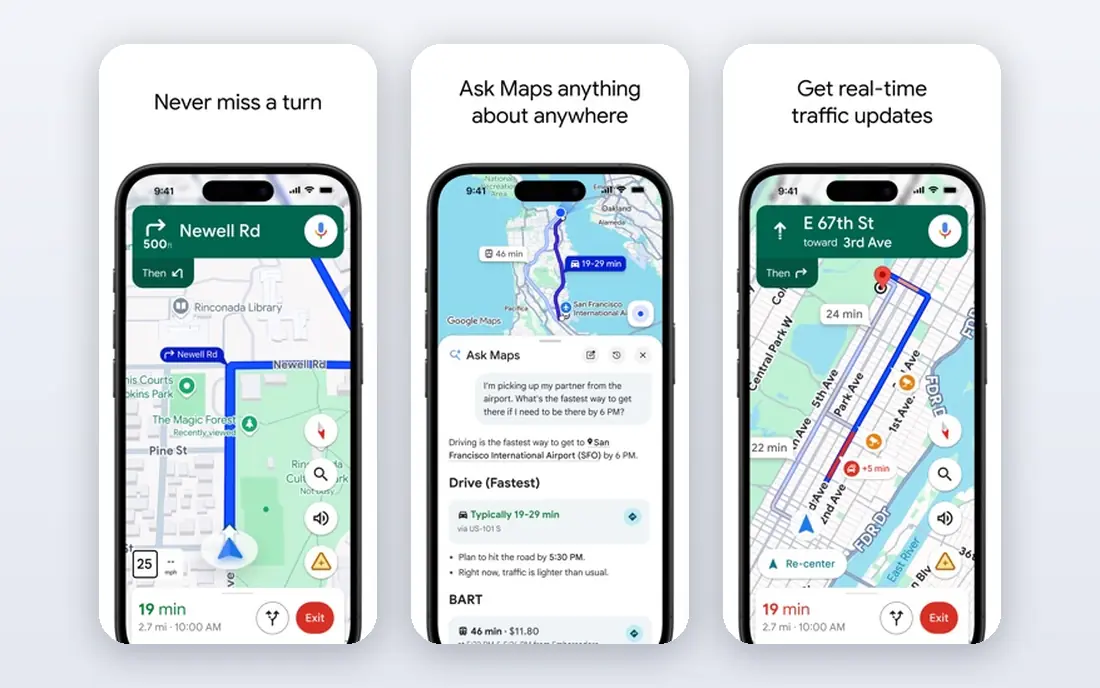
Google Maps is one of the best free carplay apps for navigation, with live traffic, rerouting, and lane guidance that many drivers trust more than Apple Maps. You can save places, download offline areas for weak signal zones, and search for businesses with reviews and hours. On CarPlay, the layout stays clear at a glance.
You need a Google account for saved places and history, and long trips use mobile data unless you download maps first. If you drive in busy cities or unfamiliar areas, Google Maps is the free navigator we recommend first, with Apple Maps as a backup.
We suggest starting with the free option and testing it on the device you use most, whether that is a phone, a TV, or a laptop. Look at how often you actually open it in the first two weeks, and check whether the features you need sit behind a paywall. That simple check saves more money than any feature list, and it keeps the choice grounded in real use.
- Free
- Strong live traffic
- Lane guidance
- Offline areas
- Needs a Google account for saved places
- Data use on long trips
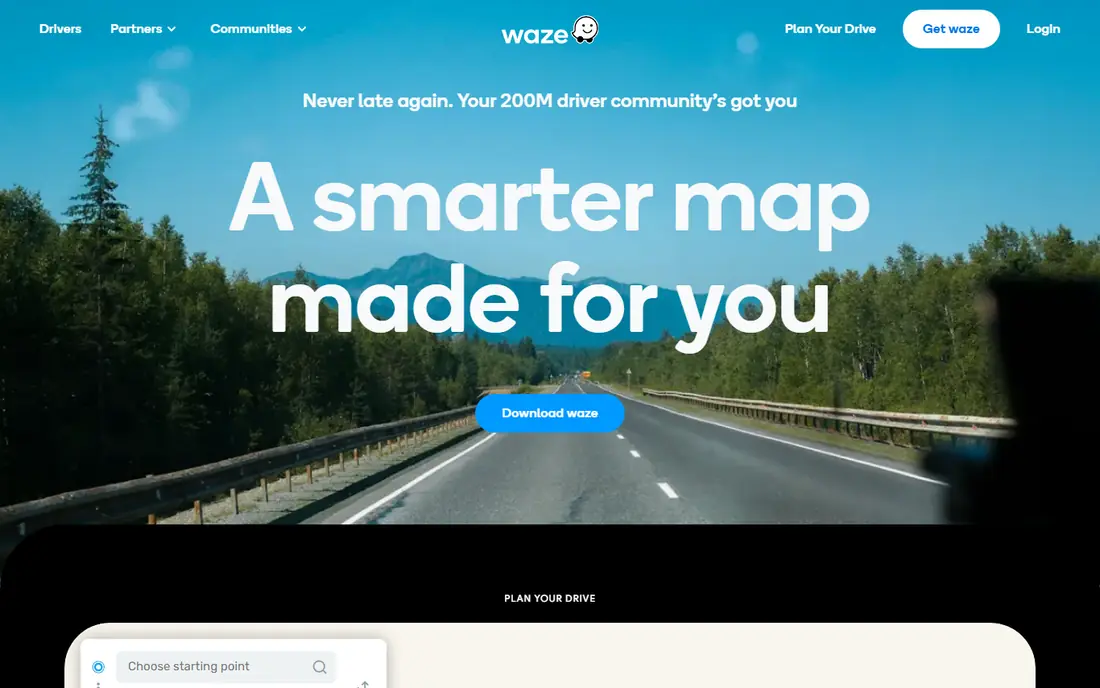
Waze is the free CarPlay app for drivers who want crowd-sourced alerts about crashes, hazards, police, and speed cameras. Reports from other drivers appear on the map, and reroutes react quickly to jams. It also shows nearby fuel prices, which helps on road trips.
The downside is noise: frequent alerts can distract, and routes sometimes favor side streets that save minutes but feel less calm. Use Waze when traffic is heavy or when you want hazard alerts, and use Google Maps when you want a steadier main-road route.
A quick way to judge this option is to try one ordinary task end to end, from setup to the result you wanted, and note where it slows you down. If the setup is clear and the result arrives without extra steps, the service earns its place. If you hit a paywall or a missing feature early, move on rather than working around it.
- Free
- Hazard and speed camera alerts
- Community reports
- Fuel prices
- Alert noise can distract
- Route choices can favor side streets
Spotify is the best free carplay apps pick for music, because the free tier lets you play playlists and podcasts on CarPlay, with ads and some shuffle limits on mobile. The CarPlay layout shows large controls, and Siri can play artists, albums, and playlists hands-free. The library covers music and many popular podcasts in one app.
Full on-demand control, offline downloads, and ad-free listening need Spotify Premium. If you already pay for Premium, Spotify is an easy CarPlay default. If you want free music, the free tier still works well for casual driving, with ads as the trade.
Check the vendor page for current pricing and for any limits on the free plan before you commit, because those details shift often. Test it with your own content and your own schedule for a week, and keep notes on what frustrated you. The best choice is usually the one with the fewest daily frictions, not the longest feature list.
- Free tier available
- Huge music and podcast library
- Siri control
- Free tier includes ads and shuffle limits
- Full control needs Premium
Apple Music integrates tightly with Siri and CarPlay, with spatial audio on supported cars and headphones, and a large library of songs, albums, and curated playlists. Voice control feels natural, and the app remembers your library across iPhone, Mac, and Apple Watch. For Apple households, it is the smoothest music app on the dash.
The catch is price: Apple Music needs a paid subscription, with no full free tier like Spotify. If you already subscribe, use it as your CarPlay music default. If you want free music, Spotify free tier or Apple Podcasts will cost less.
Before you settle on this one, check the official site for the current plan details and device support, since catalogs and prices change during the year. The free tier or trial, where one exists, is the cheapest way to confirm it fits your daily routine. If it passes that short test, it is worth keeping for a full month before you pay for anything.
- Tight Siri and CarPlay integration
- Spatial audio
- Large library
- Needs a paid subscription
- No free tier for full use
Apple Podcasts is a free CarPlay app for long drives, with a large podcast catalog, episode resume across devices, and Siri search. The CarPlay layout shows large tap targets, and playback resumes where you left off, even after a stop. It is preinstalled, so there is nothing new to install.
Discovery is more basic than Pocket Casts or Spotify, and there is no Android app for cross-platform listeners. For iPhone drivers who want free shows without a new subscription, Apple Podcasts is the simplest pick, and it pairs well with Spotify for music.
We suggest starting with the free option and testing it on the device you use most, whether that is a phone, a TV, or a laptop. Look at how often you actually open it in the first two weeks, and check whether the features you need sit behind a paywall. That simple check saves more money than any feature list, and it keeps the choice grounded in real use.
- Free
- Preinstalled
- Remembers your place
- Siri search
- Podcast discovery is basic
- No cross-platform sync to Android
WhatsApp is a free CarPlay app for messaging and calls, with Siri reading incoming messages aloud and letting you reply by voice. That keeps messaging hands-free, which is the point of CarPlay. Group messages and voice calls also work, and the app is already on many iPhones for daily chat.
CarPlay limits WhatsApp to voice-driven use, with no text browsing while driving, which is a safety feature, not a flaw. If your family and friends use WhatsApp daily, adding it to CarPlay is a clear win. If your contacts use iMessage, Apple Messages on CarPlay covers the same need.
A quick way to judge this option is to try one ordinary task end to end, from setup to the result you wanted, and note where it slows you down. If the setup is clear and the result arrives without extra steps, the service earns its place. If you hit a paywall or a missing feature early, move on rather than working around it.
- Free
- Siri reads and replies
- Voice calls
- Group messages
- CarPlay use is voice-only
- No text browsing while driving
PlugShare is a free CarPlay app for EV drivers, with charger maps across many networks, user reviews, photos, and trip planning. On the dash, you can find nearby chargers, check connector types, and see whether a site is reported as working. That coverage matters, since no single network app lists every charger.
Charger status depends on community updates and network data, so a site can still be busy or offline on arrival. Payment also often needs the network own app. Still, PlugShare is the best free starting point for EV trips, beside Apple Maps EV routing.
Check the vendor page for current pricing and for any limits on the free plan before you commit, because those details shift often. Test it with your own content and your own schedule for a week, and keep notes on what frustrated you. The best choice is usually the one with the fewest daily frictions, not the longest feature list.
- Free
- Charger maps across networks
- Reviews and photos
- Trip planning
- Charger data depends on community updates
- Some networks need their own app to pay
How we picked these
We compared official feature pages, pricing pages, and app store listings, and we checked that each product is still offered in October 2026. We favored options with a clear free tier or trial, current device support, and honest limits stated on the vendor site. We left out products we could not verify, and we noted where a paid plan is needed for the full feature set.
How to set up CarPlay apps for safe driving
Install apps on your iPhone first, since supported CarPlay apps appear on the dash automatically once installed. Arrange the CarPlay home screen in Settings, putting navigation first, then audio, then messaging, so the apps you use most are one tap away. Test Siri control before a long trip, because voice control is how CarPlay is meant to be used. Finally, remove apps you do not use from the CarPlay screen, since a shorter list means fewer glances away from the road.
FAQ
What are the best free carplay apps?
The best free carplay apps include Google Maps, Waze, Apple Maps, Spotify free tier, Apple Podcasts, WhatsApp, and PlugShare. Most CarPlay apps are free to download, with paid upgrades for extra features.
Can any app run on CarPlay?
No, Apple only allows approved categories on CarPlay, including navigation, audio, messaging, and EV utilities. Video apps and social feeds are not allowed, which keeps the dash focused on driving.
Do CarPlay apps work wirelessly?
Yes, any CarPlay app works wirelessly if your car supports wireless CarPlay or you use a wireless adapter. The apps themselves do not change; only the connection method changes.
Which navigation app is best on CarPlay?
Google Maps suits most drivers for traffic and routing, Waze suits drivers who want hazard alerts, and Apple Maps suits Apple-first drivers who want a simple free default. Many drivers keep two of the three installed.
Is Spotify free on CarPlay?
Yes, Spotify offers a free tier on CarPlay, with ads and shuffle limits on mobile. Spotify Premium removes ads, adds offline downloads, and gives full on-demand control.