Best Call Tracking Software in 2026: 8 Tools Compared
Compare the best call tracking software for agencies and local businesses, with call attribution, recording, pricing, and free trial details inside for 2026.

- Editor's choice
 CallRail
Most small marketing teams
Starts at$50 per monthVisit callrail.comFull review - Great alternative
 WhatConverts
Lead-focused agencies
Starts at$30 per monthVisit whatconverts.comFull review - Also consider
 CallTrackingMetrics
Multi-location brands
Starts at$79 per monthVisit calltrackingmetrics.comFull review
TL;DR:
- CallRail is the safest starting point for most small teams because its entry plan includes numbers and minutes, while WhatConverts wins when forms and chats matter as much as calls.
- Entry prices do not tell the full story, since numbers, minutes, transcription, and extra users can move the monthly bill.
- CallTrackingMetrics and Invoca suit larger or more complex operations, but smaller teams may pay for routing and reporting depth they rarely use.
- Check call recording consent rules in your state and your callers location before you turn recording on.
Quick comparison
| Tool | Best for | Starts at | Free plan? | |
|---|---|---|---|---|
| CallRail | Most small marketing teams | $50 per month | Free trial | Visit |
| WhatConverts | Lead-focused agencies | $30 per month | Free trial | Visit |
| CallTrackingMetrics | Multi-location brands | $79 per month | No | Visit |
 Nimbata | Answered-call pricing | $39 per month | Yes | Visit |
 AvidTrak | Low-cost call tracking | $15 per month | Free trial | Visit |
 CallScaler | Growing call portfolios | See website | No | Visit |
 Invoca | Enterprise call intelligence | See website | No | Visit |
 Phonexa | Pay-per-call marketing | See website | No | Visit |
The best call tracking software
We compared official pricing pages, feature pages, and recent comparisons to judge attribution, call handling, reporting, and total cost. The tools below all assign trackable numbers to campaigns, but they differ sharply in who they serve best.
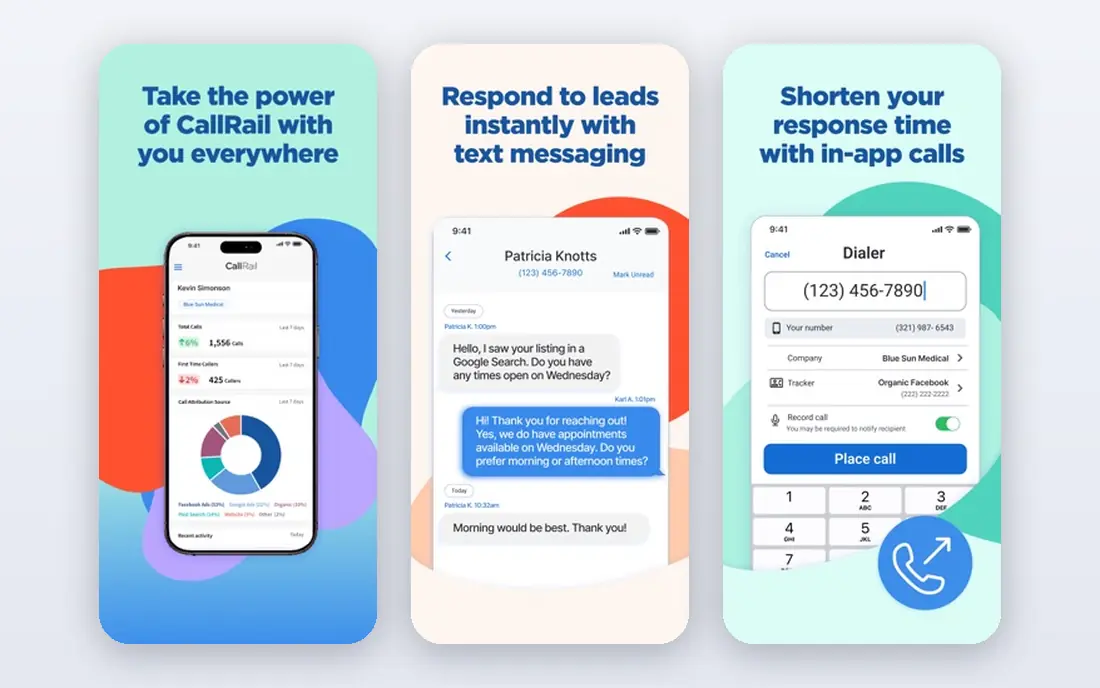
CallRail earns the top spot for most teams because it is easy to set up and easy to read. You create tracking numbers for ads, web pages, or campaigns, and the dashboard shows which source produced each call. That simple link between spend and phone leads is the main reason many small businesses adopt call tracking in the first place.
The entry Lead Tracking plan, at about $50 per month on annual billing, includes a set of numbers and minutes, which helps keep bills predictable at modest volume. Call recording, transcription, and conversation summaries add value when you want to learn why calls convert or fail. The main watch point is form tracking, which needs a higher tier, so teams that need calls plus forms in one report should price that tier before they commit.
- Clear campaign attribution
- Includes numbers and minutes on entry plan
- Strong integrations with ads and analytics tools
- Form tracking needs a higher plan
- Usage beyond included minutes adds cost
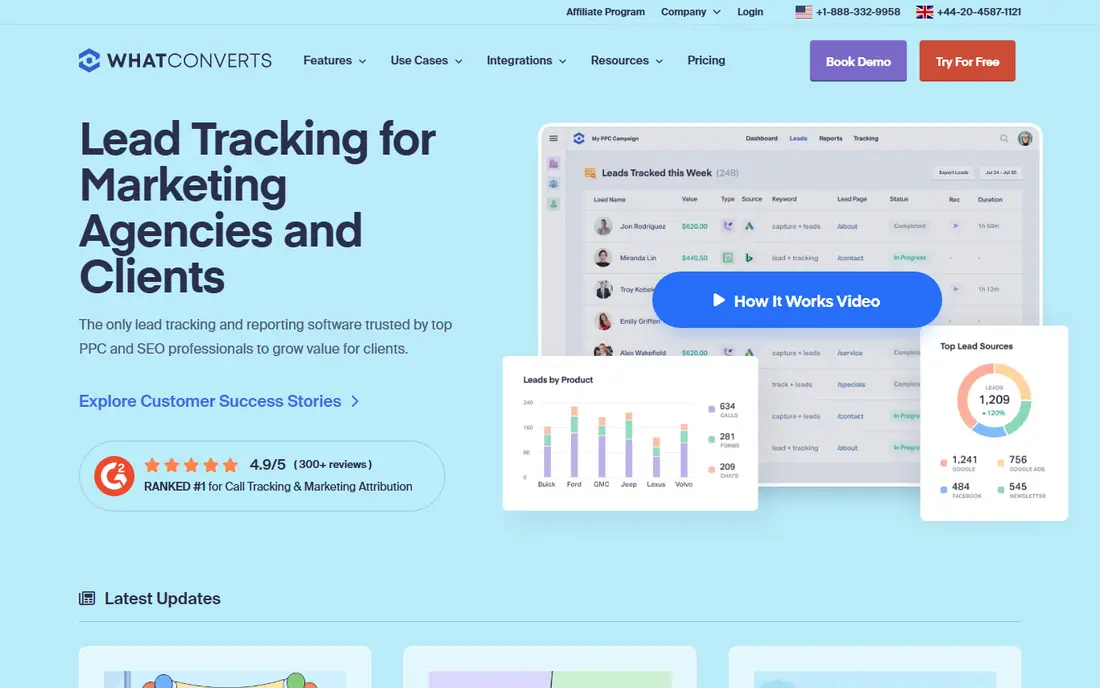
WhatConverts is built around a simple idea: a lead is a lead, no matter how it arrives. Calls, forms, and chats feed into one lead record, which helps agencies show clients the full result of a campaign instead of a call count alone. That wider view is useful when a landing page produces many forms and only a few calls, or the reverse.
The entry price is lower than CallRail, but the usage credit model means you need to watch how many tracked actions you use each month. For agencies with steady, predictable volume, that model can be good value. For teams with sharp seasonal spikes, it needs a closer look. If your reporting centers on qualified leads rather than raw calls, WhatConverts deserves a trial alongside CallRail.
- Tracks calls, forms, and chats in one lead view
- Good agency reporting
- Lower entry price
- Usage credit model needs careful tracking
- Advanced AI features may cost extra

CallTrackingMetrics, often shortened to CTM, goes further than basic attribution. It combines tracking with call routing, agent tools, and contact center features, which suits multi-location brands and larger sales teams. If your team needs to route calls by location, time, or agent skill, and then report on those calls by source, CTM covers both jobs in one system.
That breadth costs more. The Marketing Lite plan starts around $79 per month, with local numbers and minutes billed separately, so a busy account can cost notably more than the headline price. Smaller teams may find that depth unnecessary. For organizations where the phone system itself is part of the marketing workflow, the combined approach can still be worth it, but price a realistic basket of numbers and minutes first.
- Call tracking plus phone system features
- Good routing and multi-location support
- Detailed reporting
- Higher entry price
- Numbers and minutes are billed on top of the base plan
Nimbata appeals to marketers and agencies that want attribution tied closely to answered calls rather than every dial. Its Pro plan starts around $39 per month plus usage, and agency pricing can bring local number and answered-call rates down further. That model can be attractive when you manage many clients with light call volume each.
The detail to check is toll-free pricing, which varies and can rise sharply on some plans. Nimbata also offers a free entry tier, which makes it easy to test the interface and basic tracking before paying. For a team that already knows its call mix, local versus toll-free, and answered versus missed, Nimbata can be a smart value choice. For a team that does not yet know that mix, track a month of calls first.
- Answered-call pricing can suit agencies
- Good automation and integrations
- Free entry tier for testing
- Toll-free rates vary by plan
- Pricing needs care at high volume
AvidTrak is worth a look when budget is the main constraint and the job is straightforward tracking. Its Starter plan starts around $15 per month and includes a set of local numbers and minutes, which is a strong value for a single business, a franchise location, or a small agency portfolio. Setup is simple, and the core reports cover source, call count, and duration.
The trade-off is scope. AvidTrak does not match CallTrackingMetrics on phone system depth or Invoca on enterprise analysis, and teams with complex routing may outgrow it. For many local businesses, though, that scope is not needed. If you want to prove that ads produce calls before you spend more, AvidTrak gives you a low-cost way to start, with a trial to confirm the numbers work on your site.
- Low entry price
- Includes numbers and minutes on Starter plan
- Simple setup
- Smaller feature set than larger rivals
- Less suited to complex routing needs
CallScaler suits portfolios where the number count matters more than a single dashboard. With low per-number pricing, it can be economical for rank-and-rent sites, multi-site agencies, and businesses that need a separate number for many pages or locations. Client portal access also helps when each client or site owner needs to see only their own calls.
Pricing depends on plan and usage, so the vendor page is the right place to confirm the current rate for your volume. CallScaler may not offer the same range of ready integrations as larger rivals, and teams that rely on a specific CRM or ads workflow should check compatibility early. When the portfolio is large and the budget is tight, though, the per-number economics can make a real difference.
- Low per-number cost
- Client portal access
- Suits portfolios with many sites
- Pricing varies with usage
- Fewer brand-name integrations than CallRail
Invoca is the enterprise option on this list. It focuses on conversation intelligence at scale, using AI analysis to score calls, surface buying signals, and connect phone conversations to revenue. For large brands in regulated fields, where compliance, call quality, and revenue attribution matter, that depth can justify a quote-based price.
Small teams should not start here. Invoca requires a sales conversation, longer setup, and a budget far above the entry plans on this list. The value appears when call volume is high, when many teams touch the same calls, and when a missed signal costs real money. If that describes your operation, request a demo with your own call examples. If not, a simpler tool will give you the attribution you need at a fraction of the cost.
- Deep AI call analysis
- Strong for regulated industries
- Large-scale number management
- Quote-based pricing
- Overkill for small teams
Phonexa is built for performance marketers, affiliate networks, and lead generation firms that run pay-per-call campaigns. It combines call tracking with lead distribution, ping trees, and campaign management, so a call can be routed, priced, and paid through one system. That all-in-one scope is its main draw for teams whose business model depends on selling calls.
The cost and setup reflect that scope. Pricing is quote-based, and a small local business that only needs to know which ad produced a call will find Phonexa heavier than necessary. For pay-per-call operators, though, the ability to manage buyers, publishers, and call flow together can be worth the investment. Confirm pricing, minimums, and onboarding time before you switch a live campaign to it.
- All-in-one marketing suite
- Built for pay-per-call distribution
- Lead and call management in one place
- Quote-based pricing
- Setup can be heavier than simple trackers
How we picked these
We compared official pricing and feature pages with recent October 2026 comparisons, and we favored tools with clear attribution, working tracking numbers, and a track record with agencies or local businesses. We weighed total cost, not just headline price, including numbers, minutes, and transcription where those are billed separately. We did not claim hands-on testing, and vendors change plans often, so confirm the current plan details before you buy.
How to choose without overpaying
Start by counting what you actually need. How many tracking numbers, how many minutes per month, and how many users will read the reports? A single-location business with 50 calls a month has a different answer from an agency with 40 clients. Price that basket on two or three tools, not just the headline plan, and include transcription if you plan to use it.
Next, test attribution on your real site. Install the tracking code or number swap on a test page, make a test call from an ad link, and check that the source, keyword, and recording appear as expected. Also check integrations with your CRM, Google Ads, and analytics tools, since manual exports waste the time that tracking is meant to save.
Recording consent and reporting habits
Call recording laws vary by state and country, and some places require all parties to consent. Use clear notices, follow your vendor guidance, and train staff on what can be recorded and stored. On reporting, agree on one definition of a qualified lead before you compare months. A short call is not always a bad lead, and a long call is not always a sale, so pair call data with outcome data from your CRM.
FAQ
What is the best call tracking software for a small business?
CallRail is a safe first trial for most small businesses because setup is simple and the entry plan includes numbers and minutes. WhatConverts is a strong second choice when forms and chats matter, and AvidTrak is worth a look when budget is tight. Trial one tool on real campaigns before you commit for a year.
How much does call tracking software cost?
Entry plans on this list range from about $15 to $79 per month, plus usage for extra numbers, minutes, and transcription on some plans. Enterprise tools such as Invoca and Phonexa use quote-based pricing. Always price your expected numbers and minutes, not just the base plan.
Do I need call tracking if I already use Google Ads?
Google forwarding numbers cover calls from ads, but they do not track calls from your website, organic search, or offline sources in the same way. A dedicated tool gives you one view across channels and better keyword attribution. If most of your calls come only from ads, Google numbers may be enough to start.
Is call recording legal?
It depends on where you and the caller are located, and some jurisdictions require consent from all parties. Use a clear recorded notice or verbal disclosure, check local rules, and follow your vendor guidance on storage and access. When in doubt, seek legal advice for your state and industry.
Can call tracking work with my CRM?
Most tools on this list integrate with popular CRMs, ad platforms, and analytics tools, or connect through webhooks. Check the integration list for your specific CRM before you buy, and test that call records, lead source, and outcome data flow correctly during a trial.