Best Outbound Call Tracking Software in 2026: 8 Tools Compared
We compared the best outbound call tracking software on dialers, recording, attribution, and price, for sales teams tracking calls they place, not just receive.

- Editor's choice
 CallTrackingMetrics
Sales teams that dial and track
Starts at$79 per monthVisit calltrackingmetrics.comFull review - Great alternative
 CallRail
Attribution for outbound and inbound calls
Starts at$50 per monthVisit callrail.comFull review - Also consider
 WhatConverts
Small teams tracking calls and leads
Starts at$30 per monthVisit whatconverts.comFull review
TL;DR:
- CallTrackingMetrics is the strongest pick for teams that want a softphone and outbound dialer plus tracking.
- CallRail is the easiest start for attribution and recording, with clear bundled minutes.
- WhatConverts is the lowest-cost route for tracking calls, forms, and chats together.
- Invoca suits larger teams that need deep AI analysis and compliance controls.
Quick comparison
| Tool | Best for | Starts at | Free plan? | |
|---|---|---|---|---|
| CallTrackingMetrics | Sales teams that dial and track | $79 per month | No | Visit |
| CallRail | Attribution for outbound and inbound calls | $50 per month | Free trial | Visit |
| WhatConverts | Small teams tracking calls and leads | $30 per month | No | Visit |
 Invoca | Enterprise call analysis | See website | No | Visit |
 Phonexa | Pay-per-call and lead distribution | See website | No | Visit |
 Ringba | Pay-per-call campaigns | $147 per month | No | Visit |
 Nimbata | Low-cost per-call tracking | $39 per month | Yes | Visit |
 Twilio | Developers building custom tracking | See website | No | Visit |
The best outbound call tracking software
Outbound call tracking is about more than a phone number. Sales teams need to know who called whom, what was said, whether the call was answered, and which campaign or list produced the result, all without slowing the caller down.
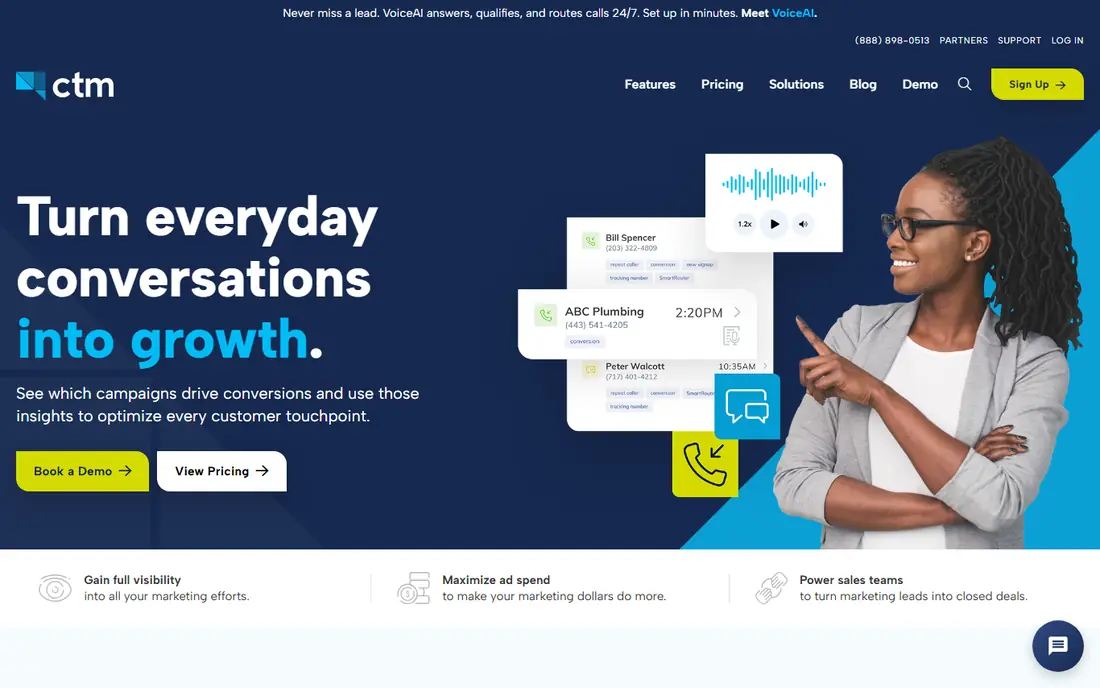
['CallTrackingMetrics pairs outbound calling with tracking, so a sales team can dial, record, and report from one platform.'] Its strengths include a softphone and outbound dialer for sales teams, call recording, routing, and IVR, and CRM links and unlimited users on plans. The trade-offs are numbers and minutes are billed on top of the plan and setup takes more time than simpler tools. Pricing starts at $79 per month, with a free plan status of No. For buyers where sales teams that dial and track matters most, it is worth a short trial on real work before you commit, so you can see how setup, speed, and support feel in daily use. In short, CallTrackingMetrics fits sales teams that dial and track better than it fits a buyer who only wants the lowest entry price and is willing to accept a weaker fit elsewhere.
- A softphone and outbound dialer for sales teams
- Call recording, routing, and IVR
- CRM links and unlimited users on plans
- Numbers and minutes are billed on top of the plan
- Setup takes more time than simpler tools
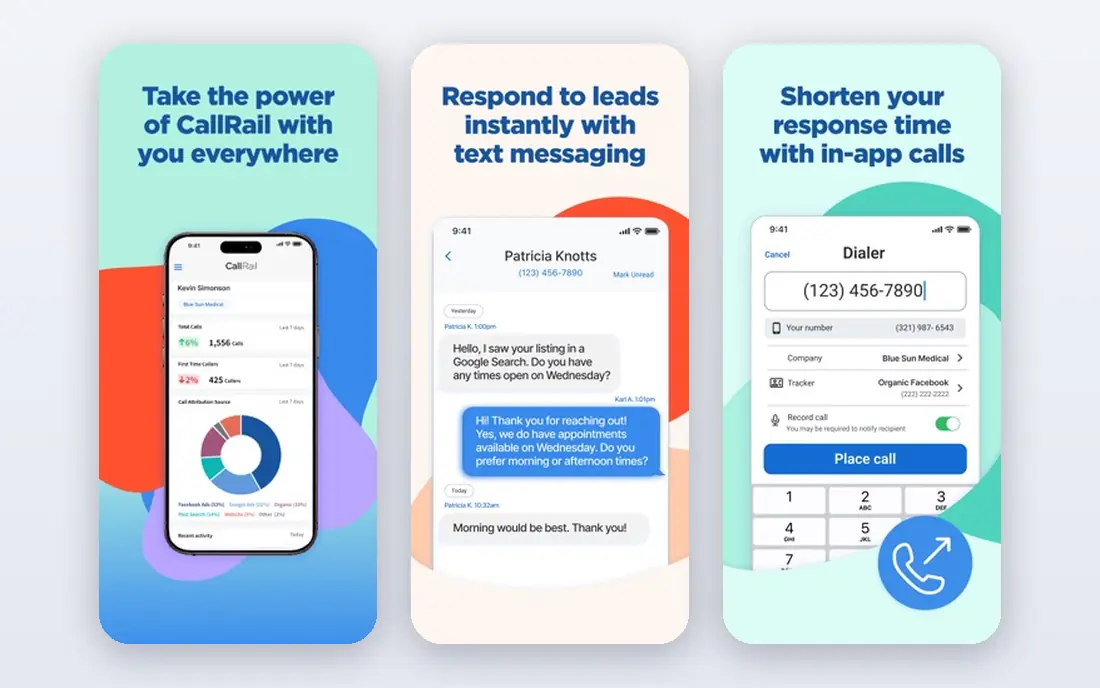
['CallRail is the easiest way for most teams to link calls to campaigns, with a setup that can be live in minutes.'] Its strengths include call tracking, recording, and transcription, Google Ads and analytics links, and bundled numbers and minutes on each plan. The trade-offs are form tracking needs a higher plan and advanced AI analysis sits on higher tiers. Pricing starts at $50 per month, with a free plan status of Free trial. For buyers where attribution for outbound and inbound calls matters most, it is worth a short trial on real work before you commit, so you can see how setup, speed, and support feel in daily use. In short, CallRail fits attribution for outbound and inbound calls better than it fits a buyer who only wants the lowest entry price and is willing to accept a weaker fit elsewhere.
- Call tracking, recording, and transcription
- Google Ads and analytics links
- Bundled numbers and minutes on each plan
- Form tracking needs a higher plan
- Advanced AI analysis sits on higher tiers
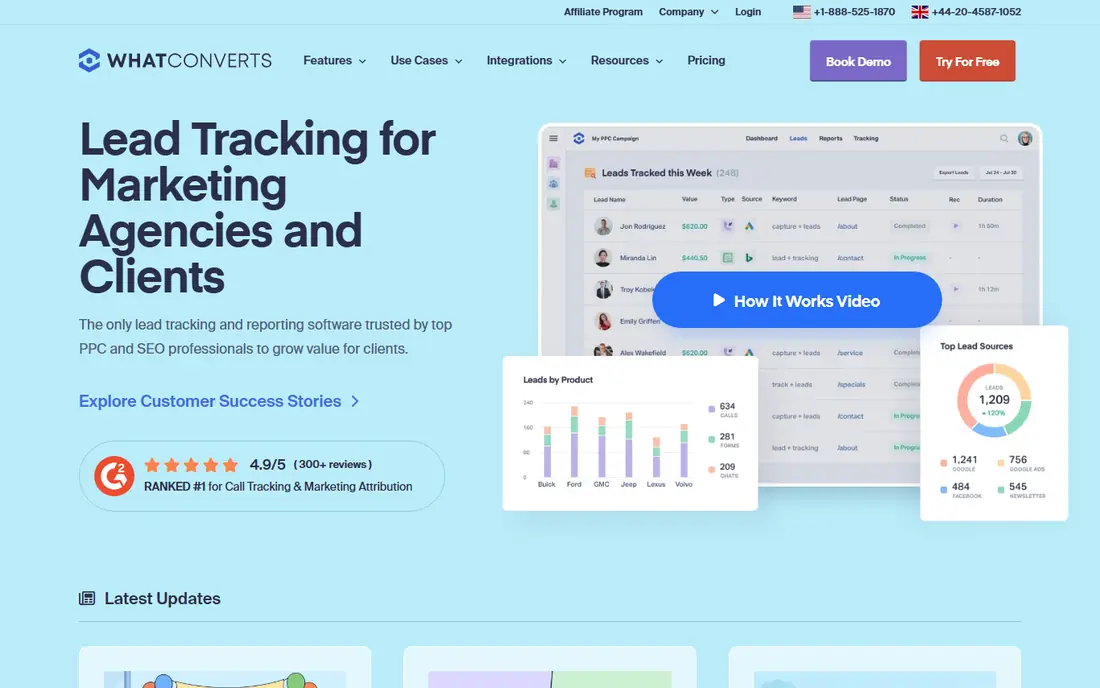
['WhatConverts suits small teams that judge marketing on qualified leads, not raw call counts.'] Its strengths include call, form, and chat tracking in one account, call recording included, and a low entry price with a usage credit. The trade-offs are scheduled reports sit on the Pro plan and one account tracks one business unless you pay more. Pricing starts at $30 per month, with a free plan status of No. For buyers where small teams tracking calls and leads matters most, it is worth a short trial on real work before you commit, so you can see how setup, speed, and support feel in daily use. In short, WhatConverts fits small teams tracking calls and leads better than it fits a buyer who only wants the lowest entry price and is willing to accept a weaker fit elsewhere.
- Call, form, and chat tracking in one account
- Call recording included
- A low entry price with a usage credit
- Scheduled reports sit on the Pro plan
- One account tracks one business unless you pay more
['Invoca is built for larger teams that need to prove which calls turned into revenue and why.'] Its strengths include AI analysis of call content and outcomes, compliance and quality controls, and deep links to ads, CRM, and analytics. The trade-offs are pricing is quoted for enterprise deals and it is more than most small teams need. Pricing starts at See website, with a free plan status of No. For buyers where enterprise call analysis matters most, it is worth a short trial on real work before you commit, so you can see how setup, speed, and support feel in daily use. In short, Invoca fits enterprise call analysis better than it fits a buyer who only wants the lowest entry price and is willing to accept a weaker fit elsewhere.
- AI analysis of call content and outcomes
- Compliance and quality controls
- Deep links to ads, CRM, and analytics
- Pricing is quoted for enterprise deals
- It is more than most small teams need
['Phonexa suits performance marketers and lead buyers who need tracking, routing, and distribution in one suite.'] Its strengths include call tracking beside lead management, pay-per-call distribution and routing, and AI call analysis options. The trade-offs are pricing is quoted with setup costs and the suite takes time to learn. Pricing starts at See website, with a free plan status of No. For buyers where pay-per-call and lead distribution matters most, it is worth a short trial on real work before you commit, so you can see how setup, speed, and support feel in daily use. In short, Phonexa fits pay-per-call and lead distribution better than it fits a buyer who only wants the lowest entry price and is willing to accept a weaker fit elsewhere.
- Call tracking beside lead management
- Pay-per-call distribution and routing
- AI call analysis options
- Pricing is quoted with setup costs
- The suite takes time to learn
['Ringba is focused on pay-per-call, so its routing and buyer tools match that model better than general tracking tools.'] Its strengths include real-time call routing for pay-per-call, publisher and buyer controls, and call recording and reporting. The trade-offs are the entry price is high for a small team and usage adds cost on top of the plan. Pricing starts at $147 per month, with a free plan status of No. For buyers where pay-per-call campaigns matters most, it is worth a short trial on real work before you commit, so you can see how setup, speed, and support feel in daily use. In short, Ringba fits pay-per-call campaigns better than it fits a buyer who only wants the lowest entry price and is willing to accept a weaker fit elsewhere.
- Real-time call routing for pay-per-call
- Publisher and buyer controls
- Call recording and reporting
- The entry price is high for a small team
- Usage adds cost on top of the plan
['Nimbata keeps the bill simple for teams that want tracking without a large monthly commitment.'] Its strengths include per-answered-call billing instead of per-minute, call tracking and reporting at a low entry price, and a free entry tier for testing. The trade-offs are AI analysis is lighter than Invoca and some advanced routing needs higher plans. Pricing starts at $39 per month, with a free plan status of Yes. For buyers where low-cost per-call tracking matters most, it is worth a short trial on real work before you commit, so you can see how setup, speed, and support feel in daily use. In short, Nimbata fits low-cost per-call tracking better than it fits a buyer who only wants the lowest entry price and is willing to accept a weaker fit elsewhere.
- Per-answered-call billing instead of per-minute
- Call tracking and reporting at a low entry price
- A free entry tier for testing
- AI analysis is lighter than Invoca
- Some advanced routing needs higher plans
['Twilio is the build-it-yourself route, giving full control over outbound dialing and tracking for teams with engineering time.'] Its strengths include pay-as-you-go numbers and voice APIs, full control over dialing and call flows, and a huge developer ecosystem and docs. The trade-offs are you need a developer to build and maintain it and reporting must be built, not bought. Pricing starts at See website, with a free plan status of No. For buyers where developers building custom tracking matters most, it is worth a short trial on real work before you commit, so you can see how setup, speed, and support feel in daily use. In short, Twilio fits developers building custom tracking better than it fits a buyer who only wants the lowest entry price and is willing to accept a weaker fit elsewhere.
- Pay-as-you-go numbers and voice APIs
- Full control over dialing and call flows
- A huge developer ecosystem and docs
- You need a developer to build and maintain it
- Reporting must be built, not bought
How we picked these
We compared official feature pages, pricing pages, and app store listings for tools that are live and supported in October 2026. We kept only products that truly fit best outbound call tracking software, and we dropped tools that were discontinued, vague about pricing, or built for a different job. We weighed outbound dialing, call recording and transcription, attribution, CRM links, and compliance controls, plus ease of setup and support for small teams. Where a price was not published, we wrote See website rather than guessing, and we noted free plans and trials exactly as vendors state them.
How to choose outbound call tracking software
Start with the job, not the brand. For best outbound call tracking software, the factors that matter most are dialer type, recording and consent rules, CRM sync, number provisioning, and reporting. Write those down before you look at pricing, because vendors describe the same feature in very different ways. Base prices rarely include all numbers and minutes, so price a real month of calls, including extra numbers, overage minutes, and any AI transcription add-on. Consent and recording rules also vary by state and country, so check them before you record. Run a trial with real work, real staff, and a clear deadline. Check how long setup takes, how quickly support replies, and whether the reports you need are easy to find without help. If the trial feels like work to maintain, that is a useful warning, because daily use will not get easier after you pay.
FAQ
What is best outbound call tracking software?
The best starting point is to list what you must do every week with best outbound call tracking software, then test two or three tools on that exact work. A free plan or trial will show fit faster than a feature list alone, and it keeps you from paying for depth you never use.
How much does best outbound call tracking software cost?
Cost depends on seats, volume, and add-ons, so compare the total monthly bill, not only the headline plan price. Check what is included at the entry tier, what triggers an upgrade, and whether annual billing changes the rate.
Can I switch later if I pick the wrong tool?
Most tools on this list let you export core data or connect to other apps, but the ease varies a lot. Ask about export formats, migration help, and contract length before you move a whole team onto one platform.
Which option is best for a small team?
For a small team, the simplest tool that covers the core job usually wins, because setup and training stay light. Larger teams should weigh admin controls, permissions, and reporting more heavily than a low entry price.
Should I use a free plan or a trial first?
Trials are worth using with real data and a real deadline, not a demo account. Give one owner the test, set the tasks you will judge, and decide on that evidence rather than on a sales call alone.