Top 6 Call Analytics Software for 2026 (Prices and Free Plans)
Weighing the best call analytics software? We lined up 6 products by cost, free access and fit. Every pick gets a straight assessment. Quick comparison inside.
- Editor's choice
 Talkdesk
Contact centers automating customer journeys
Starts at$85 per user a monthVisit talkdesk.comFull review - Great alternative
 Dialpad
Combining communications with conversation intelligence
Starts at$15 per user a monthVisit dialpad.comFull review - Also consider
 NICE CXone
Large CX operations seeking AI automation
Starts at$110 per agent per monthVisit nice.comFull review
Direct answer
Talkdesk comes first here, mainly for contact centers automating customer journeys. Listed starting prices: Talkdesk from $85 per user a month, Dialpad from $15 per user a month and NICE CXone from $110 per agent per month. Look at Dialpad for combining communications with conversation intelligence, and at NICE CXone for large CX operations seeking AI automation. All 6 tools are compared below on price, free plan and limits.
TL;DR:
- The list opens with Talkdesk, aimed at contact centers automating customer journeys.
- Salesloft comes with a trade-off: not a contact center product.
- Genesys Cloud CX suits orchestrating live customer experiences.
- Neither Talkdesk nor Genesys Cloud CX, nor any of the other 4 tools, has a permanent free plan; trials and quotes are the norm.
- The cheapest monthly starting price in the list is $15 per user per month, offered by Dialpad.
Last checked November 2026. Prices and plan details were read from the vendors' own pages in November 2026; vendors change plans often, so confirm the current price on the vendor site before you buy.
Quick comparison
| Tool | Best for | Starts at | Free plan? | |
|---|---|---|---|---|
| Talkdesk | Contact centers automating customer journeys | $85 per user a month | Not stated | Visit |
| Dialpad | Combining communications with conversation intelligence | $15 per user a month | Free trial | Visit |
| NICE CXone | Large CX operations seeking AI automation | $110 per agent per month | Not stated | Visit |
 Salesloft | Turning buyer signals into sales action | See website | Not stated | Visit |
 Gong | Revenue teams analyzing sales conversations | See website | Not stated | Visit |
 Genesys Cloud CX | Orchestrating live customer experiences | See website | Not stated | Visit |
Every option for call analytics software explained
Short on time? The summary and table above give the quick view of 6 tools for call analytics software, and the profiles that follow give the detail behind each entry.
Talkdesk targets contact centers automating customer journeys. Talkdesk's strengths sit in contact center and CX automation, so sales-focused conversation intelligence is not its core purpose.
Points against: Contact center oriented.
Teams wanting light call review for sales calls may find it broader than needed. The starting price for Talkdesk: $85 per user per month. Free plan details: Not stated.
- Aims to boost outcomes and efficiency
- Customer experience automation focus
- Setup relies on journey design
Dialpad is a good fit for combining communications with conversation intelligence. Its homepage positions it as an AI customer experience system. As a wide communications system, Dialpad's analytics depth can rely on which modules a team adopts.
Trade-offs to know: Analytics scope varies by module.
From a buyer's view, organizations needing highly specialized sales conversation intelligence may prefer a dedicated tool. In daily use, pick Dialpad when unified communications and customer experience analytics are the priority. Price to start with Dialpad: $15 per user per month. Free access: Free trial.
- Contact center and sales in one system
- AI agents alongside business communications
- Wide suite may need configuration
NICE CXone works best for large CX operations seeking AI automation. The product's scale-oriented positioning can mean more planning and configuration than smaller teams need.
NICE CXone is positioned as a customer experience AI system for transformation at scale. Its homepage flags AI customer service automation options intended to improve CX and boost efficiency. NICE CXone pricing: $110 per agent per month. Trial and free access: Not stated.
Trade-offs to know: Wide system may need planning.
- Aims to boost efficiency across interactions
- CX AI system for transformation
- Enterprise-oriented scope
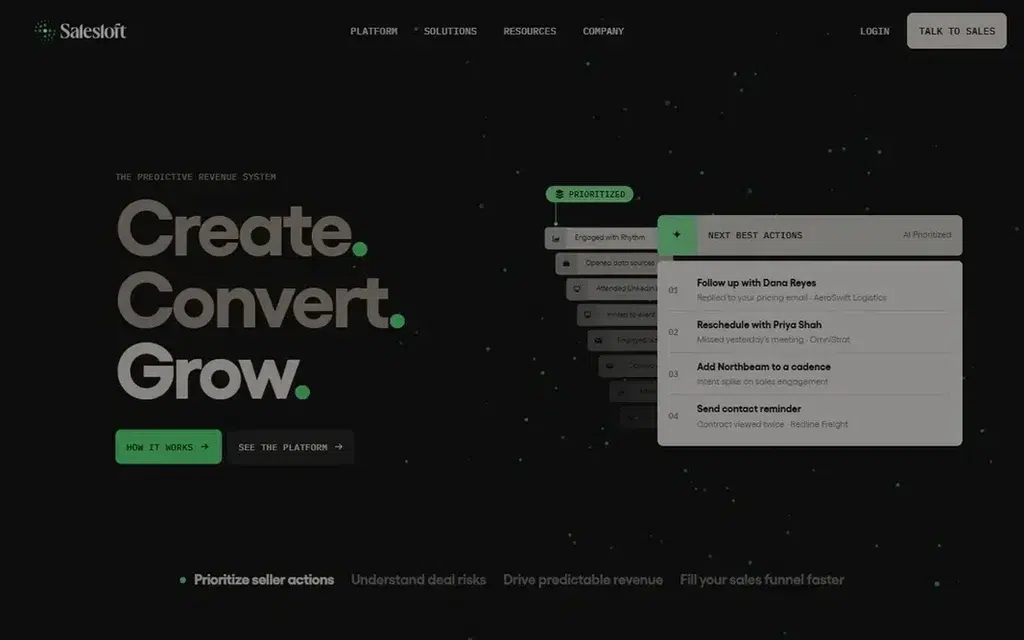
Salesloft is aimed squarely at turning buyer signals into sales action. Salesloft presents itself as a predictive revenue system that helps teams turn buyer signals into action.
Choose Salesloft when your priority is linking buyer signals to revenue team execution. Salesloft is designed around the sales motion, so customer service and contact center analytics are not its primary focus. Pricing for Salesloft is not stated here, so ask the vendor for current figures. As for free access: Not stated.
Drawbacks to consider: Analytics tied to sales motion.
- Predictive revenue system positioning
- Designed for revenue team execution
- Not a contact center system
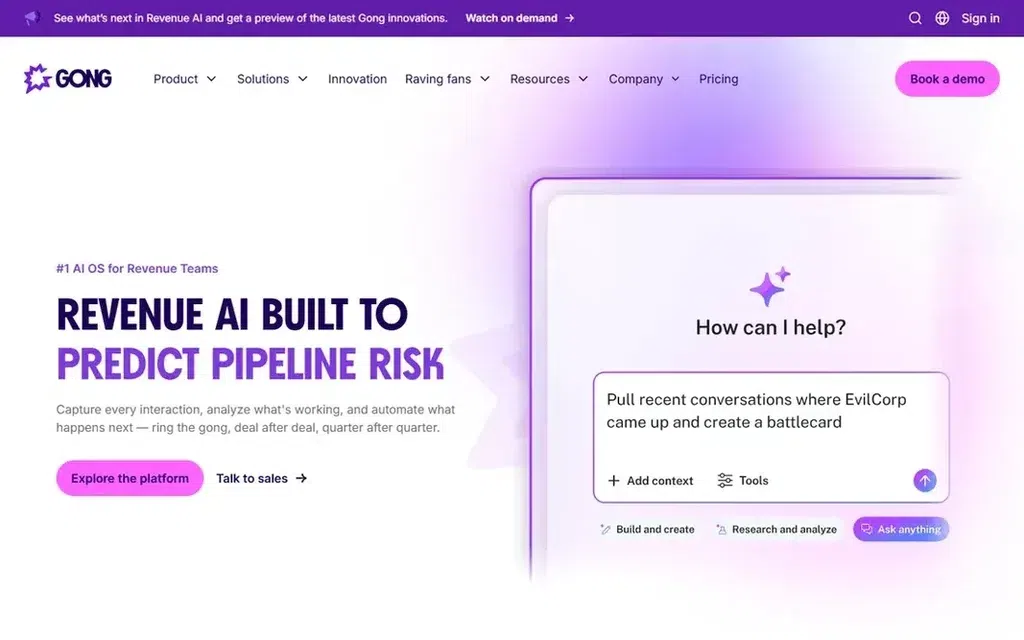
In short, Gong is for revenue teams analyzing sales conversations. Organizations already standardized on a wide customer experience suite should compare those systems before committing. In daily use, since Gong centers on revenue teams, support and contact center leaders may find narrower coverage of service analytics.
For everyday use, choose Gong when sales conversation intelligence and revenue signal analysis are the primary goals. From a buyer's view, Gong is a revenue AI system built around processing signals from customer conversations and other go-to-market activity. Its homepage describes multimodal revenue signal processing, specialized AI agents and purpose-built applications for the whole go-to-market organization. Check the vendor site for Gong pricing; none is listed in this comparison. Free plan details: Not stated.
Honest limits: Centred on revenue use cases.
- Purpose-built applications for revenue teams
- Specialized AI agents for go-to-market work
- May overlap with CRM workflows
For orchestrating live customer experiences, Genesys Cloud CX is a natural candidate. Choose Genesys Cloud CX when live experience orchestration and CX analytics are the central goals.
In daily use, smaller teams may find the product broader than their immediate needs. Its homepage describes orchestrating experiences in live to foster customer loyalty and build efficient teams. Pricing for Genesys Cloud CX is not stated here, so ask the vendor for current figures. As for free access: Not stated.
Points against: CX product focus.
- Live product for customer loyalty
- AI-powered experience orchestration
- Analytics tied to experience goals
How these tools were picked
The comparison looks at four things: starting price, free access, how well the feature set matches call analytics software, and the main limit of each tool. Plan names, prices and limits change often. Treat the figures here as a starting point and verify them with the vendor. The ranking is editorial: typical fit first, then clear pricing, then free access. If your needs are unusual, read the profiles rather than relying on position.
Questions to settle before buying
- Get a written quote from Salesloft, Gong and Genesys Cloud CX; the list shows no starting price for them.
- Run a trial of Dialpad with real work before paying for a year; your own workflow is the best test.
- Before choosing Talkdesk, weigh its main limit: contact center oriented.
- Find out what support Genesys Cloud CX includes on your plan, and whether onboarding help costs extra.
- Verify that exporting from Dialpad is possible on your plan and covers all your records.
FAQ
How are the tools for call analytics software ordered?
The order follows typical fit for call analytics software, with Talkdesk first and Genesys Cloud CX last, then price clarity and free access. It is editorial judgement, not a score, so another team could rank the tools differently.
Can I try these options before paying?
Often, yes. Dialpad offers a free trial. Use your own data and a real task during the test, and check what the free tier or trial limits before you rely on it. Each of the 6 options in this call analytics software guide has its own card above with the price, free plan and limits.
Does any tool for call analytics software here have a free plan?
A permanent free plan is not offered by Talkdesk, Genesys Cloud CX or the other tools here. Dialpad offer a trial. Plan a short evaluation period instead.
Can call analytics plug into existing business tools?
Most systems in this category are meant to link with CRM, communications and customer data systems. The specific integrations vary by vendor and product level.
What should smaller teams look for first?
A wide enterprise suite may add complexity beyond current needs. Starting with the workflow you want to boost helps narrow the shortlist rapidly.
Is Talkdesk the right pick for everyone comparing call analytics software?
No single tool suits every team. Talkdesk comes first because it fits contact centers automating customer journeys, while Dialpad suits combining communications with conversation intelligence and NICE CXone suits large CX operations seeking AI automation. Match the tool to your own size, budget and workflow before deciding.
Sources
- https://www.talkdesk.com
- https://www.dialpad.com
- https://www.nice.com
- https://www.salesloft.com
- https://www.gong.io
- https://www.genesys.com