Cafe POS Software for Coffee Shops in 2026: The 5 Best Options Side by Side
Best cafe POS software for coffee shops, compared. 5 tools with published prices, free plans and limits. Each pick comes with its main catch. Costs up front.
- Editor's choice
 Shopify POS
Retail-focused coffee shops
Starts atSee websiteVisit shopify.comFull review - Great alternative
 TouchBistro
Full restaurant management
Starts at$69 a monthVisit touchbistro.comFull review - Also considerPayPal Zettle
Straightforward card payments
Starts at£29Visit zettle.comFull review
Direct answer
Start with Shopify POS if you need retail-focused coffee shops. Listed starting prices: TouchBistro from $69 a month and PayPal Zettle from £29. TouchBistro is the stronger choice for full restaurant management, while PayPal Zettle suits straightforward card payments. The full list of 5 tools follows, with prices and free plan facts.
TL;DR:
- The list opens with Shopify POS, aimed at retail-focused coffee shops.
- Square for Restaurants suits all-in-one cafe operations.
- The lowest published monthly entry price here is $69 per month, from TouchBistro.
- Shopify POS, Square for Restaurants and the 3 others all need a premium plan or a trial, since no free plan is listed.
Last checked November 2026. Prices and plan details were read from the vendors' own pages in November 2026; vendors change plans often, so confirm the current price on the vendor site before you buy.
Quick comparison
| Tool | Best for | Starts at | Free plan? | |
|---|---|---|---|---|
| Shopify POS | Retail-focused coffee shops | See website | Not stated | Visit |
| TouchBistro | Full restaurant management | $69 a month | Not stated | Visit |
| PayPal Zettle | Straightforward card payments | £29 | Not stated | Visit |
 Clover | Adaptable POS hardware choices | See website | Not stated | Visit |
 Square for Restaurants | All-in-one cafe operations | See website | Not stated | Visit |
Cafe POS Software for Coffee Shops profiles
Choosing cafe POS software for coffee shops usually comes down to price, fit and limits. This LinkVetted guide sets 5 tools side by side on those three points, with the facts kept short and checkable.
Shopify POS was built for retail-focused coffee shops. Shopify POS integrates everything needed to run a retail business, from inventory management to checkout, based on its vendor page.
Trade-offs to know: May need Shopify ecosystem.
Evaluate whether its retail strengths align with your product mix. Coffee shops that also sell beans, merchandise, or packaged goods can benefit from its unified retail approach. Shopify POS shows no starting price here, so confirm the cost on the vendor site. As for free access: Not stated.
- Unified online and in-person sales
- Plugs into Shopify retail tools
- Retail-first instead of cafe-first
TouchBistro is designed for full restaurant management. Coffee shops that also serve food or handle table service can benefit from its combined front-of-house and management tools.
For everyday use, consider it when food service and guest management are part of your daily operations. For everyday use, for a pure coffee counter with a restricted menu, TouchBistro may offer more features than necessary, which can add complexity. Starting cost for TouchBistro: $69 per month. On free options: Not stated.
Drawbacks to consider: Needs commitment to the ecosystem.
- Guest experience focus
- Aims to increase sales
- May be more than a cafe needs
PayPal Zettle
Best for: Straightforward card payments
PayPal Zettle makes the most sense for straightforward card payments. PayPal Zettle is a POS system that lets business owners accept card, contactless, and mobile payments whereas organizing inventory and analyzing sales.
Honest limits: Limited cafe-specific features.
Consider it for smaller operations or as a payment layer alongside other tools. In daily use, shops with high-volume, cafe-specific needs may find it too entry-level. What you pay to start with PayPal Zettle: £29. Free options: Not stated.
- Sales analysis features
- Inventory organization tools
- May need extras for full POS
Clover is built with adaptable POS hardware choices in mind. The system concentrates on payment acceptance and daily sales management, with different hardware forms to match counter space and workflow. Clover's capabilities depend heavily on the specific hardware and software configuration you choose, so the experience can differ from one shop to another.
Compare carefully if custom drink workflows are central to your service. Beyond that, coffee firms that require specialized cafe features like modifier-heavy drink orders may find the base setup less tailored. Pricing for Clover is not stated here, so ask the vendor for current figures. On free options: Not stated.
Limits to weigh: Feature set varies by setup.
- Payment processing included
- Fits small retail and cafes
- Hardware costs can add up
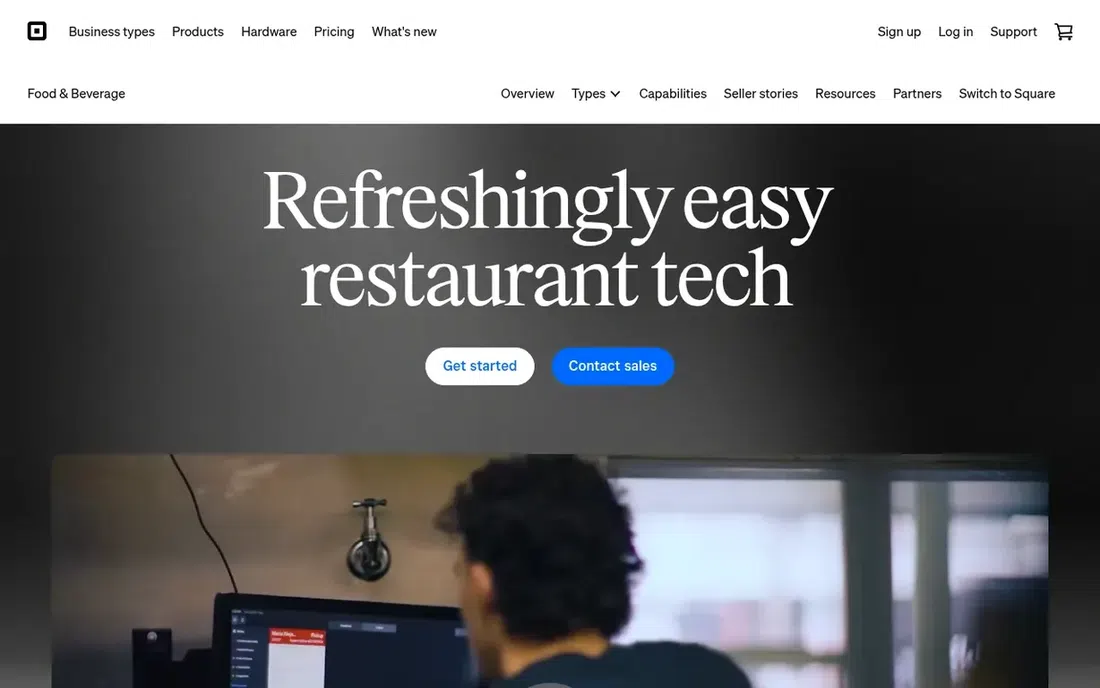
Square for Restaurants is a good fit for all-in-one cafe operations. It handles order taking, payment processing, team organization, and tools to attract regulars.
On top of that, the product is a good fit for cafe owners who want a single system for front-of-house and back-office tasks without stitching together several vendors. Check the vendor site for Square for Restaurants pricing; none is listed in this comparison. Free access: Not stated.
Limits to weigh: Advanced needs may need extras.
- Team management tools
- Made for restaurant workflows
- May need Square hardware
How the list was put together
What to confirm before you sign up
- Get a written quote from Shopify POS, Clover and Square for Restaurants; the list shows no starting price for them.
- Read the limits listed for Shopify POS first: retail-first instead of cafe-first.
- Involve the people who will use Clover daily; a short pilot beats a long feature checklist.
- Verify that exporting from Square for Restaurants is possible on your plan and covers all your records.
- Check the integration list for TouchBistro against the tools you run today, and note which ones need a higher plan.
FAQ
Do coffee shops need inventory management in their POS?
Inventory management helps track beans, milk, and packaged goods, reducing waste and stockouts. Plenty of POS systems contain entry-level inventory tools, whereas others offer deeper reporting.
Do these tools publish their prices?
Not all of them. Shopify POS, Clover and Square for Restaurants publish no starting price, so expect a quote request for those. The rest, TouchBistro included, show a starting price, though seats and billing terms still change the final cost.
Is Shopify POS the right pick for everyone comparing cafe POS software for coffee shops?
No single tool suits every team. Shopify POS comes first because it fits retail-focused coffee shops, while TouchBistro suits full restaurant management and PayPal Zettle suits simple card payments. Match the tool to your own size, budget and workflow before deciding.
Can general retail POS systems work for coffee shops?
Retail POS systems like Shopify POS can work if you also sell beans or merchandise. But they may lack cafe-specific workflows for example drink modifiers. For high-volume coffee service, a restaurant-oriented POS is frequently a better fit. Assess your menu complexity before choosing.
What is the cheapest option for cafe POS software for coffee shops in this list?
On published monthly entry prices, TouchBistro is the lowest here at $69 per month. Entry price is only part of the cost, because seats, add-ons and billing terms can change the total. All 5 picks in this Cafe POS software for coffee shops comparison list a starting price, free plan details and the main limits on their cards above.
What should a coffee shop look for in a POS system?
Inventory tracking and sales reporting help handle costs and widely used items. From a buyer's view, consider whether you need restaurant-style table management or a more straightforward retail setup.
Sources
- https://www.shopify.com/pos
- https://www.touchbistro.com
- https://www.zettle.com
- https://www.clover.com
- https://squareup.com/us/en/restaurants