Best Browser Automation Tools in 2026: 9 Tools Compared
Compare the best browser automation tools in 2026, from free code frameworks to no-code bots, with pricing, strengths, and honest limits. See our top pick.
- Editor's choice
 Playwright
Cross-browser testing and automation
Starts atFreeVisit playwright.devFull review - Great alternative
 Puppeteer
Chrome automation in JavaScript
Starts atFreeVisit pptr.devFull review - Also consider
 Selenium
Large enterprise test suites
Starts atFreeVisit selenium.devFull review
TL;DR:
- Playwright is our pick for most developers because it covers Chromium, Firefox, and WebKit in one free framework.
- Selenium still makes sense for large, older test suites and teams that need wide language and browser support.
- No-code tools such as Axiom.ai and Bardeen suit repeat browser tasks, while Apify and Browserbase suit work at scale.
- Free tools cost no licence fee, but you still pay in setup time, maintenance, and cloud compute.
- Always check the terms of a site before automating it, and respect login rules, rate limits, and privacy rules.
Quick comparison
| Tool | Best for | Starts at | Free plan? | |
|---|---|---|---|---|
| Playwright | Cross-browser testing and automation | Free | Yes | Visit |
| Puppeteer | Chrome automation in JavaScript | Free | Yes | Visit |
| Selenium | Large enterprise test suites | Free | Yes | Visit |
 Cypress | Front-end end-to-end testing | Free | Yes | Visit |
 Apify | Ready-made cloud scrapers and actors | $29 per month | Yes | Visit |
 Browserbase | Managed cloud browsers for agents | See website | Yes | Visit |
 Axiom.ai | No-code browser bots | $15 per month | Yes | Visit |
 Bardeen | In-browser sales and research tasks | $10 per month | Yes | Visit |
 Octoparse | Point-and-click web scraping | Free | Yes | Visit |
The best browser automation tools
Browser automation covers testing, data collection, and repeat tasks in a real browser. The right pick depends on coding skill, scale, and how much control you need.
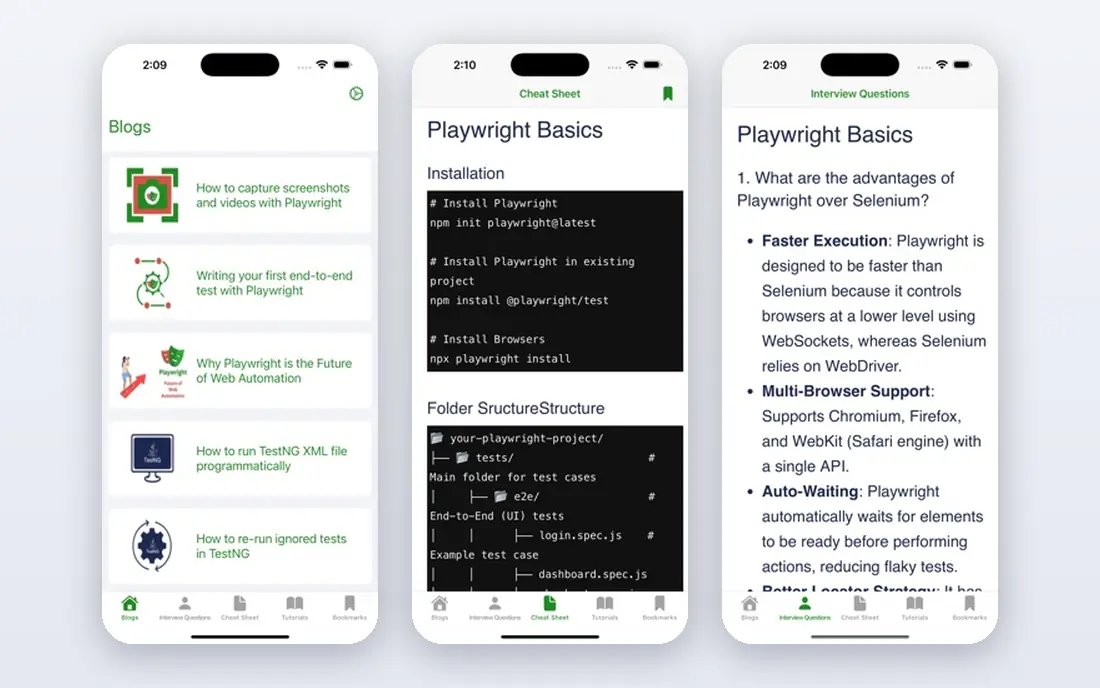
Playwright is the tool we would start with for most new projects. It drives real browsers, waits for elements on its own, and records traces that make failures much easier to track down. The same script can run across the major browser engines, which cuts down on surprise differences between browsers.
The honest catch is that Playwright is a framework, not a finished product. You write the code, you handle scheduling, and you decide how to store results. For a team with developers on staff, that control is a strength. For a solo user who wants a bot in an afternoon, a no-code tool further down this list will feel faster.
- Chromium, Firefox, and WebKit support
- Auto-waiting and tracing
- Works in JavaScript, Python, Java, and C#
- Needs coding skill
- Setup takes time for beginners
- You manage your own infrastructure

Puppeteer is a lean choice when Chrome is the only browser that matters. Its API is easy to read, and common jobs such as taking screenshots, printing pages to PDF, and filling forms take only a few lines. Many scraping tutorials use it, so help is easy to find.
We would not pick it as the default for broad testing, since Playwright covers more browsers with a similar effort. Puppeteer also leaves hosting, proxies, and scheduling to you. It shines for small, focused scripts and for developers who already work in JavaScript and want a tool that stays out of the way.
- Simple API for Chrome
- Good for PDFs and screenshots
- Large community and examples
- Chrome focused, with Firefox support less central
- Code only
- No built-in cloud hosting

Selenium is the veteran of this list, and that history counts in large organisations. It supports Java, Python, C#, Ruby, and JavaScript, runs on the major browsers, and plugs into many existing test systems. Teams with years of Selenium tests rarely need a reason to move.
New projects may find Playwright faster and less fiddly, especially around waiting for pages to load. Selenium also needs more care to keep tests stable, and Grid setup adds work if you run tests in parallel. Still, for legacy suites and strict enterprise standards, Selenium remains a safe, proven pick.
- Very wide language and browser support
- Long history in enterprise QA
- Selenium Grid for parallel runs
- Slower to set up than newer tools
- Flaky waits need care
- Dated tooling in places
Cypress feels pleasant to use, and that matters when tests are written every day. You watch each step run in the browser, rewind to see what happened, and get clear errors when a step fails. For a front-end team working in JavaScript, the learning curve is gentle.
The free runner covers a lot, but teams that record many runs or need parallel runs at volume will need Cypress Cloud, which is paid. Cross-browser coverage is also narrower than Playwright, with no full Safari support in the same way. If your app is a modern JavaScript front end and your team values speed of writing tests, Cypress is a strong pick.
- Fast feedback while writing tests
- Time-travel debugging
- Clear docs for JavaScript teams
- Paid Cypress Cloud for larger recorded runs
- WebKit support is limited
- JavaScript and TypeScript only
Apify suits teams that want results without building a whole scraping platform. You can run a ready-made actor for a popular site, schedule it, and pull results through an API or webhook. The platform also handles proxies, queues, and storage, which are the parts that often eat time in a home-grown setup.
Pricing needs a test run before you commit, because compute use depends on the site and the actor. Simple pages cost far less than heavy JavaScript pages. Check an actor's recent updates and success rate before you rely on it, since community actors range from excellent to stale.
- Large store of ready-made actors
- Scheduling, storage, and proxies built in
- Code in JavaScript or Python
- Usage pricing can be hard to predict
- Browser actors use more compute
- Quality varies across community actors
Browserbase is infrastructure, not a recorder you click through. It gives your code or agent a real browser in the cloud, with sessions you can reuse and controls for proxies and stealth settings. That makes it a good base for agent workflows that need to log in, hold state, and run at scale.
For a one-off task, it adds a layer you may not need. You still write the workflow, and you still need to think about cost per session. For teams building browser agents or running many parallel sessions, it removes a large amount of hosting work and is worth a trial.
- Cloud browsers on demand
- Built for AI agents and automation
- Session and proxy handling included
- Pricing depends on usage
- Overkill for a single script
- Needs code or an agent framework
Axiom.ai is the easiest entry point on this list for non-developers. You record steps in Chrome, such as clicking, copying data, and pasting it into a sheet, then run the bot on a schedule. It is a good fit for weekly data pulls, form filling, and other tasks you repeat by hand.
The limit is the same as with any recorder. When a site changes its layout, a bot can break, and very complex branching logic is harder to manage than in code. Keep bots focused, test them after site updates, and avoid using them on sites that forbid automation in their terms.
- Build bots in a Chrome extension
- No code needed
- Cloud runs and scheduling on paid plans
- Best for repeat tasks on known sites
- Complex logic can get messy
- Site changes can break bots
Bardeen is built for people who live in the browser and need data out of it fast. It can scrape a page, enrich a contact, and send the result to a sheet or CRM without leaving the tab. For sales and research teams, that short loop is the main appeal.
It is not a testing framework and not the best choice for large-scale crawling. Volume, team features, and heavier automation sit on paid plans. If your work is prospect research, list building, and repeat in-browser tasks, Bardeen earns its place. If you need code-level control, pick a framework instead.
- Runs inside the browser
- AI assisted scraping and enrichment
- Connects to common sales tools
- Sales focused, less suited to general testing
- Paid plans needed for volume
- Browser based, so heavy jobs are slower
Octoparse handles scraping jobs that break lighter tools, including pagination, logins, and infinite scroll. The visual builder lets you click the data you want instead of writing selectors, and templates give you a head start on common sites. Cloud runs, scheduling, and proxy rotation sit on paid plans.
The desktop app takes an afternoon to learn, and the free tier does not include cloud runs. Price also rises faster than a code framework if you only need a small job. For a non-developer who needs steady, structured data from tricky sites, that trade can still be worth it.
- Visual point-and-click builder
- Templates for common sites
- Cloud extraction on paid plans
- Desktop app with a learning curve
- Free plan is local only
- Paid plans start higher than some rivals
How we picked these
We compared official feature pages, pricing pages, and documentation, plus public user reviews, for tools that were active in October 2026. We looked for real browser control, not just HTTP requests, and we favoured tools with current docs and a clear use case. Code frameworks were judged on browser coverage, language support, and debugging help. No-code and cloud tools were judged on ease of setup, scheduling, and how clear their pricing was.
We did not claim hands-on testing that did not happen. Where pricing was usage based or quote based, we said so rather than guessing a total. Tools that only worked as a demo or had no working homepage were left out.
What to check before you automate a site
Start with the job, not the tool. A test suite needs stable selectors, parallel runs, and clear failure reports. A data job needs scheduling, storage, and a way to handle site changes. A repeat office task needs a recorder that a non-developer can fix.
Check the site terms before you automate logins, scraping, or high-volume requests. Many sites allow testing on your own app but forbid scraping their content or creating accounts in bulk. Use test accounts, keep request rates modest, and store only the data you have a right to use. For logins, prefer official APIs where one exists, and keep credentials out of shared scripts.
Cost also deserves a small pilot. Run a code framework on your own machine first, then price cloud runs with a real sample. For no-code tools, build one bot end to end and watch how it handles a site change. The cheapest licence is not always the cheapest total, once maintenance and compute are counted.
FAQ
What is the best browser automation tool for beginners?
Axiom.ai or Bardeen are the easiest starts because they use a visual or in-browser approach and need no code. If you can write JavaScript, Puppeteer is also gentle for small Chrome tasks. Pick the tool that matches the job, and try a small task before you pay for a plan.
Is Playwright better than Selenium?
For most new projects, Playwright is faster to set up and covers Chromium, Firefox, and WebKit with less waiting trouble. Selenium is still a good choice for large existing suites, wide language needs, and enterprise standards. The best pick depends on what your team already runs.
Can browser automation tools be used for web scraping?
Yes, and many are built for it, including Apify, Octoparse, and Axiom.ai. Code frameworks can scrape too, but you must build scheduling, proxies, and storage yourself. Always check site terms and local law, and avoid collecting personal data without a lawful basis.
Do I need to pay for browser automation?
Not always. Playwright, Puppeteer, Selenium, and the Cypress runner are free and open source. You pay when you need cloud runs, parallel testing at volume, managed browsers, or no-code convenience. Start free, then pay for the part that saves real time.
What is the difference between a browser automation platform and a framework?
A framework gives you code libraries and leaves hosting to you. A platform adds hosting, scheduling, storage, or a visual builder. Frameworks offer more control and lower licence cost. Platforms offer faster setup and less maintenance, at a subscription or usage price.