Choosing Brands for Software Development in 2026: 5 Options Compared
5 products for the best brands for software development, ranked by fit, with starting costs and free tiers. Weaknesses are named for every tool. Quick to scan.

- Editor's choice
 Jira
Project planning and tracking
Starts atSee websiteVisit atlassian.comFull review - Great alternative
 Docker
Containers and secure sandboxes
Starts at$9 per user a monthVisit docker.comFull review - Also consider
 GitLab
Unified lifecycle with governance
Starts at$29 per user per monthVisit about.gitlab.comFull review
Direct answer
Jira comes first here, mainly for project planning and tracking. Listed starting prices: Docker from $9 per user a month, GitLab from $29 per user per month and GitHub from $4 per user a month. Docker is better for containers and secure sandboxes, and GitLab is better for unified lifecycle with governance. The full list of 5 tools follows, with prices and free plan facts.
TL;DR:
- Jira sits first on this list: project planning and tracking.
- Only 3 of the 5 tools have a free plan (Docker, GitLab, GitHub), so check the caps.
- JetBrains IntelliJ IDEA is the one to check for Java and Kotlin development.
- Check the limits for Jira before you commit: not a code editor or hosting service.
- The lowest published monthly entry price here is $4 per user per month, from GitHub.
Last checked November 2026. Prices and plan details were read from the vendors' own pages in November 2026; vendors change plans often, so confirm the current price on the vendor site before you buy.
Quick comparison
| Tool | Best for | Starts at | Free plan? | |
|---|---|---|---|---|
| Jira | Project planning and tracking | See website | Not stated | Visit |
| Docker | Containers and secure sandboxes | $9 per user a month | Yes | Visit |
| GitLab | Unified lifecycle with governance | $29 per user per month | Yes | Visit |
 GitHub | Code hosting with a wide community | $4 per user a month | Yes | Visit |
| JetBrains IntelliJ IDEA | Java and Kotlin development | See website | Not stated | Visit |
5 options for brands for software development in detail
Short on time? The summary and table above give the quick view of 5 tools for brands for software development, and the profiles that follow give the detail behind each entry.
Where Jira fits: project planning and tracking. Choose Jira when planning discipline and cross-team visibility are the gaps you have to close. Jira is Atlassian's project management tool, built to bring teams together and boost productivity with AI agents that orchestrate, plan and track projects at scale.
Points against: Configuration can grow complicated.
It is targeted at software teams that require structured backlogs, sprint planning and visibility into delivery. It does well alongside code hosting and CI tools, giving managers and engineers a shared view of what is being built and what comes next. Jira runs work instead of writing or hosting code, so it complements instead of replaces developer systems. Check the vendor site for Jira pricing; none is listed in this comparison. Free plan details: Not stated.
- Organizes projects at scale
- Solid fit for agile teams
- Not a code editor or hosting service
Docker makes the most sense for containers and secure sandboxes. Teams that only need code hosting or planning may not need it yet.
Beyond that, pick Docker when environment consistency, isolation and supply chain security are central to your delivery model. On cost, Docker starts like this: $9 per user per month. Docker has a free plan.
Limits to weigh: Brings operational overhead for small teams.
- Secure supply chain focus
- Container-based workflows
- Requires container knowledge

GitLab is designed for unified lifecycle with governance. GitLab describes itself as an intelligent orchestration system that provides teams and agents context and governance across the entire software lifecycle.
Watch-outs: May overlap with tools you already use.
On top of that, instead of stitching together separate products, it aims to let teams ship trusted software quicker inside one environment. Also, groups that primarily need code hosting with a large public community may lean toward GitHub instead. GitLab starts at: $29 per user per month. A free plan is available with GitLab.
- Context and governance built in
- Includes the whole software lifecycle
- Wide scope can feel complicated to configure
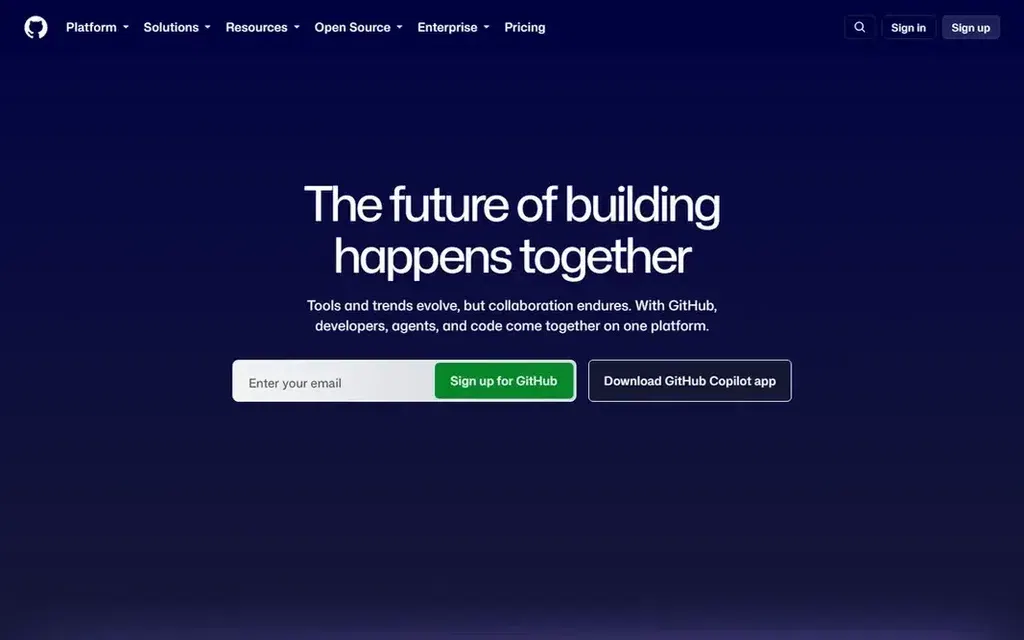
GitHub is designed for code hosting with a wide community. It emphasizes AI-assisted development and constant iteration, making it a natural home for teams that want their repositories, reviews and community presence in one place.
Since the system is wide, teams may spend time learning its advanced configuration and governance choices. On top of that, choose GitHub when community reach and a widely recognized developer workflow matter most. What you pay to start with GitHub: $4 per user per month. A free plan is available with GitHub.
Where it is weaker: Less unified lifecycle tooling than some rivals.
- Widely adopted developer system
- Large open source community
- Advanced controls can take time to learn
JetBrains IntelliJ IDEA
Best for: Java and Kotlin development

JetBrains IntelliJ IDEA targets Java and Kotlin development. The environment is tailored to Java and Kotlin, so teams working chiefly in other languages may find it less central to their stack. It is also a full IDE, which can feel heavier than a straightforward editor for small scripts.
IntelliJ IDEA is JetBrains' integrated development environment built for Java and Kotlin, with deep code intelligence and built-in tools. It also lets developers run AI agents and verify their work inside the editor. For everyday use, choose IntelliJ IDEA when JVM code quality and productivity are the primary concern. This comparison lists no price for JetBrains IntelliJ IDEA; ask the vendor. As for free access: Not stated.
The main drawbacks: Heavier than light editors.
- Deep code intelligence
- Built-in developer tools
- Centred on Java and Kotlin
Selection criteria
What to confirm before you sign up
- Get a written quote from Jira and JetBrains IntelliJ IDEA; the list shows no starting price for them.
- Check what the free option really includes: Docker, GitLab and GitHub offer a free plan, and usage caps differ.
- Before choosing Jira, weigh its main limit: not a code editor or hosting service.
- List the apps you already depend on and check that GitLab supports each one on the plan you would buy.
- Read the plan comparison for Jira carefully; key features often start on a higher tier.
FAQ
Can I try these tools before paying?
Often, yes. Docker, GitLab and GitHub have a free plan. Use your own data and a real task during the test, and check what the free tier or trial limits before you rely on it.
Which options for brands for software development have a free plan?
Docker, GitLab and GitHub offer a free plan in this list. Free plans usually cap users, projects or features, so check the limits on the vendor page.
What is the cheapest option for brands for software development in this list?
On published monthly entry prices, GitHub is the lowest here at $4 per user per month. Entry price is only part of the cost, because seats, add-ons and billing terms can change the total. Prices, free plan details and limits for all 5 tools in this brands for software development roundup sit on the individual cards above.
Is Jira the right pick for everyone comparing brands for software development?
No single tool suits every team. Jira comes first because it fits project planning and tracking, while Docker suits containers and secure sandboxes and GitLab suits unified lifecycle with governance. Match the tool to your own size, budget and workflow before deciding.
Sources
- https://www.atlassian.com/software/jira
- https://www.docker.com
- https://about.gitlab.com
- https://github.com
- https://www.jetbrains.com/idea