Best Booking Software for Freelancers for 2026: Our 6 Vetted Picks
Weighing the best booking software for freelancers? We lined up 6 products by cost, free access and fit. Strengths and gaps are listed per tool. Quick to scan.
- Editor's choice
 SavvyCal
Invitee calendar overlay and scheduling control
Starts at$10 per user a monthVisit savvycal.comFull review - Great alternative
 TidyCal
Straightforward calendar management and booking links
Starts at$12 a monthVisit tidycal.comFull review - Also consider
 Setmore
Round-the-clock self-service booking with reminders
Starts at$5 per user a monthVisit setmore.comFull review
Direct answer
This list puts SavvyCal first for Invitee calendar overlay and scheduling control. Listed starting prices: SavvyCal from $10 per user a month, TidyCal from $12 a month and Setmore from $5 per user a month. TidyCal is better for straightforward calendar management and booking links, and Setmore is better for round-the-clock self-service booking with reminders. The remaining 3 options are covered below with prices and limits.
TL;DR:
- SavvyCal is the opening pick, best for Invitee calendar overlay and scheduling control.
- For all-in-one meeting scheduling and follow-up, Calendly is worth a look.
- Starting prices begin at $5 per user per month with Setmore.
- 4 of 6 tools offer a free plan: TidyCal, Setmore, SimplyBook.me, Calendly.
- Acuity Scheduling comes with a trade-off: customization can take time to set up.
Last checked November 2026. Prices and plan details were read from the vendors' own pages in November 2026; vendors change plans often, so confirm the current price on the vendor site before you buy.
Quick comparison
| Tool | Best for | Starts at | Free plan? | |
|---|---|---|---|---|
| SavvyCal | Invitee calendar overlay and scheduling control | $10 per user a month | Free trial | Visit |
| TidyCal | Straightforward calendar management and booking links | $12 a month | Yes | Visit |
| Setmore | Round-the-clock self-service booking with reminders | $5 per user a month | Yes | Visit |
 Acuity Scheduling | Configurable appointment booking with automation | $16 a month | Free trial | Visit |
 SimplyBook.me | Booking website or widget with online payments | $11.9 a month | Yes | Visit |
 Calendly | All-in-one meeting scheduling and follow-up | $10 per seat per month | Yes | Visit |
Booking Software for Freelancers compared in detail
If you are comparing booking software for freelancers, this page covers 6 tools in one place: what each is best for, what it costs to start, whether it has a free plan, and the main limit to know about.
SavvyCal is aimed squarely at Invitee calendar overlay and scheduling control. SavvyCal is a scheduling tool built around sharing booking links, with a distinctive twist: invitees can overlay their own calendar on your link to find a time that works. That makes it a good fit for freelancers who book calls with clients who have busy calendars and who care about a respectful, low-friction scheduling experience rather than a full appointment management suite.
Watch-outs: Narrower scope than full appointment suites.
In daily use, Calendly covers more of that surrounding work. As for the details, choose SavvyCal when calendar overlay and precise control over how times are offered matter most. SavvyCal concentrates on the scheduling moment itself, so freelancers who want payments, intake forms, notes and follow-up in the same tool will have to look elsewhere or pair it with other software. The starting price for SavvyCal: $10 per user per month. Free plan details: Free trial.
Upsides: limits and preferred times.
- You control buffers
- Clean sharing of booking links
- Not built around payments or meeting notes
In short, TidyCal is for straightforward calendar management and booking links. TidyCal is described as a straightforward calendar management and booking option, focused on simplifying bookings and automatically generating meeting URLs. On top of that, pick TidyCal when a quick, uncluttered booking link is exactly what you need.
As for the details, if you run numerous session types with different rules, compare Acuity Scheduling or SimplyBook.me. Since the emphasis is simplicity, TidyCal gives you fewer layers than full appointment suites for things like in-depth service customization or built-in payment workflows. For everyday use, freelancers who want a clean booking link without a long configuration process are the natural audience. The starting price for TidyCal: $12 per month. TidyCal offers a free plan.
Where it shines: Auto-generates meeting URLs.
What to check first: Fewer layers than full appointment suites.
- Straightforward way to handle your calendar
- Straightforward booking setup
- Restricted fit for complicated multi-service menus
Setmore was built for round-the-clock self-service booking with reminders. Setmore is online appointment scheduling software that lets clients accept bookings around the clock and automates reminders so you spend less time exchanging messages.
What to check first: Feature depth varies by what you configure.
Pick Setmore when steady, always-on booking with reminders is the core need. Beyond that, if you want a single place for the entire client conversation, look at Calendly. On cost, Setmore starts like this: $5 per user per month. Setmore includes a free tier.
- Clients can book at any hour
- Straightforward online appointment scheduling
- Less centred on meeting prep and notes
Acuity Scheduling
Best for: Configurable appointment booking with automation
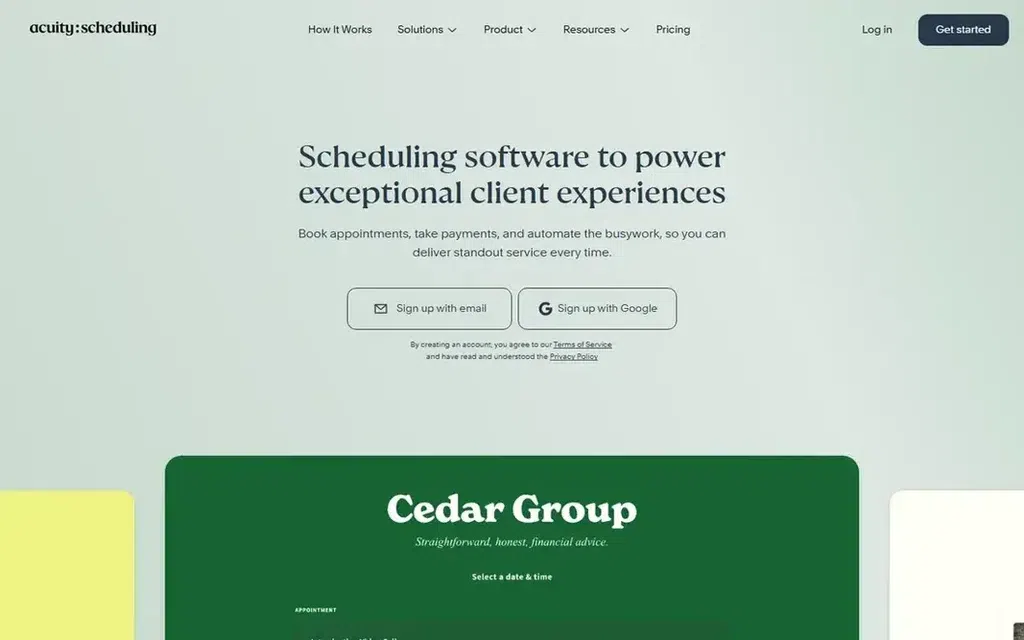
Acuity Scheduling targets configurable appointment booking with automation. Acuity Scheduling is an appointment booking app built around scheduling automation and full customization. The trade-off is complexity: a highly customized setup takes longer to configure and maintain than an entry-level booking link.
Trade-offs to know: Heavier than a straightforward calendar link.
In practice, freelancers who offer multiple session types, like consultations, coaching calls or premium sessions with different durations, can shape the booking experience around each one. Choose Acuity when the variety of your services and the automation around them justify the additional configuration. Acuity Scheduling cost at the entry level: $16 per month. Free access: Free trial.
- Full customization of booking setup
- Built as a dedicated appointment app
- Customization can take time to set up
For booking website or widget with online payments, SimplyBook.me is a natural candidate. Choose SimplyBook.me when your website is central to how clients find and book you.
Where it is weaker: Setup spans multiple booking components.
On top of that, freelancers who only need a shareable booking link may prefer TidyCal or SavvyCal. SimplyBook.me cost at the entry level: $11.9 per month. You can start on SimplyBook.me without paying.
- Booking website or widget for your own site
- Reminders keep clients on schedule
- May be more than a straightforward link needs
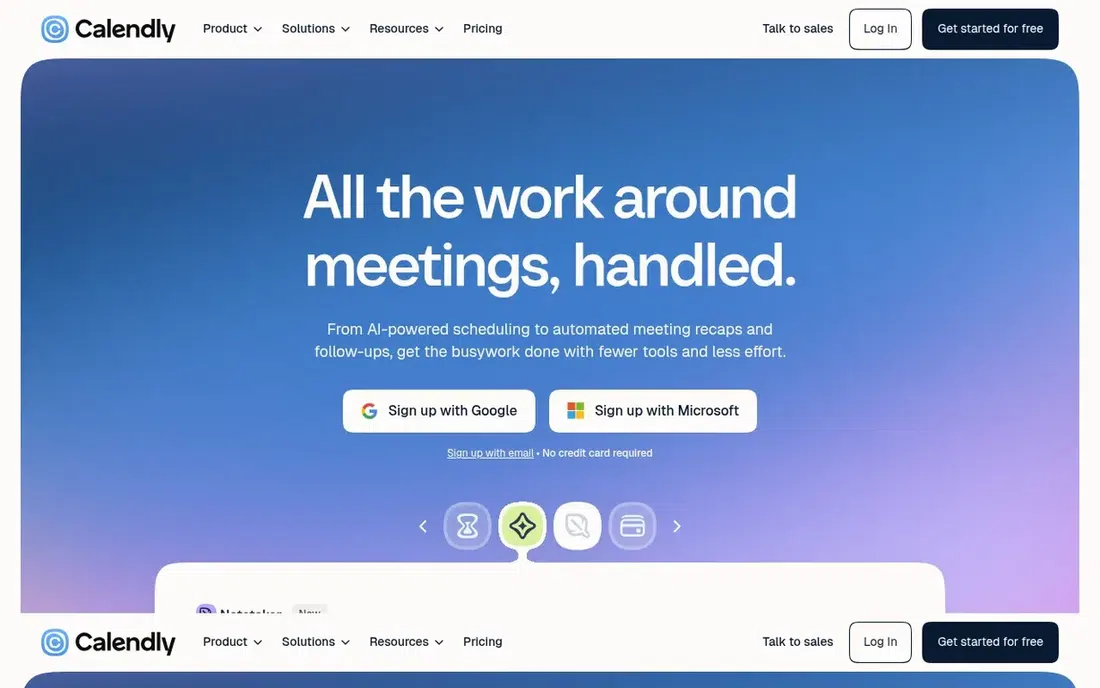
In short, Calendly is for all-in-one meeting scheduling and follow-up. Calendly is a meeting scheduling product that links the work around meetings, from scheduling and payments to meeting prep, notetaking, contact management and follow-up.
It suits solo professionals who want a familiar booking link and a tidy record of each client conversation. On cost, Calendly starts like this: $10 per seat per month. A free plan is available with Calendly.
Limits to weigh: Less emphasis on deep booking-page customization.
Main advantages: Contact management and follow-up in one place.
- AI meeting tools for the work around meetings
- Payments and meeting prep
- Wide feature set may feel like more than you need
Selection criteria
LinkVetted looked at what each vendor publishes: pricing, plan limits, feature coverage for booking software for freelancers and stated drawbacks. No hands-on testing is claimed. Figures are shown as the vendors publish them. Billing terms, seat minimums and add-ons can change the real cost. Order on the page follows fit for the typical buyer first, then price transparency and free access. Your own requirements should decide the final pick.
What to check before you buy
- Prices are a starting point; Setmore shows $5 per user per month to start, so verify what your seat count would cost.
- Look at free plan limits closely: TidyCal, Setmore, SimplyBook.me and Calendly have one, and the caps decide whether it is usable for real work.
- Run a trial of SavvyCal and Acuity Scheduling with real work before paying for a year; your own workflow is the best test.
- Read the limits listed for SavvyCal first: narrower scope than full appointment suites.
- Compare total cost, not headline price: for Acuity Scheduling, add extra seats, add-ons and any usage-based charges.
- Check whether the features you need in TidyCal sit on the entry plan or only on higher tiers.
FAQ
Is SavvyCal the right pick for everyone comparing booking software for freelancers?
No single tool suits every team. SavvyCal comes first because it fits Invitee calendar overlay and scheduling control, while TidyCal suits simple calendar management and booking links and Setmore suits round-the-clock self-service booking with reminders. Match the tool to your own size, budget and workflow before deciding.
Is a simple booking link enough for most freelancers?
More complicated practices with varied services, intake details or online payment during booking normally benefit from a fuller appointment product like Acuity Scheduling or SimplyBook.me.
What is the cheapest option for booking software for freelancers in this list?
On published monthly entry prices, Setmore is the lowest here at $5 per user per month. Entry price is only part of the cost, because seats, add-ons and billing terms can change the total. Prices, free plan details and limits for all 6 tools in this booking software for freelancers roundup sit on the individual cards above.
Which options for booking software for freelancers have a free plan?
TidyCal, Setmore, SimplyBook.me and Calendly offer a free plan in this list. Free plans usually cap users, projects or features, so check the limits on the vendor page. Several others offer a trial instead.
What should a freelancer look for in booking software?
Start with how clients book: a shareable link, an embedded widget or a booking site. Match the tool to the number of session types you offer so you do not pay in setup time for features you will not use.
How are the tools for booking software for freelancers ordered?
SavvyCal sits first and Calendly last because the order follows typical fit for booking software for freelancers, then price clarity and free access. It is a judgement call, so read each profile for fit and limits.
Sources
- https://savvycal.com
- https://tidycal.com
- https://www.setmore.com
- https://acuityscheduling.com
- https://simplybook.me
- https://calendly.com