Best BIM Objects Software in 2026: 9 Libraries Compared
Compare the best bim objects software in 2026, with BIM object libraries and content platforms for Revit, Archicad and IFC project work for design teams.
- Editor's choice
 BIMobject
Largest manufacturer library
Starts atFreeVisit bimobject.comFull review - Great alternative
 bimstore
Curated, validated content
Starts atFreeVisit bimstore.co.ukFull review - Also consider
 BIMsmith
Product plus specification data
Starts atFreeVisit bimsmith.comFull review
TL;DR:
- BIMobject is the largest first stop for manufacturer Revit content, while bimstore and NBS Source win praise for curated, trusted families.
- Most BIM object libraries are free for designers, because manufacturers pay to be listed, so check format coverage rather than price first.
- Format matters more than catalogue size: confirm Revit, Archicad, SketchUp, and IFC availability for the products you actually specify.
- Always open a downloaded family alone first, check file size, parameters, and level of detail, before it enters a working model.
Quick comparison
| Tool | Best for | Starts at | Free plan? | |
|---|---|---|---|---|
| BIMobject | Largest manufacturer library | Free | Yes | Visit |
| bimstore | Curated, validated content | Free | Yes | Visit |
| BIMsmith | Product plus specification data | Free | Yes | Visit |
 NBS Source | Standardised UK content | Free | Yes | Visit |
 ARCAT | Manufacturer specs and BIM families | Free | Yes | Visit |
 MEPcontent | MEP and manufacturer content | Free | Yes | Visit |
 BIM and Co | Product data and BIM objects | Free | Yes | Visit |
 RevitCity | Community Revit families | Free | Yes | Visit |
 Modlar | Design product discovery | Free | Yes | Visit |
The best bim objects software
This article frames BIM objects software as BIM object libraries and content platforms, not as modelling software itself. A BIM object is a digital product model that carries geometry plus data such as dimensions, materials, and performance values, so it can be scheduled and counted without retyping numbers. We compared official library pages, format coverage, and public reviews, and we focused on platforms that are still active in 2026.

BIMobject is the first stop for many architects and engineers looking for manufacturer Revit families, with a catalogue built from brands that publish their own products for specification. Content is free to download for designers, because manufacturers pay to be listed, and the platform supports Revit, Archicad, SketchUp, 3ds Max, and IFC formats. That breadth makes it useful across project types, from furniture and lighting to building systems.
The honest weakness is curation. Reviewers note that some objects are not available in Revit format, that subcategories can feel poorly organised, and that search sometimes returns irrelevant items. For a small firm, those are tolerable inefficiencies rather than dealbreakers, especially since the price is free. Start here, then check a second library when a specific product is missing or looks weak.
- Huge manufacturer catalogue
- Revit, Archicad, SketchUp, and IFC formats
- Free for specifiers and architects
- Some content lacks Revit format
- Search can surface less relevant results

Bimstore, from the UK, offers free access to manufacturer provided BIM content that is checked before publication, which is why reviewers describe it as a library they trust without auditing every family themselves. For a firm without a dedicated BIM manager, that reliability matters more than raw catalogue size. Content covers a wide range of building products, with data intended for real specification rather than placeholder geometry.
The trade off is coverage. Bimstore is smaller than BIMobject, and its UK base means some US specific products may be thinner. For UK and European projects, and for any team that values clean, validated families, bimstore deserves a place beside BIMobject in your bookmarks.
- Manufacturer provided, validated content
- Free access for designers
- Reviewers praise reliability
- Smaller catalogue than BIMobject
- UK focus may limit some US product ranges
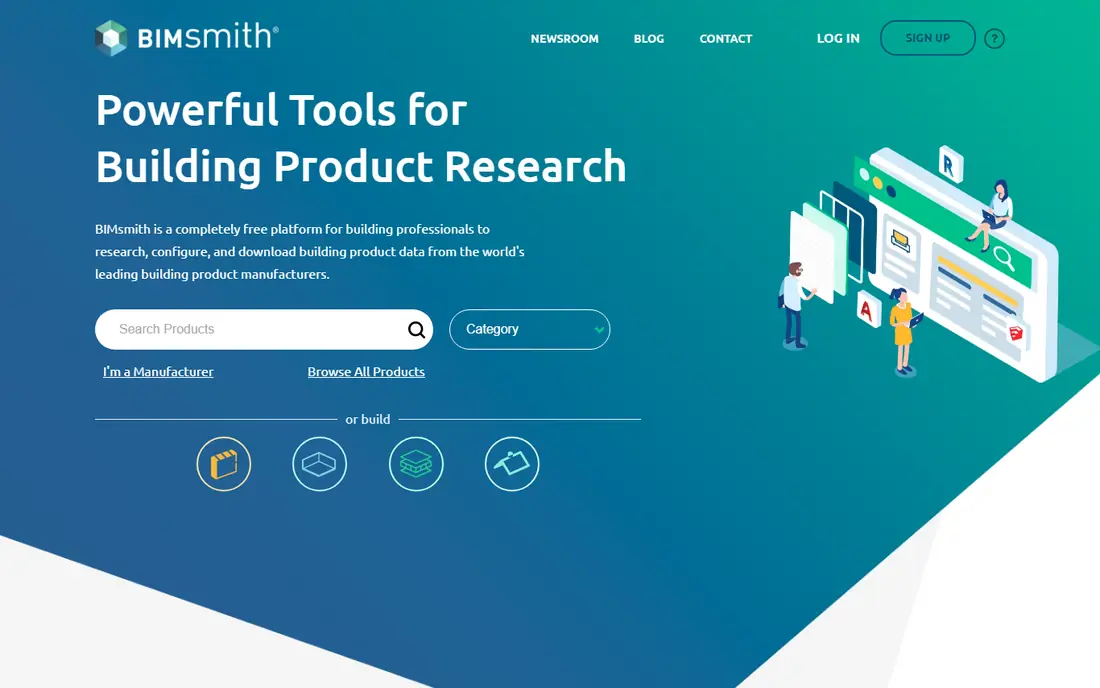
BIMsmith combines BIM objects with product and specification data, so the object and the written specification stay connected in one place. That helps specifiers who need to check performance values, finishes, and documentation without jumping between a library, a manufacturer site, and a spec tool. Access is free for designers, with manufacturers funding the platform.
Review coverage is thinner than for BIMobject, so the picture from public reviews is less complete. Content depth also varies by brand, as with any manufacturer funded library. For teams where the BIM object and the specification must stay linked, BIMsmith is a practical second source worth checking.
- Manufacturer content linked to specification data
- Free for designers
- Useful for product research
- Smaller review base than larger rivals
- Some content depth varies by brand
NBS Source, from NBS, provides BIM objects built to the NBS BIM Object Standard, which aims for consistency in geometry, data, and naming across products. That standardisation reduces errors and miscommunication between project partners, because objects behave in predictable ways. Plug ins for Revit and Archicad let designers access content directly inside their modelling tools, and access is free.
The limit is scope. NBS Source is curated and UK focused, so it will not cover every product a US firm needs, and it is not trying to be the largest catalogue. For firms that value consistent, standards based objects, especially on UK projects, it is one of the most trusted libraries available.
- Free access
- Objects built to the NBS BIM Object Standard
- Revit and Archicad plug ins
- UK standard focus may not suit every US workflow
- Catalogue is curated rather than exhaustive
ARCAT provides building product information for architects, spec writers, engineers, and contractors, covering thousands of manufacturers with CAD details, specifications, BIM families, and links to manufacturer sites. Its breadth is a real strength when you need a product category that a curated library does not cover. Many downloads do not even require registration, which speeds up research.
The downside is presentation and consistency. The site feels older than BIMobject or bimstore, and content quality depends on each manufacturer, so the usual rule applies: open the family alone, check parameters, and confirm data before use. For research breadth and fast access, ARCAT remains a useful tool.
- Large manufacturer database
- BIM families plus CAD details and specs
- No registration needed for many downloads
- Interface feels older than newer platforms
- Content quality varies by manufacturer
MEPcontent focuses on mechanical, electrical, and plumbing products, which makes it a go to library for MEP engineers who need manufacturer content that actually works in Revit and related tools. Pumps, valves, air terminals, and electrical components are better represented here than in general architectural libraries, and content is free for designers.
The trade off is focus. If you need architectural finishes, furniture, or facade products, a general library will serve you better. For MEP teams, though, MEPcontent fills a gap that general libraries often leave thin, and it pairs well with BIMobject for a full project workflow.
- Strong MEP product coverage
- Manufacturer content for Revit and other formats
- Free for designers
- MEP focus means less architectural furniture and finishes content
- Brand coverage varies by region
BIM and Co, also written BIM&CO, is a platform for building product data and BIM objects, serving both manufacturers who publish content and designers who specify it. It supports multiple formats and aims to keep product data consistent across a project, which helps when a product is revised or replaced. Access for designers is free.
The limitation is familiarity and coverage in the US market, where BIMobject and ARCAT are better known. Catalogue depth also varies by product type, so check your key categories before relying on it alone. As a second or third source, especially for European products, BIM and Co is worth a look.
- Product data platform with BIM objects
- Multi format support
- Useful for manufacturers and specifiers
- Less familiar to US firms
- Catalogue depth varies by product type
RevitCity is a long running community library where users share Revit families, and its size is its main appeal when you need a generic component fast. It is free to use, and it covers many everyday items that manufacturer libraries may not publish, such as generic furniture, fixtures, and detail components. For early design and placeholder content, it can save time.
Quality is the honest catch. Community uploads vary widely, and some families carry incomplete data, heavy geometry, or parameters that do not flex as expected. Never drop a RevitCity family straight into a live model. Open it alone, check file size, test the parameters, and clean it up first. Used with that discipline, RevitCity is a handy supplement, not a primary specification source.
- Large community library of Revit families
- Free downloads
- Long running community resource
- Community uploads vary widely in quality
- Data may be incomplete or outdated
Modlar is a product discovery platform for architects, interior designers, and specifiers, with manufacturer content that includes BIM objects alongside product information. It works well at the research stage, when you are comparing finishes, furniture, and fixtures and want to move from inspiration to a usable product. Access is free for designers.
The limit is BIM depth. Modlar is stronger on discovery than on deep, parametric BIM data for every product, and some listings link out to manufacturer sites for full content. For early stage product research that later moves into BIMobject, bimstore, or a manufacturer portal, Modlar is a useful starting point.
- Product discovery for architects and designers
- Manufacturer content
- Free access
- Smaller BIM depth than specialist libraries
- Some products link out to manufacturer sites
How we picked these
We compared official library pages, format coverage, and public reviews, and we kept only platforms that are still active and that provide downloadable BIM objects or Revit content in 2026. We noted where access is free for designers and where manufacturers fund the platform, and we did not invent catalogue sizes or ratings. We did not claim hands on testing of every family. Where a platform is UK focused or MEP focused, we said so, because fit matters more than size.
How to choose a BIM object library
Start with format, not catalogue size. List the formats your projects need, usually Revit RFA, Archicad GDL, and IFC, and confirm each library actually delivers them for your key product categories. A library with a million objects is useless if your top 20 products are missing in Revit format. Then check data quality: dimensions, materials, product codes, and performance values should be present and consistent, not just a pretty 3D shape.
Checking a family before you use it
Open every downloaded family alone before it enters a working model. Check file size, because an oversized family will slow the whole project. Flex the parameters to confirm dimensions actually move. Check levels of detail, materials, and whether the object schedules correctly. Keep a small internal library of cleaned, approved families, so your team does not download the same product five times with five different results.
FAQ
What is BIM objects software?
BIM objects software usually means BIM object libraries and content platforms that provide digital product models for use in Revit, Archicad, and other BIM tools. Each object carries geometry plus data such as dimensions and materials. This article covers libraries such as BIMobject, bimstore, and BIMsmith, not modelling software itself.
Is BIMobject free for architects?
Yes, BIMobject is free for specifiers and architects to download content, because manufacturers pay to be listed. Manufacturer services such as content creation are priced separately by quote. Other libraries on this list, including bimstore, BIMsmith, and NBS Source, are also free for designers.
What is the difference between a BIM object and a Revit family?
A BIM object is the general term for a digital product model with geometry and data. A Revit family is a BIM object saved in Revit format, with the file extension RFA. Archicad uses GDL objects for the same job, and IFC is a neutral format that both tools can read. Always confirm which format a library delivers before downloading.
Which BIM library is best for MEP engineers?
MEPcontent is a strong choice for MEP products, with manufacturer content for pumps, valves, air terminals, and electrical components. BIMobject also covers MEP categories, so many MEP teams use both. Check format coverage and parameter quality for your specific product types before settling on one source.
Are free Revit families good enough for real projects?
Manufacturer authored families usually are, because brands publish them so their products get specified in real buildings. Community uploads vary, so open them alone, check parameters and file size, and clean them before use. For specified products, prefer manufacturer content from a curated library over an anonymous community upload.