Automated Scheduling Software Buyer's Guide: 8 Tools for 2026
Best automated scheduling software: 8 contenders ranked by fit, with entry costs and free tiers. Where a tool struggles is spelled out. Pick with confidence.
- Editor's choice
 Setmore
Small service companies that want a free appointment scheduler with payments
Starts atSee website (Free plan up to 4 users; Pro is per-user)Visit setmore.comFull review - Great alternative
 Cal.com
Teams and individuals who want open-source scheduling with an ample free plan
Starts at$16/user/month (Teams); Organizations $37/user/month; Enterprise customVisit cal.comFull review - Also consider
 Calendly
Individuals and teams that want the standard booking-link experience
Starts atSee websiteVisit calendly.comFull review
TL;DR:
- This list starts with Setmore, which is built for small service firms that want a free appointment scheduler with payments.
- A fair warning about YouCanBookMe: premium-tier pricing not plainly published on the homepage.
- Acuity Scheduling is the one to check for service companies that require client scheduling with payments and intake forms.
- Setmore, Cal.com, YouCanBookMe, Appointy, OnceHub: these are the 5 tools out of 8 that offer a free plan.
Direct answer
Start with Setmore if you need small service firms that want a free appointment scheduler with payments. Alternatives: Cal.com for teams and individuals who want open-source scheduling with a generous free plan, and Calendly for individuals and teams that want the standard booking-link experience. All 8 tools are compared below on price, free plan and limits.
Quick comparison
| Tool | Best for | Starts at | Free plan? | |
|---|---|---|---|---|
| Setmore | Small service companies that want a free appointment scheduler with payments | See website (Free plan up to 4 users; Pro is per-user) | Yes | Visit |
| Cal.com | Teams and individuals who want open-source scheduling with an ample free plan | $16/user/month (Teams); Organizations $37/user/month; Enterprise custom | Yes | Visit |
| Calendly | Individuals and teams that want the standard booking-link experience | See website | Not stated | Visit |
 YouCanBookMe | Teams that want straightforward booking pages with a free starting level | See website | Yes | Visit |
 Appointy | Salons, spas and clinics that want an all-in-one booking and business manager | See website | Yes | Visit |
 SimplyBook.me | Service companies that want deep customization and class scheduling | See website | Not stated | Visit |
 OnceHub | Teams that want versatile scheduling with a solid free plan | See website | Yes | Visit |
 Acuity Scheduling | Service firms that require client scheduling with payments and intake forms | See website | Not stated | Visit |
Every option for automated scheduling software explained
If you are comparing automated scheduling software, this page covers 8 tools in one place: what each is best for, what it costs to start, whether it has a free plan, and the main limit to know about.
Setmore
Best for: Small service companies that want a free appointment scheduler with payments

Setmore works best for small service companies that want a free appointment scheduler with payments. Teams that outgrow the free plan should compare the per-user cost against Acuity and SimplyBook.me at similar headcounts.
Highlights: Free plan handles up to 4 users with unlimited appointments.
Where it is weaker: SMS reminders and advanced features need the premium level.
Setmore does not show a starting price in this comparison, so check the vendor site for current pricing. You can start on Setmore without paying.
- Integrations with Zoom, Stripe, Square
- Facebook and Instagram
- Pro plan pricing shown per user with add-on structure
Cal.com
Best for: Teams and individuals who want open-source scheduling with an ample free plan

Think of Cal.com for teams and individuals who want open-source scheduling with an ample free plan. Calendly and Acuity have deeper native integrations and longer track records with edge cases. The honest catch is ecosystem maturity.
Where it shines: Open-source and self-hostable.
As for the details, Cal.com is the open-source challenger. Its free plan is the most ample in this category: unlimited event types, unlimited calendar connections, workflows, Stripe payments and Cal Video, all free. What you pay to start with Cal.com: $16/user/month. Cal.com offers a free plan.
Trade-offs to know: Newer ecosystem with fewer native integrations than the incumbents.
- Free plan bundles unlimited event types
- Calendar connections, workflows
- Self-hosting is a choice, not a default
Calendly
Best for: Individuals and teams that want the standard booking-link experience
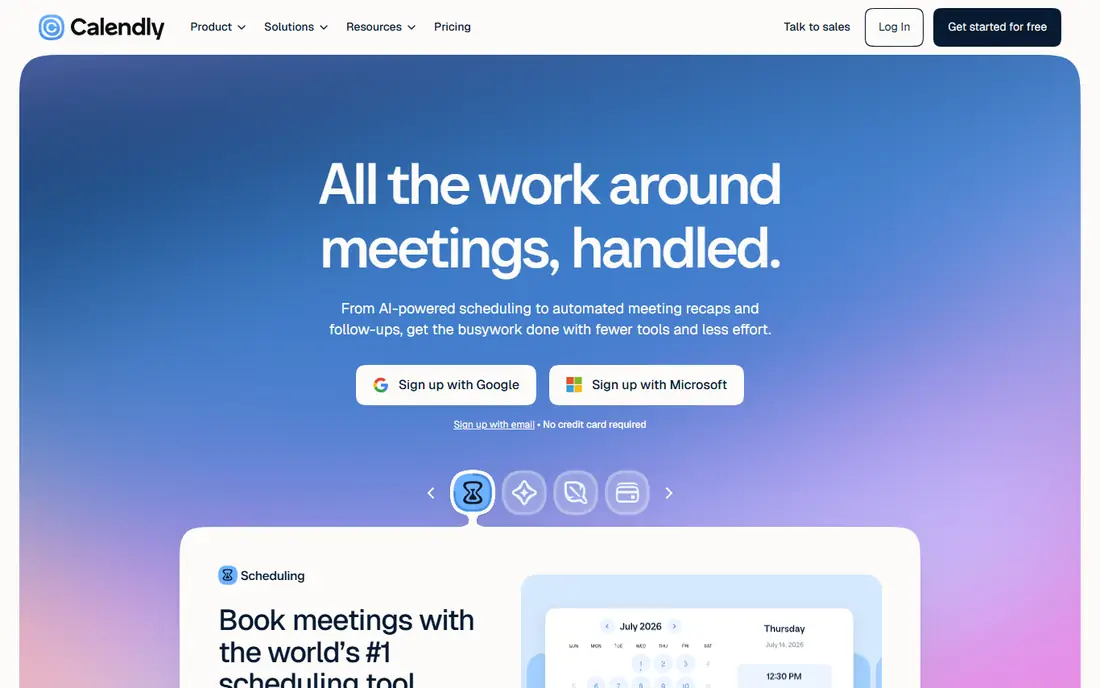
Calendly was built for individuals and teams that want the standard booking-link experience. The system includes one-on-one meetings, group events, round-robin distribution across a team and collective scheduling where everyone must be free.
Points against: Pricing not published on the homepage.
The tradeoff is that Calendly is a generalist. More specifically, integrations span Google and Microsoft calendars, Zoom, Teams, Salesforce and HubSpot. Calendly does not show a starting price in this comparison, so check the vendor site for current pricing. Free access: Not stated.
- Broad adoption means guests need no explanation
- Team features like round robin and collective events
- Advanced routing and workflow features sit on higher levels
YouCanBookMe
Best for: Teams that want straightforward booking pages with a free starting level
YouCanBookMe is aimed squarely at teams that want straightforward booking pages with a free starting level. YouCanBookMe keeps the pitch straightforward: link your calendar, get a booking page, let people schedule with you. It includes the core needs: availability rules, buffers, reminders and calendar sync.
Points against: premium-tier pricing not plainly published on the homepage.
For freelancers, consultants and small teams that want dependable booking without a ramp-up time, the free plan is a genuine starting point and premium levels add capacity as you grow. Power users will notice the ceiling. Pricing for YouCanBookMe is not stated here, so ask the vendor for current figures. YouCanBookMe has a free plan.
- Clean booking pages with calendar sync
- Works for individuals and teams
- Fewer advanced automation features than the sales-focused tools
Appointy
Best for: Salons, spas and clinics that want an all-in-one booking and business manager
Appointy targets salons, spas and clinics that want an all-in-one booking and business manager. Premium plan details live on the vendor's pricing page.
Strengths: pre-payments and reporting in one tool.
Worth adding: every signup starts with a 14-day free trial of the full product with no credit card required, and accounts that do not upgrade drop to a free plan. Check the vendor site for Appointy pricing; none is listed in this comparison. A free plan is available with Appointy.
Trade-offs to know: premium plan pricing not on the homepage.
- 14-day full-featured trial with no credit card
- Staff management, CRM
- Interface geared to service verticals instead of general meetings
SimplyBook.me
Best for: Service companies that want deep customization and class scheduling
SimplyBook.me is aimed squarely at service firms that want deep customization and class scheduling. SimplyBook.me is the configurability pick for service firms. Integrations handle Google Calendar, Outlook, Zoom, Stripe, PayPal and Zapier.
The main drawbacks: Feature depth means more setup time.
That depth includes setup effort: there is more to configure than on Calendly or YouCanBookMe. Worth adding: booking pages are completely configurable with templates and branding tools. The system manages use cases the more straightforward tools skip: class schedules with capacity limits and waitlists, memberships and pre-purchased packs, POS and in-person payments, tips and deposits. Pricing is tiered by bookings and features, so check the vendor's pricing page against your expected volume. SimplyBook.me does not show a starting price in this comparison, so check the vendor site for current pricing. As for free access: Not stated.
- Class scheduling with capacity limits
- Highly configurable booking pages and widgets
- Pricing page needed for exact plan details
OnceHub was built for teams that want versatile scheduling with a capable free plan. Calendar support spans Google, Microsoft 365, Outlook and iCloud, with Zoom, Teams and Meet for video. Beyond that, the brand recognition lags Calendly, which can matter when guests see the link.
What works well: Salesforce and HubSpot; Manages one-on-one, group.
In practice, the free plan handles the core scheduling needs, and premium levels add the team features, integrations and automation that bigger operations need. OnceHub, formerly ScheduleOnce, is the versatile middle ground: one-on-one meetings, group sessions, multi-host panels and resource scheduling, with booking pages that adapt to each format. OnceHub shows no starting price here, so confirm the cost on the vendor site. A free plan is available with OnceHub. Where it is weaker: Exact premium pricing needs the vendor's pricing page.
- Video tools
- Integrations with major calendars
- Brand is less known than the category leaders
Acuity Scheduling
Best for: Service firms that require client scheduling with payments and intake forms
Acuity Scheduling targets service firms that require client scheduling with payments and intake forms. Clients book themselves, fill intake forms, pay or leave deposits, and get automatic reminders.
As for the details, pricing is not published on the homepage, so check the vendor's pricing page for current plans. This comparison lists no price for Acuity Scheduling; ask the vendor. Free plan details: Not stated.
Watch-outs: More appointment-focused than meeting-focused.
- Aimed at appointments: intake forms, payments
- Client self-scheduling with automatic reminders
- Pricing not published on the homepage
Selection criteria
We compared the tools on published pricing, free plan or trial availability, feature coverage for automated scheduling software, and the limits each vendor documents. Treat prices as a snapshot: vendors change plans often, so check the vendor site for the figure that applies today. We ordered the tools by general fit, then by how clearly pricing is shown, then by free access. A buyer with unusual needs may reorder them.
Before you commit
- Ask Setmore, Calendly, YouCanBookMe and others for a written quote, since no starting price is shown.
- Look at free plan limits closely: Setmore, Cal.com, YouCanBookMe and others have one, and the caps decide whether it is usable for real work.
- Read the limits listed for Setmore first: Pro plan pricing shown per user with add-on structure.
- Test the integrations you rely on with Calendly before committing; some connectors sit on upper tiers.
- Before you load data into Acuity Scheduling, check what an export looks like and who can run it.
FAQ
Which options for automated scheduling software have a free plan?
Setmore, Cal.com, YouCanBookMe, Appointy and OnceHub offer a free plan in this list. Free plans usually cap users, projects or features, so check the limits on the vendor page.
Can I try these options before paying?
Often, yes. Setmore, Cal.com, YouCanBookMe and others have a free plan. Use your own data and a real task during the test, and check what the free tier or trial limits before you rely on it.
How much does scheduling software cost for a team?
Cal.com publishes Teams at $16/user/month and Organizations at $37/user/month. Setmore's free plan includes up to 4 users, which keeps small teams at zero.
Is there really a free scheduling tool with no catch?
Cal.com's free plan bundles unlimited event types, calendar sync, workflows, Stripe payments and video at no cost. Setmore is free for up to 4 users with unlimited appointments. From a buyer's view, the main limit is normally advanced features, branding removal or team capacity, which sit on premium levels.
Do these tools publish their prices?
Not all of them. Setmore, Calendly, YouCanBookMe and others publish no starting price, so expect a quote request for those. The rest, Cal.com included, show a starting price, though seats and billing terms still change the final cost.
Is Setmore the right pick for everyone comparing automated scheduling software?
No single tool suits every team. Setmore comes first because it fits small service businesses that want a free appointment scheduler with payments, while Cal.com suits teams and individuals who want open-source scheduling with a generous free plan and Calendly suits individuals and teams that want the standard booking-link experience. Match the tool to your own size, budget and workflow before deciding.