Best Apps for Learning Chinese in 2026: 9 Apps Compared
The best apps for learning Chinese cover tones, characters, and speaking, from HelloChinese for beginners to Pleco and Skritter for serious long-term study.
- Editor's choice
 HelloChinese
Complete beginners
Starts at$11.99 per monthVisit hellochinese.comFull review - Great alternative
 Duolingo
Daily habit building
Starts atSee websiteVisit duolingo.comFull review - Also consider
 Pleco
Dictionary and reading
Starts atFreeVisit pleco.comFull review
TL;DR:
- HelloChinese is the best starting app for complete beginners, with speech recognition and a clear path from pinyin to conversation.
- Pleco is the dictionary every learner needs, with OCR that reads menus, signs, and messages from your camera.
- Skritter is the best tool for learning to write characters by hand, with stroke-by-stroke feedback.
- No single app covers everything, so most learners pair a course app with Pleco and a speaking partner.
Quick comparison
| Tool | Best for | Starts at | Free plan? | |
|---|---|---|---|---|
| HelloChinese | Complete beginners | $11.99 per month | Yes | Visit |
| Duolingo | Daily habit building | See website | Yes | Visit |
| Pleco | Dictionary and reading | Free | Yes | Visit |
 Skritter | Writing characters by hand | $14.99 per month | Free trial | Visit |
 ChineseSkill | Game-style beginner lessons | See website | Yes | Visit |
 LingoDeer | Grammar-first structured lessons | See website | Yes | Visit |
 Rosetta Stone | Immersion-style learning | See website | Free trial | Visit |
 Pimsleur | Audio lessons for speaking | See website | Free trial | Visit |
 Tandem | Speaking with native speakers | Free | Yes | Visit |
The best apps for learning Chinese
Chinese asks a lot of a learner: tones, pinyin, thousands of characters, and grammar that works differently from English. The apps below split that job in useful ways, from beginner courses to dictionaries and speaking practice. We compared official pricing pages, app store listings, and learner reviews to sort them by level and strength.
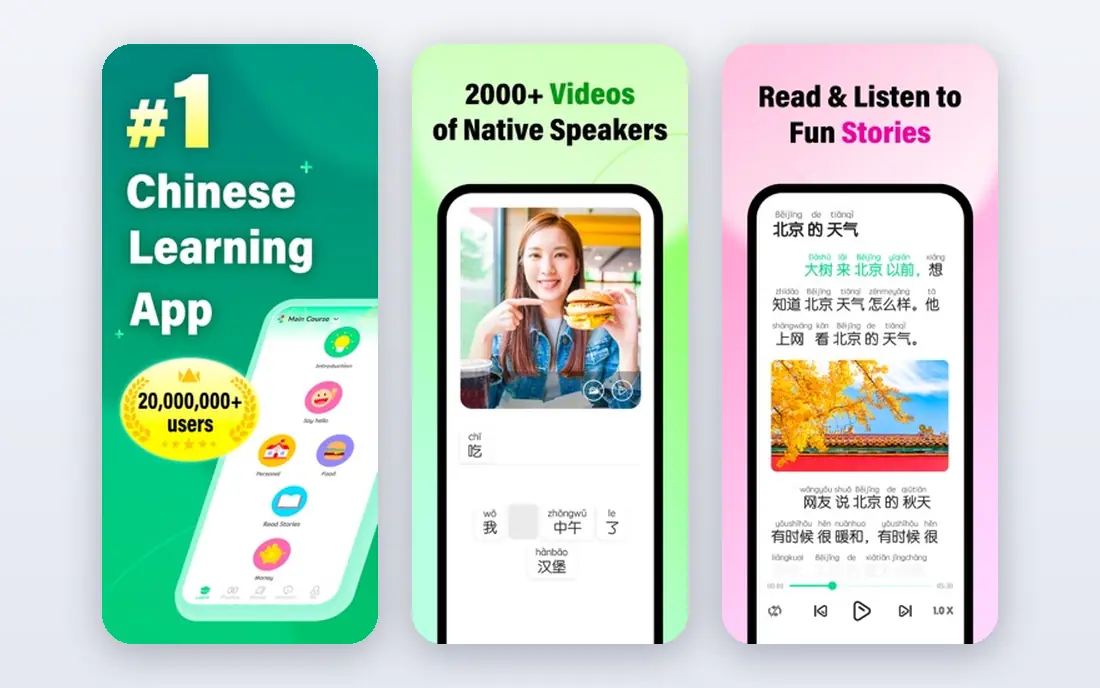
HelloChinese is the app we would hand to someone starting from zero. It teaches tones and pinyin step by step, uses speech recognition so you speak from day one, and builds toward short conversations in short lessons. The gamified structure keeps a daily habit alive, which matters more than any single feature in the first months.
The limits appear later. Content gets thinner past the intermediate levels, so serious learners will outgrow it and need reading and speaking tools. The monthly price is $11.99, with lower monthly rates on longer plans. For your first three to six months, HelloChinese gives you the strongest foundation on this list.
- Speech recognition from the first lesson
- Clear path from pinyin to conversation
- Stroke order and character writing included
- Content thins out past the intermediate levels
- Full access needs a paid plan
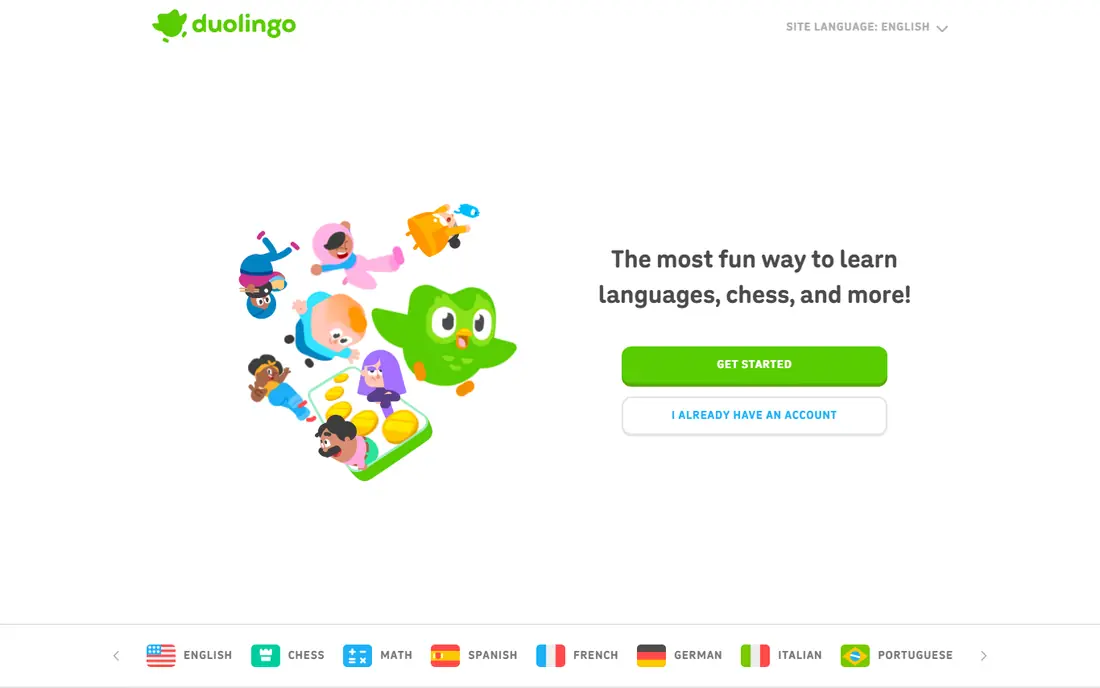
Duolingo is the easiest app to open every day, and that habit is its real strength. The Chinese course teaches pinyin, characters, and everyday phrases in short game-like lessons, and the free tier covers a lot of ground. If you have struggled to stick with language study before, Duolingo's streaks and reminders help.
It is not a complete course. Grammar explanations are thin, tone practice is limited, and handwriting gets little attention. The Chinese course also ends earlier than Duolingo's bigger languages. Use it as a daily habit builder beside a deeper course, not as your only study tool.
- Free to start with a strong daily habit loop
- Teaches pinyin, characters, and basic phrases
- Available on every device
- Shallow grammar explanations
- Weak on tones and handwriting
- Chinese course is shorter than major European languages
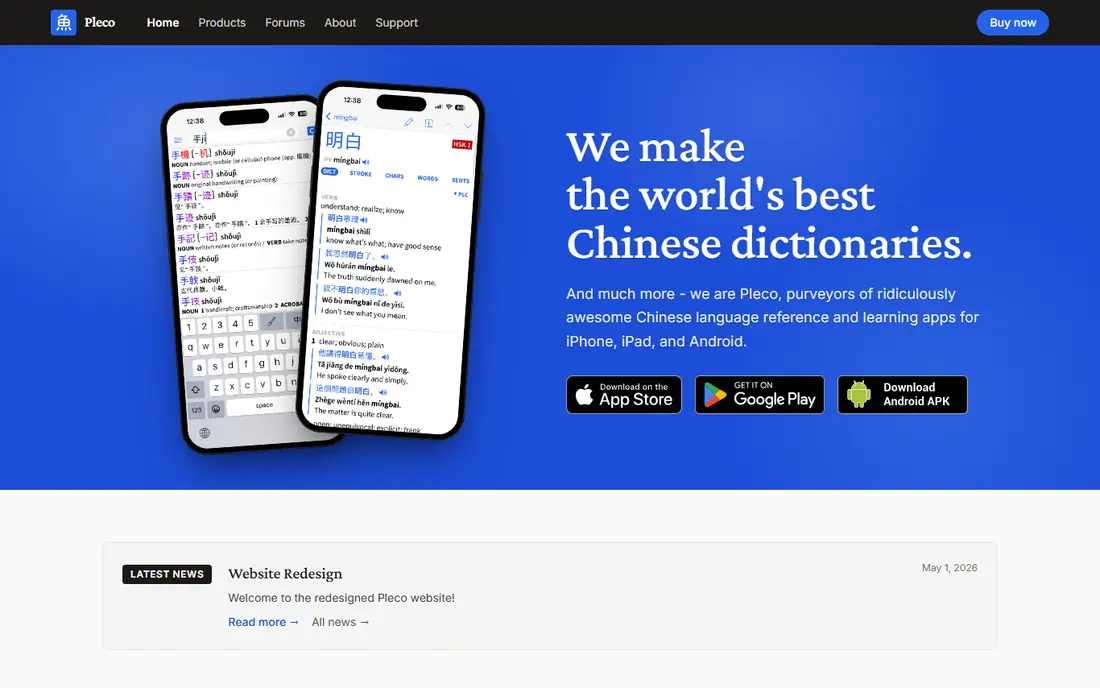
Pleco is the one app every Chinese learner ends up with, whatever else they use. The base dictionary is free, and the OCR add-on reads Chinese text through your camera, which turns menus, signs, and screenshots into readable text with a tap. The document reader does the same for articles and ebooks, and flashcards handle review.
It is a reference tool, not a course, so it will not plan your study or teach grammar in order. Premium dictionary add-ons cost extra, and the deep settings menu takes a while to learn. Buy the OCR and document reader add-ons early, since they pay for themselves the first time you read real Chinese outside a lesson.
- Best Chinese dictionary on mobile
- OCR reads text from your camera
- Document reader and flashcards as add-ons
- Not a course, so it will not teach you alone
- Premium dictionaries cost extra
- Settings take time to learn
Skritter does one job better than anything else: it teaches you to write characters by hand. You trace each character on screen and get feedback on stroke order and accuracy, with spaced repetition scheduling reviews before you forget. It covers simplified and traditional characters, plus Japanese kanji if you study both.
The price is $14.99 per month, with lower rates on longer plans and a seven-day trial. That is a lot for a single skill, and learners who only need to read and type should skip it and spend the time listening and reading instead. If handwriting is part of your goal, for exams or personal satisfaction, Skritter is the right tool.
- Stroke-by-stroke handwriting feedback
- Spaced repetition tuned to characters
- Covers simplified and traditional forms
- Only worth it if handwriting matters to you
- Monthly price is high for a single-skill app
ChineseSkill is a friendly alternative for beginners who want game-style lessons. It covers listening, speaking, reading, and writing in short activities, with a free tier that lets you test the approach before paying. The tone and character introductions are clear, and the pacing suits casual learners.
Depth is the weak spot. Past the beginner levels, ChineseSkill offers less than HelloChinese, and its update pace has been slower. If HelloChinese's style does not click for you, ChineseSkill is a fair second try for the first months of study.
- Playful game-style lessons for beginners
- Covers listening, speaking, reading, and writing
- Free tier to start
- Less depth than HelloChinese at higher levels
- Smaller community and fewer updates
LingoDeer suits learners who want to understand why sentences work, not just repeat them. Each lesson explains the grammar point before drilling it, and the structured path runs from beginner into intermediate territory. Offline lessons help when you study on a commute without a connection.
Speaking practice is thinner than HelloChinese, since LingoDeer leans on reading and listening drills. Its Chinese course is also smaller than its Korean and Japanese offerings. If grammar explanations keep you going where game apps lose you, LingoDeer is a strong pick.
- Clear grammar explanations in each lesson
- Structured path through beginner and intermediate levels
- Offline lessons
- Less speaking practice than HelloChinese
- Chinese content is smaller than its Korean and Japanese courses
Rosetta Stone teaches by immersion: pictures and audio with no English in between, so you learn words from context the way a child does. Speech recognition checks your pronunciation, and the course runs across several levels. Long-time language learners often like its steady, distraction-free structure.
The immersion method frustrates learners who want grammar explained plainly, and character writing gets less attention than in specialist apps. It also costs more than most apps here. If you know you learn well from context and want a calm, structured course, Rosetta Stone is worth a trial.
- Immersion method with no English translations
- Speech recognition for pronunciation
- Structured multi-level course
- No grammar explanations for learners who want them
- Pricey compared with app rivals
- Character writing is light
Pimsleur is the best pick for learners whose main goal is speaking. Its 30-minute audio lessons teach you to respond in conversation, with spaced repetition that brings phrases back just as you start to forget them. You can study while driving, walking, or doing chores, which turns dead time into study time.
Reading and characters get almost no attention, so Pimsleur alone will not make you literate. The subscription also adds up over a long course. Pair it with Pleco for reading and Skritter if you want handwriting, and Pimsleur will carry the speaking half of your study.
- Audio-first lessons built for speaking
- Spaced repetition of phrases
- Works hands-free while driving or walking
- Little reading or character study
- Subscription cost adds up
- Lessons feel slow for fast learners
Tandem connects you with native Chinese speakers who want to learn your language, so you trade conversation time. In-app text, voice, and video chat plus correction tools let partners fix your sentences as you talk. Real conversation is the fastest way to turn lesson knowledge into usable speaking skill.
The catch is people. Partner quality varies, reliable partners take effort to find, and the free tier has limits on some features. Treat Tandem as a supplement to a course, not a replacement for one, and set up a regular weekly exchange rather than hoping for random chats. Used that way, it is the best speaking practice on this list for the price.
- Language exchange with native speakers
- Text, voice, and video chat in-app
- Correction tools for partner feedback
- Quality depends on your partners
- Free tier has limits
- Finding a reliable partner takes effort
How we picked these
We compared official pricing pages, app store listings, and learner reviews for apps that teach Mandarin Chinese and are actively maintained in October 2026. We favored a mix of course apps, reference tools, and speaking practice, since no single app covers tones, characters, grammar, and conversation well. Prices and free tiers change, so check the app store listing before subscribing.
How to build a study stack
One app rarely covers Chinese well, so think in terms of a stack. A course app carries your daily lessons, Pleco handles every word you meet, and a speaking tool turns knowledge into conversation. That trio costs little and covers far more than any single subscription.
Start with your goal
If your goal is travel conversation, lean on Pimsleur and HelloChinese, with Tandem for live practice. If you plan to read Chinese or pass an exam, add Pleco's document reader and Skritter for characters early. If you only have 15 minutes a day, pick one course app and protect the daily habit before adding more.
Do not skip tones
Tones change meaning in Mandarin, so an app with speech recognition, like HelloChinese or Rosetta Stone, earns its place in the first months. Record yourself, compare with native audio, and fix tone mistakes early, since they harden into habits that are painful to undo later.
Move to real material early
Graded readers and real articles, read with Pleco's OCR and document reader, teach vocabulary that lessons never cover. Start with short, simple texts once you know a few hundred characters, and look up every unknown word. That reading habit is what separates learners who stall from learners who keep improving.
FAQ
What is the best app to learn Chinese for beginners?
HelloChinese is our pick for complete beginners, thanks to speech recognition, a clear path from pinyin to conversation, and short daily lessons. Duolingo is a good free habit builder beside it, and ChineseSkill is a fair alternative if you prefer its game style.
Is Pleco free?
The base Pleco dictionary app is free, and it is already the best Chinese dictionary on mobile. Premium add-ons like OCR, the document reader, and extra dictionaries cost extra, and the OCR add-on is the one most learners should buy first.
Can I learn Chinese characters with an app?
Yes. Skritter is the best app for handwriting, with stroke-by-stroke feedback and spaced repetition. HelloChinese and ChineseSkill teach stroke order for beginners, while Pleco's flashcards handle recognition review for readers who do not need to write by hand.
How long does it take to learn Chinese with apps?
Reaching basic conversation usually takes several months of daily study, and reading comfortably takes years, since you need thousands of characters. Apps speed up the early stages, but regular speaking practice and real reading matter more than any single app choice.
Do I need a tutor if I use these apps?
Not at first, but a tutor or exchange partner helps once you can hold basic conversations. Tandem offers free language exchange, while paid tutoring suits learners who want structured correction and conversation practice on a schedule.