9 Best Apps for Jailbroken Firestick Codes in 2026
Find the best apps for jailbroken firestick codes that are legal to use, from Kodi and Plex to free streaming services, with setup notes and warnings.
- Editor's choice
 Kodi
Legal media centre with add-ons
Starts atFreeVisit kodi.tvFull review - Great alternative
 Downloader
Sideloading tool for legal files
Starts atFreeVisit aftvnews.comFull review - Also consider
 Plex
Your own media library plus free TV
Starts atFreeVisit plex.tvFull review
TL;DR:
- "Jailbreaking" a Fire TV Stick only means allowing installs from unknown sources in Amazon's own settings, and it does not require pirated content.
- This list covers legal apps only: official streaming services, free ad-supported services, and legal sideloaded tools like Kodi used with legal add-ons.
- Kodi and Downloader are the two sideloading essentials, while Plex organises your own media library across devices.
- Tubi, Pluto TV, Freevee and Xumo Play give large free libraries with ads, legally licensed and free to install from the Amazon Appstore.
- Pirated streams and unlicensed content are off limits here: they carry malware and legal risk, and they break constantly compared with licensed services.
Quick comparison
| Tool | Best for | Starts at | Free plan? | |
|---|---|---|---|---|
| Kodi | Legal media centre with add-ons | Free | Yes | Visit |
| Downloader | Sideloading tool for legal files | Free | Yes | Visit |
| Plex | Your own media library plus free TV | Free | Yes | Visit |
 Tubi | Free movies and TV on demand | Free | Yes | Visit |
 Pluto TV | Free live TV channels | Free | Yes | Visit |
 Freevee | Free Amazon movies and shows | Free | Yes | Visit |
 Xumo Play | Free live and on-demand TV | Free | Yes | Visit |
 Sling TV | Paid live TV without cable | See website | Free trial | Visit |
 Peacock | Paid streaming with a free tier path | See website | See website | Visit |
The best apps for jailbroken Firestick codes
We compared official app store listings, vendor pages and public reviews to find legal apps that work well on Fire TV Stick in 2026. A plain warning first: this article lists legal apps and services only. Pirated streams, unlicensed sports feeds and apps promising free premium movies are off limits, since they break copyright law, often carry malware, and stop working without notice. Everything below is licensed, or is a tool used with your own legal media.
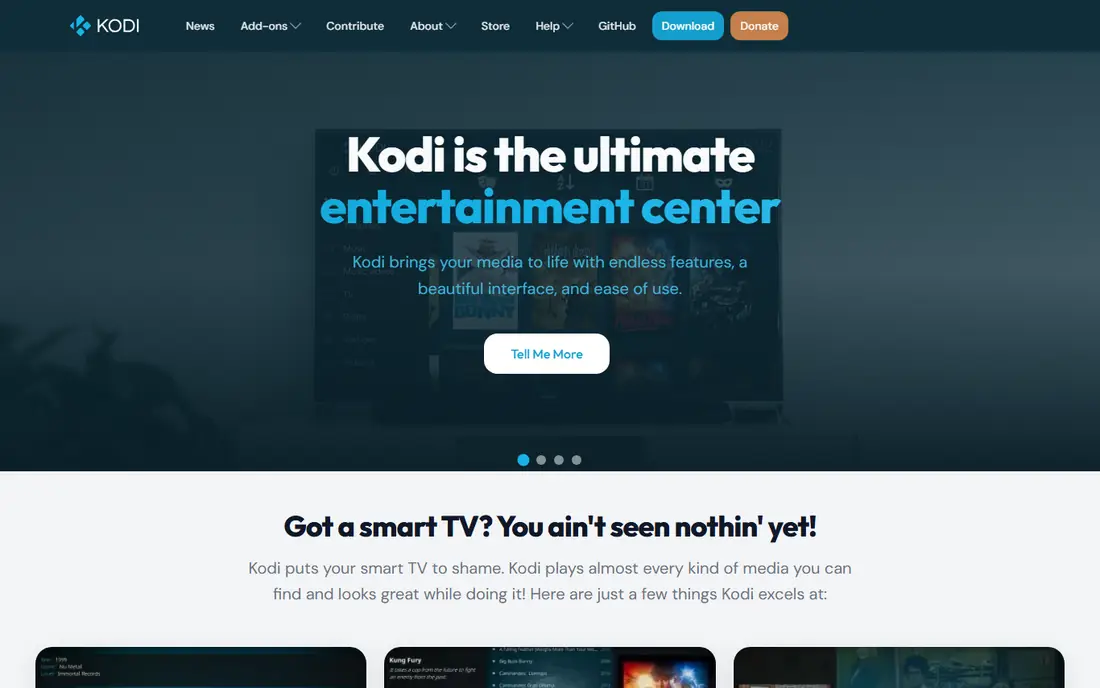
Kodi is the classic reason people enable sideloading, and used legally it is an excellent media centre. Install it from its official site via Downloader, point it at your own video and music library, and use official add-ons for legal sources such as public broadcasters, podcasts and your own live TV tuner. Playback, library organisation and subtitle support are all strong.
The risk is not Kodi itself but unofficial third-party add-ons that promise free premium content: those are the piracy and malware route, and they should be avoided entirely. Stick to the official add-on repository and your own files, and Kodi becomes a safe, powerful front end for a Fire TV Stick.
- Free open-source media centre
- Plays almost any local file type
- Official add-ons for legal sources
- Setup takes effort
- Unofficial add-ons can be piracy and malware risks
- Interface needs customising
Downloader is the utility that makes sideloading practical: install it from the Amazon Appstore, allow it in Developer Options, then enter the official download address or code for a legal app such as Kodi. It downloads and installs the file, and you can delete the installer afterwards to save storage. It is made by a well-known Fire TV news site and is itself legitimate.
Downloader gives access to whatever file you point it at, so the safety rule matters: only install apps from their official websites, never from random code lists promising free premium streams. Note also that newer Fire TV Sticks running Vega OS can only install Appstore apps, so sideloading may not work on the newest models.
- Simple way to install legal APK files
- Available in the Amazon Appstore
- Browser and file download in one app
- It is a tool, not a content source
- Only install files from trusted official sites
- Newer Vega OS sticks limit sideloading

Plex turns a computer or drive full of your own media into a personal streaming service, with artwork, watch progress and organisation that rivals paid apps. The Fire TV app is free in the Appstore, and Plex also offers free ad-supported movies, shows and live channels without a server. That combination makes it the best legal use of a Fire TV Stick for personal collections.
Server setup takes some time, and remote streaming outside your home now involves a Remote Watch Pass or Plex Pass, with hardware transcoding and DVR also on Plex Pass. For in-home viewing and free streaming, the free tier is plenty. For a household media library, Plex is the polished choice.
- Organises your own movies, shows and music beautifully
- Free ad-supported movies and live channels
- Streams to every device
- Remote access needs a paid pass on newer terms
- Hardware transcoding and DVR need Plex Pass
- Server setup takes time
Tubi is the best free on-demand service for a Fire TV Stick, with a large licensed library of movies and TV shows available without a subscription or payment card. Install it from the Amazon Appstore, sign in free, and browse by genre. The catalogue leans on library titles rather than brand-new releases, but its depth surprises most first-time users.
Ads fund the service, so expect breaks during films, and new releases are limited compared with paid services. For a legal, free, no-setup movie night, Tubi is the first app to install.
- Large free licensed library
- No subscription or card needed
- Available directly in the Appstore
- Ad-supported with breaks
- Newest releases are limited
- Catalogue varies by region
Pluto TV recreates channel surfing for free, with a guide of live channels covering news, movies, reality, true crime and classic TV, plus on-demand titles. It runs straight from the Appstore with no subscription, making it the easiest legal replacement for cable-style browsing. The guide layout feels familiar to anyone who grew up with TV schedules.
Ads are part of the deal, and the lineup changes over time as licensing deals shift. On-demand depth is thinner than Tubi. For background TV, news and channel flipping without a bill, Pluto TV is excellent.
- Cable-like live channel guide
- News, movies and reality channels
- Free with no account needed for basic use
- Ad-supported
- Channel lineup changes
- On-demand library is smaller than Tubi
Freevee is Amazon's own free streaming service, built into Fire TV, offering movies, shows and originals at no cost beyond ads. Because it is native to the platform, playback and integration are smooth, and no separate subscription is needed. It complements Tubi well, since their catalogues differ.
The library is smaller than Prime Video's, and ads interrupt viewing. For Fire TV owners, though, Freevee is a zero-effort legal addition: it is already there, it costs nothing, and it works immediately.
- Amazon's free ad-supported service
- Originals and licensed titles
- Built into Fire TV
- Ad-supported
- Catalogue smaller than Prime Video
- Availability varies by region
Xumo Play offers another free, legal mix of live channels and on-demand movies and shows, installable from the Appstore without a subscription. Its guide covers news, entertainment, sports highlights and movies, giving a second free live option alongside Pluto TV for days when one service's lineup does not appeal.
Ads support the service, and the catalogue is not as deep as Tubi's on-demand library. As a free extra channel bundle, Xumo Play earns its place on a Fire TV Stick home screen.
- Free live channels plus on-demand movies
- Simple guide
- No subscription needed
- Ad-supported
- Smaller brand recognition
- Catalogue depth varies
Sling TV is the budget paid live TV option for cord-cutters who still want cable channels, sports and news live. Packages are flexible, there is no long contract, and cloud DVR options record shows for later. It installs from the Appstore and runs well on Fire TV Stick hardware.
Pricing varies by package and add-ons, so check the current Sling page before subscribing, and confirm local channel coverage in your area. For households replacing cable with a legal live service, Sling TV is the most flexible paid pick here.
- Live cable channels without a contract
- Flexible channel packages
- Cloud DVR options
- Paid subscription with prices varying by package
- Local channels vary by area
- Add-ons increase cost
Peacock carries NBCUniversal shows, movies, live sports and originals, with a strong back catalogue of long-running series. Its Fire TV app is polished, and it suits viewers who want broadcast network content plus sports in one paid service. Check the current Peacock page for plans, since tiers and pricing change.
Full access needs a paid plan, and lower tiers include ads. For NBC, Bravo and sports fans, Peacock is a strong legal addition to the free services above.
- NBCUniversal shows, movies and live sports
- Large back catalogue
- Good Fire TV app
- Paid plans required for full access
- Pricing and tiers change
- Ads on lower tiers
How we picked these
We compared official app store listings, vendor pages and public reviews, and we only included apps that are licensed or are tools used with legal media. We excluded unofficial streaming APKs that promise free premium movies, sports and channels, since those stream unlicensed content and carry malware risk. Every app here is available from the Amazon Appstore or the vendor's official site, and all were operating in 2026.
Setting up a Fire TV Stick legally
Enable unknown sources only for trusted apps
In Settings, under My Fire TV and Developer Options, you can allow Downloader to install apps from unknown sources. Use that permission only for official downloads like Kodi from kodi.tv, and turn it off again if you are unsure. Never enter codes from random lists promising free premium content.
Start with Appstore apps first
Most viewers need no sideloading at all: Tubi, Pluto TV, Freevee, Xumo Play, Plex, Sling TV and Peacock all install from the Appstore. Add Kodi only if you have your own media library or a legal tuner setup. A stick full of licensed apps is simpler, safer and more reliable than a stick full of unofficial ones.
Keep storage and updates in mind
Fire TV Sticks have limited storage, so delete installer files after sideloading and remove apps you do not use. Keep apps updated through the Appstore or official sites, since outdated sideloaded apps are a common cause of crashes and security issues.
FAQ
Is jailbreaking a Firestick legal?
Enabling installs from unknown sources using Amazon's own settings is generally legal, since you own the device. What matters is what you install: legal apps and your own media are fine, while pirated streams and unlicensed content are not. Stick to Appstore apps and official downloads.
What is the best legal app for a jailbroken Firestick?
Kodi is the best legal sideloaded app, used with your own media and official add-ons. For most viewers, Plex for personal media plus Tubi and Pluto TV for free licensed streaming cover everything without sideloading at all.
Do I need Downloader on a Firestick?
Only if you plan to sideload a legal app like Kodi that is not in the Appstore. Downloader itself is free in the Appstore and is a legitimate tool. If you only use Appstore apps, you do not need it.
Why do unofficial streaming apps keep breaking?
Unofficial apps rely on unlicensed sources that get shut down, change addresses or inject malware, so links break constantly. Licensed services like Tubi, Pluto TV and Sling TV pay for their content, which is why they stay stable and safe.
Can I watch live sports legally on a Firestick?
Yes, through licensed services: Sling TV and Peacock carry live sports depending on package and season, and free services carry sports highlights and some live events. Avoid unofficial sports stream apps, which are unlicensed and risky.