9 Best Apps for Home Repair Services in 2026
Looking for the best app for home repair services? We compared 9 trusted apps for plumbers, handymen, and larger projects, with prices, pros, and tips.
- Editor's choice
 Thumbtack
Comparing quotes for planned projects
Starts atFreeVisit thumbtack.comFull review - Great alternative
 Angi
Reviewed pros for larger jobs
Starts atFreeVisit angi.comFull review - Also consider
 TaskRabbit
Small hourly jobs booked fast
Starts atFree to browseVisit taskrabbit.comFull review
TL;DR:
- Thumbtack and Angi are our starting points for most planned projects because they show several local pros and quotes side by side.
- TaskRabbit and Handy suit smaller, well defined jobs that you want booked by the hour or at a set price.
- Most of these apps are free to download and browse, and you pay the pro or the platform for the job itself, not for searching.
- Always confirm licensing, insurance, and what is included in a quote before anyone starts work in your home.
- For urgent leaks or safety issues, call a local emergency pro directly rather than waiting for app messages.
Quick comparison
| Tool | Best for | Starts at | Free plan? | |
|---|---|---|---|---|
| Thumbtack | Comparing quotes for planned projects | Free | Yes | Visit |
| Angi | Reviewed pros for larger jobs | Free | Yes | Visit |
| TaskRabbit | Small hourly jobs booked fast | Free to browse | Yes | Visit |
 Handy | Set price cleaning and handyman visits | Free to browse | Yes | Visit |
 Porch | Project planning and local pros | Free | Yes | Visit |
 Puls | Same day tech and appliance help | Free to browse | Yes | Visit |
 Airtasker | Posting a job and taking offers | Free | Yes | Visit |
 Frontdoor | Repair help by video chat | See website | No | Visit |
 HomeServe | Repair plans for covered systems | See website | No | Visit |
The best apps for home repair services
We compared official feature pages, pricing pages, app store listings, and public reviews to find apps that cover real repair work in the United States.
Thumbtack works best when you can describe the job clearly and wait for a few replies. You post the project, answer questions about size and timing, and local pros send quotes and profiles. That structure makes it easier to compare price, reviews, and availability without calling a long list of numbers one by one. The catch is that coverage and response speed depend on your area. In a large city you may get several quotes in hours, while in a smaller town the choice can be thin. Read recent reviews, ask about licensing for plumbing and electrical work, and get the final scope in writing before work starts.
- Wide range of trades
- Quote comparison
- Cost guides for common projects
- Quote quality varies by area
- Pros pay for leads, which can affect pricing
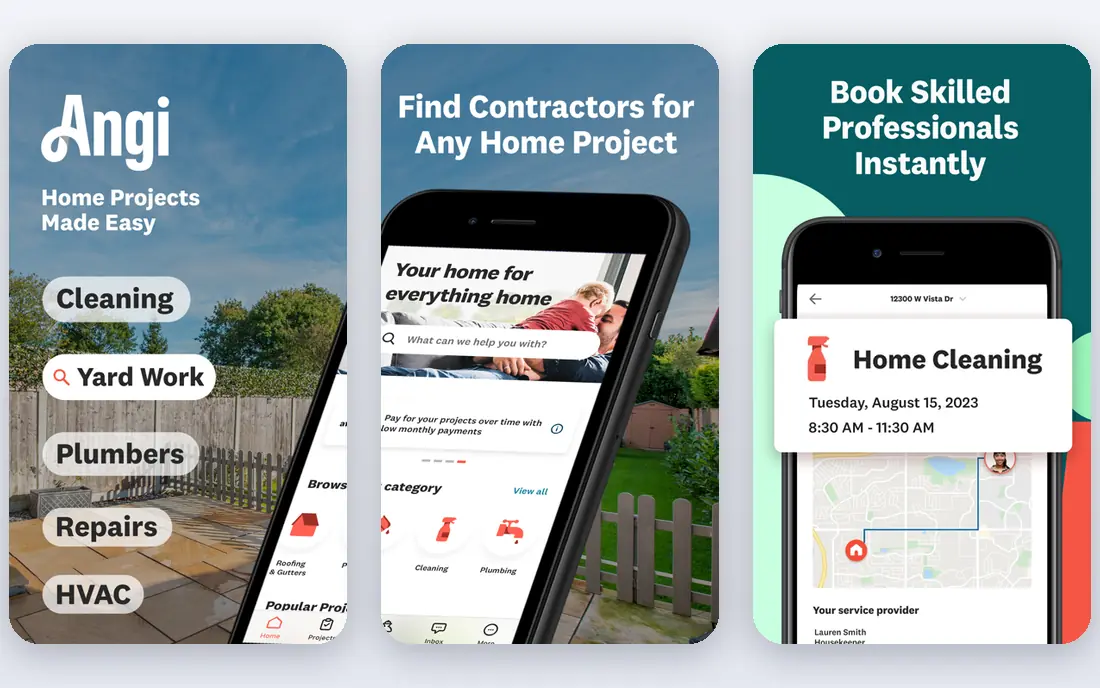
Angi suits homeowners planning a bigger job, such as a roof repair, a bathroom fix, or a full remodel step. Its profiles often include project photos, service details, and review history, which helps when the job is too large to judge on price alone. You can request quotes and manage messages in one place. The trade off is noise. Once you post a project, expect follow ups from more than one pro, and check whether any guarantee applies only when you book and pay through Angi. That detail matters if a job goes wrong and you need help sorting it out.
- Large pro network
- Detailed profiles
- Booking and payment tools
- Extra membership features cost more
- Some users report many follow up messages
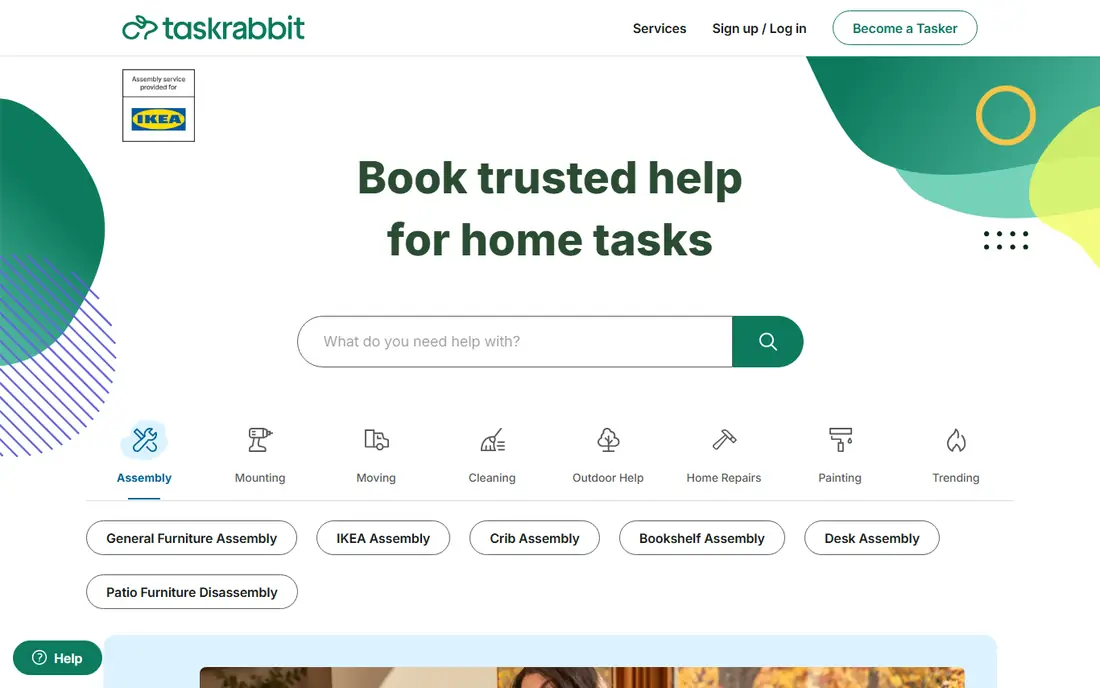
TaskRabbit is the pick for jobs you can define in a sentence, such as mounting a television, patching a small hole, or assembling furniture. You choose a Tasker, see an hourly rate, and book a time. Payment and messaging stay in the app, which keeps the arrangement simple. The honest limit is scope. A Tasker is not a substitute for a licensed plumber or electrician on regulated work, and hourly pricing can grow if the job takes longer than expected. Set a clear task list, agree on a time cap, and confirm what tools the Tasker will bring.
- Clear hourly rates
- Background checked Taskers
- Fast booking in many cities
- Not suited to large licensed projects
- Total cost rises with time
Handy fits routine help rather than complex repairs. Common handyman tasks and cleaning visits are priced before you book, so you know the starting cost and can pick a time slot. That predictability is useful for renters and busy households that need a small fix handled without a long quoting process. The weakness is depth. If the job turns out to need parts, permits, or a licensed trade, Handy may not be the right route. Use it for straightforward work, and move to Thumbtack or Angi when the repair needs diagnosis, specialist tools, or a written estimate.
- Upfront pricing for common jobs
- Easy rescheduling
- In app payment
- Narrower repair range than marketplaces
- Availability varies by city
Porch takes a planning first approach. It gives cost ranges and project guidance, then connects you with local pros for the work. That extra context helps if you are not sure whether a job is a quick fix or a larger project, and it helps you ask better questions when quotes arrive. Booking is less uniform than on Thumbtack or TaskRabbit, because Porch works with partners in different ways by location. Treat it as a strong research and lead step, then confirm the pro, the price, and the schedule directly before you commit.
- Project cost information
- Local pro connections
- Home project tracking
- Less direct booking in some areas
- Experience varies by partner pro
Puls stands out when the problem is an appliance, a television mount, or a smart device rather than a wall or a pipe. You describe the issue, pick a time, and often get same day or next day service in covered cities. Quotes are given before booking, which removes much of the guesswork. The limit is coverage. Puls does not replace a general contractor, and not every city or appliance brand is covered. Check the service list for your zip code, ask about parts and warranty on the repair, and keep the model number ready when you book.
- Fast booking
- Appliance and device repair focus
- Upfront quotes
- Limited to covered services and areas
- Parts can add to the final bill
Airtasker works like a job board for household help. You post the task, set a budget, and receive offers from people nearby. That format is handy for mixed jobs, such as clearing a garage, fixing a fence panel, and hauling debris in one visit, where a standard marketplace category does not quite fit. Screening is on you. Check profiles, past reviews, and whether the person has the right skills and insurance for the task. For licensed electrical, gas, or structural work, choose a licensed pro through a trade marketplace instead of the lowest offer.
- Flexible job posts
- Offers from local people
- Useful for odd jobs
- Vetting varies
- You must screen offers carefully
Frontdoor is different from the rest of this list because the first step is a video call, not a visit. An expert talks you through the problem, helps you diagnose it, and tells you whether it is safe to fix yourself or needs a pro on site. That can save a callout fee for simple issues. The limit is obvious. A video expert cannot replace a part, stop a leak, or rewire a circuit. Frontdoor works best as triage for unclear problems, and as a second opinion before you pay for a visit. Check the current plan terms on its website, since pricing and included visits change.
- Live expert video help
- Useful for diagnosis
- Can reduce callout costs
- Subscription or paid plans
- Cannot fix problems that need hands on work
HomeServe suits homeowners who want predictable help when a covered system fails. You pay for a plan, and when a covered repair is needed, HomeServe arranges a local pro from its network. That structure can reduce stress during a breakdown, especially for older homes. Read the plan terms closely before you buy. Coverage limits, exclusions, and waiting periods vary by plan and state, and not every repair will be covered in full. Compare the annual plan cost with what a single typical repair would cost in your area before you decide.
- Plans for plumbing, electrical, and heating systems
- Network of local pros
- Monthly plan cost
- Coverage limits and waiting periods may apply
How we picked these
We compared official feature pages, pricing pages, app store listings, privacy policies, and public reviews for apps that book or connect real home repair help in the United States. We favored apps with a clear service area, named pros or partners, in app messaging or payment where offered, and a track record of completed jobs. We left out general directories with no booking or quote flow, and apps that only serve one very narrow trade.
What to check before you hire through an app
Start with scope. Write down what is broken, where it is, and what a finished job should look like. Photos help, and they also help pros give a realistic quote instead of a guess. If two quotes describe different work, they are not comparable, so ask each pro to confirm the same scope in writing. Next, check credentials for regulated work. Plumbing, electrical, gas, and structural repairs often require a license, and insurance protects you if something is damaged. Ask for the license number where it applies, and confirm who supplies parts and who cleans up. A low quote that leaves out parts, disposal, or a return visit is not actually low. Finally, protect the payment. Pay through the app where that option exists, keep messages in the app, and avoid paying the full amount upfront for a large job. A staged payment, with a final payment after you have checked the work, is a fair arrangement for both sides.
Red flags worth pausing on
Be cautious with pros who will only take cash, refuse to put the scope in writing, or pressure you to decide on the spot. Be cautious too with quotes far below every other quote, since that often means a missing step or lower grade parts. If a job involves water damage, gas, or a safety system, get a licensed pro promptly rather than shopping for the cheapest option.
FAQ
Is the best app for home repair services free to use?
Most apps on this list are free to download and browse, and Thumbtack, Angi, Porch, and Airtasker are free for homeowners to post a job. You still pay for the repair itself, either to the pro or through the platform, and TaskRabbit adds a service fee to the hourly rate. Always check the quote for fees, parts, and taxes before you book.
Which app is best for an urgent repair?
For a leak, a power problem, or a safety issue, speed matters more than comparing five quotes. Puls can help with covered appliance and tech jobs, and TaskRabbit can help with small urgent tasks in many cities. For plumbing or electrical emergencies, call a local licensed pro directly and use an app as a backup if no one answers.
Do I need a licensed pro for every repair?
No, and that distinction saves money. Furniture assembly, mounting, patching, and basic handyman tasks do not usually need a license. Plumbing, electrical, gas, and structural work often do, and rules vary by state and city. When in doubt, ask the pro and check your local licensing rules before work starts.
How do I compare quotes fairly?
Ask each pro to confirm the same scope, parts, labor, cleanup, and warranty in writing. Note the start date, how long the job should take, and what happens if extra damage is found once work begins. A clear written quote makes it easy to spot a missing step, and it gives you a record if a dispute arises.
Can I trust reviews inside these apps?
Reviews are a useful signal, but they are not the whole story. Look for recent reviews for similar jobs, photos of finished work, and how the pro responds to complaints. Combine app reviews with a quick search for the business name, and ask for references on larger jobs before you sign anything.
What if the repair goes wrong?
Contact the pro first, in writing, and keep photos of the problem. If you booked and paid through the app, use its support and any guarantee terms, and report the issue promptly since guarantees often have time limits. For licensed work, your state licensing board may also offer a complaint route if the pro will not fix the fault.