Best App for Picking Up Shifts in 2026: 8 Apps Compared
Find the best app for picking up shifts in 2026, comparing pay speed, job types, W-2 and 1099 status, and coverage for warehouse and hospitality work.
- Editor's choice
 Instawork
Broad hospitality and warehouse shifts
Starts atFreeVisit instawork.comFull review - Great alternative
 Wonolo
Same-day warehouse and event shifts
Starts atFreeVisit wonolo.comFull review - Also consider
 Qwick
Hospitality pros and fast pay
Starts atFreeVisit qwick.comFull review
TL;DR:
- Most shift apps are free for workers, so the real comparison is shift volume in your city, pay speed and job type, not the download price.
- W-2 apps such as Bluecrew, Upshift and Indeed Flex offer employee benefits and tax withholding, while 1099 apps offer more flexibility and self-managed taxes.
- Qwick pays fastest for hospitality workers, with payment possible within about 30 minutes after an eligible shift, subject to fees and eligibility.
- Instawork and GigSmart offer broad coverage, but shift volume still varies a lot by city, so check your area before you rely on one app.
- Running two or three apps at once is normal for shift workers, because no single app covers every industry, city and schedule.
Quick comparison
| Tool | Best for | Starts at | Free plan? | |
|---|---|---|---|---|
| Instawork | Broad hospitality and warehouse shifts | Free | Yes | Visit |
| Wonolo | Same-day warehouse and event shifts | Free | Yes | Visit |
| Qwick | Hospitality pros and fast pay | Free | Yes | Visit |
 Bluecrew | W-2 shift work with benefits | Free | Yes | Visit |
 Veryable | Manufacturing and warehouse bids | Free | Yes | Visit |
 GigSmart | Nationwide shift coverage | Free | Yes | Visit |
 Upshift | W-2 hospitality and events | Free | Yes | Visit |
 WorkWhile | Next-day warehouse pay | Free | Yes | Visit |
The best app for picking up shifts
Picking up shifts through an app works best when you match the app to your industry, your city and how fast you need to be paid. A hospitality app will not help a warehouse worker, and a nationwide app may still have few shifts in a smaller city. The apps below cover the main shift-work industries in the United States.
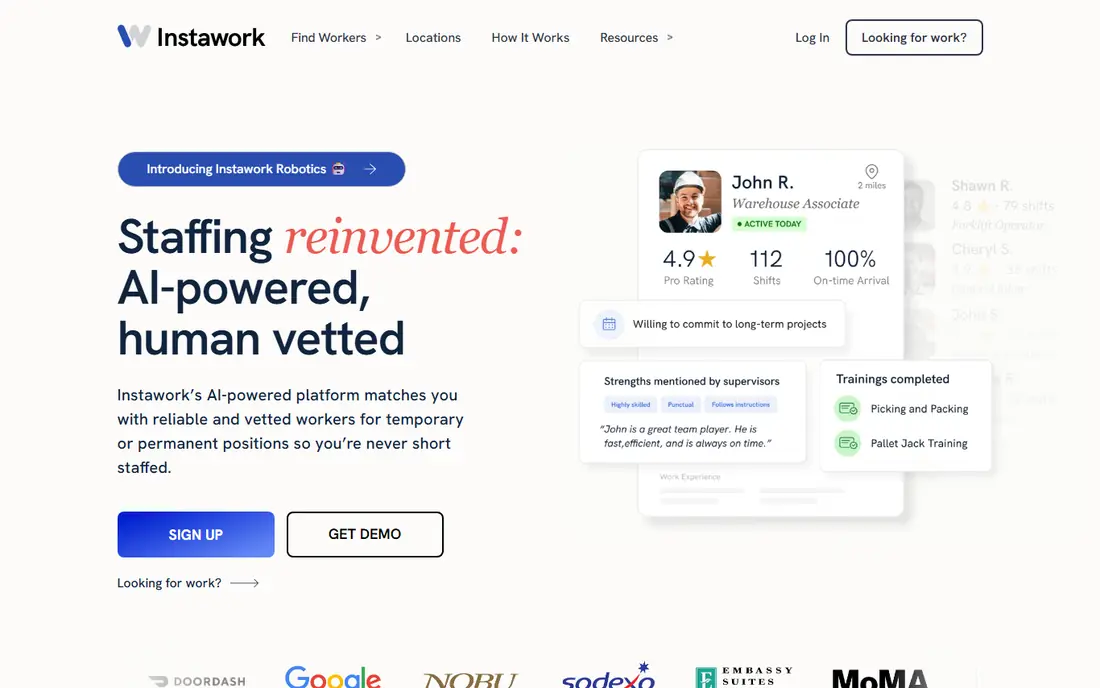
Instawork is the broadest starting point for most shift workers. It covers hospitality, warehouse, food service and retail shifts in many US cities, and its tier system gives reliable workers earlier access to shifts. That reward for showing up on time and completing shifts well is a practical advantage for people who work regularly.
The main limit is geography. A large national footprint does not guarantee many shifts in your specific city, so check local listings before you count on Instawork as your only source. Pay speed also depends on your tier and on whether you choose an instant pay option, which may carry a fee. For workers in a busy metro, Instawork is a strong first app.
- Large shift volume in major metros
- Hospitality, warehouse and events coverage
- Tier system rewards reliable workers
- Shift volume varies by city
- Instant pay rules and fees depend on tier and eligibility
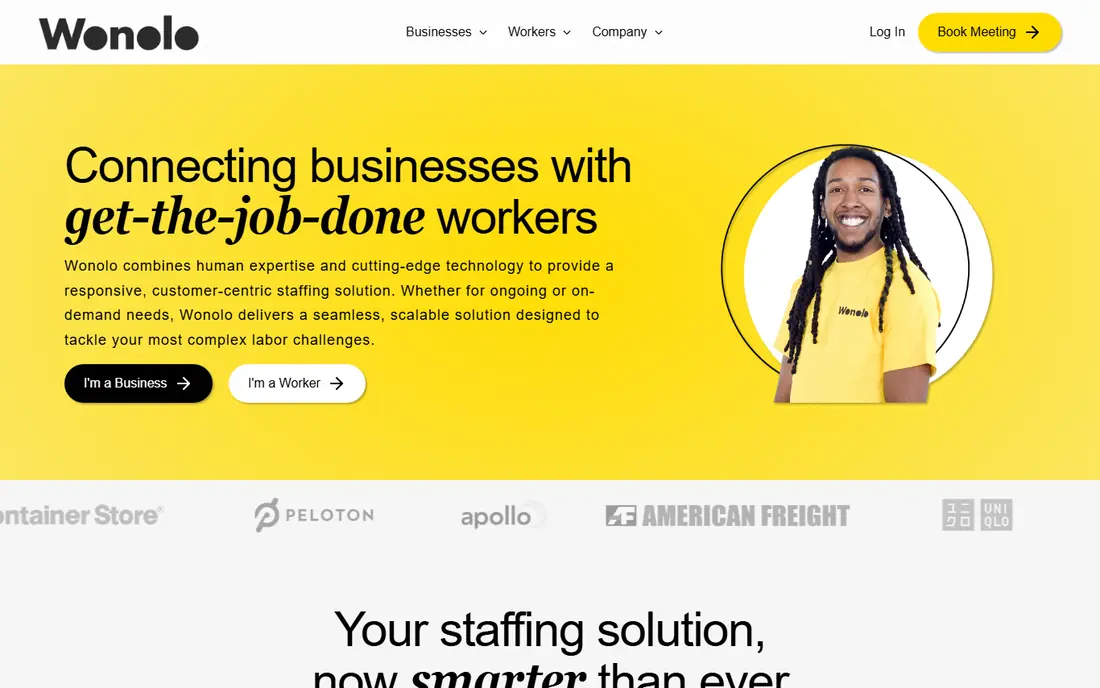
Wonolo focuses on same-day and short-notice shifts in warehouse, logistics, retail and events. That makes it useful when you want work today rather than a schedule for next week. Entry-level workers can usually sign up without years of experience, which lowers the barrier for a first shift job.
Coverage is metro-limited, so workers outside major cities may see fewer postings. Standard pay timing is typically one to five business days depending on the job, with faster options where offered. If you live in a covered metro and you want flexible, short-notice work, Wonolo is worth joining alongside a broader app.
- Same-day shift options
- Warehouse, logistics and event work
- Simple sign-up for entry-level workers
- Metro-limited coverage
- Pay timing varies, with same-day options depending on eligibility
Qwick is the standout for experienced hospitality workers who care about pay speed. Eligible workers can receive pay within about 30 minutes after a completed shift, which is faster than most rivals. The hospitality-only focus also means shifts are relevant, from banquets and catering to restaurant service, rather than mixed with unrelated jobs.
The trade-off is entry requirements. Qwick generally expects at least a year of hospitality experience, so it is not a first-job app for everyone. It also covers a smaller set of cities than Instawork. If you meet the experience bar and you work in food and beverage, Qwick offers the fastest pay in this list.
- Very fast pay, often within 30 minutes after a shift
- Hospitality-only focus
- Experienced worker pool
- Requires hospitality experience, usually at least one year
- Food and beverage only, so no warehouse work
Bluecrew employs workers as W-2 employees, which means taxes are withheld and benefits such as health insurance, paid time off and workers compensation may be available depending on eligibility. That structure suits workers who prefer employee status over independent contractor status, and who value a steadier employment relationship.
Standard pay is weekly, which is slower than Qwick or Veryable, although early pay options exist for a fee. Bluecrew covers warehouse, delivery and customer service work, but not hospitality in the same depth as Qwick. If benefits and W-2 status matter more to you than instant pay, Bluecrew is a strong choice.
- W-2 employment with benefits options
- Warehouse and customer service shifts
- Weekly pay with early pay options
- Weekly standard pay is slower than instant-pay rivals
- Shift volume varies by market
Veryable focuses on manufacturing, logistics and warehousing, and its bid system sets it apart. Workers can bid on shifts, which gives experienced operators a way to price their skills rather than accepting a fixed rate. Pay is often next day, which is faster than weekly payroll for many warehouse roles.
The bid system has a downside. In a competitive market, lower bids can win, so workers need to balance winning shifts with holding a fair rate. Coverage is also metro-limited. If you work in manufacturing or warehousing and you are in a covered city, Veryable is one of the best specialist options.
- Manufacturing and logistics focus
- Bid system lets workers set their rate
- Next-day pay in many cases
- Metro-limited coverage
- Bid system means lower bids may win, which can pressure rates
GigSmart, through its Get Gigs app, offers the widest geographic coverage in this list, with shifts across all 50 states. That makes it useful for workers outside major metros, and for people who want construction, event, warehouse and customer service shifts in one place. Same-day pay options are available, subject to fees.
The catch is variability. With such broad coverage, shift quality, pay and volume differ a lot by location and industry. GigSmart has charged a small fee per hour worked in some reports, so check the current worker terms before you start. For nationwide reach, especially outside big cities, GigSmart is still the best first check.
- Covers all 50 states
- Wide range of industries
- Same-day pay options
- Small per-hour fee in some cases
- Shift quality and pay vary widely by market
Upshift employs workers as W-2 staff and focuses on hospitality, manufacturing and events. Pre-vetting helps businesses trust the workers they book, and workers get employee status with tax withholding. That combination suits people who want shift flexibility without independent contractor paperwork.
Pay is weekly, with no instant pay option, so Upshift is not the choice for workers who need money the same day. Coverage is also smaller than Instawork. If you work in hospitality or events, you value W-2 status, and you can plan around weekly pay, Upshift is a solid, stable option.
- W-2 employment
- Hospitality, manufacturing and events focus
- Pre-vetted worker pool
- No instant pay option
- Weekly pay
- Smaller city footprint than Instawork
WorkWhile focuses on warehouse, production and event shifts, with pay often within 24 hours. That speed, combined with a simple app for accepting shifts, makes it attractive for warehouse workers who want regular work without waiting a week for pay. The app also covers delivery and light industrial roles in covered markets.
The limit is coverage and industry range. WorkWhile is metro-focused, and hospitality workers will find more shifts on Instawork or Qwick. If you work in warehousing in a covered city and you want fast, regular pay, WorkWhile deserves a place on your phone alongside a broader app.
- Next-day pay in many cases
- Warehouse, production and events work
- Simple shift acceptance
- Coverage is metro-focused
- Fewer hospitality shifts than Instawork or Qwick
How we picked these
We compared official app pages, worker terms and recent independent comparisons of shift apps, focusing on apps that are actively operating in the United States in 2026. We included both W-2 and 1099 models, and both general and specialist apps, because shift workers have different priorities on benefits, pay speed and industry. Pay rates and shift volume vary by city and season, so treat any pay range as a guide and check live listings in your area before you rely on it.
How to pick the right shift app for your situation
Start with your industry and your city, not with the app store rating. Search each app for shifts in your area for a full week, including weekends, before you judge it. An app with a high rating but no local shifts is useless to you, while a lower-rated app with daily local work may be the better choice.
Next, check worker status and pay timing. If you need benefits and tax withholding, shortlist W-2 apps first. If you need money today, shortlist fast-pay apps and read the instant pay fee before you use it. Keep notes on which app pays fastest, which has the most shifts, and which has the best rates, because that mix will guide which app you open first each morning.
Safety and tax notes for shift workers
Only accept shifts through the app, keep a record of hours and pay, and check the business location and shift details before you travel. For 1099 work, set aside money for taxes, because no tax is withheld. This is not tax advice, and a tax professional can help you plan for quarterly payments if you work regularly as an independent contractor.
FAQ
What is the best app for picking up shifts?
The best app depends on your industry and city. Instawork is the broadest starting point, Qwick is best for experienced hospitality workers who want fast pay, and Bluecrew or Upshift suit workers who want W-2 employment. Most regular shift workers use two or three apps together.
Are shift apps free for workers?
Most shift apps in this list are free for workers to join and use, with businesses paying the platform. Some apps charge a fee for instant pay or a small per-hour fee in some cases, so read the worker terms for the app you choose before your first shift.
How fast do shift apps pay?
Pay speed varies. Qwick can pay within about 30 minutes after an eligible shift, Veryable and WorkWhile often pay next day, and Bluecrew and Upshift pay weekly as standard. Instant pay usually carries a fee, and eligibility rules apply.
Do I need experience to pick up shifts?
It depends on the app. Wonolo, GigSmart and Instawork accept many entry-level workers, while Qwick generally expects at least a year of hospitality experience. Specialist roles in manufacturing or skilled trades may need relevant experience or certifications.
Is shift work W-2 or 1099?
Both models exist. Bluecrew, Upshift and Indeed Flex use W-2 employment for many roles, while Instawork, Wonolo, Qwick and others use 1099 independent contractor status for many workers. The model affects taxes, benefits and protections, so check the status for the specific shift before you accept it.
Can I use more than one shift app at once?
Yes, and most experienced shift workers do. Using two or three apps increases the number of shifts you see and reduces gaps when one app is quiet in your city. Just avoid double-booking the same time slot on two apps.