Best App for Booking Flights on Mobile in 2026: 9 Apps Compared
Compare the best app for booking flights on mobile, from price predictions and flexible dates to direct airline booking, fare alerts, and bundles in 2026.
- Editor's choice
 Skyscanner
Flexible date and destination searching
Starts atFreeVisit skyscanner.comFull review - Great alternative
 Hopper
Price predictions and fare advice
Starts atFreeVisit hopper.comFull review - Also consider
 Kayak
Complex trips and trip management
Starts atFreeVisit kayak.comFull review
TL;DR:
- The best app for booking flights on mobile for most travelers is Skyscanner for flexible searching, with Hopper for buy-or-wait advice and Kayak for complex trips.
- Most of these apps are free to search, and they earn money from bookings or ads, so the fare you see should always be checked against the airline site.
- Booking directly with the airline often makes changes and refunds easier, even when you find the fare in a comparison app.
- Price predictions are guidance, not guarantees, so use alerts and flexible dates rather than waiting for a perfect price.
Quick comparison
| Tool | Best for | Starts at | Free plan? | |
|---|---|---|---|---|
| Skyscanner | Flexible date and destination searching | Free | Yes | Visit |
| Hopper | Price predictions and fare advice | Free | Yes | Visit |
| Kayak | Complex trips and trip management | Free | Yes | Visit |
 Momondo | Finding the lowest fare | Free | Yes | Visit |
 Kiwi.com | Creative routes across carriers | Free | Yes | Visit |
 Expedia | Flight plus hotel bundles | Free | Yes | Visit |
 Google Flights | Fare tracking and flexible calendars | Free | Yes | Visit |
 Going | Curated cheap fare alerts | Free | Yes | Visit |
 CheapOair | Last-minute US flights | Free | Yes | Visit |
The best apps for booking flights on mobile
All of these apps run well on a phone, but they differ in whether they sell the ticket, compare fares, or only alert you to deals.
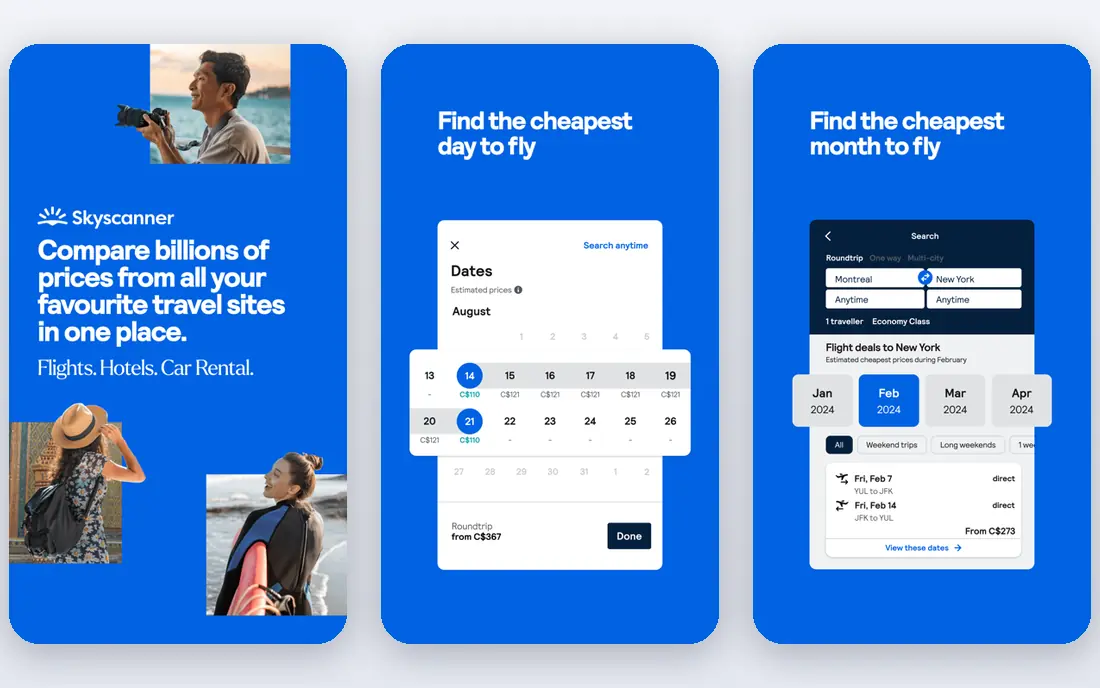
Skyscanner is our pick for most mobile flight searchers because it handles flexible plans so well. You can search by month, by cheapest month, or by Everywhere, which shows the cheapest destinations from your home airport. That flexibility helps when dates or destinations are not fixed, and it also surfaces budget airlines that some other tools miss. Price alerts keep you posted without checking daily.
The catch is that Skyscanner is mainly a comparison tool, not always the seller. You will often complete the booking with an airline or a booking site, and the final price, baggage rules, and change terms will come from that seller, not from Skyscanner. Check those terms before paying, and compare the direct airline price for the same flight.
- Strong flexible date and Everywhere search
- Compares airlines and booking sites
- Price alerts by email and push
- It redirects to airlines or booking sites to complete many bookings
- Final price can differ from the search result
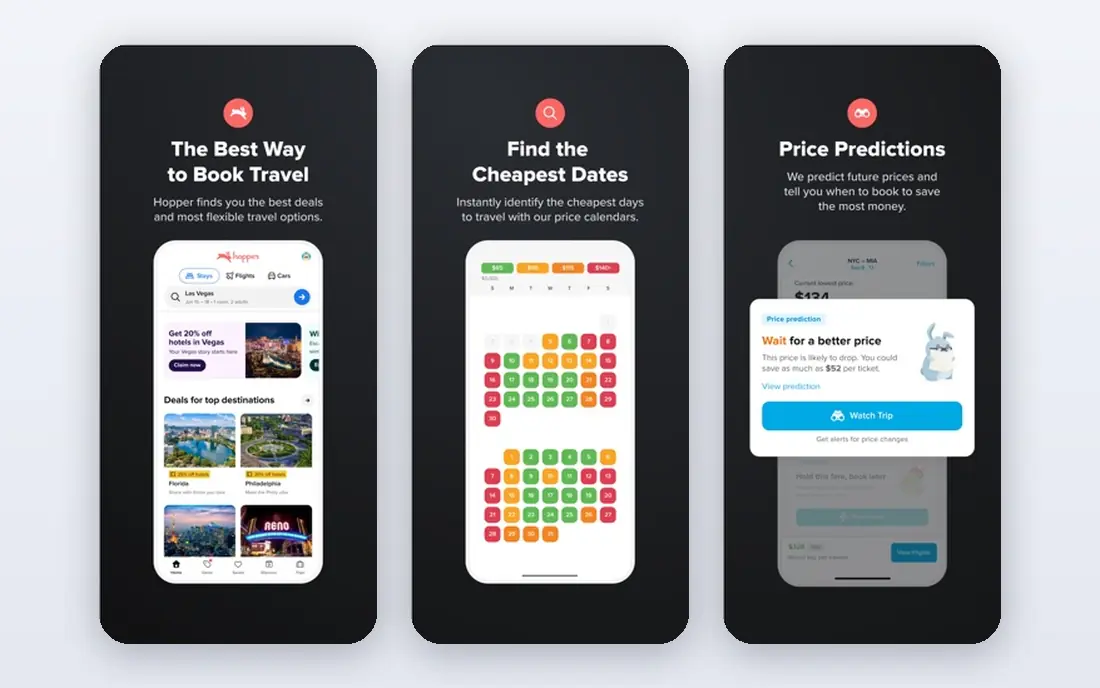
Hopper stands out for timing. It watches fare patterns and tells you whether to book now or wait, with a color-coded calendar that makes the advice easy to read on a phone. Push alerts notify you when a route drops, and fare freeze on some bookings lets you hold a price while you decide. For travelers who worry about buying too early, that guidance is genuinely useful.
Use Hopper for the forecast, then think carefully about where to buy. Predictions can be wrong when fuel prices, schedules, or demand shift suddenly, and booking through Hopper means changes go through Hopper first, not only the airline. Many experienced travelers use Hopper to time the purchase, then book directly with the airline at a similar price.
- Color-coded buy-or-wait predictions
- Push fare alerts
- Fare freeze on some bookings
- Predictions are probabilistic, not promises
- Booking through Hopper adds a middleman for changes
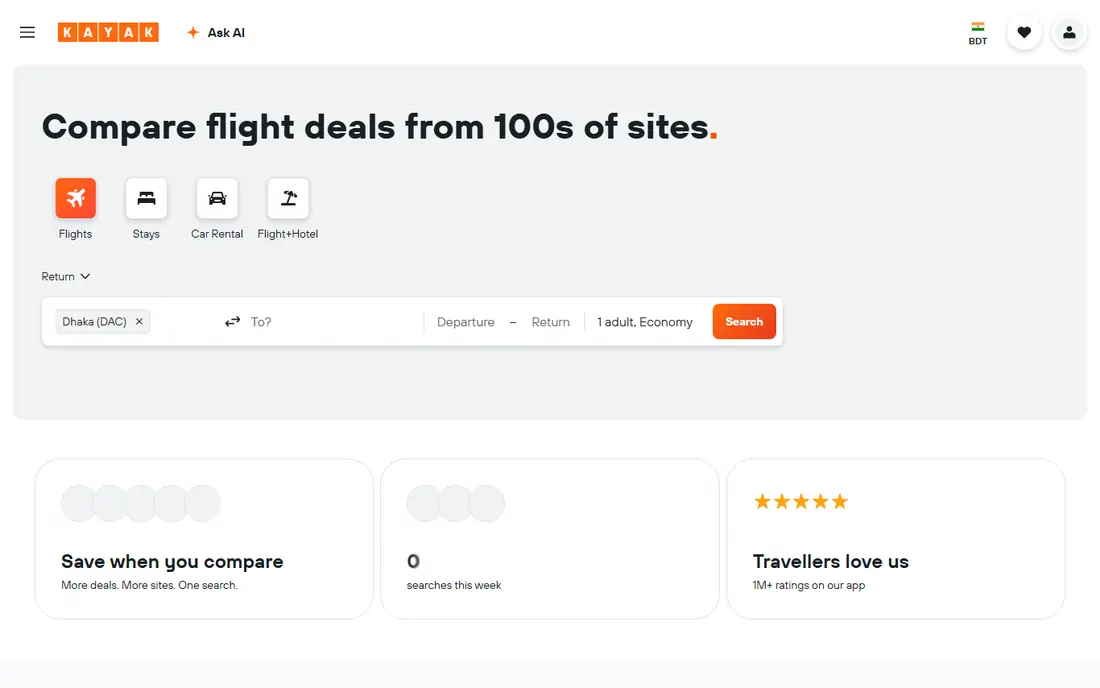
Kayak is the best all-round travel app for people who also need hotels, cars, and trip tracking. Its filters handle multi-city trips, mixed airlines, and Hacker Fares that combine separate tickets to lower the price, and its price forecast gives buy-or-wait guidance for the next seven days. Once you book, Kayak can track flights and organize trip details in the same app, which reduces the need for a second tool.
The breadth can feel busy on a small screen, and Hacker Fares deserve care, since separate tickets may not protect you if one flight is delayed and you miss the next. Read the fare rules for each leg, and confirm baggage and change terms with the seller. For a straightforward round trip, Skyscanner or Google Flights may be simpler.
- Strong filters and Hacker Fares
- Price forecast
- Trip management and flight tracking in one app
- Search results can feel busy
- Booking partner terms vary and need checking
Momondo, owned by the same group as Kayak, is known for finding low fares, especially on international routes and through smaller booking sites that larger tools miss. Its price graphs help you pick cheaper days, and its search covers many airlines and sellers. If your main goal is the lowest possible fare, Momondo deserves a check alongside Skyscanner and Kayak.
The lowest fare is not always the best deal. Some sellers behind a low price have slower support, stricter change rules, or extra fees, so read reviews and terms for an unfamiliar seller before paying. When the price gap is small, booking directly with the airline is often the safer choice, even if it costs a little more.
- Often finds very low fares from smaller booking sites
- Strong price graphs
- Good for international routes
- Some low fares come from booking sites with weaker support
- Final terms vary by seller
Kiwi.com is the adventurous pick. It can combine carriers that do not normally sell tickets together, creating routes that traditional search tools miss, and that can lower the price or open a route that looks impossible elsewhere. For flexible travelers visiting multiple cities, Kiwi.com can open up options that a single airline search would not show.
Those creative routes come with real risk. A self-transfer, where you collect bags and check in again, may not protect you if the first flight is delayed, and baggage and change rules can differ by leg. Kiwi.com offers some protections on certain bookings, but read exactly what is covered before you buy. Use Kiwi.com for discovery, and weigh the saving against the connection risk.
- Finds routes combining carriers that do not normally partner
- Virtual interlining can lower prices
- Good for adventurous trips
- Self-transfer routes carry missed-connection risk
- Support and baggage rules need careful reading
Expedia earns its place when you want a package, not only a flight. Booking flight plus hotel together can save money, and having one company behind the whole trip can simplify support if plans change. The mobile app handles search, booking, and trip management in one place, and rewards can add value for repeat travelers. For a vacation package, Expedia is often simpler than piecing together separate bookings.
For flight-only trips, Expedia is rarely the cheapest search tool, and its prices should be compared with Skyscanner, Kayak, and the airline site. Package savings also depend on hotel choice and cancellation terms, so check what is refundable before paying. Use Expedia for bundles, and use a comparison app for flight-only research.
- Easy flight plus hotel packages
- Customer support behind bookings
- Rewards on many bookings
- Flight-only prices are rarely the lowest
- Package terms and cancellation rules need checking
Google Flights is not a standalone mobile app, but it belongs here because it works so well in a mobile browser and because many travelers use it as their research desk. The flexible-date grid shows cheaper days at a glance, the Explore map shows cheap destinations from your airport, and price tracking sends email alerts when fares change. It is fast, clean, and free, with no booking fees of its own.
The limits are practical. Alerts are mainly by email, not push, and you still book with the airline or a seller, so Google Flights does not handle changes. Save it as a browser shortcut on your phone, use it to research and track, and book directly with the airline when you find a fare you like. That combination gives you research depth without a middleman.
- Fast flexible-date grid and Explore map
- Price tracking alerts
- Clear fare history cues
- No dedicated mobile app, it runs in a mobile browser
- It redirects to airlines or sellers to book
Going, formerly Scott's Cheap Flights, is different from the search apps above. Instead of searching a route, you set your home airport and receive curated alerts for cheap fares, mistake fares, and good deals, often with clear guidance on dates and booking links. That suits travelers who are flexible and who want to be told when a great fare appears, rather than searching every week. The free tier covers a useful set of alerts, with paid plans adding more.
Going will not replace a search app when you have fixed dates and a fixed destination, since it is deal-led, not route-led. You still need to act quickly on mistake fares, and you should still check the airline price and terms before booking. Pair Going with Skyscanner or Google Flights for a complete mobile toolkit.
- Curated deal and mistake fare alerts from your home airport
- Email and push alerts
- Free tier is useful
- It alerts you to deals, it does not search every route on demand
- Paid plans add more deals and features
CheapOair is a useful option for last-minute US travel, where it often surfaces competitive fares and flexible options. The mobile app and site handle search and booking in one place, and phone support can help when a trip is urgent or complex. For travelers booking close to departure, that support and inventory can matter more than a small price difference elsewhere.
Check fees and fare rules before paying, since service fees may apply on some bookings and change terms vary by fare. Compare the total price, including fees, with the airline direct price. For planned trips with flexible dates, a comparison app may still find a lower fare, but for a last-minute domestic trip, CheapOair is worth a check.
- Strong for last-minute and US domestic fares
- Phone support
- Flexible booking options on some fares
- Service fees may apply on some bookings
- Terms vary by fare and need checking
How we picked these
We compared official app and site features, pricing and booking models, and public flight app comparisons for apps available in October 2026. We favored apps with a working mobile experience, broad airline coverage, and a clear role, whether searching, predicting, alerting, or selling. We treated price predictions as guidance, not guarantees, and we favored direct airline booking for changes and support where the price was similar. We did not claim hands-on testing that did not happen.
How to book on your phone without overpaying
A phone makes booking easy, and that ease can also make it easy to miss fees and fare rules, so slow down at checkout.
Compare three sources before you pay
Check the fare in a comparison app, in Google Flights, and on the airline site itself. If the airline price is close, book direct for easier changes. If a booking site is much cheaper, read its change, baggage, and support terms, and add any service fees to the total before deciding.
Use alerts and flexible dates, not hunches
Set price alerts for your route, search by month or flexible dates, and consider nearby airports. A one-day shift or a different airport can save more than any prediction tool, and alerts mean you do not need to check daily. Book when the price fits your budget, not when a forecast promises a lower price later.
Read the fare rules on the checkout screen
Check baggage allowance, seat selection, change fees, refund rules, and whether separate tickets are involved. Screenshot the fare rules and total price before paying, and save the confirmation and booking reference in your trip app. That record helps a lot if a flight changes.
FAQ
What is the best app for booking flights on mobile?
For most travelers, Skyscanner is the best starting point for flexible searching, Hopper is best for buy-or-wait advice, and Kayak is best for complex trips. Use Google Flights in a mobile browser for tracking, and book directly with the airline when the price is similar.
What are the best mobile apps for booking flights with price predictions?
Hopper offers the most mobile-first price predictions, with color-coded calendars and push alerts, while Kayak offers a price forecast and Google Flights offers fare history cues. Treat all predictions as guidance, since schedules and demand can change quickly.
Is it better to book flights in an app or directly with the airline?
Booking directly with the airline often makes changes, refunds, and support easier, and it can protect frequent flyer benefits. Booking through an app or booking site can save money, especially on bundles or creative routes, but read the seller terms and fees first.
Are flight booking apps free?
Most search and comparison apps are free to use, including Skyscanner, Hopper, Kayak, Momondo, and Google Flights. They earn money from bookings, ads, or premium features, and some booking sites add service fees, so always check the total at checkout.
Can I track flight prices on my phone?
Yes. Skyscanner, Hopper, Kayak, and Google Flights all offer price tracking or alerts, with Hopper and Skyscanner offering push alerts on mobile. Set alerts for your exact route and dates, and also check flexible dates, since a nearby date may be much cheaper.