Best AP Automation Software Comparison in 2026: 8 Tools Compared
Our best ap automation software comparison reviews 8 tools for invoice capture, approvals, and payments, with current pricing and honest trade-offs for teams.
- Editor's choice
 BILL
Small and mid-size teams with steady AP volume
Starts at$49 per user per monthVisit bill.comFull review - Great alternative
 Ramp
Teams that want AP, cards, and expenses in one place
Starts atFreeVisit ramp.comFull review - Also consider
 Tipalti
Companies paying vendors across many countries
Starts at$99 per monthVisit tipalti.comFull review
TL;DR:
- BILL gives small and mid-size teams clear per-user pricing starting at $49 per user per month, while most mid-market rivals are quote based.
- Ramp stands out for teams that want bill pay and cards together with a free tier, rather than paying a separate AP subscription.
- Tipalti is the strongest fit when vendors sit in many countries and tax forms add real work to every payment run.
- Stampli suits teams that want approvals and questions handled on the invoice itself, instead of in a separate inbox thread.
Quick comparison
| Tool | Best for | Starts at | Free plan? | |
|---|---|---|---|---|
| BILL | Small and mid-size teams with steady AP volume | $49 per user per month | Free trial | Visit |
| Ramp | Teams that want AP, cards, and expenses in one place | Free | Yes | Visit |
| Tipalti | Companies paying vendors across many countries | $99 per month | No | Visit |
 Stampli | Mid-market teams with many approvers | See website | No | Visit |
 AvidXchange | Mid-market firms with paper-heavy AP | See website | No | Visit |
 MineralTree | Mid-market teams that want payment control | See website | No | Visit |
 Melio | Very small businesses paying a few vendors | See website | No | Visit |
 Airbase | Mid-market teams combining AP and spend | See website | No | Visit |
The best AP automation software
Accounts payable work is mostly chasing invoices, approvals, and payment status, so the right tool should cut that chasing without forcing a new accounting system on your team.
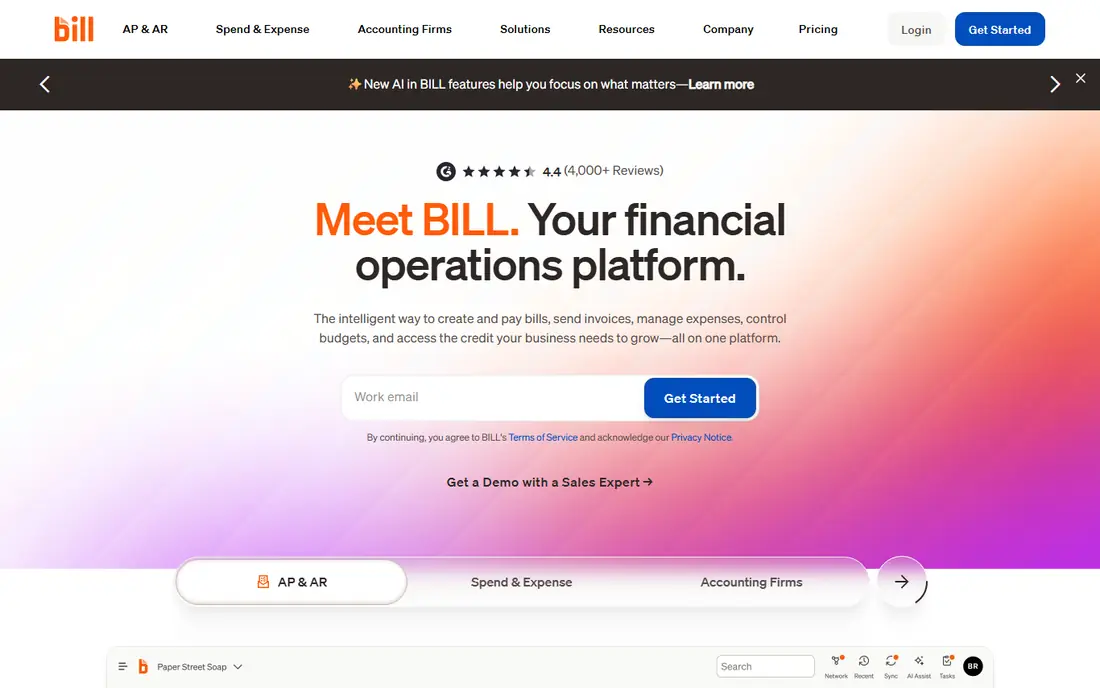
BILL is a practical first step for a finance team that already runs QuickBooks or Xero and wants invoices captured, coded, and routed without rebuilding its chart of accounts. Its AI capture pulls vendor, amount, and due date from invoices, and two-way and three-way matching helps catch mismatches before money leaves the bank. Approval chains, payment scheduling, and an audit trail give managers a clear view of who approved what and when it was paid.
The catch is per-user pricing, so a team with many occasional approvers should check whether every approver needs a paid seat or can approve another way. BILL also works best when your accounting system is one of its main integrations, so teams on a less common ERP should confirm the sync depth before signing.
- AI invoice capture and coding
- ACH, check, and international payments
- Works with QuickBooks, Xero, and NetSuite
- Per-user pricing can add up on larger teams
- Advanced controls sit on higher tiers

Ramp appeals to teams that would rather not pay a separate AP fee when cards and expenses already sit at the center of spending. Bill pay, approvals, and vendor records live beside card transactions, which makes it easier to see total spend with one vendor instead of checking two systems. Receipt capture and accounting syncs help close the books faster, and card limits can be set by vendor, category, or team.
The catch is that Ramp is a spend platform first, so a company that needs deep purchase-order matching or complex multi-entity AP may find its controls lighter than a dedicated AP tool. Card eligibility also matters, so confirm your company qualifies before you plan a move around the free tier.
- Free tier includes bill pay
- Corporate cards with controls
- Vendor and spend insights in one dashboard
- Card qualification rules apply
- Some advanced AP features need a paid tier
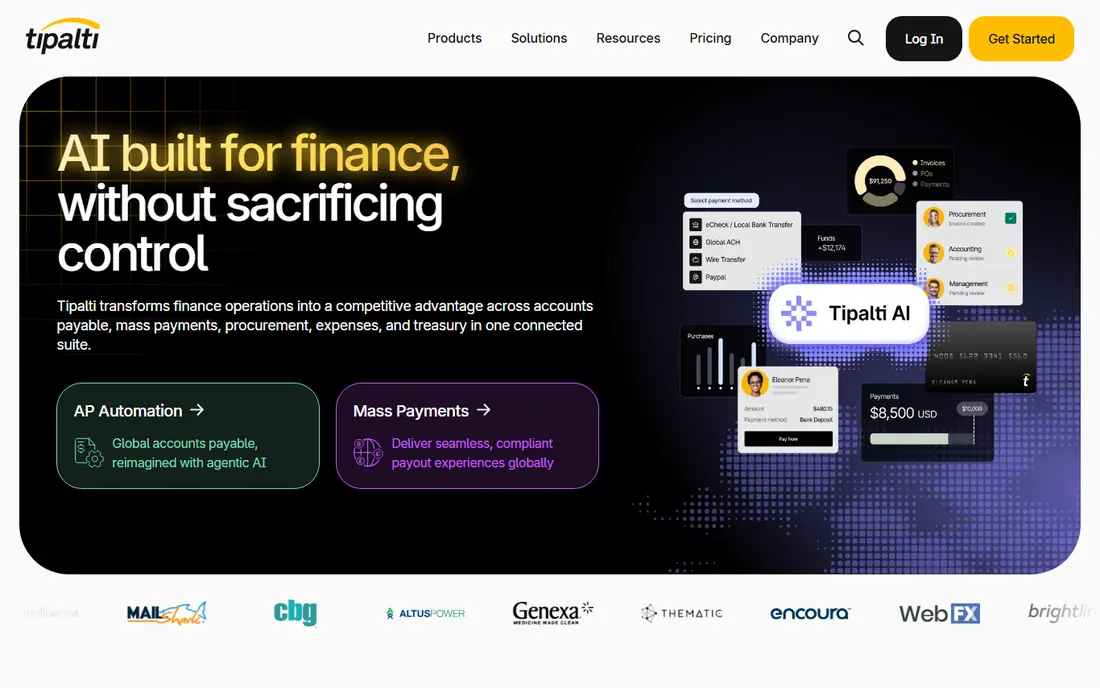
Tipalti is built for the messy middle of global payables, where each supplier needs onboarding, tax documentation, and payment in a local method. It collects W-8 and W-9 forms, screens suppliers, and handles payments across many countries, which removes a large share of manual follow-up for finance teams. Multi-entity support and approval workflows help larger companies keep subsidiaries on the same process instead of running separate spreadsheets.
The catch is cost and setup time, since pricing includes a monthly base plus transaction fees and implementation is a real project rather than a quick signup. Smaller US-only teams will likely pay for global depth they never use, so Tipalti fits best once cross-border volume is a regular fact of life.
- Payments in many countries and currencies
- Supplier onboarding and tax forms
- Multi-entity support
- Quote and transaction fees add cost
- Setup can take longer than a small-team tool
Stampli treats the invoice as the workspace, so approvers can ask questions, attach context, and approve in one place instead of forwarding PDFs by email. That design helps when approvals stall because someone lacks context, since the conversation stays attached to the document that needs a decision. AI coding, line-level purchase-order matching, and a wide set of ERP integrations make it a strong fit for mid-market teams with real invoice volume.
The catch is quote-based pricing, which means budgeting takes a sales conversation and a volume estimate rather than a quick look at a pricing page. Teams with very low volume may also find the platform more than they need, since its strengths show up most when many invoices and approvers are involved.
- Invoice-centered collaboration
- AI coding and line-level matching
- Many ERP integrations
- Quote-based pricing
- No public price to compare quickly
AvidXchange suits companies still receiving a large share of paper or emailed invoices and wanting that intake handled without hiring more AP staff. Invoices are captured, checked, and routed for approval, and payments can go out by ACH, check, or virtual card depending on what each supplier accepts. Its long list of ERP integrations helps mid-market firms keep their existing accounting system while changing how invoices enter it.
The catch is that pricing and implementation are both handled through sales, so the total cost and timeline only become clear after scoping. Companies with low invoice volume or a simple approval chain may get similar results from a lighter, self-serve tool at a lower cost.
- AI invoice capture with human review
- Many ERP integrations
- Payment options including virtual cards
- Quote-based pricing
- Implementation can be involved
MineralTree focuses on control around payments, pairing invoice capture with approval workflows and fraud checks before funds move. Virtual card payments can return rebates on eligible spend, which is a real, if modest, offset for companies that pay many suppliers by card. The vendor does not charge per user in its published model, which can help when many managers need to approve but few staff process invoices daily.
The catch is quote-based pricing and a product that some reviewers describe as functional rather than modern in feel. It is best judged on a demo with your own invoices, especially if your team values a polished interface as much as payment controls.
- Invoice capture with human validation
- Virtual card rebates
- No per-user fees on published model
- Quote-based pricing
- Interface feels dated to some users
Melio is a good fit for a very small business that pays a handful of vendors and wants scheduled payments without learning a full AP suite. You can enter or forward bills, schedule payments, and pay by bank transfer or card, while keeping a record that syncs with QuickBooks. That simplicity matters for owners who handle payables themselves and do not want approval chains, purchase orders, or multi-entity rules.
The catch is depth, since Melio lacks the matching, controls, and global payment range of the larger tools in this guide. Card payment fees can also change the economics, so compare the cost of paying by card against bank transfer for your regular vendors.
- Simple bill pay for small teams
- Scheduling and payment by bank or card
- QuickBooks sync
- AP depth is lighter than mid-market tools
- Fees can apply to card payments
Airbase brings accounts payable together with cards and employee expenses, so finance can set one set of approval rules for most spending. Purchase requests, invoices, and card transactions flow through the same controls, which reduces the chance that spend slips past policy in a side channel. Accounting integrations with major ERPs help keep approved spend coded correctly without re-entering data at month end.
The catch is that adopting Airbase is a spend-management project, not just an AP switch, so teams should plan time for policy setup and training. Companies that only need invoice capture and payment may find a narrower AP tool faster to adopt and easier to justify.
- AP, cards, and expenses in one system
- Approval workflows
- ERP integrations
- Quote-based pricing
- Setup needs planning across spend categories
How we picked these
Prices and feature claims were checked against vendor pricing pages, product pages, and public documentation in October 2026, and each tool was judged on invoice capture, approvals, matching, payment options, ERP fit, and total pricing clarity. We favored tools that publish clear starting prices or explain their quote model plainly, and we weighed ease of adoption for small teams against depth for global or high-volume teams. No vendor paid for placement, and where pricing was quote based we say so instead of guessing a number.
Choosing AP software by invoice volume and approval pain
Start with your monthly invoice count and the number of people who touch each invoice, since those two numbers decide whether a free tier, a per-user plan, or a quote-based platform makes sense. Then check your accounting system first, because a clean sync matters more than a long feature list, and a tool that forces double entry will cost time every month. Finally, run a trial or demo with real invoices, including a duplicate, a partial delivery, and an invoice that needs a split code, and watch how each tool handles the exceptions that normally slow your team down.
FAQ
What does AP automation software actually do?
It captures invoices, extracts vendor and amount details, routes them for approval, matches them to purchase orders where needed, and schedules payment, then posts the result to your accounting system. The goal is fewer manual entries, fewer late fees, and a clearer audit trail for every payment.
Is quote-based pricing a warning sign?
Not by itself, since mid-market AP tools often price by invoice volume, entities, and payment methods, which vary too much for one public price. Ask for a written quote based on your volume and entities, and confirm which features, users, and transaction fees are included before you compare totals.
Do I still need my accounting system?
Yes, in most cases, since AP tools are built to work with QuickBooks, Xero, NetSuite, Sage, and similar systems rather than replace them. Confirm the sync direction, coding rules, and how corrections are handled, because a weak sync creates the manual work you are trying to remove.
How long does setup usually take?
Small-team tools can be live in days, while mid-market and global platforms often take weeks for ERP setup, approval design, and supplier onboarding. Budget time for testing with real invoices and for training approvers, since adoption by approvers decides whether invoices actually move faster.
Can AP software help prevent fraud?
It can help by enforcing approval chains, flagging duplicate invoices, and keeping a record of who approved each payment, but it does not replace bank controls or vendor verification. Pair the tool with callback checks for changed bank details and limits on who can change supplier payment information.