The 5 Best Analytics Software for Subscription Boxes in 2026, Ranked
Weighing the best analytics software for subscription boxes? We lined up 5 products by cost, free access and fit. Limits and pricing notes included. No hype.
- Editor's choice
 Tableau
Visual exploration across plenty of data sources
Starts at$15 per user a monthVisit tableau.comFull review - Great alternative
 Adobe Analytics
Enterprise digital experience measurement
Starts atSee websiteVisit business.adobe.comFull review - Also consider
 Heap
Capturing unknown user behavior automatically
Starts atSee websiteVisit heap.ioFull review
Direct answer
Tableau is the first pick on this list for visual exploration across plenty of data sources. Listed starting prices: Tableau from $15 per user a month and Mixpanel from $100 a month. Look at Adobe Analytics for enterprise digital experience measurement, and at Heap for capturing unknown user behavior automatically. Prices, free plans and limits for all 5 tools follow.
TL;DR:
- This list starts with Tableau, which is built for visual exploration across many data sources.
- Check the limits for Heap before you commit: automatic capture can produce noisy data.
- The cheapest monthly starting price in the list is $15 per user per month, offered by Tableau.
- A free plan is available from 3 of the 5 tools: Tableau, Heap, Mixpanel.
- Looker fits governed metrics with embedded analytics.
Last checked November 2026. Prices and plan details were read from the vendors' own pages in November 2026; vendors change plans often, so confirm the current price on the vendor site before you buy.
Quick comparison
| Tool | Best for | Starts at | Free plan? | |
|---|---|---|---|---|
| Tableau | Visual exploration across plenty of data sources | $15 per user a month | Yes | Visit |
| Adobe Analytics | Enterprise digital experience measurement | See website | Not stated | Visit |
| Heap | Capturing unknown user behavior automatically | See website | Yes | Visit |
 Mixpanel | Tracking subscriber behavior and churn signals | $100 a month | Yes | Visit |
 Looker | Governed metrics with embedded analytics | See website | Not stated | Visit |
Analytics Software for Subscription Boxes, one by one
LinkVetted put together this guide to analytics software for subscription boxes for readers who want a clear shortlist without reading every vendor page. It compares 5 tools on starting price, free plans, who each one suits and where each one falls short.
Tableau is aimed squarely at visual exploration across numerous data sources. Tableau helps people see and understand their data by connecting to almost any database, building visualizations through drag-and-drop, and sharing them with a click.
For everyday use, Tableau is a general BI product, so subscriber-level behavioral tracking and experimentation are not its core strength. Tableau cost at the entry level: $15 per user per month. You can start on Tableau without paying.
Where it is weaker: Can need training for advanced use.
- Drag-and-drop visualization building
- Simple sharing of finished views
- Not a dedicated product analytics tool
Adobe Analytics makes the most sense for enterprise digital experience measurement. It suits bigger organizations that already work within the Adobe ecosystem and need cross-channel measurement at scale.
Limits to weigh: Enterprise complexity and setup effort.
The system is aimed at enterprise contexts, so implementation and administration demand specialist resources. Adobe Analytics does not show a starting price in this comparison, so check the vendor site for current pricing. As for free access: Not stated.
- AI-powered journey insights
- Measures digital marketing performance
- Overkill for small subscription operations
Pick Heap if this describes you: capturing unknown user behavior automatically. Choose Heap when discovery of unexpected behavior is the goal, and pair it with a BI tool for recurring executive reporting. As for the details, Heap by Contentsquare is described as a digital insights product that displays everything users do on a site, revealing the unknown unknowns that stay invisible with other tools.
Points against: Governance needed as data grows.
That approach can help subscription box teams discover friction in customization flows or checkout without having predicted every event in advance. Also, Autocapture can create large volumes of data, and teams still need governance and clear questions to turn it into decisions. It is less oriented toward governed metric layers or financial reporting. Pricing for Heap is not stated here, so ask the vendor for current figures. Heap offers a free plan.
- Reveals patterns other tools miss
- Cuts reliance on pre-planned events
- Automatic capture can produce noisy data
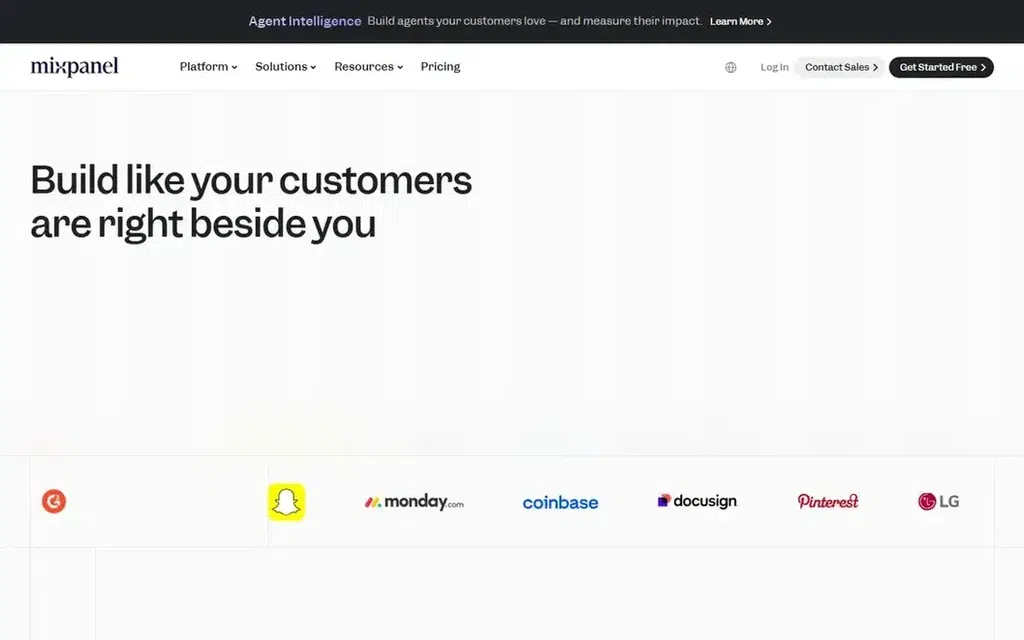
Mixpanel serves tracking subscriber behavior and churn signals. Mixpanel is a product intelligence product that merges analytics, session replay, experiments, feature flags and AI-powered insights.
Watch-outs: Less suited to finance-style reporting.
It also rewards disciplined tracking plans, so smaller teams without analytics ownership may find setup demanding. The starting price for Mixpanel: $100 per month. You can start on Mixpanel without paying.
- Comes with experiments and feature flags
- AI-powered insights surface patterns
- Event-based model needs careful planning
Pick Looker if this describes you: governed metrics with embedded analytics. Looker is Google Cloud's agentic business intelligence and embedded analytics system, unifying metrics through a trusted semantic layer with Gemini agents.
Downsides: Enterprise-oriented setup.
Also, for subscription boxes, that matters when definitions of active subscribers, churn and recurring revenue must stay consistent across teams and reports. No starting price is listed for Looker here; confirm pricing on the vendor site. Free access: Not stated.
- Gemini agents support analysis
- Embedded analytics choices
- Semantic modeling needs upfront work
How these tools were picked
LinkVetted looked at what each vendor publishes: pricing, plan limits, feature coverage for analytics software for subscription boxes and stated drawbacks. No hands-on testing is claimed. Where a vendor does not publish a price, the entry says quote. Where a price depends on seats or billing term, the entry says so. The sequence is a judgement call: typical use case first, then pricing transparency, then free access. Use the profiles to check fit.
What to check before you buy
- Confirm the entry price on the vendor page. For Adobe Analytics, Heap and Looker that means a quote rather than a fixed price.
- Look at free plan limits closely: Tableau, Heap and Mixpanel have one, and the caps decide whether it is usable for real work.
- Read the limits listed for Tableau first: can need training for advanced use.
- A short pilot of Heap with your real workflow tells you more than a feature table.
- Work out what Adobe Analytics costs with your real seat count, add-ons and usage, not just the entry price.
FAQ
Which options for analytics software for subscription boxes have a free plan?
On this list, Tableau, Heap and Mixpanel include a free plan. Caps on seats, usage or features are common, so test the free plan against your real workload.
Can I try these tools before paying?
Often, yes. Tableau, Heap and Mixpanel have a free plan. Use your own data and a real task during the test, and check what the free tier or trial limits before you rely on it.
Is Tableau the right pick for everyone comparing analytics software for subscription boxes?
No single tool suits every team. Tableau comes first because it fits visual exploration across many data sources, while Adobe Analytics suits enterprise digital experience measurement and Heap suits capturing unknown user behavior automatically. Match the tool to your own size, budget and workflow before deciding.
When does an enterprise system like Adobe Analytics make sense?
Adobe Analytics suits bigger subscription operations with complicated marketing programs and cross-channel measurement needs. Smaller firms frequently get more value from focused product analytics or dashboard tools that are quicker to set up.
What should a subscription box business measure first?
Start with recurring revenue, active subscriber counts, churn and skip rates, then add behavioral detail like customization and checkout steps. Pairing both provides a fuller picture than either alone.
How are the tools for analytics software for subscription boxes ordered?
Tableau sits first and Looker last because the order follows typical fit for analytics software for subscription boxes, then price clarity and free access. It is a judgement call, so read each profile for fit and limits.
Sources
- https://www.tableau.com
- https://business.adobe.com/products/analytics/adobe-analytics.html
- https://www.heap.io
- https://mixpanel.com
- https://cloud.google.com/looker