5 Best Analytics Software for Photographers for 2026, Vetted and Compared
Weighing the best analytics software for photographers? We lined up 5 products by cost, free access and fit. Every entry states what it lacks. Quick to scan.
- Editor's choice
 Domo
Governed data pipelines for bigger teams
Starts atSee websiteVisit domo.comFull review - Great alternative
 Tableau
Deep visual exploration of business data
Starts at$15 per user a monthVisit tableau.comFull review - Also consider
 Whatagraph
Governed cross-channel marketing intelligence
Starts at€699 a monthVisit whatagraph.comFull review
Direct answer
Start with Domo if you need governed data pipelines for bigger teams. Listed starting prices: Tableau from $15 per user a month, Whatagraph from €699 a month and Databox from $79 a month. Tableau is better for deep visual exploration of business data, and Whatagraph is better for governed cross-channel marketing intelligence. The full list of 5 tools follows, with prices and free plan facts.
TL;DR:
- This list starts with Domo, which is built for governed data pipelines for bigger teams.
- Starting prices begin at $15 per user per month with Tableau.
- Tableau stands alone as the one tool in this list with a free plan.
- Tableau comes with a trade-off: ramp-up time for beginners.
Last checked November 2026. Prices and plan details were read from the vendors' own pages in November 2026; vendors change plans often, so confirm the current price on the vendor site before you buy.
Quick comparison
| Tool | Best for | Starts at | Free plan? | |
|---|---|---|---|---|
| Domo | Governed data pipelines for bigger teams | See website | Free trial | Visit |
| Tableau | Deep visual exploration of business data | $15 per user a month | Yes | Visit |
| Whatagraph | Governed cross-channel marketing intelligence | €699 a month | No | Visit |
 Adobe Analytics | Enterprise-level journey and campaign analysis | See website | Not stated | Visit |
 Databox | Cross-channel performance reporting for teams | $79 a month | Free trial | Visit |
The 5 tools in detail
If you are comparing analytics software for photographers, this page covers 5 tools in one place: what each is best for, what it costs to start, whether it has a free plan, and the main limit to know about.
In short, Domo is for governed data pipelines for bigger teams. A photography studio with several systems, for example booking, invoicing and marketing tools, could use it to bring those streams together.
Downsides: Can be complicated to administer.
For lighter cross-channel reporting, Databox or Whatagraph are more approachable choices. More specifically, administration and setup need continuing attention. Pricing for Domo is not stated here, so ask the vendor for current figures. Free plan details: Free trial.
- AI and data products in one place
- Prepares and expands data access
- Pitched at organizational data work
Tableau was built for deep visual exploration of business data. Tableau helps people see and understand their data, connecting to almost any database and letting users build visualizations by dragging and dropping.
Limits to weigh: Ramp-up time for beginners.
Tableau rewards practice, and a photographer wanting a fast traffic overview may find it more than necessary. Also, for a photography business that tracks bookings, revenue sources and marketing alongside site data, it provides adaptable exploration. Tableau pricing: $15 per user per month. Tableau includes a free tier.
- Simple sharing of views
- Links to plenty of databases
- Overkill for straightforward traffic checks
Whatagraph is built with governed cross-channel marketing intelligence in mind. Whatagraph brings cross-channel marketing data onto one governed layer for reporting, monitoring and analysis, with agents doing the heavy lifting.
Where it falls short: Needs connected channel data.
Beyond that, a photographer running campaigns across multiple products can use it to see performance in a single place. Its strength is marketing data, so it does not replace a general website analytics setup. Starting cost for Whatagraph: €699 per month. Whatagraph has no free tier.
- Merges cross-channel data
- Agent-assisted analysis
- Marketing-reporting focus
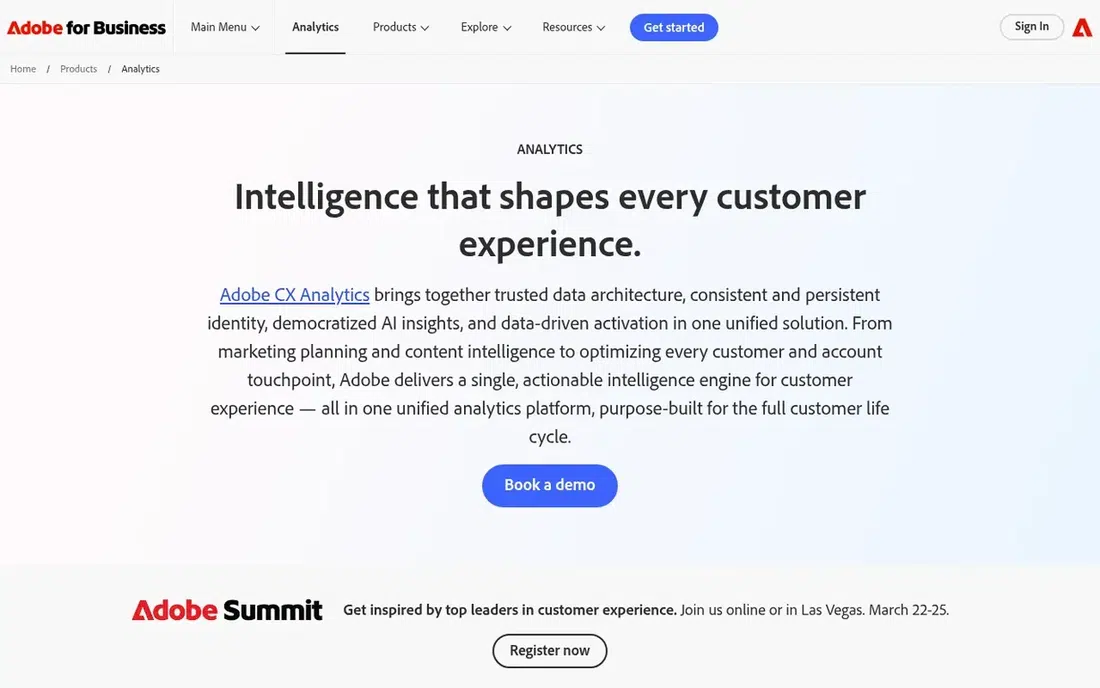
In short, Adobe Analytics is for enterprise-level journey and campaign analysis. For photographers running a studio with a substantial web presence and marketing operation, it can link campaign activity to visitor behavior in detail.
It also assumes someone can configure and maintain tracking properly. No starting price is listed for Adobe Analytics here; confirm pricing on the vendor site. As for free access: Not stated.
Watch-outs: Designed for large organizations.
- Brings together customer data across sources
- AI-powered insights for journeys
- Setup demands technical resources
In short, Databox is for cross-channel performance reporting for teams. Databox is described as an agentic analytics system that brings performance data, business context and AI workflows together so teams act quicker.
Watch-outs: Centred on marketing metrics.
Also, the product centers on marketing performance, so it is not the tool for advanced statistical analysis. Photographers working with an assistant or small team can use it to monitor marketing performance in one place. The starting price for Databox: $79 per month. Free access: Free trial.
- Brings business context
- Supports AI workflows
- Less suited to deep data science
Selection criteria
LinkVetted looked at what each vendor publishes: pricing, plan limits, feature coverage for analytics software for photographers and stated drawbacks. No hands-on testing is claimed. Treat prices as a snapshot: vendors change plans often, so check the vendor site for the figure that applies today. Order on the page follows fit for the typical buyer first, then price transparency and free access. Your own requirements should decide the final pick.
Before you commit
- Ask Domo and Adobe Analytics for a written quote, since no starting price is shown.
- Look at the free plan from Tableau closely: its caps decide whether it is usable for real work.
- Take the trial from Domo and Databox and push a live task through it before you pay.
- Read the limits listed for Domo first: geared toward organizational data work.
- Check whether the features you need in Domo sit on the entry plan or only on higher tiers.
- See whether Adobe Analytics offers onboarding or training, and whether it is included in the price.
FAQ
Which options for analytics software for photographers have a free plan?
Tableau is the only tool in this list with a free plan. Free plans usually cap users, projects or features, so check the limits on the vendor page. Several others offer a trial instead. Each of the 5 options in this analytics software for photographers guide has its own card above with the price, free plan and limits.
Do photographers need enterprise tools like Adobe Analytics or Domo?
Normally not for entry-level portfolio tracking. For everyday use, a studio with complicated marketing operations may benefit, but most photographers can start with lighter choices.
What is the cheapest option for analytics software for photographers in this list?
On published monthly entry prices, Tableau is the lowest here at $15 per user per month. Entry price is only part of the cost, because seats, add-ons and billing terms can change the total. All 5 picks in this analytics software for photographers comparison list a starting price, free plan details and the main limits on their cards above.
Do these tools publish their prices?
Not all of them. Domo and Adobe Analytics publish no starting price, so expect a quote request for those. The rest, Tableau included, show a starting price, though seats and billing terms still change the final cost.
Is Domo the right pick for everyone comparing analytics software for photographers?
No single tool suits every team. Domo comes first because it fits governed data pipelines for larger teams, while Tableau suits deep visual exploration of business data and Whatagraph suits governed cross-channel marketing intelligence. Match the tool to your own size, budget and workflow before deciding.
How do Databox and Whatagraph differ from website analytics?
Both focus on bringing cross-channel marketing data together for reporting and monitoring. That makes them handy when you run campaigns across multiple systems.
Sources
- https://www.domo.com
- https://www.tableau.com
- https://whatagraph.com
- https://business.adobe.com/products/analytics/adobe-analytics.html
- https://databox.com