All-in-One AI Video Platform in 2026: The 6 Best Options Side by Side
Shortlisting the best All-in-One AI video platform? 6 products compared on cost, free access and ideal buyer. Every tool lists pros and cons. Facts only.
- Editor's choice
 Colossyan
Quick AI avatar videos with real actors
Starts at$59 a monthVisit colossyan.comFull review - Great alternative
 Veed
All-in-one workflow from idea to video
Starts atSee websiteVisit veed.ioFull review - Also consider
 Descript
Text-based video and audio editing
Starts at$16 per person a monthVisit descript.comFull review
Direct answer
Our first pick is Colossyan, best for quick AI avatar videos with real actors. Listed starting prices: Colossyan from $59 a month, Descript from $16 per person a month and Pictory from $12.50 a month, billed yearly. Alternatives: Veed for all-in-one workflow from idea to video, and Descript for text-based video and audio editing. The remaining 3 options are covered below with prices and limits.
TL;DR:
- Top of the list is Colossyan, which targets quick AI avatar videos with real actors.
- The cheapest monthly starting price in the list is $12.50 per month, billed annually, offered by Pictory.
- Colossyan, Descript, Synthesia, HeyGen: these are the 4 tools out of 6 that offer a free plan.
- Check the limits for Pictory before you commit: scene planning may need refinement.
Last checked November 2026. Prices and plan details were read from the vendors' own pages in November 2026; vendors change plans often, so confirm the current price on the vendor site before you buy.
Quick comparison
| Tool | Best for | Starts at | Free plan? | |
|---|---|---|---|---|
| Colossyan | Quick AI avatar videos with real actors | $59 a month | Yes | Visit |
| Veed | All-in-one workflow from idea to video | See website | Not stated | Visit |
| Descript | Text-based video and audio editing | $16 per person a month | Yes | Visit |
 Pictory | Script and document to video conversion | $12.50 a month, billed yearly | Free trial | Visit |
 Synthesia | Business communication and training videos | $19 a month | Yes | Visit |
 HeyGen | Personal avatar videos with your face and voice | $29 a month | Yes | Visit |
The 6 tools in detail
Short on time? The summary and table above give the quick view of 6 tools for All-in-One AI video platform, and the profiles that follow give the detail behind each entry.
Choose Colossyan for quick AI avatar videos with real actors. Colossyan Creator is an AI video generator that aims to make video creation straightforward and stress-free, using real actors as avatars. It is built for creating AI videos rapidly, which fits teams that require training, onboarding, or informational videos without a production crew.
The focus is on ease of use and fast turnaround. Worth adding: if you need deep editing controls or complicated scene composition, Colossyan may feel restricted compared to full editors. On cost, Colossyan starts like this: $59 per month. Free access exists with Colossyan.
Where it shines: stress-free creation process.
Watch-outs: May be less suited to advanced editing.
- AI video generator with real actors
- Straightforward
- Avatar selection may not fit every brand
In short, Veed is for all-in-one workflow from idea to video. AI-generated elements may also need manual refinement to meet professional standards.
If your needs are narrowly centred on avatar presenters or script-to-video conversion, a more specialized tool may be simpler to adopt. Veed does not show a starting price in this comparison, so check the vendor site for current pricing. On free options: Not stated.
Limits to weigh: AI outputs may need manual polish.
- Built for marketers and solopreneurs
- Talking heads, dubbing, subtitles
- Feature breadth may overwhelm beginners
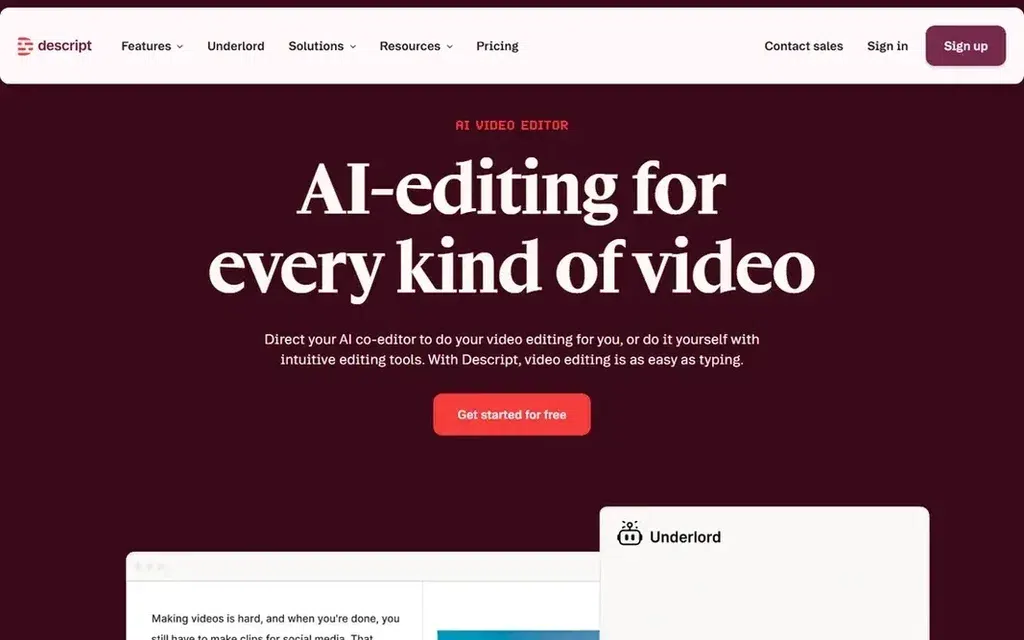
Descript makes the most sense for text-based video and audio editing. Teams that require advanced visual effects or multi-avatar scenes may prefer a dedicated avatar product.
Descript is an AI video and audio editor that makes editing as straightforward as editing a text document. Price to start with Descript: $16 per person per month. Descript offers a free plan.
Trade-offs to know: May need adjustment for teams used to timeline editors.
Highlights: publish in one tool.
- Record, transcribe, edit
- Edit video by editing text
- Not primarily an avatar video generator
Pictory is built with script and document to video conversion in mind. Pictory is an AI video agent and generator that lets you describe a video or start from a script, URL, PowerPoint, or audio file. The automatic scene planning may not always match your creative intent, so expect to spend time refining.
Limits to weigh: Less centred on live presenter avatars.
If your priority is realistic AI avatars or personal presenters, another system may be more suitable. The AI plans the scenes, and you review and refine them. This makes it a good fit for content marketers and educators who want to repurpose written or recorded material into video without starting from a blank timeline. Pictory pricing: $12.50 per month, billed annually. Trial and free access: Free trial.
Where Pictory stands out: Suited to repurposing existing content.
- Or audio
- AI video agent plans scenes for review
- Scene planning may need refinement
In short, Synthesia is for business communication and training videos. Synthesia is an AI video system aimed at business communication and training. It uses AI avatars to present content, and the system supports creating videos in plenty of languages, which suits teams that require to communicate across regions.
It is a solid fit for learning and development, internal communications, and other corporate video needs where consistency and scale matter. Worth adding: consider a different tool if your priority is text-based editing or personal avatar videos instead of business communication. As for the details, for creators centred on social media clips or highly stylized content, Synthesia may feel oriented toward corporate use. Its avatar-driven approach may also not suit projects that need live-action footage or advanced cinematic editing. Price to start with Synthesia: $19 per month. A free plan is available with Synthesia.
Downsides: May be more than needed for casual creators.
- AI avatars for presenter-led videos
- Multilingual support for global teams
- Avatar style may not suit every brand

Think of HeyGen for personal avatar videos with your face and voice. If you need deep text-based editing or a full production suite, HeyGen may not include every editing need.
Where it is weaker: Less centred on advanced editing workflows.
Price to start with HeyGen: $29 per month. A free plan is available with HeyGen.
- Personal Avatar uses your face and voice
- Suited to recurring presenter-style content
- Personal avatar setup may need initial recording
Selection criteria
The comparison looks at four things: starting price, free access, how well the feature set matches All-in-One AI video platform, and the main limit of each tool. Where a price is missing, the vendor does not list one publicly or ties it to a quote. Always confirm before budgeting. Position on the page reflects fit for a typical buyer first, with price clarity and free access breaking ties. Treat it as a guide, not a ruling.
What to check before you buy
- Confirm the entry price on the vendor page. For Veed that means a quote rather than a fixed price.
- Check what the free option really includes: Colossyan, Descript, Synthesia and HeyGen offer a free plan, and usage caps differ.
- Take the trial from Pictory and push a live task through it before you pay.
- Read the limits listed for Colossyan first: may be less suited to advanced editing.
- Find out what support Colossyan includes on your plan, and whether onboarding help costs extra.
- Ask Pictory about contract length, onboarding fees and user minimums before you sign.
FAQ
Do these tools publish their prices?
Not all of them. Veed publishes no starting price, so expect a quote request for it. The rest, Colossyan included, show a starting price, though seats and billing terms still change the final cost.
Can I try these tools before paying?
Often, yes. Colossyan, Descript, Synthesia and HeyGen have a free plan and Pictory offers a free trial. Use your own data and a real task during the test, and check what the free tier or trial limits before you rely on it.
How are the tools for All-in-One AI video platform ordered?
The order follows typical fit for All-in-One AI video platform, with Colossyan first and HeyGen last, then price clarity and free access. It is editorial judgement, not a score, so another team could rank the tools differently.
What is an all-in-one AI video system?
It cuts the have to switch between separate apps for scripting, avatars, editing, and captions. These products are meant to simplify production for marketers, trainers, and creators.
Can I edit videos by editing text?
Descript is built around text-based editing, letting you edit video and audio by editing the transcript. This approach can accelerate editing for spoken content like podcasts and interviews.
Which options for All-in-One AI video platform have a free plan?
Colossyan, Descript, Synthesia and HeyGen offer a free plan in this list. Free plans usually cap users, projects or features, so check the limits on the vendor page. One other tool offers a trial instead.
Sources
- https://www.colossyan.com
- https://www.veed.io
- https://www.descript.com
- https://pictory.ai
- https://www.synthesia.io
- https://www.heygen.com