Best AI Powered Analytics Platforms in 2026: 9 Platforms Compared
We compared the best ai-powered analytics platforms for teams that want plain-language questions, automated insights, dashboards, and pricing in 2026.
- Editor's choice
 ThoughtSpot
Search-driven analytics for everyone
Starts atSee websiteVisit thoughtspot.comFull review - Great alternative
 Microsoft Power BI
Microsoft shops and governed reporting
Starts atSee websiteVisit microsoft.comFull review - Also consider
 Tableau
Visual analysis at enterprise scale
Starts atSee websiteVisit tableau.comFull review
TL;DR:
- ThoughtSpot and Zoho Analytics lead for plain-language search, letting non-technical staff ask questions without writing SQL.
- Power BI and Tableau remain the safest picks for large teams that need governance, sharing controls, and a wide connector set.
- Hex and Julius AI suit data teams that work in notebooks or chat-style analysis and want AI help with code and charts.
- Pricing models differ sharply, from per-user plans to usage-based billing, so model your real seat count and data volume before you commit.
- AI answers still need checking against source data, especially for finance, headcount, and other numbers people act on.
Quick comparison
| Tool | Best for | Starts at | Free plan? | |
|---|---|---|---|---|
| ThoughtSpot | Search-driven analytics for everyone | See website | Free trial | Visit |
| Microsoft Power BI | Microsoft shops and governed reporting | See website | Yes | Visit |
| Tableau | Visual analysis at enterprise scale | See website | No | Visit |
 Zoho Analytics | Small teams on a tight budget | See website | Yes | Visit |
 Hex | Collaborative AI notebooks for data teams | See website | Yes | Visit |
 Julius AI | Chat-style analysis of spreadsheets and files | See website | Yes | Visit |
 Sigma | Spreadsheet-style work on a warehouse | See website | Yes | Visit |
 Qlik | Associative exploration and automation | See website | Free trial | Visit |
 Domo | All-in-one cloud BI with AI features | See website | Free trial | Visit |
The best AI powered analytics platforms
We compared official pricing pages, feature documentation, and public platform guides to find AI analytics tools that exist and work today. The nine below cover search-driven BI, notebook analysis, and chat-style tools, so you can match the tool to how your team actually asks questions.
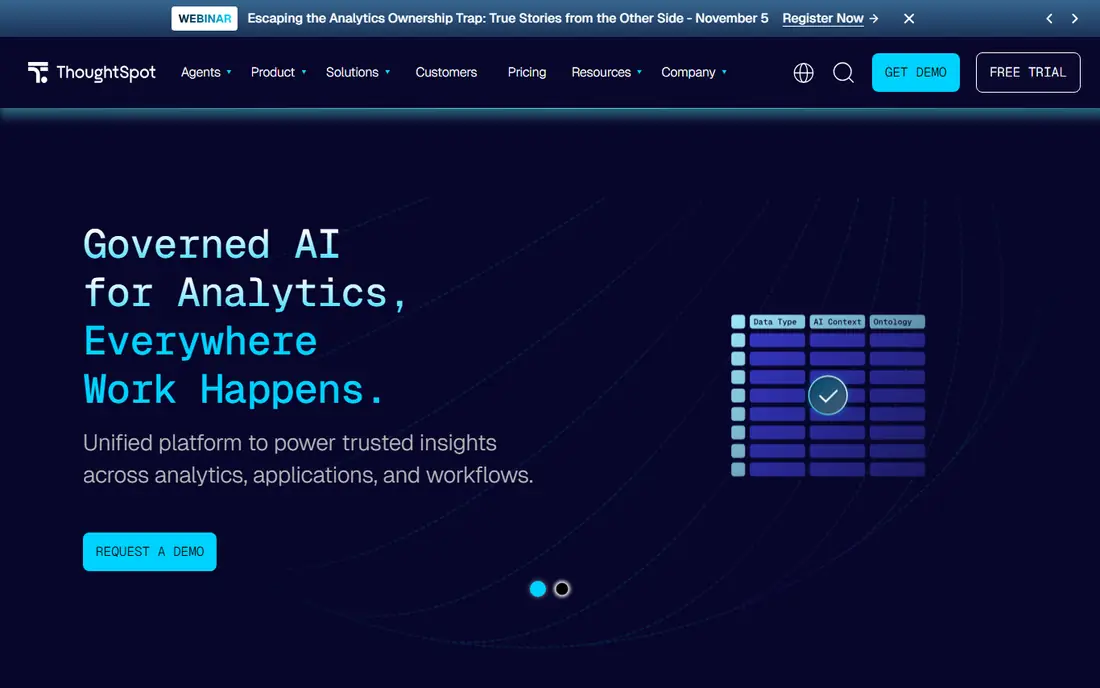
ThoughtSpot lets people type a question such as sales by region last quarter and get a chart back, without opening a query editor. Its Spotter AI agent helps refine questions, explain drivers behind a change, and build liveboards that update as data changes. For companies where only two analysts serve fifty managers, that self-serve model can cut the queue of ad hoc requests.
The catch is data preparation. ThoughtSpot works best when tables are modelled, named clearly, and joined sensibly before business users start searching. Teams that skip that work will get confusing answers, and they may blame the AI when the real problem is messy source data.
- Plain-language search
- Spotter AI agent for guided analysis
- Strong liveboard sharing
- Enterprise pricing is quoted
- Setup needs clean, modelled data
- Smaller teams may pay for depth they do not use
Power BI is the default choice for many Microsoft-centred organisations, and for good reason. It connects to Excel, SharePoint, Dynamics, Azure data sources, and hundreds of other systems, and its Copilot features can draft report summaries, suggest visuals, and answer questions about a report. The free desktop app lets analysts build reports before any licence decision.
Sharing is where the cost appears. Publishing and collaborating in the Power BI service needs a Pro or Premium licence, so a free desktop user cannot simply share a live report with the whole company. If your team already pays for Microsoft 365, check what you already hold before buying extra seats.
- Deep Microsoft 365 and Azure integration
- Copilot assistance
- Free desktop app for building reports
- Sharing and collaboration need a paid plan
- Windows-first desktop experience
- AI features vary by licence
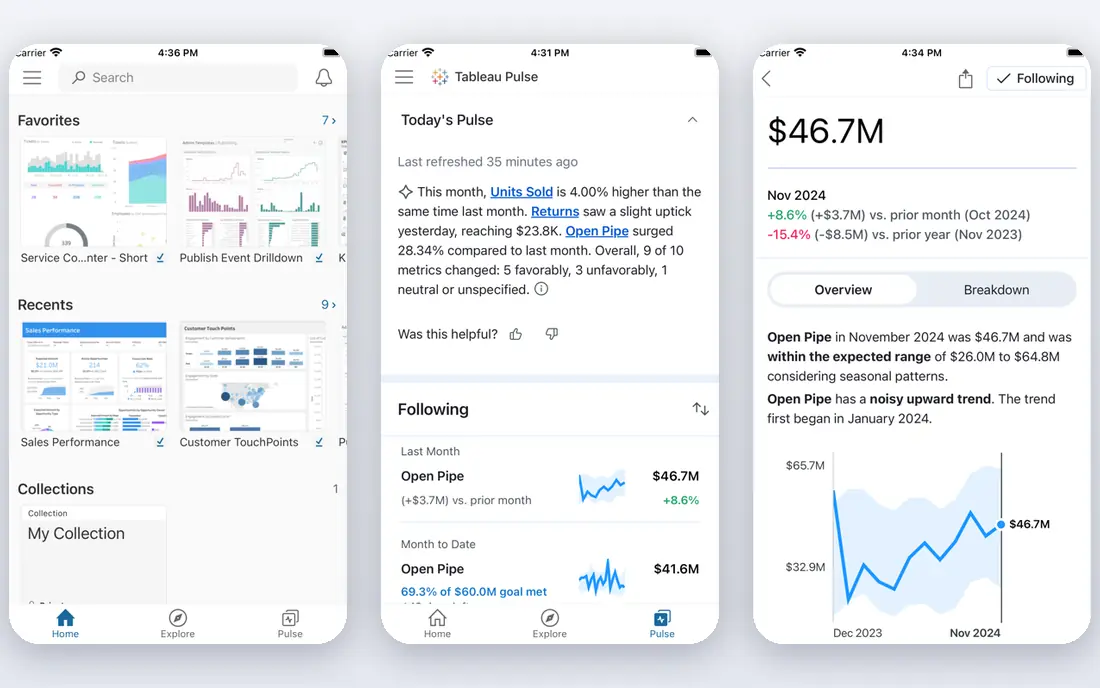
Tableau remains one of the strongest tools for visual analysis, with drag-and-drop exploration, detailed formatting, and dashboards that hold up in a board meeting. Tableau Pulse adds AI-generated explanations and metric monitoring, so teams can see why a number moved without digging through every filter. Its governance tools also suit regulated teams that need permissions, certified data sources, and audit trails.
The price and learning curve are real. Tableau suits organisations with dedicated analysts and a real reporting budget. A five-person startup that only needs a few weekly charts will usually get more value from a cheaper tool, at least until reporting becomes a daily habit.
- Excellent visual exploration
- Tableau Pulse for AI-generated insights
- Strong governance and sharing
- Higher per-user cost
- Steeper learning curve for advanced features
- AI add-ons depend on licence
Zoho Analytics gives small teams a practical AI analytics tool without an enterprise budget. Its Zia assistant answers plain-language questions, suggests charts, and surfaces automated insights, while connectors cover spreadsheets, CRM, accounting, and common cloud apps. A free plan with a small user limit lets a team test real reports before paying.
Larger data teams may outgrow it. Zoho handles everyday business reporting well, but very large datasets, complex warehouse modelling, and heavy governance needs are better served by Tableau, Power BI, or Sigma. For a small business that wants weekly sales, marketing, and support dashboards, Zoho is hard to beat on value.
- Low entry cost
- Ask Zia conversational AI
- Wide connector set for small business tools
- Less depth for very large warehouses
- Advanced modelling is simpler than enterprise BI
- Interface feels busy at first
Hex blends notebooks, AI agents, and shareable apps in one workspace. Data analysts can query with SQL or Python, ask the AI to help write or fix code, build charts, and then turn the result into an app that a manager can use without seeing code. That path from exploration to shared tool is faster than exporting charts into slides every week.
Hex is not a casual BI tool. Business users without SQL or Python skills will still need an analyst to build the first version. If your team already works in notebooks and wants AI help inside that workflow, Hex is a strong fit. If your team wants search-only BI, ThoughtSpot or Zoho will feel simpler.
- AI-assisted notebooks and agents
- Shared apps from notebook work
- Strong SQL and Python support
- Built for data teams, not casual business users
- Pricing rises with editors
- Needs warehouse access to shine
Julius AI works like chatting with a data analyst. You upload a spreadsheet or connect a data source, ask a question in plain language, and get charts, tables, and written explanations back. It suits product managers, founders, and analysts who need a fast answer from a file, without building a full dashboard first. Forecasting and pattern summaries are useful for spotting trends in sales or usage data.
The limit is governance. Julius is built for ad hoc work, not for a certified company dashboard with row-level permissions and scheduled distribution. Use it for exploration and one-off analysis, and move trusted, repeated reports into a governed BI tool once they become part of weekly decisions.
- Conversational analysis
- Works with spreadsheets, CSV files, and databases
- Quick charts and forecasts
- Free credits run out fast on large files
- Best for ad hoc analysis, not governed enterprise reporting
- Check AI outputs before sharing
Sigma lets analysts and business users work in a spreadsheet-style interface that queries a cloud warehouse directly, so there is no stale extract to refresh. Its AI assist helps write formulas, explain a table, and build visuals, which lowers the barrier for staff who know spreadsheets but not SQL. Teams on Snowflake, BigQuery, Databricks, or similar warehouses get the most from it.
Sigma is less useful if you have no warehouse yet. Small teams running only on spreadsheets and a CRM may find Zoho or Power BI simpler, since Sigma assumes warehouse data is already in place. For warehouse-centred teams, the live-query model is a genuine advantage over tools that copy data around.
- Familiar spreadsheet interface on live warehouse data
- AI assist for formulas and analysis
- No data extracts needed
- Needs a cloud warehouse to work well
- Pricing is custom for larger teams
- Advanced features need training
Qlik uses an associative engine that shows how selections relate across all data, not just the filtered view, which helps analysts spot patterns they did not plan to look for. Insight Advisor adds AI-generated charts and natural-language questions, and automation tools can trigger alerts or actions when a metric crosses a threshold. That combination suits operations and finance teams that explore data daily.
Qlik is an enterprise purchase in practice. Pricing is handled through sales, and the full platform rewards teams that invest time in data modelling and training. Smaller teams should trial it against Power BI or Zoho and check whether the exploration style justifies the extra cost and setup.
- Associative engine for free exploration
- Insight Advisor AI
- Automation and alerting tools
- Pricing is quoted
- Interface takes time to learn
- Smaller teams may find it heavy
Domo covers connectors, data preparation, visualisation, and AI features in one cloud platform, with dashboards that work well on mobile. Its AI tools help with forecasting, anomaly detection, and automated insights, and its app-style sharing suits executives who check numbers on a phone. For companies that want one vendor for the whole BI stack, Domo is a credible option.
The main drawback is that Domo pricing is quoted, so budgeting takes a sales conversation and a clear sense of users, data volume, and connectors. Teams should ask for a trial on their own data, not only a vendor demo, and confirm which AI features sit in the base plan and which need an add-on.
- Hundreds of connectors
- AI and machine learning tools built in
- Mobile-friendly dashboards
- Pricing is custom
- Platform breadth can feel complex
- Smaller teams may use only a fraction of features
How we picked these
We compared vendor pricing pages, feature documentation, and public 2026 guides, and we kept only platforms that are live, offer AI-assisted questioning, insight generation, or forecasting, and can connect to real business data. We favoured tools with a free plan or trial, clear connector lists, and sharing or governance controls, and we included both business-user tools and data-team tools so the list fits different skill levels.
We did not run hands-on trials on each platform for this guide. Our findings rest on official documentation, published pricing, and public reviews of how each tool handles questions, data modelling, and sharing. AI features change fast, so confirm the current AI plan and limits on the vendor site before you buy.
How to choose an AI analytics platform without regret
Start with who will ask questions. If managers and frontline staff need answers without SQL, pick a search-driven tool such as ThoughtSpot or Zoho Analytics. If analysts do the asking and managers only read dashboards, a governed tool such as Power BI or Tableau will serve you better. If your analysts live in notebooks, Hex or Julius AI will feel more natural than a traditional BI dashboard.
Check your data before you check AI demos. List your main sources, how clean they are, and whether you have a warehouse. A tool that promises natural-language answers will still struggle if product names, dates, and customer records are inconsistent across systems. Spend a week on naming, joins, and a small set of trusted metrics, and every AI tool on this list will perform better.
Test AI answers on numbers you already know. Ask each trial tool for last quarter revenue, top products, and churn by segment, then compare the answers with your finance or CRM reports. Watch for wrong joins, double-counted rows, and confident explanations of a wrong chart. A tool that shows its query logic, source tables, and filters earns more trust than one that hides them behind a polished answer.
Pricing traps to watch
Per-user pricing grows with every manager who only reads one dashboard a month, so ask about viewer licences. Usage-based pricing grows with queries and data volume, so ask what a typical month costs at your scale. Free plans help for testing, but they often limit users, rows, or refresh frequency, so a free trial that looks generous may not reflect the paid plan you actually need.
FAQ
What is an AI powered analytics platform?
An AI powered analytics platform uses machine learning and language models to help people ask questions, find patterns, forecast trends, and explain changes in data. Instead of writing every query by hand, users can type a plain-language question, get a chart, and ask follow-up questions. The AI layer sits on top of normal BI features such as connectors, dashboards, and permissions.
Can non-technical staff use these tools without SQL?
Yes, for common questions, especially on ThoughtSpot, Zoho Analytics, and Julius AI, which are built around plain-language search or chat. Staff still need clean data, clear metric definitions, and training on how to check an answer. Complex joins, custom calculations, and governed reports usually still need an analyst, even with AI help.
How much do AI analytics platforms cost?
Costs range from free plans for small teams to quoted enterprise pricing for large deployments. Per-user plans, viewer licences, and usage-based charges all appear in this category, so the same tool can cost very different amounts depending on seats and data volume. Always model your real user count and ask what AI features are included, rather than assuming every AI feature sits in the base price.
Are AI analytics answers reliable?
AI answers are a starting point, not a final report, especially for finance, headcount, and compliance numbers. Check the source tables, filters, and query logic, and compare key results with a trusted report before sharing them widely. Tools that show their workings and let you edit the query are safer than tools that only show a polished chart.
Do I need a data warehouse first?
Not always. Small teams can start with spreadsheets, CRM data, and accounting connectors in Zoho, Power BI, or Julius AI. Warehouse-centred tools such as Sigma work best once you have Snowflake, BigQuery, Databricks, or a similar warehouse in place. Start with the data you have, and add a warehouse when reporting volume and complexity make spreadsheets hard to trust.
Which platform is best for a small business?
Zoho Analytics is our pick for most small businesses because of its low entry cost, free plan, and conversational AI. Power BI also works well if the team already uses Microsoft 365. Choose the tool your team will actually open each week, not the one with the longest feature list.