Best AI Mode Tracking Software in 2026: 8 Tools Compared
Compare the best AI Mode tracking software in 2026. We review 8 tools that track brand visibility, citations, sentiment, and prompts in Google AI Mode.

- Editor's choice
 Profound
Enterprise AI search programs
Starts atSee websiteVisit tryprofound.comFull review - Great alternative
 Peec AI
Mid market teams and agencies
Starts atSee websiteVisit peec.aiFull review - Also consider
 Otterly.ai
Low cost first tracking
Starts at$29 per monthVisit otterly.aiFull review
TL;DR:
- Google AI Mode answers questions directly, so tracking here means checking prompt by prompt whether your brand is named or cited, not checking a single ranking position.
- Profound and Peec AI offer the broadest multi engine coverage, while Otterly.ai is the lowest cost entry point for a small prompt set.
- Semrush and Ahrefs make sense if AI Mode data needs to sit next to traditional keyword and ranking data you already pay for.
- No tool can show every AI Mode answer, because answers vary by prompt wording, location, and session, and Google does not publish a full AI Mode analytics feed.
- Price comparisons are misleading unless you count prompts, engines, and seats together, since entry tiers often cover only a few models.
Quick comparison
| Tool | Best for | Starts at | Free plan? | |
|---|---|---|---|---|
| Profound | Enterprise AI search programs | See website | Free trial | Visit |
| Peec AI | Mid market teams and agencies | See website | Free trial | Visit |
| Otterly.ai | Low cost first tracking | $29 per month | Free trial | Visit |
 Scrunch AI | Audits plus tracking | $250 per month | Free trial | Visit |
 Semrush AI Visibility Toolkit | Teams already on Semrush | $99 per month | No | Visit |
 Ahrefs Brand Radar | Teams already on Ahrefs | See website | No | Visit |
 SE Ranking AI Tracker | High keyword volumes | See website | Free trial | Visit |
 AthenaHQ | Broad engine coverage | $295 per month | Yes | Visit |
The best AI Mode tracking software
We compared tools that can run a set of prompts through Google AI Mode and related AI answers, report brand mentions and citations, and track change over time. The focus here is AI Mode specifically, even when a tool also covers ChatGPT, Perplexity, and other engines.
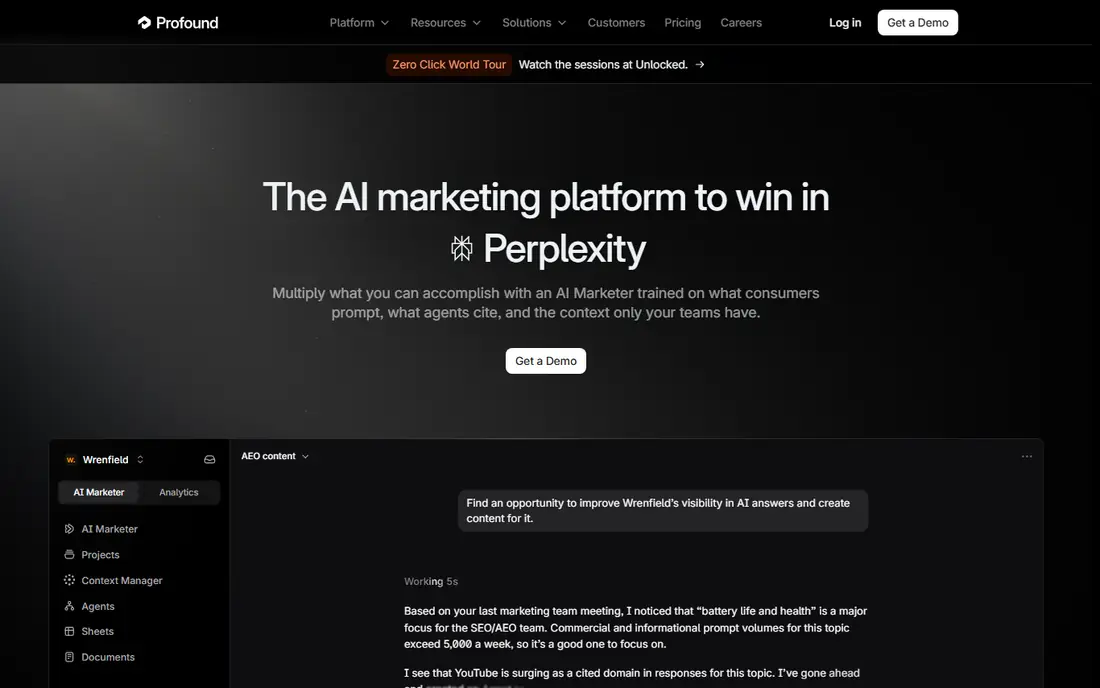
Profound is the enterprise end of this market. It tracks how answer engines describe a brand, which pages they cite, and what people ask in a category, then connects that picture to content work. For a large brand with several product lines, that depth matters, because AI Mode answers for one topic can differ sharply from answers for a related topic, and a single score would hide the gap. The honest catch is access. A small team cannot simply pick a published self serve plan and start tracking AI Mode at scale, and the trial gives only a brief look. If you need board level reporting, competitor benchmarking, and crawler analytics in one place, Profound is a strong shortlist pick. If you need a quick, low cost check on twenty prompts, start cheaper and revisit Profound when the program grows.
- Covers up to nine answer engines on enterprise plans
- Citation and prompt volume analysis is detailed
- Agent analytics link crawler activity to site data
- Brand pricing is custom and sales led
- Trial is short and limited
- Smaller teams may pay for depth they do not use
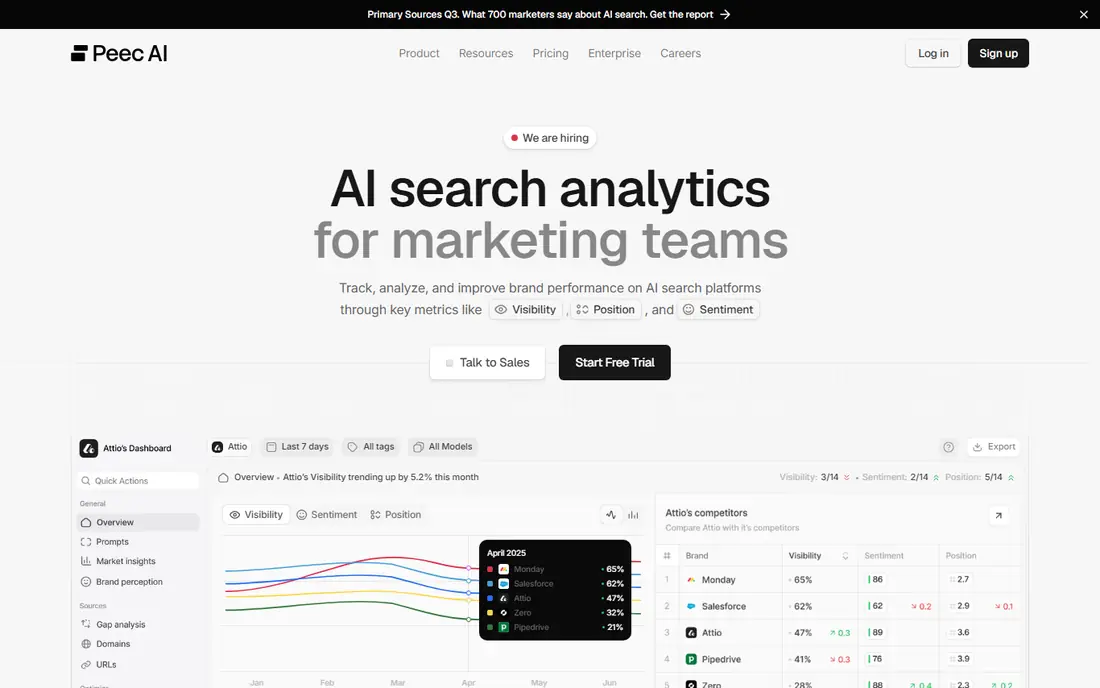
Peec AI sits in a useful middle ground. It lets a marketing team track a defined prompt set across AI Mode, AI Overviews, ChatGPT, Perplexity, and other models, then compare that result with competitors on the same prompts. Unlimited seats help when SEO, content, and product marketing all need to see the same data without a seat negotiation. What to watch is engine math. The headline plan may cover three models, so a team that wants AI Mode plus five other engines should price the add ons before signing. Peec is still a good fit for agencies and mid sized brands that want daily tracking and clean reports, provided the prompt set is chosen with care and the engine list is priced in full.
- Unlimited seats on many plans
- Clear visibility, position, and sentiment views
- Competitor benchmarking is built in
- Entry plans cover only a few models
- More engines cost extra
- Pricing is shown in euros on some pages, which complicates budgeting in dollars
Otterly.ai is the tool we would suggest for a first AI Mode test. At its Lite tier, a small team can track a focused set of prompts, see whether the brand appears, and learn which questions trigger useful answers. That is often enough to decide whether AI search deserves a larger budget, without committing to an enterprise contract. The limit is scope. Fifteen prompts will not cover a full product catalog, and adding AI Mode, Gemini, or Claude can raise the bill above the headline price. Use Otterly to prove the use case, keep the prompt list tight, and upgrade only when the questions you track start to drive real content decisions.
- Lowest entry price in this list
- Daily tracking for a small prompt set
- Unlimited team members on its plans
- AI Mode and Gemini are add ons on lower tiers
- Prompt limits are tight
- Reporting depth is thinner than enterprise tools
Scrunch AI appeals to teams that want diagnosis, not just a dashboard. Alongside tracking, it audits how a site and its content appear to AI systems, which helps explain why a brand is cited on some prompts and missing on others. For a team that already has a content plan, that link between measurement and fix is valuable. The price puts it above a first test, and the value depends on acting on the audit. If no one owns the content changes, Scrunch becomes an expensive monitor. If a content owner reviews the findings weekly and updates pages, the audit layer can justify the cost faster than tracking alone.
- Combines visibility tracking with site and content audits
- Covers AI Mode and AI Overviews
- Share of voice views help with competitor work
- Entry price is higher than budget tools
- Some advanced features sit on higher tiers
- Setup rewards teams that already know their prompt priorities
For teams that already live in Semrush, the AI Visibility Toolkit is the path of least resistance. AI Mode mentions, AI Overviews citations, and traditional rankings can be reviewed in one workflow, and the team does not need to learn a new platform or manage another login. That convenience is real, especially for reporting to stakeholders who already trust Semrush data. The trade off is specialization. A dedicated AI visibility tool may offer deeper prompt analysis or broader engine coverage at a similar price. Choose Semrush here when AI Mode is one part of a wider SEO program, not when it is the sole channel you need to master.
- AI Mode and AI Overviews data sit next to keyword research
- Competitor views are familiar to SEO teams
- Add on model fits existing Semrush accounts
- Prompt allowance on the entry add on is limited
- Total cost rises with the base Semrush plan
- It is not a specialist only tool
Ahrefs Brand Radar suits research led teams. Instead of only tracking prompts you wrote, you can explore a large index of AI answers and see where a brand appears, which sources are cited, and how that pattern compares with competitors. That discovery angle helps when you are not sure which questions buyers actually ask in AI Mode. Cost is the check. Add on pricing by platform means a team that wants every engine can face a larger bill than expected. If your team already pays for Ahrefs and uses its keyword and content tools daily, Brand Radar is a natural extension. If you only need AI Mode tracking, a specialist tool may be simpler and cheaper.
- Large prompt index for brand research
- AI Mode and AI Overviews coverage alongside backlink and keyword data
- Useful for discovering prompts you did not choose
- Pricing is add on based and can rise quickly
- Full coverage costs more than the entry figure suggests
- Learning curve for non SEO users
SE Ranking is a practical choice for agencies and SEO teams that track many keywords. Its AI tracker can monitor AI Mode and AI Overviews presence at a scale that would be costly in a per prompt specialist tool, and the results can be reported next to rankings, traffic, and site audit data. That breadth helps when clients ask how AI visibility relates to traditional search. The catch is focus. A suite tool rarely matches a specialist on every AI metric, and prompt level sentiment or citation detail may be lighter. Pick SE Ranking when volume and reporting matter most, and pair it with a specialist only if a key client needs deeper AI Mode analysis.
- Handles larger keyword and prompt volumes than many budget tools
- AI Mode and AI Overviews tracking sit inside a full SEO suite
- Agency friendly reporting
- AI features are part of a broader suite, so depth varies by plan
- Pricing depends on keyword volume
- Specialist prompt analysis may be thinner
AthenaHQ is for teams that want breadth from the start. It covers a wide set of engines, which reduces the risk of tracking AI Mode while missing a shift to another assistant where buyers ask similar questions. The free credit tier also lets a team run a small test before committing, which is more useful than a sales demo alone. The credit system is the learning curve. You need to map credits to prompts, engines, and frequency before you can compare AthenaHQ fairly with a flat monthly plan. For a larger team with a clear prompt list, that math is manageable. For a solo marketer, a simpler flat plan may be easier to budget.
- Broad engine coverage on paid plans
- Credit based model can suit varied prompt volumes
- Free credit tier gives a low risk first look
- Credit math takes time to understand
- Entry price is high for small teams
- Some features are add ons
How we picked these
We compared official feature pages, pricing pages, and public tool comparisons, and we checked which tools explicitly list Google AI Mode among tracked surfaces. We favored tools that report citations and prompt level results, not only a single visibility score, because AI Mode answers change with wording and context. We also noted where pricing is custom, add on based, or shown in a different currency, since those details change the real cost. We did not run live AI Mode tests for this article, and we do not claim that any tool captures every AI Mode answer. Our method was desk research: vendor pages, pricing, app and platform documentation, and public reviews. Check the current pricing page before buying, because this category changes plans and engine lists often.
What AI Mode tracking can and cannot measure
What it can show
A good tool can show, for a defined prompt set, whether your brand was named, whether a page was cited, which competitors appeared, and how sentiment differed across engines. Repeated runs reveal trends, such as a page gaining citations after a content update, or a competitor appearing more often on commercial prompts. That trend data is useful for content planning, even if no single run is complete.
What it cannot show
No tool can show all AI Mode traffic, all user prompts, or a true ranking in the classic search sense. AI Mode answers are generated per session, they vary, and Google does not give third parties a complete feed of AI Mode impressions by prompt. A visibility score is therefore a sample, not a census. Treat it as directional evidence, and pair it with Search Console data, site traffic, and conversion data before making large budget shifts.
How to choose a prompt set
Start with questions buyers actually ask, not keywords you wish they asked. Include comparison prompts, problem prompts, and brand prompts, and keep the list small enough to review weekly. A prompt set of 25 well chosen questions that you act on beats 500 prompts that no one reads. Revisit the list each quarter, and retire prompts that no longer match buyer language.
FAQ
What is the best AI Mode tracking software?
There is no single winner. Profound suits enterprise programs, Peec AI suits mid market teams, and Otterly.ai suits a low cost first test. Choose by prompt volume, engine coverage, and whether AI Mode data must sit inside an existing SEO suite.
Does AI Mode tracking show my Google ranking?
No, not in the classic sense. AI Mode gives a generated answer, so tools report mentions, citations, and sentiment for sampled prompts. Use those results as trend evidence, not as a replacement for ranking or traffic data.
Can a tool track every AI Mode answer about my brand?
No. Answers vary by prompt wording, location, and session, and vendors sample a defined prompt set. A tool can track change over time for those prompts, but it cannot claim complete coverage of all AI Mode conversations.
How many prompts should I track?
Start with 25 to 50 prompts that cover brand, comparison, and problem questions. Expand only when you review results weekly and act on them. A large prompt set that no one reads adds cost without insight.
Is AI Mode tracking the same as AI Overviews tracking?
They are related but different. AI Overviews appear on some search results pages, while AI Mode is a conversational search experience that answers directly. Many tools track both, but you should confirm AI Mode is included at the tier you buy, since some plans treat it as an add on.
Should small businesses pay for AI Mode tracking?
Only if AI search already matters to your buyers and you will act on the data. A low cost tool or a free tier can test the value first. If you cannot name the prompts buyers ask, start with customer research before buying a tracking plan.