Best AI Mobile Apps in 2026: 8 Apps Compared
Best AI mobile apps in 2026: compare 8 AI apps for phones for chat, research, writing, transcription, notes, and design, with free tiers checked. for phones.
- Editor's choice
 ChatGPT
All-round mobile AI help
Starts atFree, Plus from $20 per monthVisit chatgpt.comFull review - Great alternative
 Google Gemini
Android and Google Workspace users
Starts atFree, Google AI Pro from $19.99 per monthVisit gemini.google.comFull review - Also consider
 Microsoft Copilot
Windows and Microsoft 365 users
Starts atFree, Microsoft 365 Premium from $19.99 per month for AI features in some listingsVisit copilot.microsoft.comFull review
TL;DR:
- ChatGPT is the best all-round mobile AI app for most people, with chat, voice, images, and file help in one place.
- Gemini suits Android and Google users, since it links to Gmail, Drive, and Search with a generous free tier.
- Perplexity suits research on a phone, because answers carry sources that can be checked before sharing.
- Claude suits long writing and document work, with careful, structured answers that are easy to edit.
- Start with free tiers, since most apps here cover daily use without a paid plan, and paid plans mainly raise limits.
- Disclaimer: AI answers can contain errors, so verify important facts, prices, health details, and financial claims before acting on them.
Quick comparison
| Tool | Best for | Starts at | Free plan? | |
|---|---|---|---|---|
| ChatGPT | All-round mobile AI help | Free, Plus from $20 per month | Yes | Visit |
| Google Gemini | Android and Google Workspace users | Free, Google AI Pro from $19.99 per month | Yes | Visit |
| Microsoft Copilot | Windows and Microsoft 365 users | Free, Microsoft 365 Premium from $19.99 per month for AI features in some listings | Yes | Visit |
 Perplexity | Research with sources on a phone | Free, Pro from $20 per month | Yes | Visit |
 Claude | Long writing and document work | Free, Pro from $20 per month | Yes | Visit |
 Otter.ai | Meeting notes and transcription on a phone | Free, Pro from $16.99 per month in some listings | Yes | Visit |
 Grammarly | Writing help across phone apps | Free, Pro from $12 per month billed yearly in some listings | Yes | Visit |
 Canva | Design and AI image help on a phone | Free, Pro from $12.99 per month in some listings | Yes | Visit |
The best AI mobile apps
We compared mobile AI apps on chat quality, search, writing, transcription, and daily usefulness, and the eight below cover assistants, research, and creation on a phone.
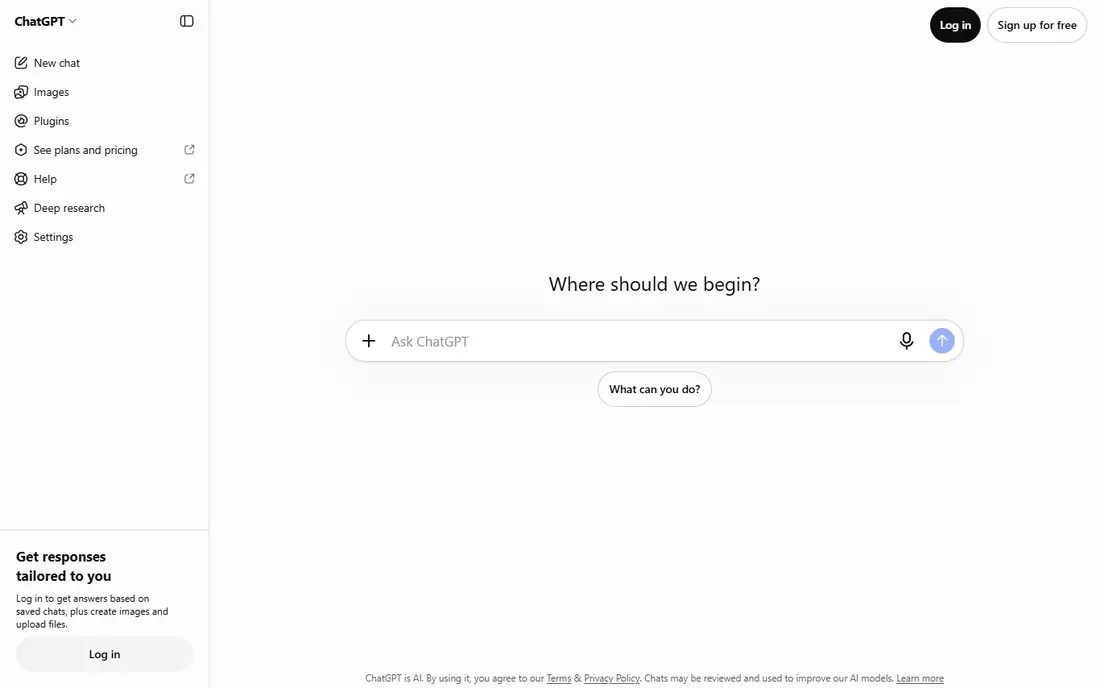
ChatGPT is the mobile AI app most people should try first, because it handles chat, voice, image creation, and file questions in one app on iOS and Android. A photo, a PDF, or a voice note can start a task without moving to a laptop. We value the breadth, since the same app can draft a message, explain a document, plan a trip, and generate an image for a post. Plus at $20 a month raises limits and adds faster models, but the free tier covers many daily tasks. The weakness is limits and accuracy, because free use caps images and uploads, and answers can sound confident while being wrong. Check any factual claim, and use a second source for health, legal, or money decisions.
- Chat, voice, image generation, file analysis, broad app support
- Free tier has usage limits, advanced voice and image features need Plus
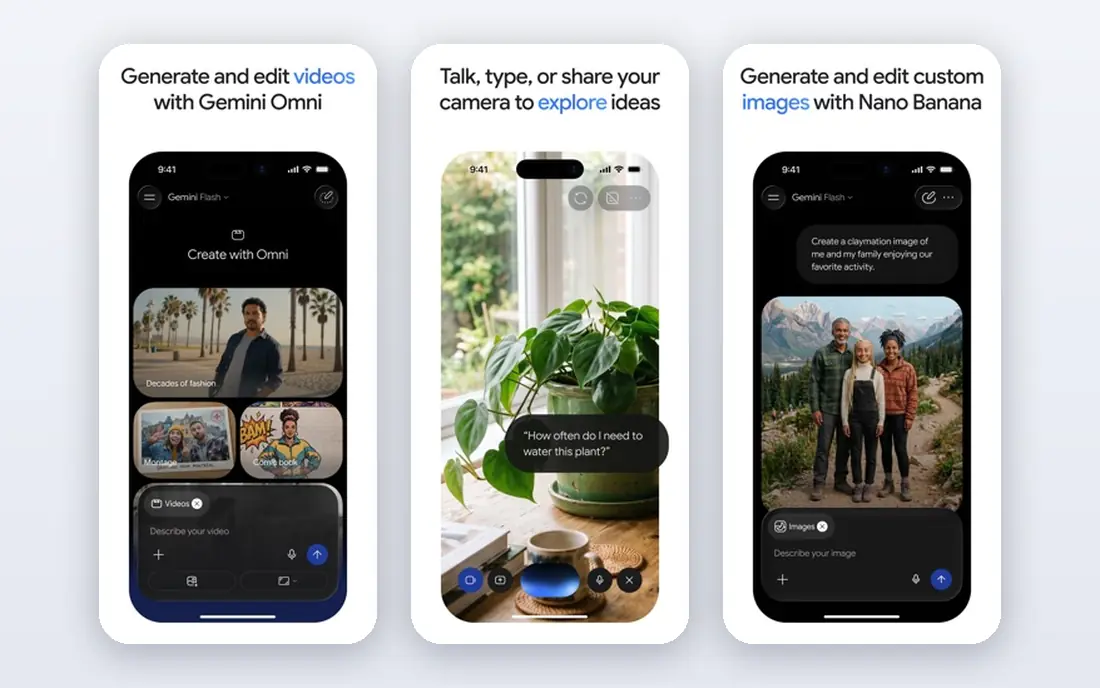
Google Gemini is the natural mobile AI app for Android users and Google Workspace households, since it can draw on Search freshness and, with permission, Gmail and Drive context. The free tier is generous for everyday questions and image tasks. The strength is Google integration, because a question about a trip, a document, or a calendar event can pull context that a standalone chatbot cannot see. AI Pro at $19.99 a month adds storage, video tools, and higher limits for heavier users. The trade-off is ecosystem dependence, since the deepest value appears for users already in Google services, and some features vary by country. Users outside Google Workspace may find ChatGPT or Claude more neutral for general chat.
- Google Search grounding, Gmail and Drive links, image and video tools
- Best value sits inside Google services, some features vary by region

Microsoft Copilot gives mobile users a free chat and image assistant, with deeper value for Microsoft 365 users who work in Word, Excel, Outlook, and Teams. On a phone, it can draft, summarize, and answer questions without a separate subscription. We like the work link, since Copilot can summarize an email thread or help draft a document that later opens in Word. That path suits office workers who already store files in OneDrive and mail in Outlook. The weakness is plan confusion, because standalone Copilot Pro was retired and full AI features now sit inside Microsoft 365 Premium or business plans. Check which plan your account already includes before paying for a second AI subscription.
- Chat and image help, Word, Excel, and Outlook links, Windows integration
- Standalone Copilot Pro was retired, full AI value needs Microsoft 365
Perplexity is built for research, so answers on a phone come with sources that a reader can open and check. That cited style makes it a better first stop than a general chatbot when a claim, a price, or a news detail needs verification. The strength is source transparency, since each answer links to the pages it used, and Pro adds more Pro searches per day plus model choice. For students, journalists, and shoppers, that traceability saves a second search. The weakness is creative depth, because Perplexity is tuned for answers rather than long-form writing or brainstorming. Use Claude or ChatGPT for a draft essay or story, and keep Perplexity for questions where the source matters most.
- Cited answers, web search grounding, multi-model choice on Pro
- Free tier limits Pro searches per day, less suited to long creative writing
Claude, from Anthropic, is a strong mobile choice for writing and document work, because it handles long files and gives structured, careful answers that are easy to edit. The mobile app covers chat, files, and voice input for work on the move. We value the writing quality, since Claude drafts, edits, and summarizes with a clear structure and fewer digressions than some rivals. Pro at $20 a month raises message limits for users who work with documents all day. The trade-off is freshness, because Claude can lag on hour-old news compared with Gemini or Perplexity, which ground answers in live search. For breaking news, check Perplexity or Search, and use Claude for drafting and analysis.
- Long document handling, careful structured writing, coding help
- Free tier limits messages, search freshness can lag breaking news
Otter.ai turns phone and meeting audio into searchable transcripts with summaries, which helps students, journalists, and workers who need notes without typing during a call. The mobile app can record, transcribe, and share notes from one place. The strength is searchable audio, since a transcript lets a user find a quote or a decision by keyword instead of replaying a full recording. Summaries also give a quick brief after a long meeting, which saves review time. The weakness is accuracy limits, because background noise, overlapping speech, and strong accents lower transcript quality. Always check names, numbers, and decisions in the transcript, and get consent before recording other people.
- Live transcription, meeting summaries, speaker labels
- Free tier limits transcription minutes, accuracy drops with noise and accents
Grammarly works across phone apps through its keyboard and integrations, checking grammar, clarity, and tone as a user types in messages, email, and documents. That system-wide help suits people who write a lot on a phone but lack time to proofread. We value the practical coverage, since Grammarly catches typos and awkward phrasing in apps where a chatbot cannot help directly. Pro adds fuller rewriting and tone suggestions for professional writing. The weakness is overcorrection, because accepting every suggestion can flatten a personal voice or change a intended meaning. Review each change, especially in creative or sensitive messages, and keep the original meaning in mind.
- Grammar and clarity checks, tone help, keyboard on mobile
- Full AI features need Pro, suggestions can flatten personal style
Canva is the mobile design app most non-designers reach for, with templates for social posts, presentations, and print, plus Magic Studio AI tools for background removal, text generation, and image edits. The phone app covers a full design task without a laptop. The strength is template speed, since a user can start from a sized template, swap text and photos, and export for a platform in minutes. That speed helps small businesses and creators who post often and need consistent visuals. The trade-off is AI depth, because Canva AI tools are design helpers, not a general chatbot or research tool. Users who need chat, coding, or cited research should pair Canva with ChatGPT, Gemini, or Perplexity for those tasks.
- Templates, Magic Studio AI tools, social and print design
- AI features are best on Pro, export and brand tools vary by plan
How we picked these
We favored mobile apps with live iOS and Android apps in 2026, a free tier or free core, and a clear daily use case. We excluded desktop-only AI tools and apps with no current mobile version. Prices shown are consumer plans from vendor and published pricing pages, and local prices can vary.
How to choose an AI mobile app
Start with one main assistant
Most users need only one main chat app plus one specialist, such as Perplexity for research or Otter for transcription. Adding four chatbots at $20 a month each wastes money, since free tiers already overlap heavily.
Check privacy before uploading files
AI apps may retain prompts and files under their terms, so avoid uploading sensitive personal, health, or client data without checking the privacy policy. Use a business or enterprise plan where data handling rules matter.
Test on your real tasks
Run the same five tasks, such as drafting a message, summarizing a document, and checking a fact, through two free apps. The app that handles your tasks with the fewest corrections is the right paid choice, not the app with the longest feature list.
FAQ
What is the best AI mobile app? ChatGPT is the best all-round mobile AI app for most people, because it covers chat, voice, images, and files in one app. Gemini is best for Google users, Perplexity is best for cited research, and Claude is best for long writing and documents.
Are AI mobile apps free? Yes, most apps here offer a free tier that covers daily chat, basic images, and limited uploads. Paid plans from about $20 a month mainly raise limits, add faster models, and add storage or workspace features. Start free and pay only when limits block your work.
Which AI app is best for research on a phone? Perplexity is best for phone research, because answers include sources that can be opened and checked. Gemini also grounds answers in Search, which helps for fresh topics. Avoid using a general chatbot alone for a claim that needs a source.
Can AI apps transcribe meetings on a phone? Yes, Otter.ai records and transcribes meetings with summaries and speaker labels on a phone. Accuracy depends on audio quality and speaker overlap, so check names and numbers. Always get consent from other participants before recording.
Is it safe to share personal data with AI apps? AI apps vary in data retention and training use, so read the privacy policy before uploading sensitive files. Avoid sharing passwords, health records, financial account details, or client confidential data in a consumer AI app. Business plans often offer stronger controls.
Sources
https://chatgpt.com https://gemini.google.com https://copilot.microsoft.com https://www.perplexity.ai https://claude.ai https://otter.ai https://www.grammarly.com https://www.canva.com