Best AI Avatar App in 2026: 8 Avatar Apps Compared
Looking for the best AI avatar app in 2026? We compare 8 AI avatar apps for stylised portraits, profile photos, videos and fun face swaps here. in this guide.

- Editor's choice
 Lensa
Stylised Magic Avatars and photo editing
Starts at$7.99 per month or $29.99 per year in many listingsVisit lensa.appFull review - Great alternative
 Reface
Quick face swaps and fun video avatars
Starts at$12.99 per month in many listings, annual lowerVisit reface.appFull review - Also consider
 Remini
Restoring old photos and AI portraits
Starts at$6.99 per week for Personal in many listingsVisit remini.aiFull review
TL;DR:
- Lensa leads on stylised Magic Avatars, while Reface leads on quick face swaps and fun video templates.
- Remini suits restoring and improving existing photos, while Dawn AI, Wonder and ToonMe suit playful cartoon styles.
- Avatarify suits live video avatars, while HeyGen suits professional talking avatars for business video.
- Avatar packs often cost extra on top of a subscription, so check both prices before you buy.
- AI avatars are for fun and profile use, so do not use them to mislead others about your identity.
Quick comparison
| Tool | Best for | Starts at | Free plan? | |
|---|---|---|---|---|
| Lensa | Stylised Magic Avatars and photo editing | $7.99 per month or $29.99 per year in many listings | Yes, free to download, avatar packs cost extra | Visit |
| Reface | Quick face swaps and fun video avatars | $12.99 per month in many listings, annual lower | Yes, free to download with limits | Visit |
| Remini | Restoring old photos and AI portraits | $6.99 per week for Personal in many listings | Yes, limited free credits with ads in many listings | Visit |
 Dawn AI | Playful AI avatars in many art styles | See website | Yes, free to download with in app purchases | Visit |
 Wonder | Text to art avatars and creative portraits | See website | Yes, free to download with limits | Visit |
 ToonMe | Cartoon and caricature avatars | See website | Yes, free to download with in app purchases | Visit |
 Avatarify | Live animated avatars for video calls | See website | Yes, free to download with limits | Visit |
 HeyGen | Professional talking video avatars | See website | No, trial and credits in many plans | Visit |
The best AI avatar apps
We compared avatar apps on output style, ease of use, price and privacy, from stylised portrait packs to professional video avatars. Use only photos of yourself or photos you have permission to use, and check each app privacy policy before uploading portraits of children or other people.

Lensa is the avatar app most people mean when they talk about AI portraits. You upload a set of selfies, choose a pack, and receive stylised portraits in fantasy, painted and character styles, alongside editing tools.
The clear strength is style range, since Magic Avatars cover many artistic looks in one pack. For a buyer or user weighing this option, that strength shows up in daily use, not just on a feature list, and it is the reason this product earns a place here.
The honest weakness is double cost, since the editing subscription and avatar packs are separate charges, so add both before you buy. If that trade-off matters to you, compare it directly with the next option on this list before you commit time or money.
- Magic Avatars in many styles, retouching and editing tools, easy sharing
- Avatar packs cost extra on top of subscription, results vary by selfie set
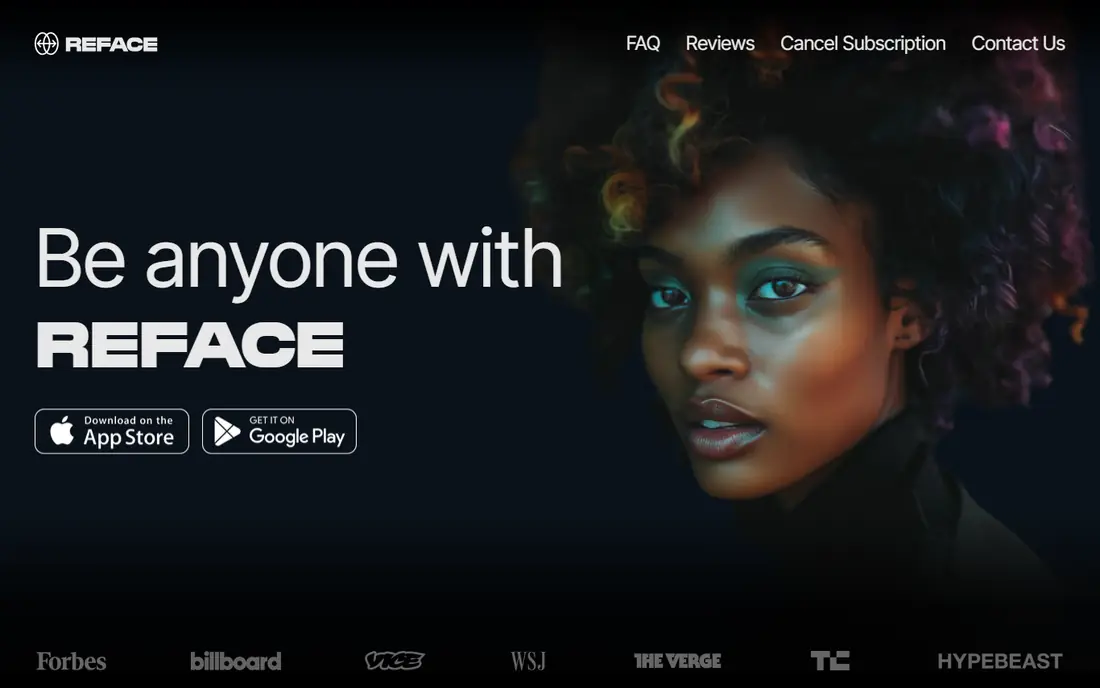
Reface is the fastest route from a selfie to a shareable video or meme. You pick a template, add your face, and generate a short video or GIF that is ready for social sharing.
The clear strength is speed, since one tap swaps beat manual editing for casual fun. For a buyer or user weighing this option, that strength shows up in daily use, not just on a feature list, and it is the reason this product earns a place here.
The honest weakness is pricing traps, since weekly plans cost far more over a year than annual plans, so choose annual or cancel promptly. If that trade-off matters to you, compare it directly with the next option on this list before you commit time or money.
- One tap face swaps, large template library, video and GIF output
- Weekly plans can cost more over time, quality drops on complex scenes

Remini suits a user who wants to rescue an old photo as much as make a new avatar. Its enhancement models sharpen blurry faces, colourise old photos, and generate AI portraits from recent selfies.
The clear strength is restoration, since old family photos gain detail that general editors often miss. For a buyer or user weighing this option, that strength shows up in daily use, not just on a feature list, and it is the reason this product earns a place here.
The honest weakness is weekly cost, since a per week plan adds up quickly if you keep it running for months. If that trade-off matters to you, compare it directly with the next option on this list before you commit time or money.
- Photo restoration, enhancement, AI portrait features
- Weekly pricing is expensive over time, results can over smooth skin
Dawn AI gives casual users a simple path to a batch of artistic avatars. You upload selfies, pick styles, and receive a set of portraits you can use as profile photos or social posts.
The clear strength is simplicity, since the upload and style choice flow needs no editing skill. For a buyer or user weighing this option, that strength shows up in daily use, not just on a feature list, and it is the reason this product earns a place here.
The honest weakness is consistency, since some styles suit a given face better than others, so results vary across a pack. If that trade-off matters to you, compare it directly with the next option on this list before you commit time or money.
- Many avatar styles, simple selfie upload, quick generation
- Pack costs vary, style quality varies by photo set
Wonder suits a creative user who wants to mix text prompts with avatar generation. You can type a prompt, generate art in many styles, and create avatar style portraits from photos for social use.
The clear strength is creative range, since text and photo inputs open more styles than a photo only pack. For a buyer or user weighing this option, that strength shows up in daily use, not just on a feature list, and it is the reason this product earns a place here.
The honest weakness is free limits, since daily or credit limits shape how much you can generate without paying. If that trade-off matters to you, compare it directly with the next option on this list before you commit time or money.
- Text prompts plus photo avatars, many art styles, social sharing
- Free tier limits output, commercial terms need checking
ToonMe is the cartoon avatar app for a profile photo that should look playful, not realistic. You upload a photo, choose a cartoon or caricature style, and receive a stylised version that works well as an avatar.
The clear strength is cartoon charm, since its styles are tuned for fun, recognisable caricatures. For a buyer or user weighing this option, that strength shows up in daily use, not just on a feature list, and it is the reason this product earns a place here.
The honest weakness is range, since realistic or professional portraits belong in Lensa, Remini or HeyGen instead. If that trade-off matters to you, compare it directly with the next option on this list before you commit time or money.
- Cartoon styles, caricature effects, easy social sharing
- Styles are cartoon focused, full features need payment
Avatarify suits a streamer or caller who wants to appear as an animated character live. It animates an avatar from your facial movements in real time, so you can join a call or stream as a character.
The clear strength is live animation, since real time movement beats a static avatar for video calls. For a buyer or user weighing this option, that strength shows up in daily use, not just on a feature list, and it is the reason this product earns a place here.
The honest weakness is hardware demand, since smooth live animation needs a capable device and good lighting. If that trade-off matters to you, compare it directly with the next option on this list before you commit time or money.
- Live face animation, video call avatars, fun effects
- Live use needs a good camera and device, quality varies with lighting
HeyGen is the business avatar tool on this list, built for presenters rather than selfie packs. You choose an avatar, type a script, and generate a talking video in many languages for training, marketing or onboarding.
The clear strength is video scale, since scripted avatar videos can be produced without a studio or camera crew. For a buyer or user weighing this option, that strength shows up in daily use, not just on a feature list, and it is the reason this product earns a place here.
The honest weakness is consumer fit, since pricing and workflow suit business video better than a one off fun profile photo. If that trade-off matters to you, compare it directly with the next option on this list before you commit time or money.
- Talking avatars, many languages, business video templates
- Priced for business use, consumer fun avatars are not its focus
How we picked these
We looked for avatar apps that are live in October 2026, generate avatars from user photos or text, and are available on mobile or web. We weighed output style range, ease of use, price including avatar pack costs, and privacy controls for uploaded photos. Apps that only offered a single filter, required photos of other people without consent controls, or were no longer available did not make the list.
How to choose an AI avatar app
Pick the output you actually want
A stylised portrait pack, a cartoon profile photo, a professional headshot and a talking video avatar are different products. Lensa and Dawn AI suit artistic portraits, ToonMe and Wonder suit cartoons, and HeyGen suits video presenters. Starting from the output avoids paying for a pack of styles you will never use.
Check the full price, not just the download price
Many avatar apps are free to download but charge for a subscription, avatar packs, or both. Lensa, for example, separates editing subscription cost from Magic Avatar pack cost, so add both before you compare. Check auto renewal terms, cancel promptly if you only wanted one pack, and keep receipts for in app purchases.
Protect your photos and likeness
Upload only your own photos or photos you have permission to use, and read how long the app keeps uploads and whether it uses them to train models. Avoid uploading photos of children or other people without clear permission, and delete uploads where the app allows it. An avatar should be fun, not a way to impersonate someone else.
FAQ
What is the best AI avatar app overall? Lensa is a strong overall pick for stylised portrait avatars, while Reface is best for quick fun swaps. The best choice depends on whether you want artistic portraits, cartoons, professional video avatars or just a fun profile photo.
Are AI avatar apps free? Most are free to download with in app purchases, but avatar packs and full features usually cost extra. Lensa charges separately for avatar packs, Reface and Remini use subscriptions, and HeyGen uses paid plans for business video, so check the full price first.
How many selfies do I need for an AI avatar? Many portrait avatar apps ask for 10 to 20 varied selfies with different angles, expressions and lighting. Good, clear, front facing photos produce better results than a set of similar filtered shots.
Can I use AI avatars for business? Yes for profile photos and marketing video in many cases, but check the licence for your plan, since free tiers may limit commercial use. HeyGen and similar video tools are built for business use, while consumer apps are mainly for personal social profiles.
Is it safe to upload my photos to an avatar app? Reputable apps publish privacy policies that explain storage and training use, but any upload carries some risk. Upload only your own photos, avoid sensitive images, read the policy, and delete data where the app allows it.
Sources
https://lensa.app https://reface.app https://remini.ai https://dawnai.app https://wonderai.app https://toonme.com https://avatarify.ai https://heygen.com