8 Best 2FA Authenticator Apps in 2026: Security Compared
Looking for the best 2fa authenticator apps for secure logins? We compare 8 free and paid authenticator apps on backup, sync, and ease of use for users today.

- Editor's choice
 2FAS Auth
Free, no-account backup
Starts atFreeVisit 2fas.comFull review - Great alternative
 Ente Auth
Encrypted cross-platform sync
Starts atFreeVisit ente.ioFull review - Also consider
 Google Authenticator
Simple, familiar 2FA
Starts atFreeVisit google.comFull review
TL;DR:
- 2FAS Auth and Ente Auth are the strongest free picks for most people, with encrypted backups and cross-platform support.
- Google Authenticator and Microsoft Authenticator suit users already in those ecosystems, with simple setup and optional cloud sync.
- Aegis Authenticator is the best local-first Android pick, while Proton Authenticator suits privacy-focused users across devices.
- An authenticator app is only as good as its backup, so set up encrypted backup and save recovery codes before you need them.
Quick comparison
| Tool | Best for | Starts at | Free plan? | |
|---|---|---|---|---|
| 2FAS Auth | Free, no-account backup | Free | Yes | Visit |
| Ente Auth | Encrypted cross-platform sync | Free | Yes | Visit |
| Google Authenticator | Simple, familiar 2FA | Free | Yes | Visit |
 Microsoft Authenticator | Microsoft and work accounts | Free | Yes | Visit |
 Aegis Authenticator | Local-first Android control | Free | Yes | Visit |
 Proton Authenticator | Privacy-first cross-platform | Free | Yes | Visit |
 1Password | Passwords plus 2FA in one app | See website | Free trial | Visit |
 Authy | Multi-device cloud backup | Free | Yes | Visit |
The best 2FA authenticator apps
Two-factor authentication with an app is a large security upgrade over SMS codes, since app codes are generated on your device and do not travel over a phone network. The apps below all generate standard time-based codes, work offline, and cover the main accounts people protect: email, banking, social, and work logins. The differences lie in backup, sync, and platform support, and those differences matter most when you change phones.

2FAS Auth is the free pick we would hand to most people first, because it covers the basics well without forcing an account. It generates codes on Android and iOS, needs no account for core use, and offers encrypted backups to your own cloud storage, plus a browser extension workflow for desktop logins. That combination of free, private, and practical is rare in this category.
The paid Unlimited tier, at a small yearly price in recent listings, adds extra sync options, but the free version already covers backup for most users. 2FAS Auth has no full desktop management app, so desktop users will rely on the browser extension. For a free, ad-free authenticator that you can set up in minutes and back up safely, 2FAS Auth is hard to beat.
- Free with no account required
- Encrypted backups to your own cloud
- Browser extension and pairing
- Paid Unlimited tier adds some sync features
- No desktop app for full management
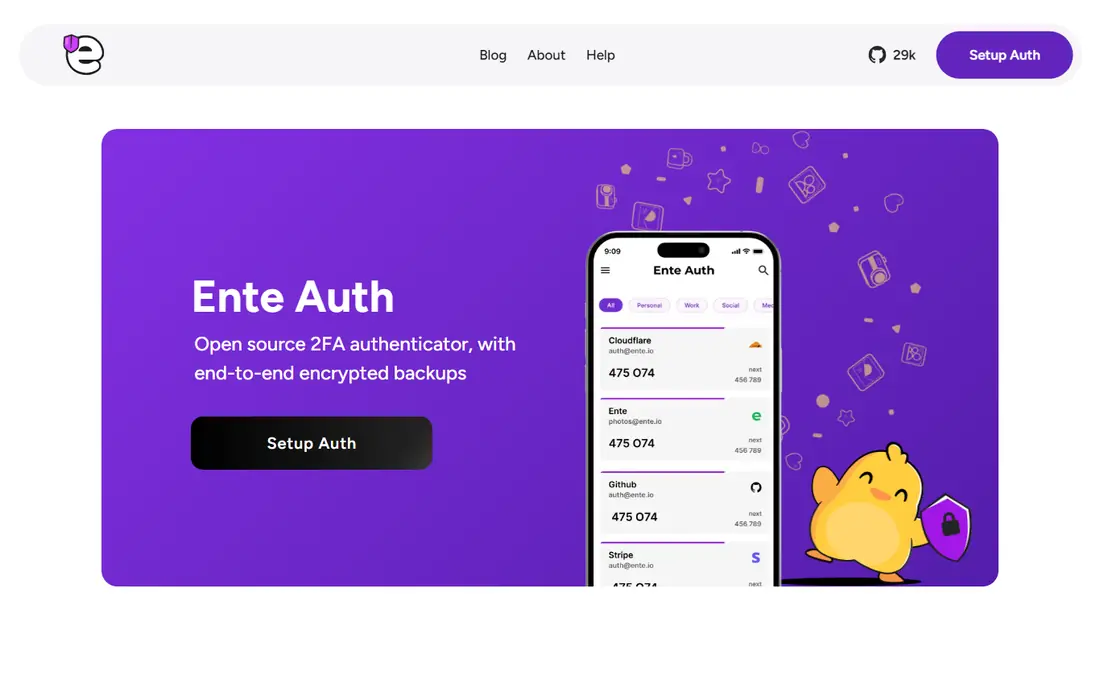
Ente Auth brings encrypted sync to authenticator codes, with apps for Android, iOS, desktop, and web, all tied to an end-to-end encrypted Ente account. That cross-platform reach helps people who log in from several devices, since codes stay in sync without manual exports. Ente is open source, which lets security-minded users inspect the code and the design, and the free tier covers authenticator use for most people.
The trade-off is the account model. Ente Auth sync needs an Ente account, unlike 2FAS Auth core use, and storage limits for other Ente products can confuse new users. For authenticator codes alone, the free tier is generous. If you want encrypted sync, desktop access, and open source transparency in one free app, Ente Auth is the strongest cross-platform pick here.
- End-to-end encrypted sync across mobile, desktop, and web
- Open source
- Free tier with paid storage options
- Cloud sync needs an Ente account
- Free storage limits may matter for heavy photo users of Ente
Google Authenticator is the default authenticator for many people, and its simplicity is the point. It generates time-based codes offline, works with most sites that support authenticator apps, and offers optional sync through a Google Account, so codes can move to a new phone without manual transfer. A privacy screen option adds device authentication before codes are shown.
The app is deliberately plain, with fewer organization, search, and backup options than 2FAS Auth or Ente Auth. Sync also ties your codes to a Google Account, which suits Google users but not everyone. If you want the simplest free authenticator and you already trust Google sync, Google Authenticator remains a safe, familiar choice, though power users will prefer 2FAS Auth or Ente Auth.
- Free and simple
- Optional Google Account sync
- Offline codes
- Widely recognized by sites
- Fewer backup and organization features than 2FAS Auth or Ente Auth
- Sync is tied to a Google Account
Microsoft Authenticator is the right pick for anyone whose main accounts are Microsoft personal, work, or school accounts. It supports passwordless sign-in, push approvals for Microsoft logins, and passkeys, plus standard time-based codes for other sites. Cloud backup through a Microsoft Account lets you restore codes on a new phone, which is a major practical benefit.
Outside Microsoft accounts, the app is a solid but unremarkable authenticator, with backup tied to Microsoft rather than to your own cloud. Work and school accounts may also be managed by an organization, with policies that affect backup and restore. If Microsoft accounts anchor your digital life, use Microsoft Authenticator for them, and consider 2FAS Auth or Ente Auth for everything else if you want separation.
- Free
- Passwordless sign-in for Microsoft accounts
- Cloud backup through a Microsoft Account
- Passkey support
- Best value is inside Microsoft accounts
- Backup is tied to a Microsoft Account
Aegis Authenticator is the local-first pick for Android users who want full control over their codes. It stores codes in an encrypted vault on the device, supports encrypted exports and backups, and needs no cloud account at all. That design appeals to privacy-focused users and to anyone who distrusts cloud sync for security codes, since nothing leaves the phone unless you export it yourself.
The limits are clear. Aegis Authenticator runs on Android only, so iPhone users need a different app, and there is no built-in cloud sync to move codes automatically. You must back up the vault file yourself and store it safely, which is a habit, not a feature. For Android users who will maintain that habit, Aegis Authenticator offers control that cloud apps cannot match.
- Free and open source for Android
- Encrypted local vault with export
- No cloud account required
- Android only, so iPhone users need another app
- No built-in cloud sync
Proton Authenticator, from the Proton privacy suite, offers a free authenticator with encrypted sync across Windows, Mac, Linux, iOS, and Android. A Proton Account is not required for basic use, while signing in enables sync with end-to-end encryption. Import support for Google Authenticator, 2FAS, Aegis, Bitwarden, Ente Auth, and LastPass Authenticator makes switching easy, which is a real benefit when you are leaving an older app.
Paid Proton plans add extras, but the authenticator itself is free, with no ads or tracking in its design. Proton Authenticator suits users who already trust Proton for mail or VPN, or who want a privacy-focused app across desktop and mobile. For pure simplicity, 2FAS Auth is still easier, but Proton Authenticator wins on cross-platform reach for privacy-minded users.
- Free and open source in large part
- Encrypted sync with a Proton Account
- Imports from major authenticators
- Full sync needs a Proton Account
- Some advanced features tie into paid Proton plans
1Password is a password manager first, with built-in one-time code generation as part of its vault. That combination means one app, one master password, and one sync system for logins and codes across Windows, Mac, Linux, Android, and iOS. For users already paying for 1Password, adding codes there is convenient and removes the need for a separate authenticator app.
The trade-off is security design. Storing a password and its second factor in the same vault weakens separation, since one compromise could expose both, though 1Password encryption and device protections reduce that risk. 1Password is also a paid subscription, with a trial rather than a free tier. Use it for convenience if you already subscribe, but keep a separate authenticator for your most sensitive accounts, including email and the password manager itself.
- Passwords and 2FA codes in one encrypted vault
- Sync across all platforms
- Strong family and business plans
- Paid subscription, unlike free authenticators
- Storing passwords and codes together has a trade-off
Authy has long been known for encrypted cloud backup and multi-device access, which made phone changes far less painful than with early authenticators. It generates standard codes, syncs across phones, and offers a simple interface that beginners find easy. For users who already have Authy set up and backed up, it still works as a daily authenticator.
Newer apps have passed Authy on open source transparency, desktop support, and sync design, and Twilio has changed Authy desktop support over time, so desktop users should check the current Authy pages. Authy remains a usable free option, especially for multi-device backup, but new users will usually get a better long-term setup from 2FAS Auth, Ente Auth, or Proton Authenticator. If you stay with Authy, confirm backup is on and test a restore before you need it.
- Free
- Encrypted cloud backup and multi-device access
- Long history as a popular authenticator
- Desktop app support has changed over time
- Newer apps offer better open source and sync options
How we picked these
We compared official app pages, store listings, and security documentation for authenticator apps, and we kept only apps that are currently offered and that generate standard time-based codes for common accounts. We favored a mix of free, open source, cloud-sync, and local-first options, since backup needs differ by user. Prices are listed as Free where the authenticator is free, and See website where the app is part of a paid subscription, since authenticator pricing rarely stands alone.
How to set up an authenticator safely
Start with your email account, since email recovery can reset many other accounts, then add banking, social, and work logins. Scan the QR code or enter the setup key in your chosen app, confirm the first code works, and save the recovery codes the site gives you in a safe place, separate from your phone. Turn on encrypted backup in the app, and test a restore on a second device or after reinstalling, before you lose a phone.
Backup, recovery, and phishing limits
Authenticator codes protect against password leaks and SIM swaps, but they do not stop phishing, since a fake login page can still ask you to type a code. Use passkeys or a security key for your most sensitive accounts where sites offer them, since those resist phishing better than codes. Keep recovery codes offline, in a password manager or a printed copy in a safe place, and never share a code with anyone who asks for it by message, call, or email, since legitimate support will not ask for it.
One app or two
Most people need one good authenticator, not several, since splitting codes across apps makes backup harder. A sensible split is one app for everyday accounts and a separate app, or a security key, for email and financial accounts. Whatever you choose, write down which app holds which account, back it up, and review the list once a year, removing old accounts you no longer use.
FAQ
What is the best 2FA authenticator app?
For most people, 2FAS Auth is the best free pick, with no account requirement and encrypted backups, while Ente Auth is the best pick for encrypted cross-platform sync. Google Authenticator suits simplicity, Microsoft Authenticator suits Microsoft accounts, and Aegis Authenticator suits Android users who want local control. The best app is the one you back up and can restore, not just the one with the longest feature list.
Is Google Authenticator safe?
Yes, Google Authenticator is safe for standard two-factor authentication, generating codes offline on your device. Turn on Google Account sync if you want codes to survive a phone change, and save recovery codes for each account separately. For stronger protection against phishing, use passkeys or a security key on accounts that offer them, since authenticator codes can still be typed into a fake login page.
What happens if I lose my phone with my authenticator app?
If you set up encrypted backup, install the app on a new phone, sign in, and restore your codes, then test a login before you wipe the old device. If you did not set up backup, use the recovery codes you saved at setup, or the account recovery process for each site, which may take time and ID checks. This is why backup and recovery codes matter more than any single app feature.
Are authenticator apps better than SMS codes?
Yes, in most cases. App codes are generated on your device and do not travel over a phone network, so they resist SIM swaps and interception better than SMS codes. SMS codes are better than no second factor, but they are the weakest common option, since phone numbers can be ported or intercepted. Switch to an app, or to passkeys, wherever a site offers the choice.
Can I use the same authenticator app on two phones?
It depends on the app. Ente Auth, Proton Authenticator, and Authy support sync across devices, while Aegis Authenticator needs manual export and import, and Google and Microsoft Authenticator use account sync. Check the backup and sync settings in your app before you rely on two phones, and test that both devices generate the same code for an account.
Is Authy still a good authenticator app in 2026?
Authy still works as a free authenticator with encrypted cloud backup and multi-device access, but newer apps offer better open source options and cross-platform sync. Desktop support has also changed over time, so check the current Authy pages if you need a desktop app. New users will usually be better served by 2FAS Auth, Ente Auth, or Proton Authenticator, while existing Authy users should confirm backup is on.