Best Alternatives to Looker Studio in 2026: 9 Tools Compared
Looking for alternatives to looker studio? We compare 9 dashboard and BI tools on price, ease of use, data sources and sharing for small teams in 2026.
- Editor's choice
 Microsoft Power BI
Small teams overall
Starts at$14 per user per monthVisit powerbi.microsoft.comFull review - Great alternative
 Tableau
Visual analysis
Starts at$15 per user per monthVisit tableau.comFull review - Also consider
 Metabase
Open source dashboards
Starts atFreeVisit metabase.comFull review
TL;DR:
- Looker Studio, formerly Google Data Studio, is free and strong for Google data, but it lacks the depth and governance of paid BI platforms.
- Power BI is our pick for most small teams, with a free desktop tool and a low-cost Pro plan that covers sharing and collaboration.
- Metabase and Apache Superset suit technical teams that want open source dashboards without per-user fees.
- Tableau and Qlik Sense suit analysts who need deeper visual exploration and are willing to pay more per user.
- Count viewers as well as creators, since per-user pricing can make a cheap tool expensive once the whole company wants to view reports.
Quick comparison
| Tool | Best for | Starts at | Free plan? | |
|---|---|---|---|---|
| Microsoft Power BI | Small teams overall | $14 per user per month | Yes | Visit |
| Tableau | Visual analysis | $15 per user per month | Free trial | Visit |
| Metabase | Open source dashboards | Free | Yes | Visit |
 Apache Superset | Self-hosted BI | Free | Yes | Visit |
 Qlik Sense | Exploratory analysis | $30 per user per month | Free trial | Visit |
 Domo | Executive dashboards | See website | Free trial | Visit |
 Zoho Analytics | Small business BI | $24 per month | Yes | Visit |
 ThoughtSpot | Search-based analytics | $25 per user per month | Free trial | Visit |
 Sigma | Warehouse-native BI | See website | Free trial | Visit |
The best alternatives to looker studio
Looker Studio is free, easy, and great for Google Sheets and Analytics reports. These alternatives add stronger data modeling, more sources, better governance, or self-hosting when that free tool runs out of room.
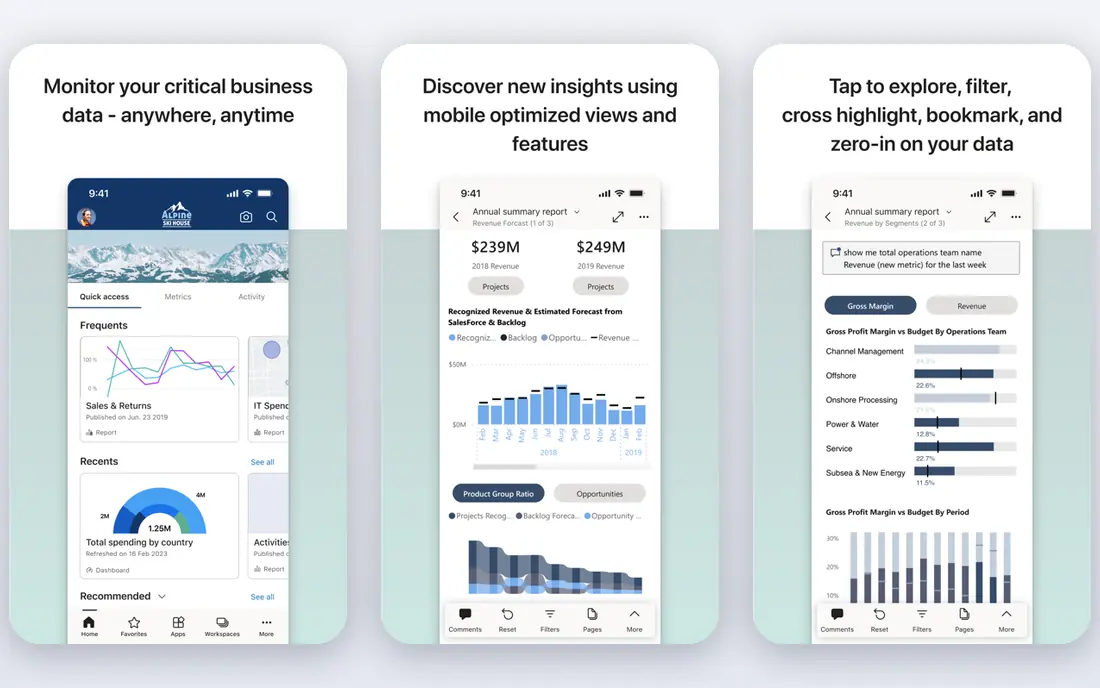
Power BI is the most common step up from Looker Studio, and the price explains why. Desktop is free for building reports, and Pro at $14 per user per month adds sharing, collaboration, and scheduled refresh. It connects to Excel, databases, and hundreds of other sources, so teams are rarely stuck for a connector.
The learning curve is real once you move past simple charts. DAX formulas power advanced measures, and that skill takes time to learn. For teams already using Microsoft 365, though, Power BI is the obvious next step.
- Free Desktop tool for building reports
- Low-cost Pro sharing
- Hundreds of data connectors
- Full sharing needs paid plans
- Advanced features need DAX knowledge
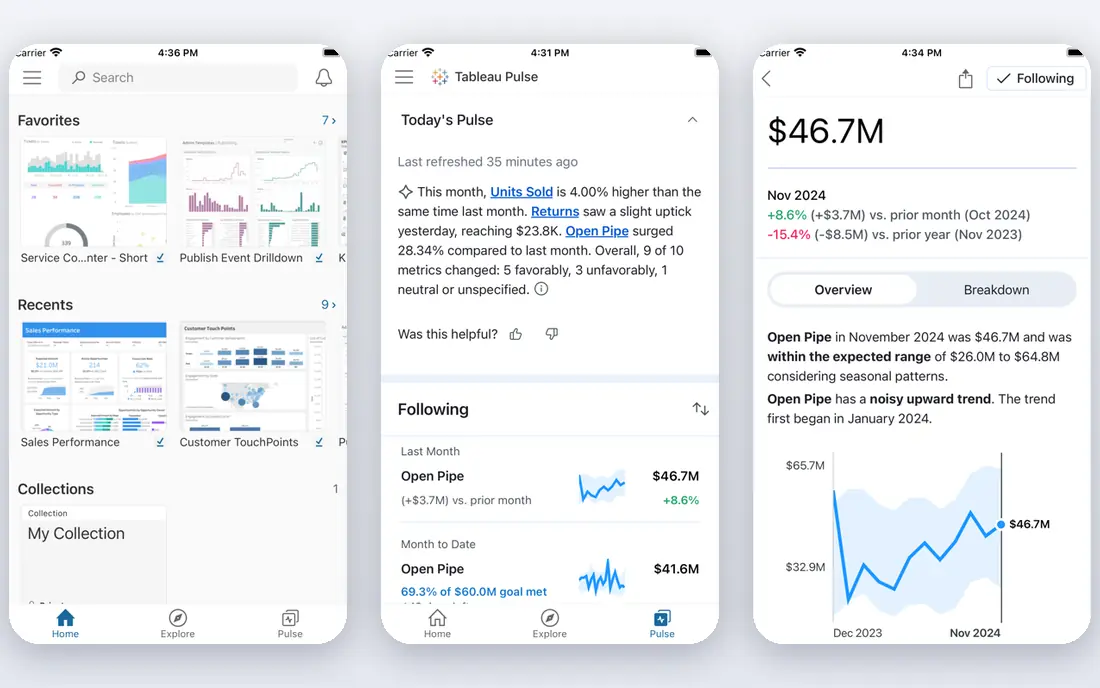
Tableau remains the visual analysis leader for many analysts. Drag-and-drop building, rich chart types, and a large community make it easy to explore data and find patterns that a simple dashboard might miss. Viewer plans start low, while Creator plans for building cost more, so price the mix of roles you actually need.
Looker Studio users will notice the jump in polish and depth, especially for large or messy datasets. The cost jump is real too, so Tableau fits teams that live in their dashboards every day, not teams that check one report a week.
- Excellent drag-and-drop visuals
- Strong community and learning resources
- Live and extract data options
- Creator plans cost more
- Large deployments need planning
Metabase is the friendliest open source BI tool for small teams in 2026. Non-technical users can ask questions with a visual builder, save them as charts, and combine them into dashboards without writing SQL. The self-hosted version is free, which makes it attractive for startups and internal tools.
Paid cloud plans start around $100 per month for small teams and add SSO, permissions, and support. If you self-host, remember that you own updates, backups, and database performance, so budget staff time alongside the zero license cost.
- Free self-hosted version
- Easy question builder for non-technical users
- Simple dashboard sharing
- Advanced features need paid plans
- Large deployments need database care
Apache Superset is a free, open source BI platform used by many large companies for internal dashboards. It offers a wide chart library, a SQL Lab for analysts, and dashboard sharing, all without license fees. Data teams that already run their own infrastructure will find it flexible and capable.
Setup is the barrier. Superset needs installation, configuration, and maintenance, and there is no official hosted version from the project itself. It suits technical teams that want control and have the staff to run it, not business users who want a tool that just works.
- Free and open source
- Many chart types
- Strong SQL Lab for analysts
- Needs technical setup and hosting
- No vendor support without a partner
Qlik Sense takes a different approach to analysis. Its associative engine lets users click through data freely, seeing how selections affect every chart at once, which often surfaces patterns that fixed dashboards miss. That makes it strong for exploratory work, where the question changes as you look at the data.
The price and learning curve are higher than Power BI or Metabase. Teams that need guided exploration and are willing to invest in training will get value from it, while teams that just need scheduled reports may find it more than they need.
- Associative engine for free exploration
- Strong data loading tools
- Good mobile experience
- Higher per-user price
- Learning curve for the associative model
Domo is built for executive and cross-functional dashboards that pull from many systems at once. Its connector library covers common business apps, and its mobile experience suits leaders who check numbers on a phone. For companies that want one place for sales, marketing, and finance views, Domo covers a lot of ground.
Pricing is quote-based and credit-driven, so small teams may find it expensive and hard to compare. It fits mid-size and larger companies better than startups, where a simpler tool will cost less.
- Over a thousand connectors
- Strong executive dashboarding
- Mobile app for leaders
- Quote-based pricing
- Credit model can be hard to predict
Zoho Analytics is a good value pick for small businesses, especially those already using Zoho apps. Plans start low, a free plan covers two users, and the drag-and-drop builder plus AI assistant make basic reporting accessible. It connects to common databases, spreadsheets, and cloud apps.
It does not match Tableau or Power BI for advanced modeling and large-scale governance. For a small team that needs solid dashboards without enterprise pricing, that trade is usually fine.
- Low-cost plans for small teams
- Zoho app integrations
- AI assistant for questions
- Fewer advanced features than Tableau or Power BI
- Best value inside Zoho
ThoughtSpot lets business users type questions in plain language and get charts back, which reduces the queue of requests sent to data teams. It queries live warehouse data and is built for self-service, so a well-modeled source can serve many users without a new dashboard for every question.
The catch is data readiness. If your data is messy or poorly modeled, search results will disappoint, and the tool cannot fix that for you. Companies with a clean warehouse will get the most from it.
- Search-like questions in plain language
- Live warehouse queries
- Strong for self-service
- Needs a well-modeled data source
- Pricing rises with users and features
Sigma gives analysts a spreadsheet-style interface that queries a cloud warehouse directly, with no data extracts to manage. That live-query model keeps numbers fresh and avoids stale copies, which matters for finance and operations teams. Business users get a familiar grid, while analysts can write SQL underneath.
Pricing is quoted, so small teams should ask for a clear number before investing time in a trial. Sigma fits warehouse-first teams best, and teams that mainly use spreadsheets may prefer Power BI or Zoho Analytics.
- Spreadsheet-like interface for warehouse data
- Live queries with no extracts
- Strong for analysts
- Quote-based pricing
- Less suited to small spreadsheet-only teams
How we picked these
We compared official pricing pages, data connectors, sharing and permission features, and public reviews for BI tools live in October 2026. We included free, open source, and paid options, and we favored tools that a small team can actually deploy, not only enterprise platforms. Prices are starting prices from vendor pages and pricing roundups checked in October 2026, and quote-based tools are marked as such.
How to choose a Looker Studio replacement
Start with your data. If most data lives in Google Sheets, Analytics, and BigQuery, Looker Studio may still be enough, and a paid tool adds cost without much gain. If data lives in databases, CRMs, and warehouses, a tool with stronger connectors and modeling will save time.
Next, count roles. Creators who build dashboards, explorers who dig into data, and viewers who just read reports often have different prices. A tool that looks cheap per creator can become expensive once every manager needs a viewer seat. Then test sharing and permissions. Check who can view, edit, and export each dashboard, and whether scheduled email delivery works the way your team expects.
Migrating dashboards without a mess
Rebuild your most-used dashboards first, and keep Looker Studio running in parallel until the new reports match. Check totals and filters carefully, since different tools handle dates, blends, and null values in slightly different ways. A short parallel run catches those gaps before anyone relies on the new numbers.
FAQ
What is the best alternative to Looker Studio?
Power BI is the best general pick for small teams, with a free desktop builder and low-cost sharing. Metabase suits technical teams that want open source, while Tableau suits analysts who need deeper visual exploration.
Is Looker Studio still free?
Yes, the standard version of Looker Studio is free with a Google account, and Looker Studio Pro is a paid upgrade for team features and governance. The free version covers many small-team needs, which is why it remains popular.
Can I use Power BI for free?
Yes, Power BI Desktop is free for building reports on your own computer. Sharing reports with others and using cloud collaboration features needs a paid Pro plan or a capacity plan.
Which Looker Studio alternative is open source?
Metabase and Apache Superset are both open source, with free self-hosted versions. Metabase is easier for non-technical users, while Superset offers more chart types and SQL tools for analysts.
Do these tools connect to Google Analytics?
Most tools here connect to Google Analytics and other Google sources, either directly or through a connector. Power BI, Tableau, Domo, and Zoho Analytics all list Google connectors, but check the exact connector for your version before buying.
Sources
- https://powerbi.microsoft.com/en-us/pricing/
- https://www.tableau.com/pricing
- https://www.metabase.com/pricing
- https://superset.apache.org/docs/intro
- https://www.qlik.com/us/products/qlik-sense/pricing
- https://www.domo.com/pricing
- https://www.zoho.com/analytics/pricing.html
- https://www.thoughtspot.com/pricing
- https://www.sigma.com/pricing