Best Alternatives to KACE in 2026: 8 Systems Management Tools Compared
Looking for alternatives to kace? We compare 8 endpoint and systems management tools for patching, inventory and deployment in 2026, for teams of any size.
- Editor's choice
 NinjaOne
All round endpoint management
Starts atSee websiteVisit ninjaone.comFull review - Great alternative
 ManageEngine Endpoint Central
Patching and asset tracking
Starts atSee websiteVisit manageengine.comFull review - Also consider
 Microsoft Intune
Microsoft 365 shops
Starts atSee websiteVisit microsoft.comFull review
TL;DR:
- Quest KACE covers patching, inventory, software deployment, and asset tracking, so a good replacement must cover most of those jobs, not just one.
- NinjaOne and ManageEngine Endpoint Central are the closest all round replacements for small and mid sized IT teams.
- Microsoft Intune is the natural pick for teams already invested in Microsoft 365, while Jamf, Kandji, and Mosyle suit Apple heavy fleets.
- Pricing in this category is usually per device or per user and often requires a quote, so ask vendors for a total based on your real device count.
Quick comparison
| Tool | Best for | Starts at | Free plan? | |
|---|---|---|---|---|
| NinjaOne | All round endpoint management | See website | No | Visit |
| ManageEngine Endpoint Central | Patching and asset tracking | See website | No | Visit |
| Microsoft Intune | Microsoft 365 shops | See website | No | Visit |
 Jamf Pro | Apple device fleets | See website | No | Visit |
 Kandji | Apple management with guardrails | See website | No | Visit |
 Mosyle | Apple management on a budget | See website | No | Visit |
 Ivanti Endpoint Manager | Large mixed fleets | See website | No | Visit |
 Hexnode UEM | Cross platform device control | See website | No | Visit |
The best alternatives to kace
KACE, now Quest KACE, is known for its systems management appliance approach to patching, inventory, software distribution, and asset tracking. The tools below cover that same ground, with different strengths by platform and team size.
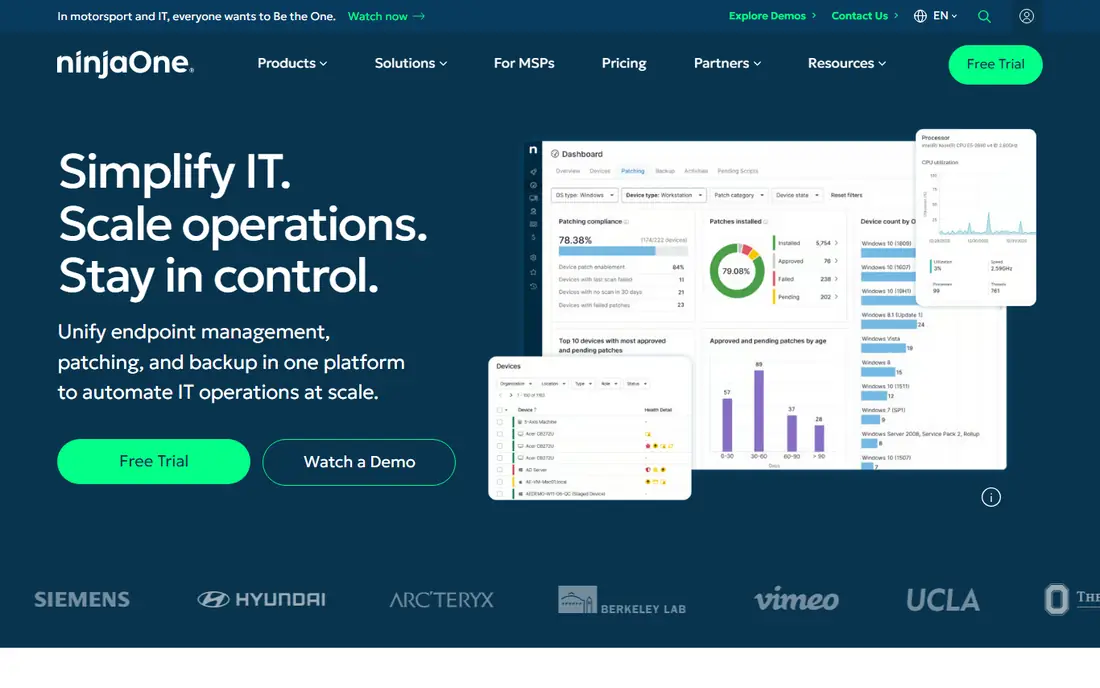
NinjaOne is our pick for most teams leaving KACE, because it covers the core jobs in one cloud console. Patch management, software deployment, remote access, scripting, and monitoring sit together, so admins spend less time jumping between tools. It also handles Windows, Mac, and Linux endpoints, which matters for mixed fleets.
The main drawback is pricing transparency, since NinjaOne quotes by device count and features rather than publishing a simple price list. That means a small team should get a written quote for its exact fleet before comparing. For teams that want a cloud first replacement without an on premises appliance, NinjaOne is the closest fit.
- Single console for Windows, Mac, and Linux
- Strong patching and scripting
- Remote access included
- Pricing requires a quote
- Smaller teams may pay for features they rarely use
ManageEngine Endpoint Central appeals to admins who liked the depth of KACE reporting and inventory. It patches Windows, Mac, Linux, and many third party apps, deploys software, and tracks hardware and software assets through their lifecycle. Teams that need audit ready records will find its reports useful.
Setup can feel heavy at first, and new admins should plan training time before a full rollout. The product also spans a large feature set, so smaller teams should confirm which edition includes the tools they need. For patch heavy shops, it remains one of the strongest KACE replacements.
- Broad patch coverage for OS and third party apps
- Detailed inventory and asset lifecycle tracking
- On premises and cloud options
- Interface takes time to learn
- Some advanced features sit on higher tiers
Intune makes sense when a team already pays for Microsoft 365, because it builds on the same identity and compliance tools. Admins can enforce encryption, app protection, and conditional access policies, and Windows Autopilot speeds up new device setup. It also covers Mac, iOS, and Android, so it is not Windows only.
The learning curve is real, and teams without Microsoft expertise may need help with the first deployment. Intune also shines brightest inside a Microsoft environment, so shops that run mostly Google or Apple tools should weigh the other picks. For Microsoft heavy teams, though, it often replaces several separate tools.
- Deep ties to Microsoft 365 and Entra ID
- Manages Windows, Mac, iOS, and Android
- Autopilot for new device setup
- Setup can feel complex
- Best value depends on existing Microsoft licensing
Jamf Pro is the standard choice for organizations that run mostly Apple devices. It handles Mac, iPhone, iPad, and Apple TV enrollment, app deployment, patching, and security policies with a depth that cross platform tools rarely match. Its community and documentation also help new admins solve common problems fast.
The limit is scope. Jamf Pro does not manage Windows or Android fleets, so a mixed environment will need another console beside it. That split can be worth it when Apple devices dominate, since the depth pays off daily. For Apple first schools and companies, Jamf Pro is the safest pick.
- Deepest Apple management coverage
- Strong Mac and iOS deployment
- Large admin community and guides
- Apple only, so mixed fleets need a second tool
- Pricing requires a quote
Kandji suits Apple teams that want guardrails without building every policy from scratch. Its prebuilt templates cover common security frameworks, and automated setup gets new Macs and iPhones ready with little manual work. When a device drifts from policy, Kandji flags it clearly, which helps small IT teams stay compliant.
Like Jamf, Kandji covers Apple only, so Windows and Android devices need another tool. Its integration list is also narrower, though it covers the common identity and security tools most teams use. For lean Apple teams that value automation over deep customization, Kandji is a strong choice.
- Prebuilt compliance templates
- Automated device setup
- Clear alerts when devices drift from policy
- Apple only
- Smaller third party integration catalog than Jamf
Mosyle is worth a close look for schools and small businesses that need Apple management without enterprise pricing. It covers enrollment, app deployment, patching, and security policies for Mac, iPhone, iPad, and Apple TV, and its pricing is friendlier than larger rivals. Small teams often find it easier to deploy than heavier platforms.
The trade off is depth. Very large or highly regulated fleets may outgrow Mosyle and want Jamf or Kandji instead, and support options differ by plan. For a small Apple fleet that needs solid basics at a fair price, Mosyle delivers good value.
- Lower cost Apple management
- Free tier for small school use in some cases
- Covers Mac, iOS, and tvOS
- Apple only
- Interface and support depth vary by plan
Ivanti Endpoint Manager fits large organizations with complex, mixed fleets. It covers patching, software distribution, OS deployment, and inventory across Windows, Mac, Linux, and mobile devices, and it handles the scale that smaller tools struggle with. Enterprises with many sites and varied hardware will find its breadth useful.
That breadth brings complexity, and teams should plan a staged rollout with vendor help. Licensing also needs care, since Ivanti sells several related products that can overlap. For large IT departments that already run enterprise tooling, Ivanti is a credible KACE replacement.
- Manages Windows, Mac, Linux, and mobile
- Strong software distribution
- Good for complex enterprise environments
- Deployment can be complex
- Pricing and licensing need careful review
Hexnode UEM is a good pick for teams that manage many device types and need firm control over each one. It supports Windows, Mac, iOS, Android, and tvOS, with kiosk modes, app controls, and lockdown policies that suit retail, field, and shared device use. Policy setup is clear, and admins can push changes to groups fast.
Patch management is present but less deep than ManageEngine or NinjaOne, so patch heavy Windows shops may pair Hexnode with a dedicated patch tool. Higher tier features also cost more, so check the plan that includes the controls you need. For diverse fleets with shared devices, Hexnode is a practical choice.
- Manages Windows, Mac, iOS, Android, and tvOS
- Kiosk and lockdown modes
- Clear policy controls
- Patching depth is thinner than dedicated patch tools
- Enterprise features need higher tiers
How we picked these
We compared official feature pages, platform coverage, and public reviews for endpoint and systems management tools, and we focused on products that cover patching, inventory, deployment, and device policy in one console. We included cloud and on premises options, cross platform tools, and Apple focused tools, because KACE users run varied fleets. Pricing in this category changes by device count and edition, so we list See website where vendors require a quote rather than guessing a number.
How to choose a KACE replacement
Start by counting your fleet by operating system, since that single fact narrows the list fast. Apple only fleets should shortlist Jamf, Kandji, and Mosyle, while mixed fleets should focus on NinjaOne, Endpoint Central, Intune, Ivanti, and Hexnode. Do not pay for a cross platform tool if ninety percent of your devices run one platform.
Next, rank your daily jobs. If patching and audit reports dominate, favor Endpoint Central or NinjaOne. If identity, compliance, and Microsoft licensing dominate, favor Intune. If shared devices and lockdown matter most, favor Hexnode. A short trial with a small device group will reveal interface and reporting gaps faster than a feature sheet.
Finally, get a written quote for your exact device count, including any remote access, patching, or asset modules that cost extra. Ask whether pricing is per device or per user, how often it renews, and what support hours are included. A tool that looks cheap per device can cost more once add on modules are included.
FAQ
What is Quest KACE?
Quest KACE, formerly the KACE Systems Management Appliance, is a systems management tool for patching, software deployment, inventory, and asset tracking across endpoints. Teams use it to keep devices updated, deploy software, and track hardware and software assets from one console.
Which alternative to KACE is closest overall?
NinjaOne and ManageEngine Endpoint Central are the closest all round matches, since both cover patching, deployment, inventory, and remote access in one console. NinjaOne leans cloud first, while Endpoint Central offers on premises and cloud options with deep patch coverage.
Is Microsoft Intune a good KACE replacement?
Yes, for teams already using Microsoft 365 and Entra ID, Intune is often the best fit, since it ties device policy to identity and compliance. Teams outside the Microsoft stack may find NinjaOne or Endpoint Central easier to adopt.
What is the best KACE alternative for Apple devices?
Jamf Pro offers the deepest Apple coverage, Kandji adds automated compliance templates, and Mosyle offers a lower cost path for smaller Apple fleets. Choose Jamf for scale, Kandji for automation, and Mosyle for budget.
Do these tools require on premises hardware?
Most tools in this list are cloud hosted and need no appliance, though Endpoint Central and Ivanti still offer on premises deployment for teams with that requirement. Cloud hosting cuts hardware upkeep but needs reliable internet for policy updates.
How much does a KACE alternative cost?
Most vendors price per device or per user and require a quote, so costs vary widely by fleet size and edition. Small teams should expect a monthly per device fee, while large fleets can often negotiate volume pricing. Always ask for a total that includes every module you plan to use.