Best Alternatives to Homebrew in 2026: 9 Package Managers Compared
Looking for alternatives to Homebrew? We compare 9 macOS package managers for command-line tools, apps, and repeatable dev setups in 2026.

- Editor's choice
 MacPorts
Most Mac users
Starts atFreeVisit macports.orgFull review - Great alternative
 Nix
Repeatable setups
Starts atFreeVisit nixos.orgFull review - Also consider
 Fink
Debian-style packages
Starts atFreeVisit finkproject.orgFull review
TL;DR:
- MacPorts is our pick for most people leaving Homebrew, because it is the oldest mature Mac package system with thousands of ports and a clear install path.
- Nix is best for repeatable setups, since it isolates every package version and lets you roll back a broken environment.
- Conda suits data science and Python work, because it manages Python packages and system libraries together in one environment.
- Fink, pkgsrc, and Gentoo Prefix suit users who want a Unix-style system that mirrors Linux or BSD package traditions.
- No manager is a drop-in copy of Homebrew, so check Apple Silicon support, binary availability, and how it handles upgrades before you switch.
Quick comparison
| Tool | Best for | Starts at | Free plan? | |
|---|---|---|---|---|
| MacPorts | Most Mac users | Free | Yes | Visit |
| Nix | Repeatable setups | Free | Yes | Visit |
| Fink | Debian-style packages | Free | Yes | Visit |
 pkgsrc | Cross-platform Unix | Free | Yes | Visit |
 Conda | Python and data work | Free | Yes | Visit |
 Spack | Scientific software | Free | Yes | Visit |
 GNU Guix | Fully reproducible systems | Free | Yes | Visit |
 pkgin | Binary pkgsrc installs | Free | Yes | Visit |
 Gentoo Prefix | Gentoo on macOS | Free | Yes | Visit |
The best alternatives to Homebrew
Homebrew is the most popular package manager for macOS, known for simple installs, a huge formula library, and Cask support for GUI apps. Users leave it for many reasons: a need for isolation, a preference for source builds, a wish for repeatable environments, or a conflict with system libraries. The managers below each offer a different model, and the right one depends on how you work.
MacPorts is the closest traditional alternative to Homebrew. It installs software into /opt/local, separate from macOS system libraries, and it builds its own copies of dependencies. That separation keeps macOS updates from breaking your tools as easily, and it gives you control over build options through variants, such as choosing a Python version for a port.
The workflow is familiar: search for a port, install it with the port command, and update with selfupdate and upgrade. MacPorts supports both Intel and Apple Silicon Macs, and its port tree covers command-line tools, libraries, and many GUI apps. Documentation is thorough, and the project has been maintained for many years.
The downside is speed and privilege. MacPorts requires sudo, and many ports compile from source rather than installing a binary, so a large install can take time. If you want the most Homebrew-like experience with a more isolated system, MacPorts is the first manager to try.
- Thousands of ports
- Builds its own dependencies for stability
- Long track record on Mac
- Requires sudo for installs
- Often builds from source, so installs can be slow
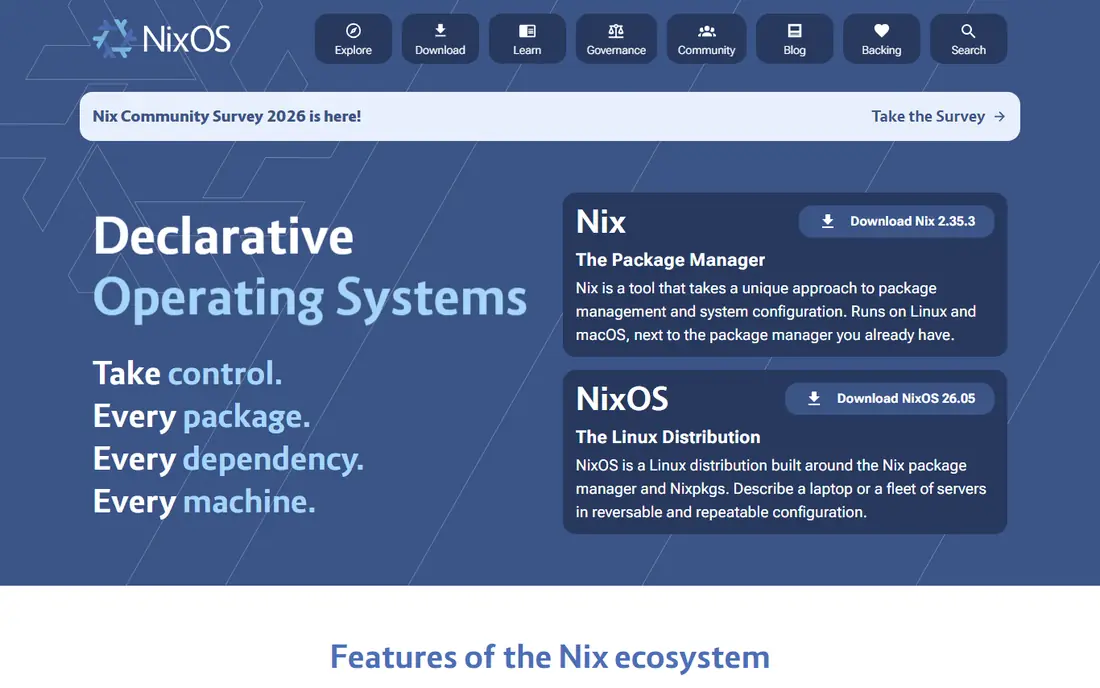
Nix takes a different approach from every other manager on this list. Each package goes into the Nix store under a unique path based on its inputs, so two versions of the same tool can live side by side without conflict. You can define an environment in a file, share that file with a team, and get the same setup on another machine. Rollbacks let you undo a bad upgrade in seconds.
That power comes with learning. Nix has its own language, its own concepts for derivations and flakes, and a setup on macOS that creates a separate APFS volume for the store. New users often spend a weekend learning the basics before they feel comfortable. Once learned, though, Nix is hard to give up for developers who manage many projects.
Nix suits teams, developers with many client projects, and anyone who has been burned by an upgrade breaking a working setup. If you only need a few command-line tools, MacPorts or Conda will be simpler.
- Multiple versions can coexist
- Easy rollbacks
- Declarative environments with flakes
- Steep learning curve
- Nix store and language concepts take time to learn
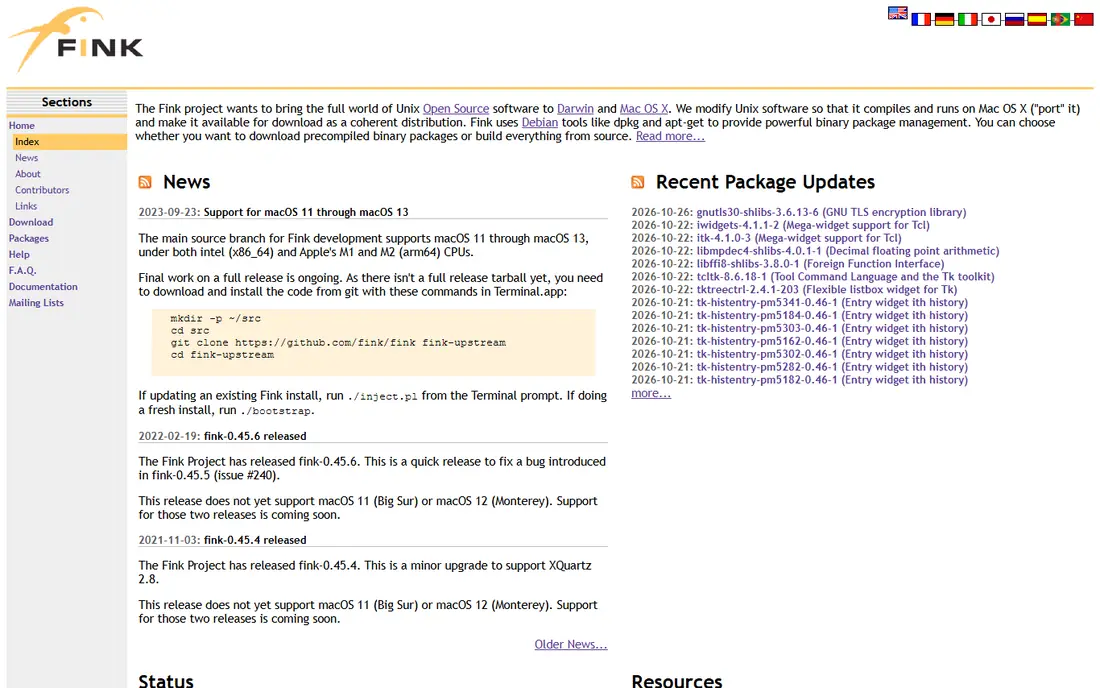
Fink brings Debian-style package management to macOS. It uses dpkg and apt-get, so users familiar with Debian or Ubuntu will feel at home. You can install prebuilt binary packages or build from source, and Fink handles dependencies automatically. The project has existed since the early days of Mac OS X, which gives it a long, if quieter, history.
The package set is smaller than Homebrew or MacPorts, and updates can lag behind the newest releases. Fink also installs into its own directory, which keeps it separate from macOS, but it may feel dated compared with modern managers. For a user who wants apt-get on a Mac, Fink is still the direct answer.
Fink is best for Debian fans, for users who need a specific package Fink carries, or for a secondary manager alongside another tool. It is not the fastest-moving option, but it is stable and well understood.
- Uses Debian tools like dpkg and apt-get
- Binary packages available
- Long Mac history
- Smaller and slower-moving package set
- Some packages lag behind current versions
pkgsrc is the NetBSD package system, and it runs on macOS, Linux, and other Unix-like systems. That cross-platform nature is its strength: a developer who works on NetBSD, SmartOS, and macOS can use the same package framework everywhere. It supports building from source and installing binary packages, and it can install into a custom prefix without root access.
On macOS, you bootstrap pkgsrc first, which takes some setup. After that, the package tools work much like other Unix managers, with a large collection of over 17,000 packages in the tree. Binary packages are available for some platforms, which speeds up installs.
pkgsrc suits Unix veterans, cross-platform teams, and users who want a portable package system. New Mac users may find MacPorts easier to start with, but pkgsrc rewards Unix experience with flexibility.
- Works on many Unix systems, not just macOS
- Supports unprivileged installs
- Large package collection
- Bootstrap setup takes effort
- Documentation assumes Unix experience
Conda is the package manager behind Anaconda and Miniforge, and it is the standard choice for Python data science. It creates isolated environments, each with its own Python version and libraries, so one project can use Python 3.11 while another uses 3.12. It also manages non-Python libraries that data tools need, such as BLAS and HDF5, which pip alone does not handle.
That isolation makes Conda a good Homebrew alternative for data work, even if it is not a full system manager. You can install tools like Jupyter, pandas, and scikit-learn without touching system Python or Homebrew. Conda also works on Windows and Linux, so a data team can share environment files across platforms.
Conda is not ideal for installing every Mac tool, and environments can become large if you install many packages. Use Conda for Python and data projects, and pair it with MacPorts or Nix for system tools.
- Manages Python and system libraries together
- Isolated environments per project
- Works on macOS, Windows, and Linux
- Not a general system package manager
- Environments can grow large
Spack is a package manager for supercomputers and scientific software, and it also runs on macOS. Its strength is building many versions of the same software with different compilers, options, and dependencies, all side by side. A researcher can install one version of a library for one project and another version for a second project, without conflict.
Spack uses a spec syntax to describe exactly what you want, such as a compiler version and build options. That precision is valuable in research, where results must be reproducible. The package collection covers many scientific tools, compilers, and libraries.
For a casual Mac user, Spack is overkill. It is best for scientists, engineers, and HPC users who already think in terms of modules and build variants. If you need that level of control, Spack is unmatched on this list.
- Builds many versions and variants side by side
- Strong for HPC and scientific stacks
- Flexible specs
- Designed for clusters and research, not casual Mac use
- Learning curve is steep
GNU Guix is a functional package manager similar in spirit to Nix, with a focus on free software and reproducibility. You describe a system or environment in Scheme, Guix builds it from exact inputs, and you can roll back to a previous generation if an upgrade breaks something. That transactional model is a strong safety net for developers.
On Linux, Guix can manage a whole system. On macOS, support is more limited, and Guix is often used as a user-level manager rather than a full system replacement. The package set is also smaller on Mac than on Linux, and some non-free software is not included by design.
Guix suits developers who value reproducibility and free software principles, and who are comfortable with Scheme and functional concepts. For a general Mac package manager, Nix or MacPorts will be more practical today.
- Declarative and reproducible environments
- Transactional upgrades and rollbacks
- Free software focus
- MacOS support is limited compared with Linux
- Smaller package set on Mac
pkgin is the binary package tool for pkgsrc, similar to apt-get for Debian. Once you have bootstrapped pkgsrc on macOS, pkgin lets you install prebuilt packages quickly, without compiling from source. Commands are simple, and it handles dependencies and upgrades.
The advantage over raw pkgsrc is speed. A binary install takes seconds, while a source build can take minutes or hours for large tools. That makes pkgin a good choice for users who want pkgsrc packages without the build time.
pkgin depends on pkgsrc being set up, and binary availability varies by macOS version and architecture. It is best as the fast front end to pkgsrc, not as a standalone manager for a brand-new Mac user.
- Fast binary installs from pkgsrc
- Simple apt-like commands
- Works with pkgsrc bootstrap
- Needs pkgsrc setup first
- Binary availability varies by platform
Gentoo Prefix brings Gentoo's Portage system to macOS without replacing the host system. It installs into a prefix directory, so it does not touch macOS system files, and it gives you Gentoo's famous control over USE flags, compilers, and build options. Users who love Gentoo on Linux can get a similar experience on a Mac.
Setup is complex, and many packages build from source, so installs take time. Gentoo Prefix also assumes you know Portage, ebuilds, and Unix build tools. That is a lot to ask for a casual user, but it is a fair trade for Gentoo fans.
Choose Gentoo Prefix if you already use Gentoo, if you need a specific Gentoo package on macOS, or if you want maximum build control. For most Mac users, MacPorts or Nix will be faster to set up and easier to maintain.
- Gentoo Portage on macOS
- Full control over build options
- Large ebuild collection
- Complex setup
- Builds from source often
- Needs Gentoo experience
How we picked these
We compared official project pages, documentation, and public guidance on macOS support, Apple Silicon compatibility, and package counts. We favored managers that are still maintained in 2026, run on current macOS, and offer a real alternative model, not just a fork of Homebrew. We included source-based, binary, and functional managers because Homebrew users leave for different reasons.
We also checked install models honestly. A manager that needs sudo, a bootstrap step, or a separate volume is not a one-command install, and we say so. That helps readers pick a manager they will actually maintain, not just install once.
How to choose a Homebrew alternative
Start with your main need. A general replacement points to MacPorts. A repeatable team setup points to Nix. Python data work points to Conda. Scientific stacks point to Spack. Unix tradition points to Fink, pkgsrc, or Gentoo Prefix. Matching the manager to the job matters more than matching Homebrew feature for feature.
Next, test on a spare setup if you can. Install the manager, add your five most-used tools, and try an upgrade and a rollback. A manager that feels good for installs but painful for upgrades will cost you time later. Check Apple Silicon support for each tool you need, since some older ports lag on new hardware.
Finally, plan migration, not just installation. Export your Homebrew list, note which tools are GUI apps that need Cask-style installs, and decide whether to keep Homebrew for those apps while you move command-line tools. Running two managers is possible, but keep their install paths separate to avoid conflicts.
GUI apps and Casks
Homebrew Casks make GUI app installs easy, and most managers on this list focus on command-line tools. For GUI apps, the Mac App Store, direct downloads, or a tool like MacPorts with Aqua ports can help, but expect more manual work than Casks. Keep Homebrew for Casks if GUI installs are a big part of your workflow.
Keeping two managers from clashing
If you run two managers, keep their prefixes separate, watch your PATH order, and avoid installing the same tool in both. A clear PATH and a note of which manager owns which tool will save you from confusing version conflicts later.
FAQ
What is the best Homebrew alternative for most Mac users?
MacPorts is the best general alternative, because it is mature, well documented, and covers thousands of tools. Nix is better if you need repeatable environments, and Conda is better for Python data work.
Can I use Nix and Homebrew together?
Yes, but keep their install paths separate and watch your PATH order so the right version of a tool runs first. Many developers use Nix for project environments and Homebrew for general tools, or vice versa, without conflict if they are careful.
Is MacPorts slower than Homebrew?
MacPorts often builds from source, so installs can be slower than Homebrew binary bottles. That trade buys you isolation and build options. For common tools, binary options and cached builds reduce the gap, but large installs will still take longer.
Which package manager is best for data science on Mac?
Conda is best for data science, because it manages Python versions and data libraries together in isolated environments. Pair it with MacPorts or Nix for system tools that Conda does not cover.
Does Fink still work on modern macOS?
Fink still works, but its package set moves more slowly than Homebrew or MacPorts, and some packages may lag behind current versions. Check whether Fink carries the tools you need before you commit to it as your main manager.
Can I install GUI apps with these managers?
Most managers on this list focus on command-line tools and libraries. MacPorts offers some Aqua ports, and Nix can install GUI apps, but neither matches Homebrew Casks for GUI coverage. Use the Mac App Store or direct downloads for GUI apps if you leave Homebrew.