Best 17hats Alternatives in 2026: 8 Tools Compared
Looking for 17hats alternatives? We compare 8 client management tools for freelancers and small firms on price, contracts, invoicing, automation, and portals.
- Editor's choice
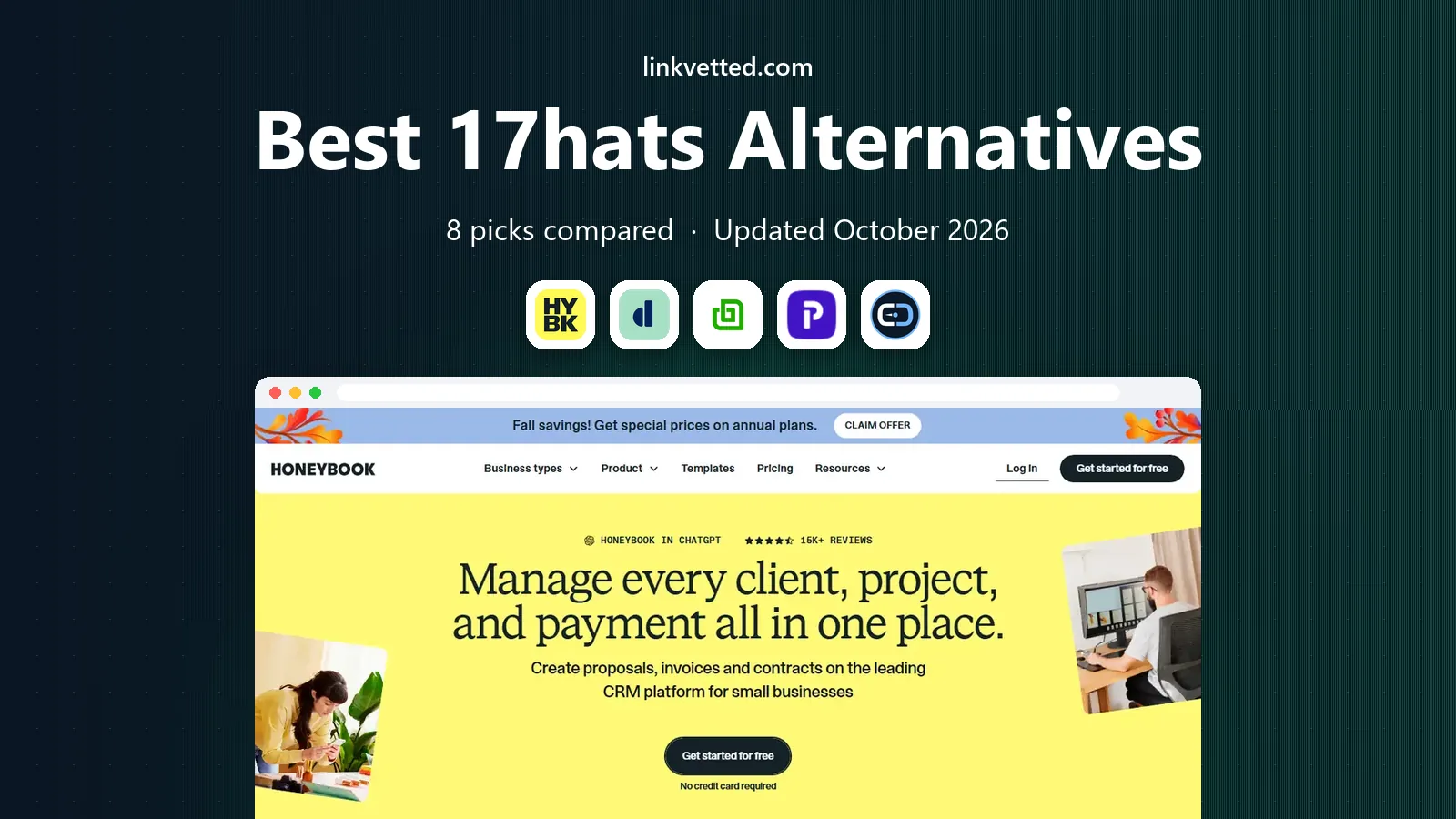
 HoneyBook
Creative freelancers in the US and Canada
Starts at$29 per monthVisit honeybook.comFull review - Great alternative
 Dubsado
Owners who want deep workflow automation
Starts atSee websiteVisit dubsado.comFull review - Also consider
 Bonsai
Solo freelancers who also need tax help
Starts at$9 per user per monthVisit hellobonsai.comFull review
TL;DR:
- HoneyBook is our pick for most creative freelancers in the US and Canada, with polished proposals and payments in one flow.
- Dubsado suits owners who want deep workflow automation and do not mind a longer setup.
- Bonsai, Plutio, and Moxie keep costs lower for solo operators, while SuiteDash fits teams that want a flat rate.
- Check payment fees and plan limits before you switch, since the monthly price is only part of the total cost.
- Moving templates and automations takes time, so trial the client portal with one real project first.
Quick comparison
| Tool | Best for | Starts at | Free plan? | |
|---|---|---|---|---|
| HoneyBook | Creative freelancers in the US and Canada | $29 per month | Free trial | Visit |
| Dubsado | Owners who want deep workflow automation | See website | Free trial | Visit |
| Bonsai | Solo freelancers who also need tax help | $9 per user per month | Free trial | Visit |
 Plutio | Freelancers who want one flat-rate tool | $19 per month | Free trial | Visit |
 SuiteDash | Agencies that want a white-label portal | $19 per month | Free trial | Visit |
 Moxie | Solo freelancers who want a modern setup | See website | Free trial | Visit |
 FreshBooks | Invoice-first service businesses | See website | Free trial | Visit |
 Bloom | Creative studios on a tight budget | See website | Free trial | Visit |
The best 17hats alternatives
17hats covers leads, quotes, contracts, invoices, and scheduling for solo businesses. These options cover the same ground with different strengths, so the best choice depends on your client volume, your budget, and how much automation you want.

HoneyBook is the easiest move for photographers, designers, planners, and other project-based freelancers who want clients to book and pay with little friction. The Starter plan includes unlimited clients and projects, invoices and payments, proposals and contracts, a client portal, and templates, based on the vendor pricing page we checked. That breadth matters because it removes the need to stitch together separate tools for each step.
The catch is geography and price growth. HoneyBook serves the US and Canada, so owners elsewhere need a different pick. The Essentials tier adds scheduling, automations, and QuickBooks Online integration, which pushes the monthly cost up, and payment processing fees still apply. If you sell project work and value a clean client-facing flow over deep customization, HoneyBook is a strong first trial.
- Polished client experience
- Proposals, contracts, and payments in one flow
- Strong templates for creatives
- US and Canada only
- Costs rise with higher tiers
- Payment fees apply on top of the plan
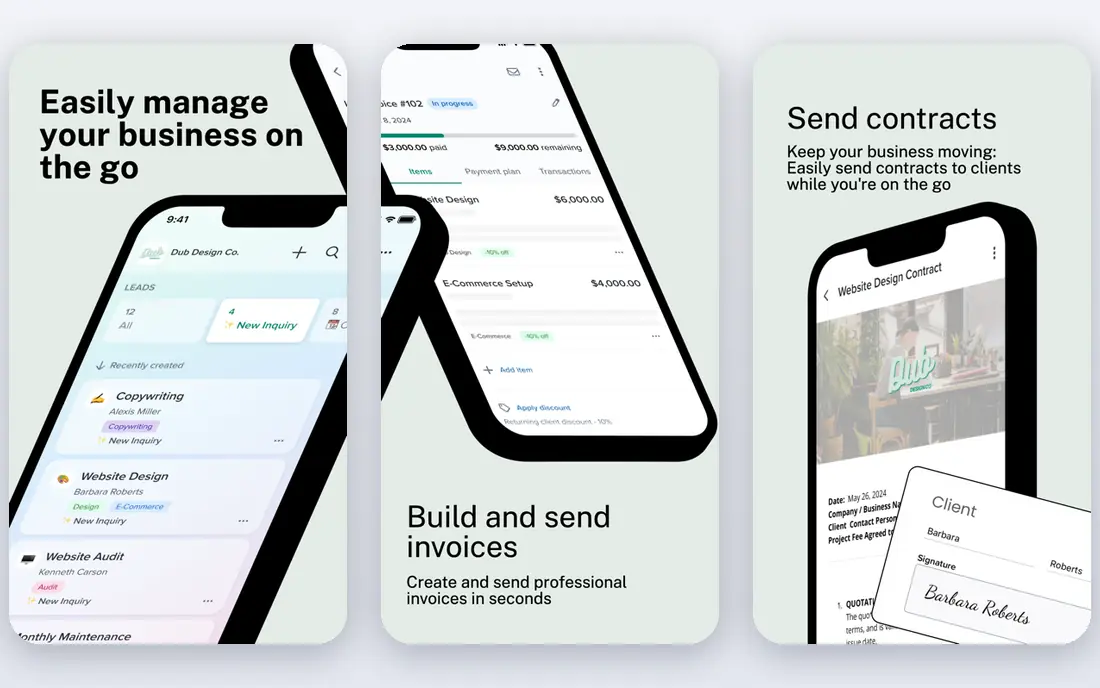
Dubsado is built for owners who have a repeatable process and want it to run on its own. You can build branded intake forms, questionnaires, contracts, invoices, payment plans, and scheduling into workflows that trigger around project milestones. For a studio that books the same type of project again and again, that structure saves repeated admin work and reduces missed follow-ups.
The trade-off is the learning curve. Dubsado rewards time spent on setup, and owners who want to send a first proposal in an hour may find HoneyBook or Bonsai faster. Public pricing summaries put the Starter plan near $335 per year, so check the current vendor page before you commit. Pick Dubsado when your process is stable and automation will pay back the setup time many times over.
- Flexible forms and workflows
- Proposals, contracts, and invoices in one send
- Works worldwide
- Setup takes longer than simpler tools
- Interface can feel busy at first
- Pricing is annual in practice for the best rates

Bonsai starts as a simple business tool and grows into proposals, contracts, scheduling, invoicing, and time tracking as you move up the tiers. The Basic plan is cheap, but it does not include invoicing, contracts, or proposals, so most owners will need Essentials or higher. That detail matters when you compare headline prices, since the plan you actually use costs more than the cheapest tier.
For solo consultants, designers, and writers who bill by the hour, Bonsai has a clear appeal. Time tracking ties directly to invoices, and the tax tools help US freelancers set money aside and prepare filings. Teams should run the per-user math first, since flat-rate tools can be cheaper once three or four people need access.
- Low entry price
- Time tracking and invoicing in one place
- Useful tax features for US freelancers
- Basic plan lacks invoicing and contracts
- Per-user pricing grows with a team
- Some features sit on higher tiers
Plutio gives solo operators and small teams a single workspace for CRM, projects, tasks, proposals, invoicing, time tracking, and client portals. The flat rate is the main draw, since you do not pay per user on the core plans, and that keeps costs predictable as you add a contractor or a part-time helper. It is a practical fit for general service businesses that do not need a creative-industry template library.
The entry plan caps active clients, so growing firms should check the limit against their real pipeline before signing up. The design is functional rather than beautiful, and some owners will miss the polished client experience of HoneyBook. If price predictability and breadth matter more than polish, Plutio is worth a trial.
- Flat monthly pricing
- Projects, tasks, invoicing, and a client portal included
- White-label options on higher tiers
- Client limits on the entry plan
- Interface can feel dense
- Fewer polished templates than HoneyBook
SuiteDash is aimed at agencies and service firms that want clients to log in to a branded portal under their own domain. It combines CRM, project management, invoicing, file sharing, forms, and automation, and the flat pricing model means a growing team does not face a per-seat bill shock. For firms that resell services or manage many clients at once, that combination is hard to match at this price.
The breadth comes with a setup cost. You will spend time configuring portals, permissions, and automations before the system feels natural, and some individual features are less refined than a specialist tool. If your clients will judge you by the portal itself, SuiteDash gives you the branding control to make it look like your own product.
- Flat rate with unlimited staff and clients
- Strong white-label branding
- CRM, projects, invoicing, and portals in one tool
- Setup can take time
- Some features feel broad rather than deep
- Mobile experience is weaker than the desktop portal
Moxie, formerly Hectic, is designed for solo freelancers who want a tidy workspace without enterprise clutter. It covers the core 17hats ground: leads, proposals, contracts, invoices, expenses, time tracking, and a client portal, in an interface that feels current and easy to scan. Owners who felt that older tools looked dated often settle here quickly.
The limits show up at scale. Moxie is at its best for one person or a very small team, and firms that need deep automation or a large integration library may outgrow it. Pricing summaries put entry plans near $20 per month on annual billing, so confirm the current vendor page. For a solo operator starting fresh, Moxie is a calm, affordable alternative.
- Clean modern interface
- CRM, proposals, contracts, invoicing, and scheduling included
- Flat-rate plans for solo users
- Newer than some rivals, so template depth is thinner
- Fewer third-party integrations
- Team features are limited
FreshBooks is the right alternative when invoicing and bookkeeping matter more than workflow automation. It handles estimates, invoices, recurring billing, expenses, time tracking, and reports with a clarity that many general CRM tools lack. Small firms that work with an accountant often appreciate the clean records and the simple chart of accounts.
It is not a full replacement for 17hats on the CRM side. Lead capture, questionnaires, and complex client workflows are thinner here, so owners who live by automation should pair it with another tool or pick Dubsado instead. Choose FreshBooks when getting paid cleanly and keeping the books tidy is the main job, and client portals are a nice extra rather than the core need.
- Strong invoicing and expense tracking
- Clear reports
- Easy to use for non-accountants
- Client management is lighter than a full CRM
- Project tools are basic
- Client caps on lower tiers
Bloom is a budget-friendly option for photographers, designers, and other creatives who want the core booking flow without a premium price. It covers leads, contracts, invoices, payments, scheduling, and galleries in a package aimed squarely at creative work. Pricing summaries put entry plans near $7 per month, which makes it one of the cheapest credible options in this list.
The trade-off is depth. Bloom does not match Dubsado on automation or SuiteDash on white-label portals, and its integration list is shorter than the bigger names. For a solo creative who books a steady stream of similar projects and wants to keep costs down, that simplicity is a feature rather than a flaw. Trial it with a real booking before you move your whole client list.
- Low starting price for creatives
- Contracts, invoices, and scheduling included
- Simple setup
- Smaller company with a thinner integration list
- Support resources are narrower
- Some advanced automation is missing
How we picked these
We compared official feature pages, pricing pages, and public reviews for tools that cover the same core jobs as 17hats: lead capture, proposals, contracts, invoicing, payments, scheduling, and client portals. We kept only tools that are live and actively sold in October 2026, and we favored options with a clear fit for solo businesses and small service firms. Prices shown are starting prices from vendor pages or recent pricing summaries, and we wrote See website where a vendor does not publish a simple starting rate or where terms change by billing cycle. We did not claim hands-on testing, and we weighed honest limits, such as client caps and geographic limits, as heavily as feature lists.
What to check before you switch from 17hats
Start with your current workflow, not the feature list. Write down the steps you repeat for a typical client, from first inquiry to final payment, and mark the steps that must be automated. If scheduling and payment reminders are the pain points, HoneyBook or Bloom may be enough. If conditional forms and multi-step follow-ups matter, Dubsado or SuiteDash will repay the extra setup time.
Count the true cost
Add the plan price, payment processing fees, and any per-user charges for your actual team size. A $9 per user plan for four people costs more than a $19 flat plan, and a low monthly rate can hide a percentage fee on every payment. Check renewal prices too, since introductory rates often rise after the first term.
Trial with one real client
Set up one project end to end in the trial: intake form, proposal, contract, invoice, payment, and portal access. Invite a trusted client or a colleague to act as the client and note every point of confusion. That single test reveals more than a week of reading feature pages, and it shows whether your templates will transfer without a full rebuild.
Plan the move
Export contacts, invoices, and active project notes from 17hats before you cancel, and rebuild your most-used templates first. Keep both systems running for a short overlap so no active client falls through a gap. Tell current clients about the new portal link in plain language, and keep the old booking link live until every active project has moved.
FAQ
Is 17hats still a good tool in 2026?
17hats still covers the core jobs for solo businesses, including quotes, contracts, invoices, and scheduling. Owners leave mainly for a more modern interface, deeper automation, or a lower price, rather than because the core features stopped working. If your current setup runs well and you use few advanced features, staying put can be the cheapest choice.
Which 17hats alternative is cheapest for a solo freelancer?
Bloom and Bonsai Basic are among the cheapest entry points in this list, with Plutio and SuiteDash close behind on flat-rate plans. The cheapest headline price is not always the cheapest usable plan, since Bonsai Basic lacks invoicing and contracts. Compare the tier that includes the features you actually use, plus payment fees, before you decide.
Can I move my clients and templates from 17hats?
You can usually export contacts and invoice records, but templates, forms, and automations normally need to be rebuilt by hand in the new tool. Budget several hours for a small setup and longer for a complex workflow library. Start with your most-used proposal and contract templates, and test them with a real client before you migrate the rest.
Do these tools work outside the US?
Most options in this list work worldwide, including Dubsado, Bonsai, Plutio, SuiteDash, and FreshBooks. HoneyBook is the main exception, since it serves the US and Canada. If you bill clients in other countries or need multi-currency support, confirm currency, tax, and payment options on the vendor page for your shortlist.
Do I need a separate accounting tool with these alternatives?
It depends on your books. FreshBooks and Bonsai cover more accounting ground than most CRM-first tools, while HoneyBook and Dubsado integrate with QuickBooks Online on higher tiers. If you have an accountant, ask which export or integration they prefer before you pick, since a clean year-end export can save more time than a minor monthly saving.