Best Coohom Alternatives for 2026 (5 Compared)
Coohom alternatives: 5 tools compared on price, free plans and fit. Sweet Home 3D leads the list for realistic room planning and furnishing. Plain facts.

- Editor's choice
 Sweet Home 3D
Realistic room planning and furnishing
Starts atSee websiteVisit sweethome3d.comFull review - Great alternative
 HomeByMe
Furnishing plans with branded products
Starts atSee websiteVisit home.by.meFull review - Also consider
 RoomSketcher
Quick, in-depth floor plans
Starts at$12 a monthVisit roomsketcher.comFull review
Direct answer
Sweet Home 3D is the first pick on this list for realistic room planning and furnishing. Listed starting prices: RoomSketcher from $12 a month and Planner 5D from $19.99 per month. HomeByMe is the stronger choice for furnishing plans with branded products, while RoomSketcher suits quick, in-depth floor plans. All 5 tools are compared below on price, free plan and limits.
TL;DR:
- Top of the list is Sweet Home 3D, which targets realistic room planning and furnishing.
- RoomSketcher is the lowest-priced starter here at $12 per month.
- What to know about Sweet Home 3D first: Interior scope over architecture.
- RoomSketcher, Planner 5D: these are the 2 tools out of 5 that offer a free plan.
- Planner 5D fits simple 2D and 3D concept design.
Last checked November 2026. Prices and plan details were read from the vendors' own pages in November 2026; vendors change plans often, so confirm the current price on the vendor site before you buy.
Quick comparison
| Tool | Best for | Starts at | Free plan? | |
|---|---|---|---|---|
| Sweet Home 3D | Realistic room planning and furnishing | See website | Not stated | Visit |
| HomeByMe | Furnishing plans with branded products | See website | Not stated | Visit |
| RoomSketcher | Quick, in-depth floor plans | $12 a month | Yes | Visit |
 Chief Architect | Professional residential design and remodeling | See website | Not stated | Visit |
 Planner 5D | Simple 2D and 3D concept design | $19.99 per month | Yes | Visit |
The best Coohom
LinkVetted compared 5 tools for Coohom. The goal is a practical shortlist: published prices, free plan facts, best-fit use cases and honest limits for every entry.
Where Sweet Home 3D fits: realistic room planning and furnishing. Sweet Home 3D is presented as free interior design software for realistic room planning and furnishing. Its focus stays on interior planning and furnishing instead of full architectural design.
Those needing residential design depth should look at Chief Architect. From a buyer's view, Sweet Home 3D performs well when realistic room visualization is the priority. Sweet Home 3D does not show a starting price in this comparison, so check the vendor site for current pricing. Trial and free access: Not stated.
Watch-outs: Interior scope over architecture.
- 3D home design for room planning
- Furnishing-focused workflow
- May lack advanced structural tools
HomeByMe targets furnishing plans with branded products. Users draw a plan in 2D and then furnish the home in 3D using real brand-named furniture.
In daily use, if you need residential design documentation, Chief Architect is the better fit. Choose HomeByMe when visualizing furnished interiors is the primary goal. Check the vendor site for HomeByMe pricing; none is listed in this comparison. On free options: Not stated.
Limits to weigh: Brand catalog focus may not suit all styles.
Where HomeByMe stands out: approachable interface.
- Straightforward
- 3D furnishing with real brand furniture
- Interior emphasis over structural design
Where RoomSketcher fits: quick, in-depth floor plans. RoomSketcher describes itself as the easiest way to produce, edit and visualize in-depth 2D and 3D floor plans.
RoomSketcher is a solid pick when plan clarity and speed matter most. As for the details, real estate, renovation and interior planning contexts all benefit from fast plan creation paired with 3D visualization of the same layout. Starting cost for RoomSketcher: $12 per month. RoomSketcher has a free plan.
Drawbacks to consider: Floor plan focus over full architecture.
- Positioned as fast to learn
- In-depth 2D and 3D floor plans
- May not include deep remodeling needs
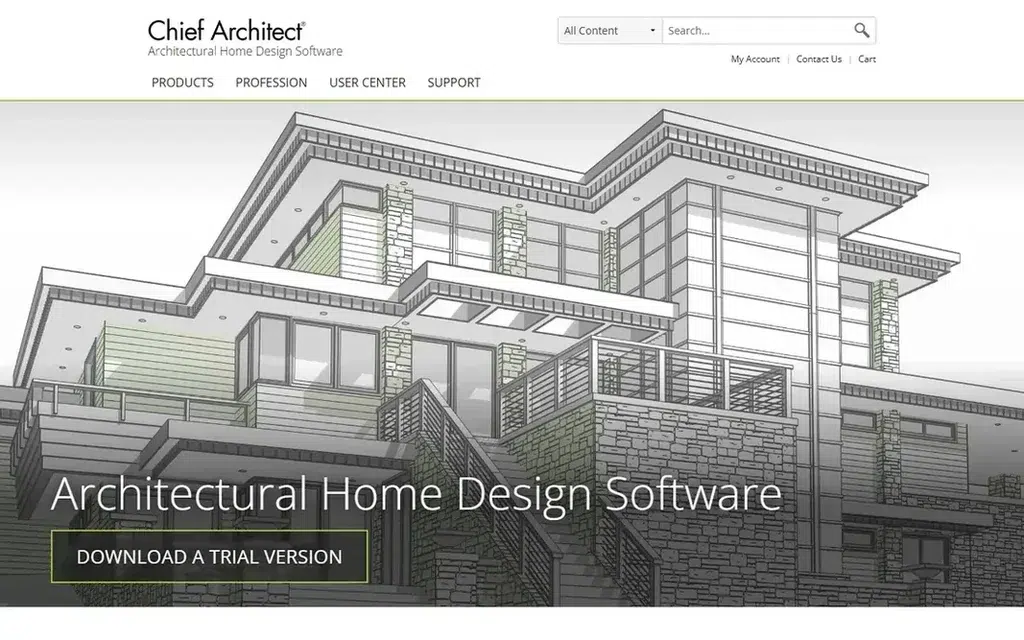
Chief Architect works best for professional residential design and remodeling. Chief Architect is professional home design software built around residential home design, interior design and remodeling. Its vendor positions it for users who require in-depth architectural planning instead of fast visual mockups.
Drawbacks to consider: Targeted at serious design users.
Casual planners who primarily want quick furniture placement may prefer a lighter choice for example Planner 5D. In daily use, choose Chief Architect when residential design depth is the priority. As for the details, since it targets professional workflows, the tool can feel heavy for someone sketching a single room layout. Chief Architect does not show a starting price in this comparison, so check the vendor site for current pricing. Free options: Not stated.
- Supports remodeling projects
- Professional-grade design focus
- May be more than casual planners need

Pick Planner 5D if this describes you: simple 2D and 3D concept design. The emphasis on simplicity makes it a reasonable starting point for visualizing rooms and testing ideas before committing to a design direction.
Its strength in ease of use also means it may not carry the architectural depth some remodeling projects need. Those requiring in-depth residential documentation should look at Chief Architect instead. Planner 5D starts at: $19.99 per month. Planner 5D includes a free tier.
Downsides: Less depth for architectural detail.
- A decent match for early concept layouts
- Approachable for beginners
- Concept focus may limit complicated projects
How we compared the tools
Pricing pages, product documentation and feature lists were the main sources, and every entry carries at least one honest drawback. Where a vendor does not publish a price, the entry says quote. Where a price depends on seats or billing term, the entry says so. The order reflects how well each tool fits the most common buying scenario for Coohom, then price clarity, then free plan access. It is a starting point, not a verdict.
What to check before you buy
- Get a written quote from Sweet Home 3D, HomeByMe and Chief Architect; the list shows no starting price for them.
- Look at free plan limits closely: RoomSketcher and Planner 5D have one, and the caps decide whether it is usable for real work.
- Read the limits listed for Sweet Home 3D first: Interior scope over architecture.
- Confirm that Sweet Home 3D connects to the apps your team already uses, on the plan you would actually buy.
- Run a one or two week pilot of HomeByMe with the people who will use it every day.
FAQ
Which Coohom alternative is a good match for professional residential design?
Sweet Home 3D comes first here and is built for realistic room planning and furnishing. Buyers with other needs may prefer HomeByMe (for furnishing plans with branded products) or RoomSketcher (for quick, in-depth floor plans). Compare costs and limits first.
What should I check before choosing a Coohom alternative?
Confirm product support, whether both 2D and 3D design are included, and how in-depth the design tools are for your project type. Also review furnishing choices and how finished plans can be exported or shared.
How are the tools for Coohom ordered?
Sweet Home 3D sits first and Planner 5D last because the order follows typical fit for Coohom, then price clarity and free access. It is a judgement call, so read each profile for fit and limits.
Can I try these tools before paying?
Often, yes. RoomSketcher and Planner 5D have a free plan. Use your own data and a real task during the test, and check what the free tier or trial limits before you rely on it.
Is Sweet Home 3D the right pick for everyone comparing Coohom?
No single tool suits every team. Sweet Home 3D comes first because it fits realistic room planning and furnishing, while HomeByMe suits furnishing plans with branded products and RoomSketcher suits fast, detailed floor plans. Match the tool to your own size, budget and workflow before deciding.
What is the cheapest option for Coohom in this list?
On published monthly entry prices, RoomSketcher is the lowest here at $12 per month. Entry price is only part of the cost, because seats, add-ons and billing terms can change the total. For the full picture, the cards above cover all 5 entries of this Coohom alternatives list, including price, free plan and limits.
Sources
- https://www.sweethome3d.com
- https://home.by.me
- https://www.roomsketcher.com
- https://www.chiefarchitect.com
- https://planner5d.com