Best Software for Lawn Care Booking in 2026: 6 Tools Compared
Searching for the best software for lawn care booking? Here are 6 options with prices and free plans. Compare costs and catches in one place. Updated for 2026.

- Editor's choice
 Housecall Pro
Home service teams wanting a familiar product
Starts at$59 per monthVisit housecallpro.comFull review - Great alternative
 WorkWave
Automating routing and back-office work
Starts atSee websiteVisit workwave.comFull review - Also consider
 Jobber
All-in-one quoting, scheduling and payments
Starts atSee websiteVisit getjobber.comFull review
Direct answer
If you need home service teams wanting a familiar system, Housecall Pro is the first tool to look at here. Listed starting prices: Housecall Pro from $59 per month. WorkWave is better for automating routing and back-office work, and Jobber is better for all-in-one quoting, scheduling and payments. Prices, free plans and limits for all 6 tools follow.
TL;DR:
- Housecall Pro takes the first slot, best suited to home service teams wanting a familiar product.
- Housecall Pro has the lowest monthly starting price in this list: $59 per month.
- Check the limits for Housecall Pro before you commit: general home services focus.
- ServiceTitan fits bigger contractors running complex operations.
Last checked November 2026. Prices and plan details were read from the vendors' own pages in November 2026; vendors change plans often, so confirm the current price on the vendor site before you buy.
Quick comparison
| Tool | Best for | Starts at | Free plan? | |
|---|---|---|---|---|
| Housecall Pro | Home service teams wanting a familiar product | $59 per month | Free trial | Visit |
| WorkWave | Automating routing and back-office work | See website | Not stated | Visit |
| Jobber | All-in-one quoting, scheduling and payments | See website | Not stated | Visit |
| Real Green Systems | Lawn care and landscaping operations | See website | Not stated | Visit |
 FieldRoutes | Pest control and lawn route scheduling | See website | No | Visit |
 ServiceTitan | Bigger contractors running complicated operations | See website | Free trial | Visit |
6 options for software for lawn care booking in detail
LinkVetted compared 6 tools for software for lawn care booking. The goal is a practical shortlist: published prices, free plan facts, best-fit use cases and honest limits for every entry.
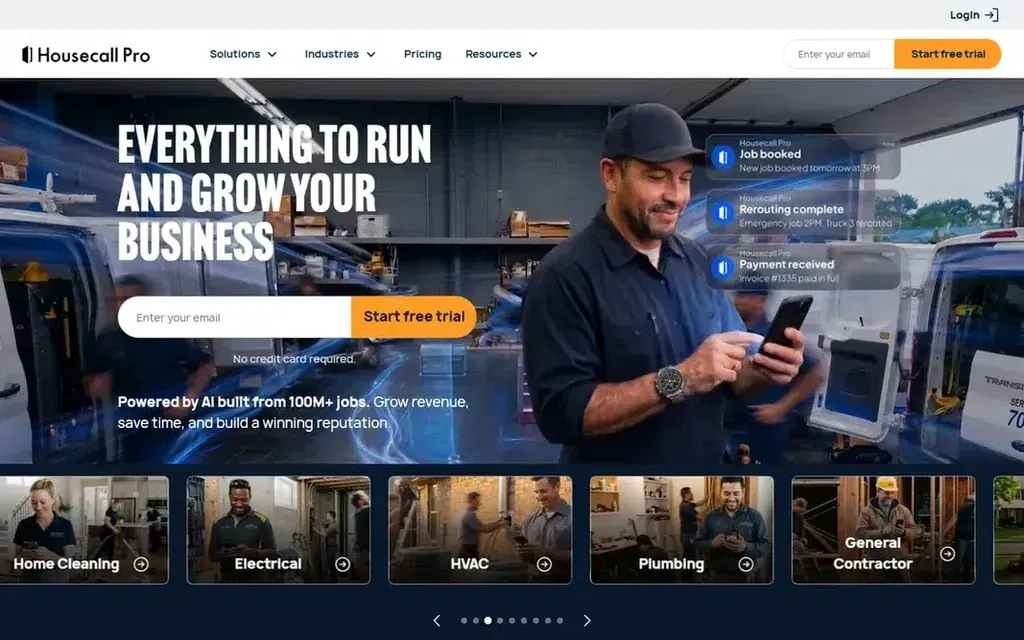
In short, Housecall Pro is for home service teams wanting a familiar system. Housecall Pro is home services business management software targeted at field service professionals. Beyond that, for operators who want a recognizable, widely used home services tool to manage booking and job management, it is a practical starting point that suits plenty of small and mid-size teams without demanding a niche system.
Trade-offs to know: General home services focus.
Its focus is home services broadly, so lawn-specific needs like treatment tracking or seasonal contract management may not be as deep as dedicated lawn products. If your business depends on those details, compare against Real Green Systems or FieldRoutes. Housecall Pro cost at the entry level: $59 per month. Free options: Free trial.
- Handles core booking and job workflows
- Management software for home service firms
- Lawn-specific features may be restricted
Pick WorkWave if this describes you: automating routing and back-office work. WorkWave gives you business management software that helps service firms automate back-office, routing and field operations, with the goal of giving teams more time back. On top of that, for lawn care firms that struggle with route planning and administrative overhead, it addresses the operational side of booking and scheduling.
In daily use, WorkWave serves service companies broadly, so lawn-specific features may not run as deep as dedicated lawn products. Beyond that, operators whose central need is lawn treatment or seasonal contract management should compare with Real Green Systems. Check the vendor site for WorkWave pricing; none is listed in this comparison. On free options: Not stated.
Where it is weaker: Wide service software focus.
- Automates back-office and routing tasks
- Supports field operations management
- Lawn-specific depth may vary
In short, Jobber is for all-in-one quoting, scheduling and payments. Choose Jobber when general service management and simplicity matter more than niche lawn features.
Drawbacks to consider: Wide service focus instead of lawn-specific.
Its app is built to support sales, operations and customer service for service companies. As for the details, since Jobber serves plenty of service trades, it is not tailored specifically to lawn care chemistry, treatments or seasonal contracts. Jobber shows no starting price here, so confirm the cost on the vendor site. As for free access: Not stated.
Main advantages: Easy-to-use app for field teams.
- Aimed at home and commercial service work
- Schedule and invoice in one place
- May be more than a small crew needs
Real Green Systems
Best for: Lawn care and landscaping operations
Real Green Systems was built for lawn care and landscaping operations. It supports scheduling jobs, sending estimates and getting premium, which maps closely to how lawn care businesses book and bill recurring work. For operators who want a system designed around lawn and landscape workflows instead of adapted from general trades software, it is a natural fit and keeps core booking tasks in one place.
Its lawn and landscape focus means it is less suited to firms that also run unrelated service lines and want one universal product. In practice, choose Real Green Systems when lawn care is the core of your business and you want workflows shaped around it. No starting price is listed for Real Green Systems here; confirm pricing on the vendor site. Free plan details: Not stated.
Trade-offs to know: A good match for lawn and landscape work.
- Send estimates and get premium
- Lawn-focused workflow design
- Narrower than general service platforms
For pest control and lawn route scheduling, FieldRoutes is a natural candidate. The specialization means it is not intended for companies running plenty of unrelated trades. Lawn care businesses with route-based recurring service can use it to handle scheduling and field work in a system built around those service types.
From a buyer's view, pick FieldRoutes when pest and lawn service scheduling is central to how your business books and runs jobs. Beyond that, FieldRoutes is field service software specializing in pest control and lawn that aims to ease operations and support growth. FieldRoutes does not show a starting price in this comparison, so check the vendor site for current pricing. There is no free plan with FieldRoutes.
Downsides: Centred on pest and lawn niches.
- Field service software for route-based work
- Specializes in pest control and lawn service
- Less suited to unrelated trades

Think of ServiceTitan for bigger contractors running complicated operations. ServiceTitan describes itself as all-in-one software for home and commercial contractors, keeping service visits and construction projects running smoothly. The product is oriented toward established contractors, so very small lawn crews may find it heavier than needed.
Drawbacks to consider: Wide trade focus instead of lawn only.
It is also a general trades product instead of a lawn-specific one. More specifically, the emphasis is on operational control across the business instead of a narrow booking tool, which can help when scheduling, dispatch and job tracking have to live together. Check the vendor site for ServiceTitan pricing; none is listed in this comparison. Free plan details: Free trial.
- Supports both service and construction work
- All-in-one software for service visits and projects
- Geared toward established contractors
How the list was put together
The comparison looks at four things: starting price, free access, how well the feature set matches software for lawn care booking, and the main limit of each tool. Figures are shown as the vendors publish them. Billing terms, seat minimums and add-ons can change the real cost. Order on the page follows fit for the typical buyer first, then price transparency and free access. Your own requirements should decide the final pick.
Before you commit
- Confirm the entry price on the vendor page. For WorkWave, Jobber, Real Green Systems and others that means a quote rather than a fixed price.
- Run a trial of Housecall Pro and ServiceTitan with real work before paying for a year; your own workflow is the best test.
- Read the limits listed for Housecall Pro first: general home services focus.
- Let daily users try Real Green Systems on real work; their feedback beats any feature checklist.
- Ask whether ServiceTitan integrates with your current software, and whether that comes standard or as an add-on.
FAQ
Is Housecall Pro the right pick for everyone comparing software for lawn care booking?
No single tool suits every team. Housecall Pro comes first because it fits home service teams wanting a familiar platform, while WorkWave suits automating routing and back-office work and Jobber suits all-in-one quoting, scheduling and payments. Match the tool to your own size, budget and workflow before deciding.
Is a lawn-specific tool better than general service software?
Lawn-specific systems like Real Green Systems and FieldRoutes align closely with recurring, route-based work. General tools like Jobber or Housecall Pro can work well if you value simplicity and wide service coverage over niche depth.
Do these tools publish their prices?
Not all of them. WorkWave, Jobber, Real Green Systems and others publish no starting price, so expect a quote request for those. The rest, Housecall Pro included, show a starting price, though seats and billing terms still change the final cost.
Does any tool for software for lawn care booking here have a free plan?
No tool in this list, Housecall Pro and ServiceTitan included, has a permanent free plan. Housecall Pro, ServiceTitan offer a trial. Trials and quotes are the usual route, so plan a short evaluation period.
What should lawn care firms look for in booking software?
Prioritize recurring scheduling, route planning, estimates and payment collection, since lawn work is commonly repeat service. Confirm the tool suits your crew size and whether you need lawn-specific features or general service management.
Can these tools manage both scheduling and payments?
Most of the choices compared describe scheduling and payment or invoicing as part of their workflow. Confirm the specific payment and invoicing features you need straight with each vendor before committing.
Sources
- https://www.housecallpro.com
- https://www.workwave.com
- https://www.getjobber.com
- https://www.realgreen.com
- https://www.fieldroutes.com
- https://www.servicetitan.com