Best Simulation Software for Engineering in 2026: 6 Tools Compared
Best simulation software for engineering in 2026: 6 contenders with entry costs and free tiers. Strengths and gaps are listed per tool. Decide faster.
- Editor's choiceSimulink
Model-based design and control systems
Starts atPricing on requestVisit mathworks.comFull review - Great alternativeAbaqus
Advanced nonlinear structural analysis
Starts atPricing on requestVisit 3ds.comFull review - Also considerAltair HyperWorks
Thorough simulation and optimization
Starts atPricing on requestVisit altair.comFull review
Direct answer
Simulink is the first pick on this list for model-based design and control systems. For a different need, Abaqus covers advanced nonlinear structural analysis and Altair HyperWorks covers thorough simulation and optimization. The other 3 tools in the list cover narrower or pricier cases. None of these vendors publish plan prices, so pricing is on request for every option.
TL;DR:
- The list opens with Simulink, aimed at model-based design and control systems.
- Pricing across the list, from Simulink to ANSYS Mechanical, is by quote only.
- For structural finite element analysis, ANSYS Mechanical is worth a look.
- Simulink comes with a trade-off: limited to certain types of dynamic systems.
Last checked November 2026. Pricing on request: vendors did not publish plan prices when this guide was last checked (November 2026), so ask each vendor for a written quote.
Quick comparison
| Tool | Best for | Starts at | Free plan? | |
|---|---|---|---|---|
| Simulink | Model-based design and control systems | Pricing on request | Free trial | Visit |
| Abaqus | Advanced nonlinear structural analysis | Pricing on request | Not stated | Visit |
| Altair HyperWorks | Thorough simulation and optimization | Pricing on request | Not stated | Visit |
| SolidWorks Simulation | Design-integrated structural analysis | Pricing on request | Not stated | Visit |
 MATLAB | Algorithm development and data analysis | Pricing on request | Not stated | Visit |
| ANSYS Mechanical | Structural finite element analysis | Pricing on request | Not stated | Visit |
Simulation Software for Engineering compared in detail
This LinkVetted guide covers 6 options for simulation software for engineering. Each profile lists a starting price, free plan details, strengths and drawbacks, so you can drop poor fits quickly.
Simulink
Best for: Model-based design and control systems
Simulink is a good fit for model-based design and control systems. Simulink is a block diagram environment for Model-Based Design, supporting simulation, automatic code generation, and continuous testing of embedded systems. It is widely used for modeling dynamic systems, control algorithms, and signal processing.
Trade-offs to know: Needs MATLAB for full functionality.
Engineers who require to design and simulate complicated control systems will find Simulink especially effective. Worth adding: Simulink is primarily centred on dynamic systems and may not handle structural or multiphysics analysis as deeply as dedicated FEA tools. This comparison lists no price for Simulink; ask the vendor. Free access: Free trial.
- Supports automatic code generation
- Graphical block diagram interface
- Restricted to certain types of dynamic systems
Abaqus
Best for: Advanced nonlinear structural analysis
In short, Abaqus is for advanced nonlinear structural analysis. Abaqus gives Finite Element Analysis for Mechanical Engineering and Civil Engineering. It is frequently used in advanced research and industrial applications where accurate simulation of complicated behaviors is essential.
Trade-offs to know: Needs expertise to use effectively.
For routine design checks, SolidWorks Simulation could be more accessible. On top of that, Abaqus has a steep ramp-up time and may be overkill for more straightforward structural examines. Check the vendor site for Abaqus pricing; none is listed in this comparison. As for free access: Not stated.
- Used in academia and industry
- Capable nonlinear capabilities
- Complicated interface
Altair HyperWorks
Best for: Thorough simulation and optimization
Think of Altair HyperWorks for thorough simulation and optimization. Altair HyperWorks provides plenty of tools, which can be overwhelming for new users, and it may need significant investment in training. For focused structural analysis, ANSYS Mechanical or Abaqus might be more straightforward.
Downsides: Complicated ecosystem to navigate.
For everyday use, Altair HyperWorks is a thorough simulation system that comes with tools for structural analysis, fluid dynamics, and optimization. It is now part of Siemens, expanding the Siemens Xcelerator portfolio. It is used across industries for virtual product development and performance optimization. This comparison lists no price for Altair HyperWorks; ask the vendor. Trial and free access: Not stated.
- Capable optimization capabilities
- Scalable for large models
- May need training for full utilization
SolidWorks Simulation
Best for: Design-integrated structural analysis
Where SolidWorks Simulation fits: design-integrated structural analysis. SolidWorks Simulation offers high-performance structural finite element analysis (FEA) software that helps make better design decisions.
Where it is weaker: Requires SolidWorks license.
In practice, for advanced simulations, consider those dedicated tools. This comparison lists no price for SolidWorks Simulation; ask the vendor. Free plan details: Not stated.
- Approachable interface
- Fast setup for typical examines
- Restricted advanced nonlinear capabilities
Choose MATLAB for algorithm development and data analysis. MATLAB is a high-level computing environment used by engineers and scientists for numerical computation, visualization, and programming.
Its broad library of toolboxes supports tasks in signal processing, control systems, and optimization, making it a versatile choice for simulation prototyping and research. This comparison lists no price for MATLAB; ask the vendor. As for free access: Not stated.
Downsides: Can be slower for large-scale simulations.
- Integration with other tools
- Broad range of built-in functions
- Needs programming knowledge
ANSYS Mechanical
Best for: Structural finite element analysis
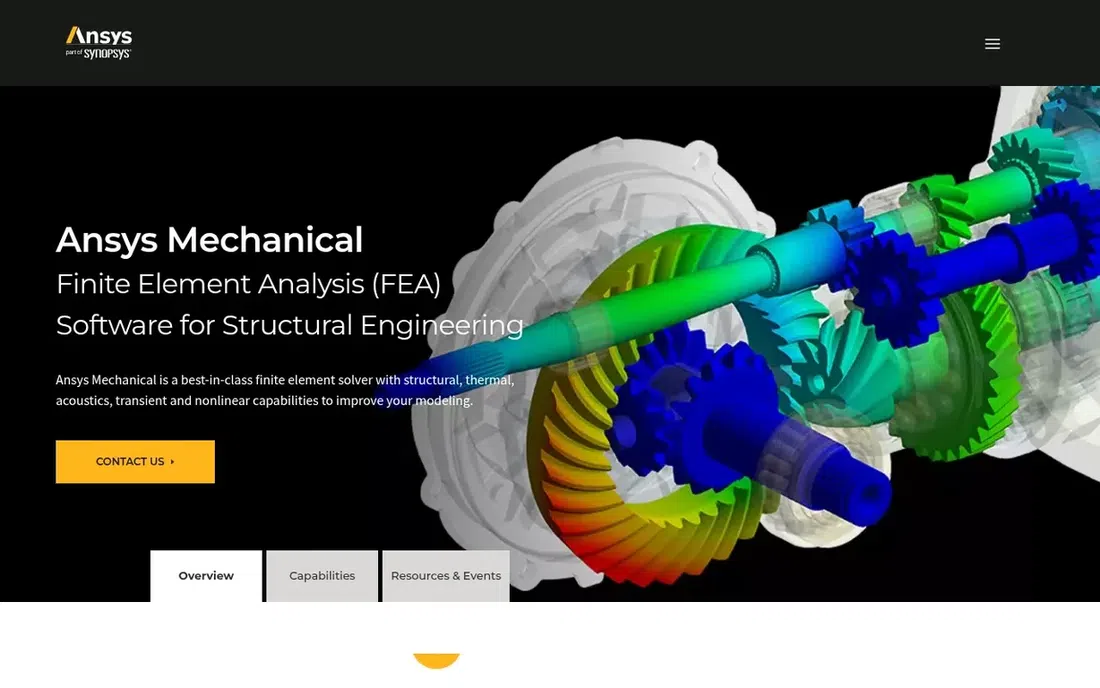
For structural finite element analysis, ANSYS Mechanical is a natural candidate. ANSYS Mechanical is specialized for structural analysis and may not be the best fit for multiphysics or control system design.
It is well-suited for engineers in automotive, aerospace, and civil engineering who require accurate and steady structural simulation. Check the vendor site for ANSYS Mechanical pricing; none is listed in this comparison. Free access: Not stated.
The main drawbacks: High computational requirements.
- Solid solver technology
- Full material models
- Steep ramp-up time
How we compared the tools
The comparison looks at four things: starting price, free access, how well the feature set matches simulation software for engineering, and the main limit of each tool. Plan names, prices and limits change often. Treat the figures here as a starting point and verify them with the vendor. Order on the page follows fit for the typical buyer first, then price transparency and free access. Your own requirements should decide the final pick.
Pre-purchase checklist
- Request quotes from Simulink, ANSYS Mechanical and the others; the list shows no fixed prices.
- Use real work to test the free trial from Simulink, rather than a demo project.
- Before choosing Simulink, weigh its main limit: restricted to certain types of dynamic systems.
- Look at the renewal terms for ANSYS Mechanical: auto-renewal, notice periods and price changes can matter more than the first-year price.
- Verify that exporting from Simulink is possible on your plan and covers all your records.
FAQ
What is the best simulation software for structural analysis?
Start with Simulink if you need model-based design and control systems. Abaqus is the better match for advanced nonlinear structural analysis, and Altair HyperWorks for thorough simulation and optimization. The best choice depends on budget, team size and workflow.
How are the tools for simulation software for engineering ordered?
Simulink sits first and ANSYS Mechanical last because the order follows typical fit for simulation software for engineering, then price clarity and free access. It is a judgement call, so read each profile for fit and limits.
Does any tool for simulation software for engineering here have a free plan?
No tool in this list, Simulink and ANSYS Mechanical included, has a permanent free plan. Simulink offer a trial. Trials and quotes are the usual route, so plan a short evaluation period.
Is Simulink the right pick for everyone comparing simulation software for engineering?
No single tool suits every team. Simulink comes first because it fits model-based design and control systems, while Abaqus suits advanced nonlinear structural analysis and Altair HyperWorks suits comprehensive simulation and optimization. Match the tool to your own size, budget and workflow before deciding.
Do these tools publish their prices?
No. None of the tools, from Simulink to ANSYS Mechanical, shows a fixed starting price here, so budget time for quotes.
Sources
- https://www.mathworks.com/products/simulink.html
- https://www.3ds.com/products/simulia/abaqus
- https://altair.com/hyperworks
- https://www.solidworks.com/product/solidworks-simulation
- https://www.mathworks.com/products/matlab.html
- https://www.ansys.com/products/structures/ansys-mechanical