Best Remote Training Software in 2026: Prices, Free Plans and 6 Picks
Best remote training software in 2026: 6 contenders with entry costs and free tiers. Clear notes on pricing gaps and limits. Current for November 2026.
- Editor's choice
 Cornerstone Learning
Enterprise upskilling and reskilling
Starts atSee websiteVisit cornerstoneondemand.comFull review - Great alternative
 Absorb LMS
AI-powered enterprise training
Starts atSee websiteVisit absorblms.comFull review - Also consider
 TalentLMS
Straightforward cloud course management
Starts at$119 per monthVisit talentlms.comFull review
Direct answer
For enterprise upskilling and reskilling, Cornerstone Learning is where this list starts. Listed starting prices: TalentLMS from $119 per month. If your case is different, Absorb LMS suits AI-powered enterprise training and TalentLMS suits straightforward cloud course management. The other 3 tools in the list cover narrower or pricier cases.
TL;DR:
- Number one here is Cornerstone Learning, a fit for enterprise upskilling and reskilling.
- TalentLMS is the lowest-priced starter here at $119 per month.
- A fair warning about Absorb LMS: enterprise scope may exceed small-team needs.
- For Responsive e-learning course authoring, Articulate Rise is worth a look.
Last checked November 2026. Prices and plan details were read from the vendors' own pages in November 2026; vendors change plans often, so confirm the current price on the vendor site before you buy.
Quick comparison
| Tool | Best for | Starts at | Free plan? | |
|---|---|---|---|---|
| Cornerstone Learning | Enterprise upskilling and reskilling | See website | Not stated | Visit |
| Absorb LMS | AI-powered enterprise training | See website | Not stated | Visit |
| TalentLMS | Straightforward cloud course management | $119 per month | Yes | Visit |
| Adobe Learning Manager | Personalized learning at scale | See website | Not stated | Visit |
 Litmos | Quick capability building across audiences | See website | Not stated | Visit |
| Articulate Rise | Responsive e-learning course authoring | See website | Not stated | Visit |
Tool-by-tool breakdown
Short on time? The summary and table above give the quick view of 6 tools for remote training software, and the profiles that follow give the detail behind each entry.
In short, Cornerstone Learning is for enterprise upskilling and reskilling. Cornerstone Learning is a secure, AI-powered LMS product that offers personalized training to upskill, reskill, and develop teams.
Where it falls short: Enterprise focus may overwhelm small teams.
From a buyer's view, implementation and continuing administration need dedicated effort. The system is built for scale, so smaller teams may not use its depth and could prefer a lighter choice. Cornerstone Learning does not show a starting price in this comparison, so check the vendor site for current pricing. Trial and free access: Not stated.
- AI-powered personalized training
- Secure product for large teams
- Full configuration takes time
Absorb LMS is a good fit for AI-powered enterprise training. Absorb LMS is an enterprise learning management system that positions AI-powered training around performance.
Points against: Enterprise scope may exceed small-team needs.
Consider Absorb LMS when remote training supports a sizable workforce and performance-focused reporting is part of the plan. Absorb LMS does not show a starting price in this comparison, so check the vendor site for current pricing. Free access: Not stated.
- Enterprise-oriented administration
- AI-powered training features
- Feature depth needs onboarding time
TalentLMS is a good fit for straightforward cloud course management. TalentLMS is a cloud learning system for creating and managing online courses. Its focus on course creation and management keeps remote delivery approachable for administrators who are not dedicated LMS specialists.
Teams should confirm required integrations and reporting during evaluation. As for the details, for complicated enterprise programs with extensive integrations and deep reporting, a bigger product may be a better match. Entry price for TalentLMS: $119 per month. TalentLMS includes a free tier.
Watch-outs: Less depth for complicated enterprise programs.
- Suited to smaller training teams
- Cloud product for online courses
- Advanced integrations may be restricted
Adobe Learning Manager
Best for: Personalized learning at scale
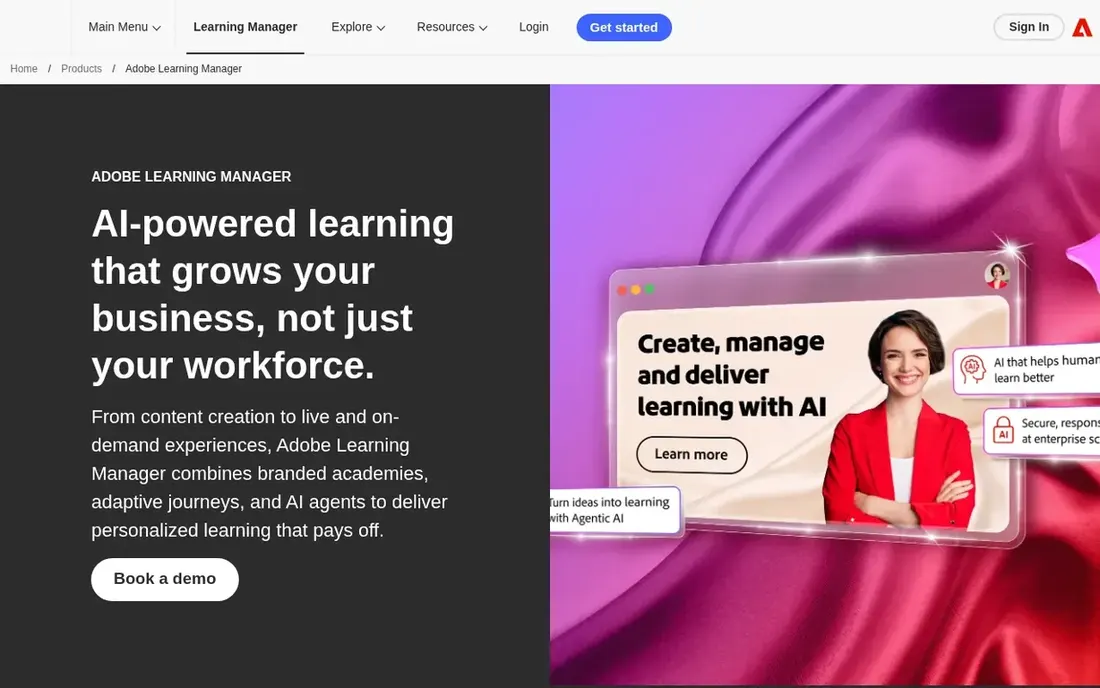
For personalized learning at scale, Adobe Learning Manager is a natural candidate. Adobe Learning Manager is an AI-powered LMS for creating, managing, and delivering personalized learning experiences at scale. It is positioned for customer training, partner education, and employee skilling.
Points against: Enterprise orientation can feel complicated.
Since it targets scale and several audience types, initial configuration and content organization demand planning. Also, teams that only need internal onboarding may find a more straightforward cloud LMS quicker to launch. On top of that, consider Adobe Learning Manager when personalized paths for customers, partners, and staff must run on the same system. No starting price is listed for Adobe Learning Manager here; confirm pricing on the vendor site. Trial and free access: Not stated.
- Supports customer and partner training
- Takes care of employee skilling programs
- Setup requires planning across audiences
Litmos targets quick capability building across audiences. Litmos provides a learning acceleration platform for building human capability across employees, customers, and partners.
Litmos is a reasonable fit when speed of capability building across audiences is the primary goal. Litmos does not show a starting price in this comparison, so check the vendor site for current pricing. Trial and free access: Not stated.
Where it is weaker: Wide audience support brings complexity.
- Learning acceleration positioning
- Cloud delivery for distributed teams
- Advanced customization may need planning
Articulate Rise
Best for: Responsive e-learning course authoring

In short, Articulate Rise is for Responsive e-learning course authoring. Articulate Rise is a course authoring tool for building completely responsive, mobile-friendly e-learning. Its easy-to-learn interface lets subject experts assemble lessons without deep programming knowledge, and output adapts to phones, tablets, and desktops.
Teams that want authoring and administration in one place should look at a full LMS choice instead. In practice, Rise is an authoring environment instead of a complete learning management system, so enrollment, reporting, and compliance tracking need a separate product. Check the vendor site for Articulate Rise pricing; none is listed in this comparison. On free options: Not stated.
Downsides: Complicated simulations may need other tools.
- Completely responsive
- Capable fit for self-paced remote lessons
- Not a full LMS
How these tools were picked
We compared the tools on published pricing, free plan or trial availability, feature coverage for remote training software, and the limits each vendor documents. Where a vendor does not publish a price, the entry says quote. Where a price depends on seats or billing term, the entry says so. Order on the page follows fit for the typical buyer first, then price transparency and free access. Your own requirements should decide the final pick.
A buyer's checklist
- Confirm the entry price on the vendor page. For Cornerstone Learning, Absorb LMS, Adobe Learning Manager and others that means a quote rather than a fixed price.
- Test the free plan from TalentLMS against your real workload before relying on it.
- Before choosing Cornerstone Learning, weigh its main limit: enterprise focus may overwhelm small teams.
- Before rolling out Articulate Rise, verify the integrations your workflow depends on.
- Find out whether the entry plan of Adobe Learning Manager covers your must-haves or only a trimmed-down version.
FAQ
Do these tools publish their prices?
Not all of them. Cornerstone Learning, Absorb LMS, Adobe Learning Manager and others publish no starting price, so expect a quote request for those. The rest, TalentLMS included, show a starting price, though seats and billing terms still change the final cost.
Can I try these options before paying?
Often, yes. TalentLMS has a free plan. Use your own data and a real task during the test, and check what the free tier or trial limits before you rely on it. All 6 picks in this remote training software comparison list a starting price, free plan details and the main limits on their cards above.
What is the cheapest option for remote training software in this list?
On published monthly entry prices, TalentLMS is the lowest here at $119 per month. Entry price is only part of the cost, because seats, add-ons and billing terms can change the total. For the full picture, the cards above cover all 6 entries of this remote training software list, including price, free plan and limits.
Which options for remote training software have a free plan?
TalentLMS is the only tool in this list with a free plan. Free plans usually cap users, projects or features, so check the limits on the vendor page. Prices, free plan details and limits for all 6 tools in this remote training software roundup sit on the individual cards above.
Sources
- https://www.cornerstoneondemand.com/learning
- https://www.absorblms.com
- https://www.talentlms.com
- https://business.adobe.com/products/learning-manager/adobe-learning-manager.html
- https://www.litmos.com
- https://www.articulate.com/rise