5 Best HVAC Simulation Software for 2026, Vetted and Compared
5 tools for the best HVAC simulation software, compared on pricing, free plans and best-fit use. Weak spots flagged for every entry. Full profiles inside.
- Editor's choice
 Autodesk CFD
Design-integrated airflow and thermal studies
Starts atPricing on requestVisit autodesk.comFull review - Great alternative
 SimScale
Cloud-based CFD and thermal simulation
Starts atPricing on requestVisit simscale.comFull review - Also considerIESVE
Integrated whole-building energy and environmental modeling
Starts atPricing on requestVisit iesve.comFull review
Direct answer
Our first pick is Autodesk CFD, best for design-integrated airflow and thermal studies. SimScale fits cloud-based CFD and thermal simulation; IESVE fits integrated whole-building energy and environmental modeling. The remaining 2 options are covered below with pricing notes and limits. None of these vendors publish plan prices, so pricing is on request for every option.
TL;DR:
- Top of the list is Autodesk CFD, which targets design-integrated airflow and thermal studies.
- SimScale stands alone as the one tool in this list with a free plan.
- No starting price is shown for any of the 5 tools, Autodesk CFD and eQUEST included, so plan time for sales calls.
- Autodesk CFD comes with a trade-off: less depth than specialist CFD codes.
Last checked November 2026. Pricing on request: vendors did not publish plan prices when this guide was last checked (November 2026), so ask each vendor for a written quote.
Quick comparison
| Tool | Best for | Starts at | Free plan? | |
|---|---|---|---|---|
| Autodesk CFD | Design-integrated airflow and thermal studies | Pricing on request | Not stated | Visit |
| SimScale | Cloud-based CFD and thermal simulation | Pricing on request | Yes | Visit |
| IESVE | Integrated whole-building energy and environmental modeling | Pricing on request | Free trial | Visit |
| Carrier HAP | HVAC load and system sizing calculations | Pricing on request | Not stated | Visit |
| eQUEST | Whole-building energy analysis using DOE2 | Pricing on request | Not stated | Visit |
The 5 tools in detail
This LinkVetted guide covers 5 options for HVAC simulation software. Each profile lists a starting price, free plan details, strengths and drawbacks, so you can drop poor fits quickly.
Pick Autodesk CFD if this describes you: design-integrated airflow and thermal studies. Autodesk CFD is simulation software from Autodesk, a company known for 3D design, engineering and construction tools.
Points against: Less depth than specialist CFD codes.
It gives you less depth than specialist CFD codes for complicated turbulence or advanced physics, and accuracy depends heavily on model quality. As for the details, choose Autodesk CFD when design integration matters more than maximum simulation depth. Autodesk CFD shows no starting price here, so confirm the cost on the vendor site. As for free access: Not stated.
- Supports fluid flow and thermal work
- Suits Autodesk design workflows
- Results rely on model quality
SimScale makes the most sense for cloud-based CFD and thermal simulation. The cloud model relies on connectivity and differs from familiar desktop workflows, and advanced users may miss fine local control.
The main drawbacks: Needs steady internet access.
In daily use, SimScale is described by its vendor as AI-native, cloud engineering simulation software for CFD, FEA, thermal and electromagnetics work, run in a browser. SimScale shows no starting price here, so confirm the cost on the vendor site. A free plan is available with SimScale.
- Handles CFD and thermal analysis
- Runs simulations in a browser
- Cloud workflow differs from desktop tools
IESVE
Best for: Integrated whole-building energy and environmental modeling
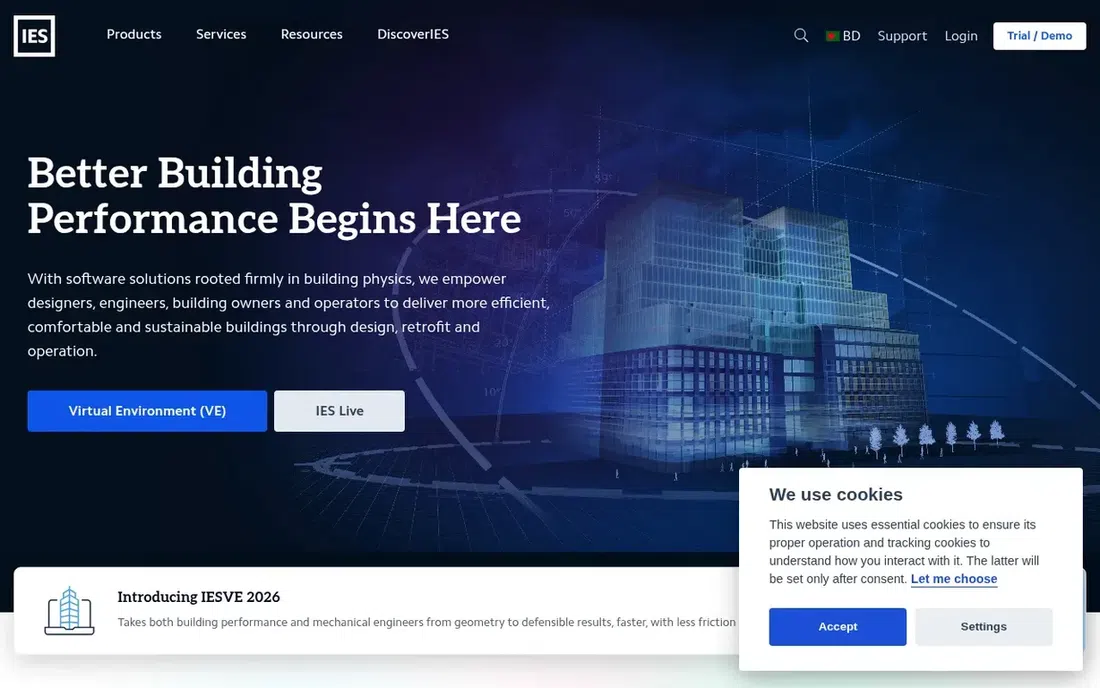
IESVE is designed for integrated whole-building energy and environmental modeling. IESVE, from Integrated Environmental Solutions, is a building performance modeling product whose stated aim is to reduce the environmental impact of buildings and cities and support zero carbon targets.
Trade-offs to know: Steep ramp-up time for newcomers.
The breadth of the product means a real learning investment, and smaller projects may find it heavier than needed. In practice, if your work is restricted to fast load calculations, a dedicated load tool may be more straightforward. IESVE shows no starting price here, so confirm the cost on the vendor site. Free plan details: Free trial.
- Supports energy and carbon target work
- Wide building performance toolset
- Heavy setup for straightforward tasks
Carrier HAP
Best for: HVAC load and system sizing calculations

For HVAC load and system sizing calculations, Carrier HAP is a natural candidate. Carrier HAP is load calculation and system analysis software from Carrier, a company whose stated purpose centers on climate and energy options. Its focus is load and system analysis rather than in-depth airflow physics, so CFD questions belong with a CFD tool.
What to check first: Narrower than whole-building energy suites.
From a buyer's view, choose HAP when load calculations and equipment sizing are the priority. Teams needing integrated whole-building environmental modeling may pair it with a broader system. Carrier HAP shows no starting price here, so confirm the cost on the vendor site. Trial and free access: Not stated.
- Centred on HVAC load work
- Suited to system sizing tasks
- Interface can feel dated to some users
eQUEST
Best for: Whole-building energy analysis using DOE2
eQUEST is designed for whole-building energy analysis using DOE2. On top of that, for in-depth airflow or thermal CFD, a dedicated CFD package is the better route.
Also, choose eQUEST when a proven energy engine matters more than a modern interface. eQUEST does not show a starting price in this comparison, so check the vendor site for current pricing. Free options: Not stated.
Drawbacks to consider: Dated interface and workflow.
- Established in energy modeling circles
- Built on the DOE2 simulation engine
- Restricted guidance for beginners
Selection criteria
For each of the 5 tools we noted price, free plan or trial, fit for HVAC simulation software and the main limit, using vendor pages and documentation. Where a vendor does not publish a price, the entry says quote. Where a price depends on seats or billing term, the entry says so. Position on the page reflects fit for a typical buyer first, with price clarity and free access breaking ties. Treat it as a guide, not a ruling.
Things to verify first
- Request quotes from Autodesk CFD, eQUEST and the others; the list shows no fixed prices.
- Test the free plan from SimScale against your real workload before relying on it.
- Run a trial of IESVE with real work before paying for a year; your own workflow is the best test.
- Before choosing Autodesk CFD, weigh its main limit: less depth than specialist CFD codes.
- Confirm that IESVE connects to the apps your team already uses, on the plan you would actually buy.
- Check whether the features you need in SimScale sit on the entry plan or only on higher tiers.
FAQ
Which options for HVAC simulation software have a free plan?
SimScale is the only tool in this list with a free plan. Free plans usually cap users, projects or features, so check the limits on the vendor page. One other tool offers a trial instead.
How are the tools for HVAC simulation software ordered?
The order follows typical fit for HVAC simulation software, with Autodesk CFD first and eQUEST last, then price clarity and free access. It is editorial judgement, not a score, so another team could rank the tools differently.
Can I try these options before paying?
Often, yes. SimScale has a free plan and IESVE offers a free trial. Use your own data and a real task during the test, and check what the free tier or trial limits before you rely on it.
Do these tools publish their prices?
No. None of the tools, from Autodesk CFD to eQUEST, shows a fixed starting price here, so budget time for quotes.
What is the difference between HVAC load software and CFD software?
Load software sizes equipment and estimates heating and cooling demands for a building. Plenty of projects use both, since they answer different questions.
Sources
- https://www.autodesk.com
- https://www.simscale.com
- https://www.iesve.com
- https://www.carrier.com
- https://www.doe2.com