Best Form Builder Software for Employee Surveys for 2026: Our 6 Vetted Picks
Compare 6 best form builder software for employee surveys, with prices, free plans and who each fits. Honest caveats for every entry. Checked this month.
- Editor's choice
 Formstack
Forms with documents and e-signatures
Starts at$83 per monthVisit formstack.comFull review - Great alternative
 Microsoft Forms
Polls and quizzes in Microsoft 365
Starts atSee websiteVisit microsoft.comFull review - Also consider
 Google Forms
Fast surveys in Google Workspace
Starts atSee websiteVisit workspace.google.comFull review
Direct answer
This list puts Formstack first for Forms with documents and e-signatures. Listed starting prices: Formstack from $83 per month, SurveyMonkey from $25 per user a month and Jotform from $34 per month. Alternatives: Microsoft Forms for polls and quizzes in Microsoft 365, and Google Forms for quick surveys in Google Workspace. All 6 tools are compared below on price, free plan and limits.
TL;DR:
- The list opens with Formstack, aimed at Forms with documents and e-signatures.
- Check the limits for Microsoft Forms before you commit: advanced analytics are limited.
- SurveyMonkey is the lowest-priced starter here at $25 per user per month.
- For adaptable form building with many templates, Jotform is worth a look.
- Free plans exist at 2 of 6 tools (SurveyMonkey, Jotform).
Last checked November 2026. Prices and plan details were read from the vendors' own pages in November 2026; vendors change plans often, so confirm the current price on the vendor site before you buy.
Quick comparison
| Tool | Best for | Starts at | Free plan? | |
|---|---|---|---|---|
| Formstack | Forms with documents and e-signatures | $83 per month | Free trial | Visit |
| Microsoft Forms | Polls and quizzes in Microsoft 365 | See website | Not stated | Visit |
| Google Forms | Fast surveys in Google Workspace | See website | Not stated | Visit |
 Typeform | Engaging conversational survey experiences | See website | Not stated | Visit |
 SurveyMonkey | General employee survey programs | $25 per user a month | Yes | Visit |
 Jotform | Adaptable form building with numerous templates | $34 per month | Yes | Visit |
Form Builder Software for Employee Surveys profiles
LinkVetted put together this guide to form builder software for employee surveys for readers who want a clear shortlist without reading every vendor page. It compares 6 tools on starting price, free plans, who each one suits and where each one falls short.
Where Formstack fits: Forms with documents and e-signatures. Formstack describes itself as secure, easy-to-use forms, docs and e-signature software that helps organizations simplify workflows.
The main drawbacks: Survey analysis is not the core focus.
Where Formstack stands out: Forms.
Choose Formstack when surveys are one step in a bigger document and approval process. Formstack cost at the entry level: $83 per month. Free access: Free trial.
- Docs and e-signatures together
- Workflow automation focus
- Broader setup for simple surveys
Microsoft Forms serves polls and quizzes in Microsoft 365. It performs well for fast polls, training quizzes and short internal surveys where the audience already lives in Microsoft tools. Pick a dedicated survey system when analysis and survey design depth become priorities.
What Microsoft Forms does well: polls and quizzes in one tool.
As for the details, teams running recurring engagement research will likely outgrow it. Beyond that, the tool is oriented toward light feedback, so complicated branching, deep reporting and program-level survey management are restricted. Microsoft Forms shows no starting price here, so confirm the cost on the vendor site. Free options: Not stated.
Trade-offs to know: Less suited to long research surveys.
- Suits Microsoft 365 environments
- Surveys
- Advanced analytics are restricted
Google Forms works best for fast surveys in Google Workspace. Google Forms is the form builder inside Google Workspace, described as a way to create forms and surveys and gather data from anywhere.
Where it is weaker: Design customization is entry-level.
Worth adding: analysis normally means exporting responses to a spreadsheet. As for the details, choose a survey-focused tool when you need branching logic, anonymity controls or richer reporting. This comparison lists no price for Google Forms; ask the vendor. Free options: Not stated.
- Straightforward form and survey creation
- Suits Google Workspace workflows
- Restricted advanced survey logic
Typeform is built with engaging conversational survey experiences in mind. Typeform positions itself as a form builder with AI automation, emphasizing forms that collect more data and then trigger automatic workflows. Its one-question-at-a-time format keeps respondents focused, which can help completion on shorter employee pulse surveys and feedback forms.
Pick Typeform when experience and automation matter more than deep analysis. Worth adding: the conversational format works less well for long, sectioned questionnaires that employees expect to scan rapidly. Teams that care about respondent experience and want to route answers into follow-up actions will find the automation angle handy. Typeform shows no starting price here, so confirm the cost on the vendor site. As for free access: Not stated.
Where it falls short: Long surveys can feel slow to complete.
- AI-powered form building
- Automatic follow-up workflows
- Reporting is lighter than dedicated survey suites
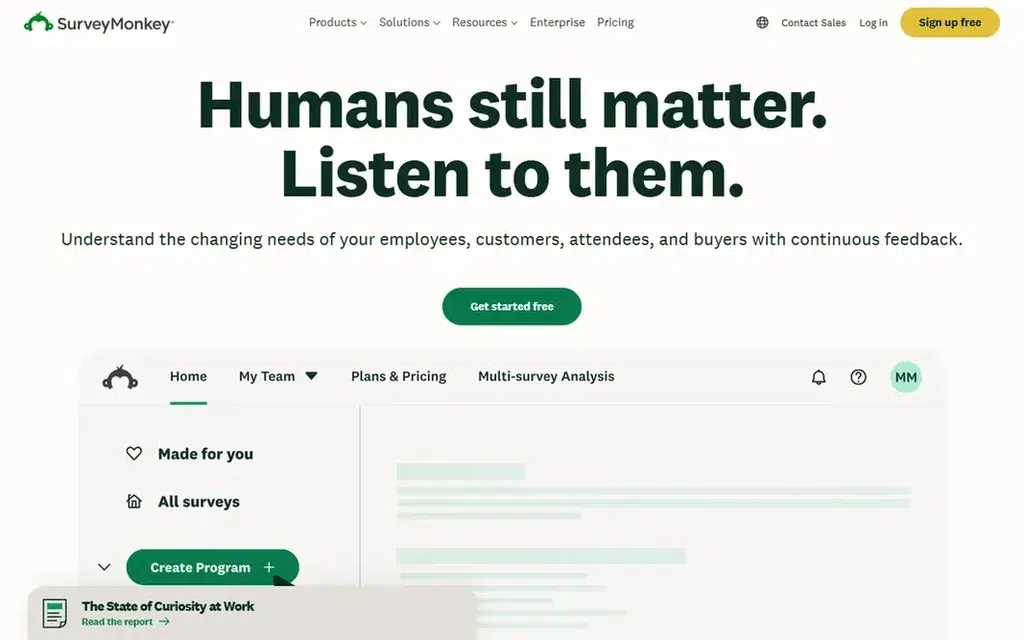
SurveyMonkey is aimed squarely at general employee survey programs. SurveyMonkey is a dedicated survey product built around creating surveys and forms with AI assistance and templates. More specifically, the system is survey-first, so teams needing deep document workflows or e-signatures will need another tool.
The main drawbacks: Advanced logic tied to higher levels.
Choose something else if you chiefly need straightforward internal polls inside an existing productivity suite. More specifically, some advanced question logic and analysis features sit in higher service levels, so confirm what your survey design needs. SurveyMonkey cost at the entry level: $25 per user per month. Free access exists with SurveyMonkey.
- AI-assisted survey creation
- Templates for employee feedback
- Interface can feel dense for straightforward polls
Jotform works best for flexible form building with plenty of templates. Jotform is an online form builder concentrated on creating forms and surveys rapidly, with a large template library behind it. In daily use, teams that want form-building flexibility across numerous use cases, not only surveys, tend to find it a practical fit.
Its strengths lean toward form creation instead of survey research, so advanced analysis and employee listening features are thinner. More specifically, some capabilities rely on the service level you choose. In daily use, consider a survey-specific product when reporting and longitudinal employee feedback are central. On cost, Jotform starts like this: $34 per month. Jotform offers a free plan.
The main drawbacks: Survey analytics are secondary.
- Works for surveys and forms
- Quick form creation
- Feature depth varies by service level
How we chose
Selection started from tools commonly considered for form builder software for employee surveys, then narrowed to 6 that have clear pricing information or a clear quote process. Seat minimums, billing terms and add-ons can move the real cost, so the starting prices here are a guide and not a quote. The order reflects how well each tool fits the most common buying scenario for form builder software for employee surveys, then price clarity, then free plan access. It is a starting point, not a verdict.
Questions to settle before buying
- Confirm the entry price on the vendor page. For Microsoft Forms, Google Forms and Typeform that means a quote rather than a fixed price.
- Read the fine print on the free plans from SurveyMonkey and Jotform; seat, project and feature caps differ.
- Use real work to test the free trial from Formstack, rather than a demo project.
- Before choosing Formstack, weigh its main limit: survey analysis is not the core focus.
- Verify that exporting from Formstack is possible on your plan and covers all your records.
- Look at which plan of Google Forms unlocks the features you need; entry tiers are often cut down.
FAQ
Is Formstack the right pick for everyone comparing form builder software for employee surveys?
No single tool suits every team. Formstack comes first because it fits Forms with documents and e-signatures, while Microsoft Forms suits polls and quizzes in Microsoft 365 and Google Forms suits quick surveys in Google Workspace. Match the tool to your own size, budget and workflow before deciding.
Do these tools publish their prices?
Not all of them. Microsoft Forms, Google Forms and Typeform publish no starting price, so expect a quote request for those. The rest, Formstack included, show a starting price, though seats and billing terms still change the final cost.
Which form builder is a good match for anonymous employee surveys?
For most readers this guide would start with Formstack, built for Forms with documents and e-signatures. Microsoft Forms is the alternative for polls and quizzes in Microsoft 365, and Google Forms for fast surveys in Google Workspace. The right answer depends on budget and workflow.
How are the tools for form builder software for employee surveys ordered?
The order follows typical fit for form builder software for employee surveys, with Formstack first and Jotform last, then price clarity and free access. It is editorial judgement, not a score, so another team could rank the tools differently.
Can I run employee surveys in Google Forms or Microsoft Forms?
They suit short pulse checks and straightforward feedback forms. More specifically, complicated branching, branding and deeper analysis are more restricted than in dedicated survey systems.
What is the cheapest option for form builder software for employee surveys in this list?
On published monthly entry prices, SurveyMonkey is the lowest here at $25 per user per month. Entry price is only part of the cost, because seats, add-ons and billing terms can change the total. For the full picture, the cards above cover all 6 entries of this form builder software for employee surveys list, including price, free plan and limits.
Sources
- https://www.formstack.com
- https://www.microsoft.com/en-us/microsoft-365/online-surveys-polls-quizzes
- https://workspace.google.com/products/forms
- https://www.typeform.com
- https://www.surveymonkey.com
- https://www.jotform.com