5 Flowchart Software for Machine Learning Worth Shortlisting in 2026
Shortlisting the best flowchart software for machine learning? 5 products compared on cost, free access and ideal buyer. Real limits included. No filler.

- Editor's choice
 SmartDraw
Simple automatic flowchart creation
Starts atSee websiteVisit smartdraw.comFull review - Great alternative
 Creately
AI-assisted process and system mapping
Starts atSee websiteVisit creately.comFull review - Also consider
 Lucidchart
AI-assisted ML system diagrams
Starts atSee websiteVisit lucidchart.comFull review
Direct answer
This list puts SmartDraw first for simple automatic flowchart creation. Listed starting prices: Gliffy from $2.80 per user per month and Miro from $8 per member per month. Alternatives: Creately for AI-assisted process and system mapping, and Lucidchart for AI-assisted ML system diagrams. Details, prices and limits for the rest of the 5 tools are below.
TL;DR:
- SmartDraw sits first on this list: easy automatic flowchart creation.
- Creately, Gliffy, Miro: these are the 3 tools out of 5 that offer a free plan.
- Before buying SmartDraw, weigh this: may be overkill for straightforward ML charts.
- Starting prices begin at $2.80 per user per month with Gliffy.
Last checked November 2026. Prices and plan details were read from the vendors' own pages in November 2026; vendors change plans often, so confirm the current price on the vendor site before you buy.
Quick comparison
| Tool | Best for | Starts at | Free plan? | |
|---|---|---|---|---|
| SmartDraw | Simple automatic flowchart creation | See website | Free trial | Visit |
| Creately | AI-assisted process and system mapping | See website | Yes | Visit |
| Lucidchart | AI-assisted ML system diagrams | See website | Not stated | Visit |
| Gliffy | Technical diagramming in Confluence | $2.80 per user per month | Yes | Visit |
 Miro | Collaborative ML product planning | $8 per member per month | Yes | Visit |
The 5 tools in detail
If you are comparing flowchart software for machine learning, this page covers 5 tools in one place: what each is best for, what it costs to start, whether it has a free plan, and the main limit to know about.
Think of SmartDraw for simple automatic flowchart creation. SmartDraw is diagramming software that emphasizes simplicity, with no training required to produce accurate plans for buildings, layouts, and more. It also supports flowcharts, org charts, and other business diagrams.
Watch-outs: Focus extends beyond technical diagrams.
From a buyer's view, if you need deep technical diagramming or AI-assisted features, other tools may fit better. Beyond that, SmartDraw's wide focus means it may not cater specifically to machine learning diagramming conventions or advanced data-linked diagrams. Some users may find its template-driven approach less adaptable for highly custom ML architectures. Choose SmartDraw when speed and simplicity are more important than specialized ML features. SmartDraw does not show a starting price in this comparison, so check the vendor site for current pricing. Free options: Free trial.
- No training required approach
- Supports team diagramming
- May be overkill for straightforward ML charts
Creately was built for AI-assisted process and system mapping. Consider Creately when process and system mapping with AI support are key.
Where it falls short: Less focus on ML-specific templates.
Creately is a diagramming tool for org planning, process mapping, and cloud architecture, designed to work alongside AI. It lets users start from HR data, procedures, or cloud accounts to build diagrams collaboratively. Check the vendor site for Creately pricing; none is listed in this comparison. A free plan is available with Creately.
- AI collaboration features
- Supports org and process mapping
- AI features may need adjustment
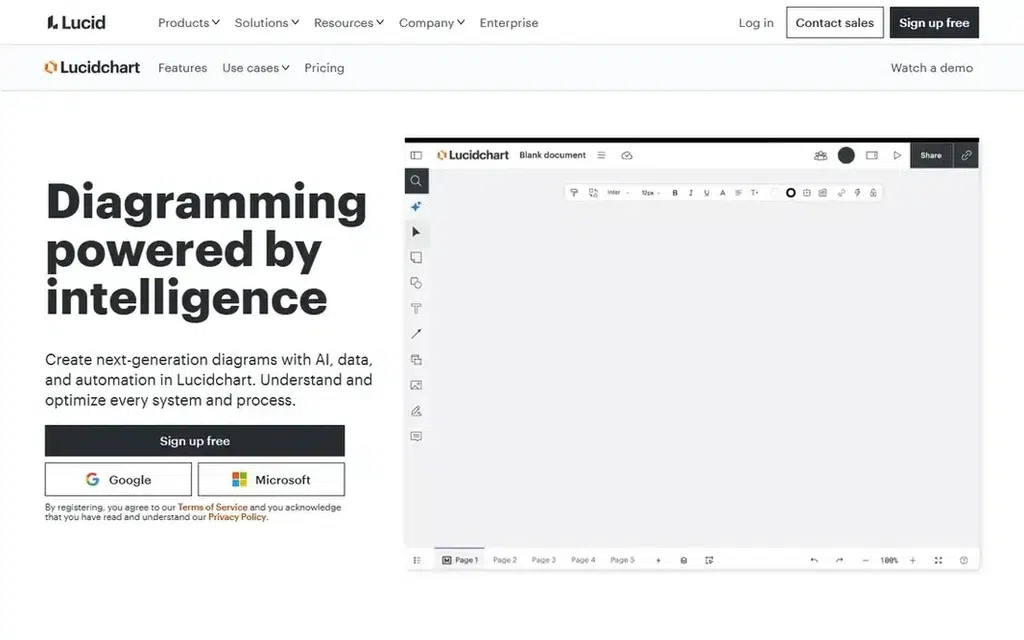
Lucidchart was built for AI-assisted ML system diagrams. Lucidchart is a diagramming product that emphasizes intelligence, data, and automation. It lets teams build next-generation diagrams and understand or optimize systems and processes.
Consider Lucidchart when diagram quality and system understanding are priorities for your ML documentation. The system may feel heavy for fast, one-off flowcharts, and its advanced capabilities can need time to learn. Lucidchart shows no starting price here, so confirm the cost on the vendor site. Free options: Not stated.
Watch-outs: Needs account setup.
- AI and automation features
- Data-linked diagramming
- Can be complicated for straightforward charts
Gliffy
Best for: Technical diagramming in Confluence
Choose Gliffy for technical diagramming in Confluence. Gliffy is an AI-powered technical diagramming tool for Confluence, offered by Perforce. As for the details, pick Gliffy when your documentation lives in Confluence and you want integrated technical diagrams.
As for the details, Gliffy's value is closely tied to Confluence and the Atlassian ecosystem. Teams using other products may find it less convenient. Gliffy starts at: $2.80 per user per month. You can start on Gliffy without paying.
Where it falls short: Restricted standalone appeal.
- AI-powered technical diagramming
- Tight Confluence integration
- A good match for Atlassian environments

Miro is a good fit for collaborative ML product planning. For machine learning projects, Miro is handy for collaborative planning, sketching model workflows, and aligning cross-functional teams around ML product features, particularly in early-stage design and brainstorming.
From a buyer's view, if you need strict, formalized diagramming standards, a focused tool might serve better. On top of that, pick Miro when team collaboration and visual thinking are central to your ML planning process. On cost, Miro starts like this: $8 per member per month. Miro includes a free tier.
Drawbacks to consider: Flowcharting is one of plenty of features.
- AI-powered visual workspace
- Supports ideation through launch
- Can become cluttered in large boards
How the list was put together
What to check before you buy
- Get a written quote from SmartDraw, Creately and Lucidchart; the list shows no starting price for them.
- Read the fine print on the free plans from Creately, Gliffy and Miro; seat, project and feature caps differ.
- Use real work to test the free trial from SmartDraw, rather than a demo project.
- Read the limits listed for SmartDraw first: may be overkill for straightforward ML charts.
- Verify that exporting from Lucidchart is possible on your plan and covers all your records.
- Confirm minimum seats and billing terms with Gliffy before you commit to an annual plan.
FAQ
What is the cheapest option for flowchart software for machine learning in this list?
On published monthly entry prices, Gliffy is the lowest here at $2.80 per user per month. Entry price is only part of the cost, because seats, add-ons and billing terms can change the total. For the full picture, the cards above cover all 5 entries of this Flowchart software for machine learning list, including price, free plan and limits.
Can I try these tools before paying?
Often, yes. Creately, Gliffy and Miro have a free plan and SmartDraw offers a free trial. Use your own data and a real task during the test, and check what the free tier or trial limits before you rely on it.
What should I look for in flowchart software for machine learning?
Look for tools that support data-linked diagrams, collaboration, and integration with your ML products. Consider whether AI assistance or specialized templates would accelerate your documentation.
How are the tools for flowchart software for machine learning ordered?
SmartDraw sits first and Miro last because the order follows typical fit for flowchart software for machine learning, then price clarity and free access. It is a judgement call, so read each profile for fit and limits.
Which options for flowchart software for machine learning have a free plan?
Creately, Gliffy and Miro offer a free plan in this list. Free plans usually cap users, projects or features, so check the limits on the vendor page. One other tool offers a trial instead.
Sources
- https://www.smartdraw.com
- https://creately.com
- https://www.lucidchart.com
- https://www.gliffy.com
- https://miro.com